
Community listing page, reviews may not be monitored by the author.
VillagerExplorer


No reviews yet
Explore villager's trades & job stations

Community voices
Reviews
No reviews yet. Be the first to review this project!
Get it on
Available Platforms
Compatibility
Supported Environments
Runs entirely on the client. Works on vanilla servers.
About
Project Details
For authors
Embed Badge
If you're the author of this project, you can embed a live badge anywhere that supports HTML or Markdown. It updates automatically whenever ratings change.
Use HTML for any page that supports it, or Markdown for README files and Markdown-based descriptions.
Identifiers
Platform IDs
Resources
External Links
About
Description
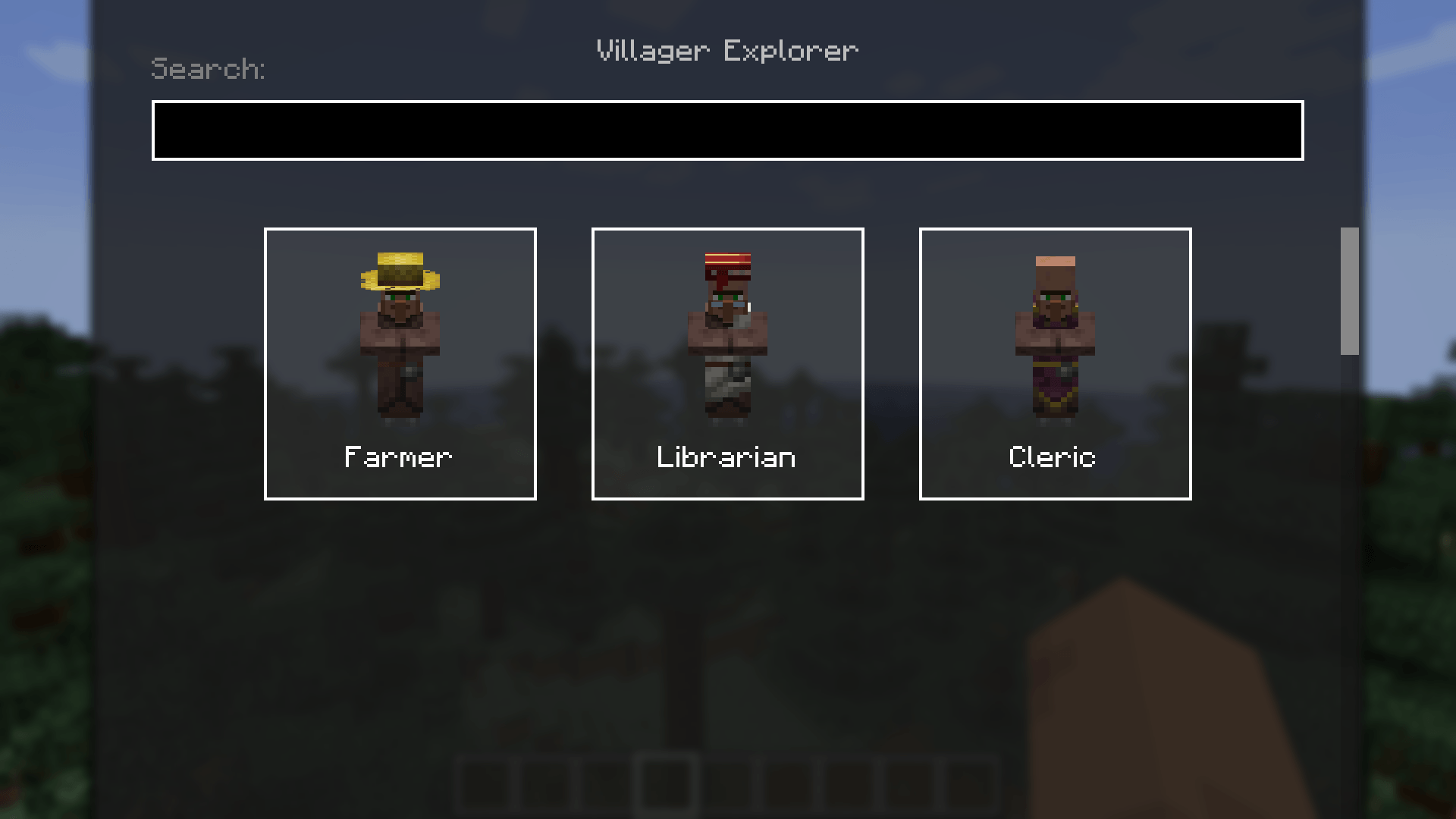
VillagerExplorer

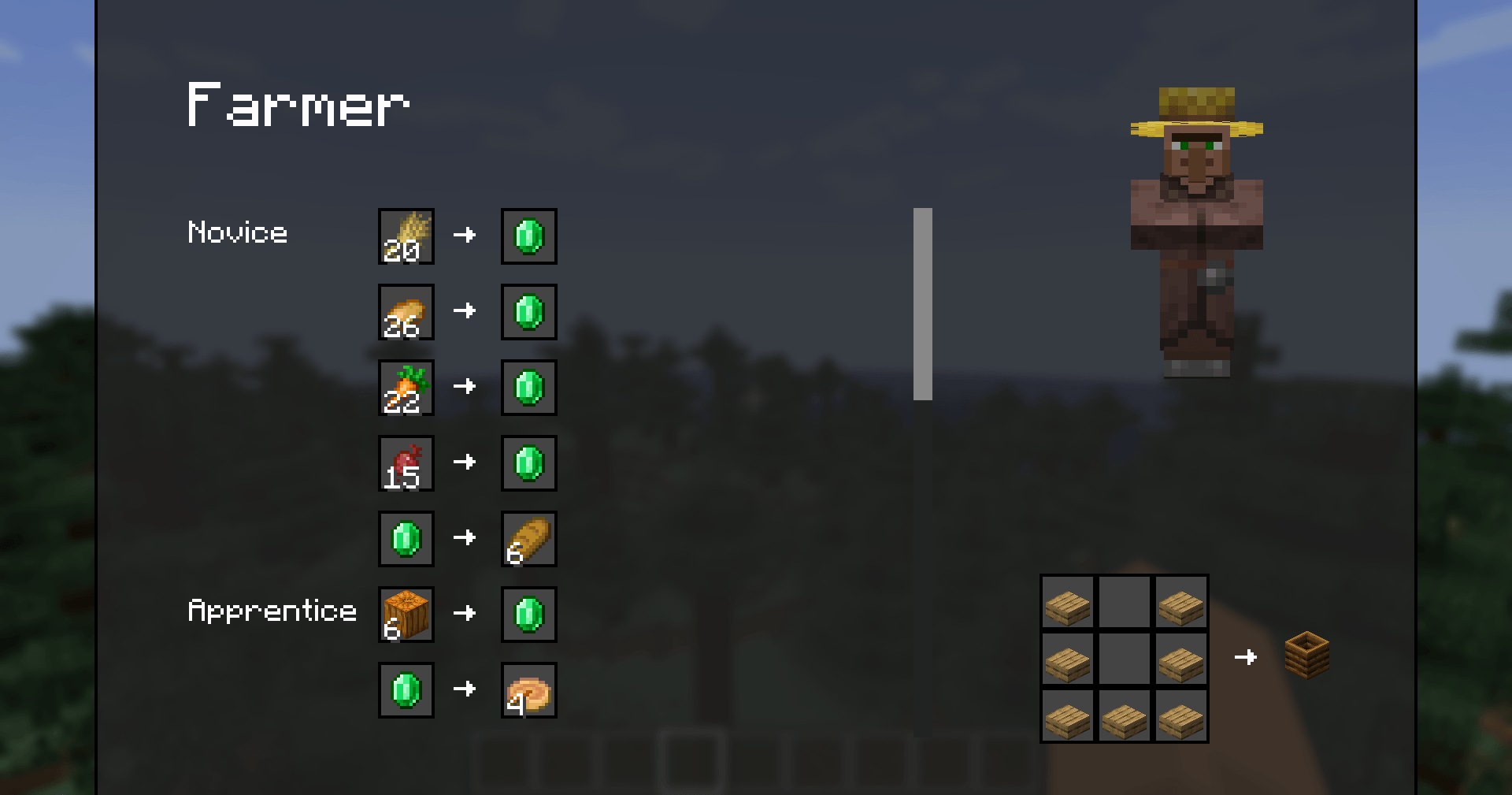
Trade List
- All trades sorted by level, straight from the vanilla game data
- Hover any item for max uses, villager XP and price ranges

Job Site Block Display
- Instantly see which job site block belongs to each profession, including its crafting recipe!
Search
- Find out who sells what by searching for a job, an item or even an enchantment like mending
Pinned Trades
- Pin trades with the star and keep them on screen in a small widget
- Open the chat to move it around

More
- Biome trades and the Wandering Trader included
- Look at a villager and press
Vto open its trades directly - 4 GUI styles: Vanilla, Modern, Refined and Ledger
How to Use
- Press
Vto open the explorer, or look at a villager first - Pick a profession and browse its trades
- Hover over items to view their tooltips
- Change the look with
/villagerexplorer style
VillagerExplorer
Trade List
- All trades sorted by level, straight from the vanilla game data
- Hover any item for max uses, villager XP and price ranges
Job Site Block Display
- Instantly see which job site block belongs to each profession, including its crafting recipe!
Search
- Find out who sells what by searching for a job, an item or even an enchantment like
mending
Pinned Trades
- Pin trades with the star and keep them on screen in a small widget
- Open the chat to move it around
More
- Biome trades and the Wandering Trader included
- Look at a villager and press
Vto open its trades directly - 4 GUI styles: Vanilla, Modern, Refined and Ledger
How to Use
- Press
Vto open the explorer, or look at a villager first - Pick a profession and browse its trades
- Hover over items to view their tooltips
- Change the look with
/villagerexplorer style
Screenshots
Gallery
-
 java_XpitRD0EZA.png java_XpitRD0EZA.png
-
 java_zxjmvxVwQb.png java_zxjmvxVwQb.png


Versions
Files
Relations
Project Relations
More like this
Similar Mods
Suggestions use data such as tags, dependencies, dependents, descriptions, titles, and more to rank how much they overlap with this mod.
On ModDex
Community snapshot
By the numbers
Statistics

Get it on
Available Platforms
On ModDex
Community snapshot
By the numbers
Statistics
Resources