
Community listing page, reviews here may not be monitored by the author.
VillEdit

No reviews yet
Create custom villagers with the VillEdit datapack! This is an easy custom villager creator which works without mods.
Community voices
Reviews
No reviews yet. Be the first to review this project!
Get it on
Available Platforms
Compatibility
Supported Environments
Runs entirely on the server. Also works in singleplayer.
The author has not specified where this runs.
Varies by version.
About
Project Details
For authors
Embed Badge
If you're the author of this project, you can embed a live badge anywhere that supports HTML or Markdown. It updates automatically whenever ratings change.
Use HTML for any page that supports it, or Markdown for README files and Markdown-based descriptions.
Identifiers
Platform IDs
Resources
External Links
About
Description
VillEdit - Create your own custom villagers
This Datapack was inspired by CommandGeek: https://youtu.be/MmDHKOZLkBc
Description
VillEdit is a Datapack which allows you to create and edit your own custom villagers. You can edit the trades, profession, biome, level and even the name with a fancy menu in no time. At the end, you will get a spawn egg to spawn your custom villager anywhere in the world.
How to use
Spawning the editor
Place down a chest, and then use a villager spawn egg on top of it (sneak and right click the top). This will spawn a Villager Editor. Right click the barrel to open the menu.
Using the editor
To use the editor, simply open the barrel and click the buttons. Each button will explain what it does when you hover over it. There are 5 appearance options:
- Cycle Profession
- Cycle Biome
- Cycle Level
- Toggle Static (NoAI)
- Toggle Glow
- Toggle Silent
- Change Custom Name
Adding a trade
To add a trade, click the green "Add Trade" button. This opens a new menu where you can create the trades by putting items in the UI. You need at least one input item, and an output item, for it to work. You can also toggle whether you want the trade to reward any XP to the player.
Removing trades
To remove trades, you can click the redstone to remove the last trade you added. You can also click on the redstone block twice to reset and remove all the trades.
Saving and exiting
Once you’re done, open the editor and press Save. This will give you the spawn egg to spawn your custom villager. You can use it wherever and whenever you want, but make sure to keep the egg safe. The spawn egg will work even if the datapack is uninstalled. The spawn egg will display the villager's data in the lore of the item (hover over it in the inventory)
To remove the editor, just break it.
Screenshots
Gallery
-
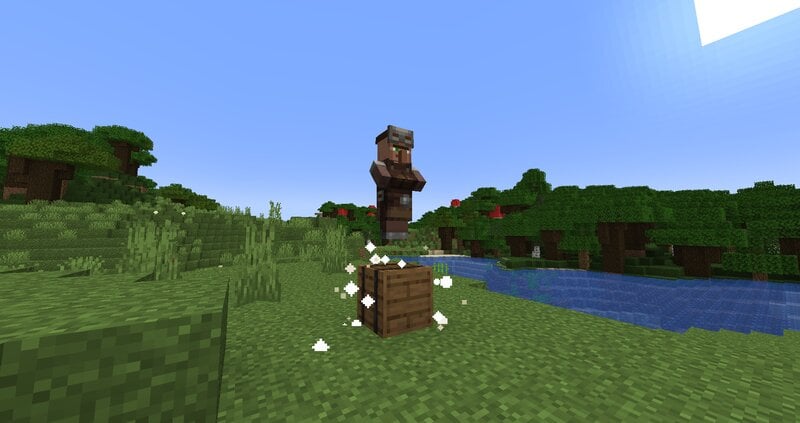 A Villager Editor Where you edit the villager
 -
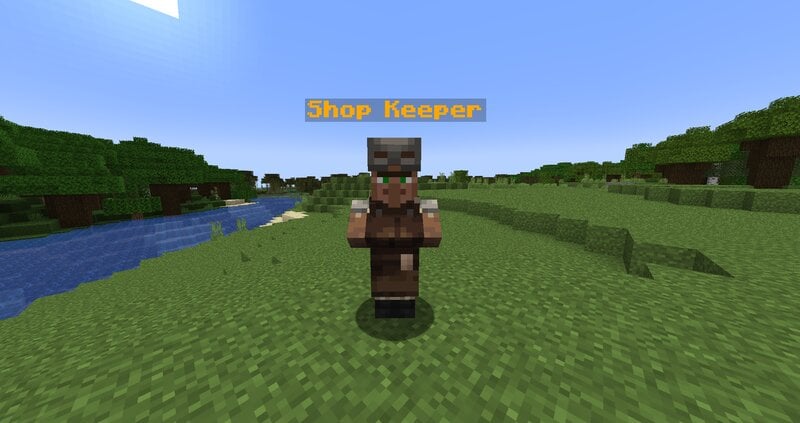 A Shop Keeper I made this
Versions
Files
Relations
Project Relations
More like this
Similar Mods
Suggestions use data such as tags, dependencies, dependents, descriptions, titles, and more to rank how much they overlap with this mod.
- Garbage Collector Villager
- Cobblemon Villager overhaul - [ADDON]
- Villager Coin
- Instant Villager Trading (No Cooldown)
- Trade Reroller
- EMI Trades (Villager Trading EMI Plugin)
- Trade Stages
- Caveman's Buyable Mob Eggs
- Boba's Extra Music Discs [LEGACY]
- Villager Shop (Fabric/Forge/NeoForge/Quilt)
- ClickVillagers
- Plugin Stlye Shop
On ModDex
Community snapshot
By the numbers
Statistics

Want to reach Minecraft players?
We're looking for a server hosting partner to feature here and other parts of the site. Interested? Send us a message!
Get in touchGet it on
Available Platforms
On ModDex
Community snapshot
By the numbers
Statistics
Resources