
Community listing page, reviews may not be monitored by the author.


Community voices
Reviews
No reviews yet. Be the first to review this project!
Get it on
Available Platforms
About
Project Details
For authors
Embed Badge
If you're the author of this project, you can embed a live badge anywhere that supports HTML or Markdown. It updates automatically whenever ratings change.
Use HTML for any page that supports it, or Markdown for README files and Markdown-based descriptions.
Identifiers
Platform IDs
Resources
External Links
About
Description
Usage
- After entering a world, press F8 to open the editor. You can change the key in the game controls settings.
- Click Recipe Type and select a template from the searchable, scrollable list. The list includes vanilla templates and recognizable third-party datapack recipe types; third-party types use existing recipes as templates and preserve their original fields.
- The Copy to VJRM Editor book button on EMI recipe pages is shown by default. The JEI button follows the existing configuration and is hidden by default on first install. Bind Show/Hide JEI/EMI Recipe Copy Button under the Visual JEI Recipe Maker category in controls settings (unbound by default) to toggle visibility. The toggle is saved in
config/vjrm-client.tomland persists after restart; EMI usesshowEmiCopyButton, JEI usesshowJeiCopyButton. - Drag items or fluids from the JEI/EMI sidebar into bound recipe slots. The player's main inventory and hotbar are shown below; you can only fill slots by dragging, clicking an inventory item will not fill the recipe.
- Drag-replacing preserves the slot's original count; merging ingredient slots replaces the entire duplicate ingredient group. After clicking a recipe slot, you can enter an item/fluid ID and count, then click Apply Changes. Entering tags such as
#minecraft:logscan modify input tags. - Right-click to clear and remove crafting inputs; empty crafting slots can be filled again by dragging. Required fields and the last input are protected by serializer validation. Press Esc to return.
- Slots that cannot automatically map to JSON fields show a yellow border. First click the slot, select the JSON field, then click Bind Slot. Fuel, catalyst, and display-only slots are not exportable ingredients.
- Click Values at the top to search and modify existing numeric fields, including runtime, mana, energy, experience, probability, count, and nested parameters. Big integers, decimals, and scientific notation are supported; common numeric strings such as energy preserve the string type. The entire draft is validated together; Cancel discards changes.
- Copy to Clipboard in Edit JSON copies the current draft as-is. The editor provides key, string, number, boolean/null, and error highlighting; line numbers, line/column position, matching bracket highlighting, bracket/quote completion, auto-indent on Enter, Tab indentation, Ctrl+Z/Y undo/redo, formatting, and live syntax error indications. Ctrl+Shift+F formats, Ctrl+S applies; Ctrl+A/C/V/X are supported. Before applying, the actual serializer validation is called.
- Enter a new recipe ID, for example
vjrm:my_recipe, and choose client-side or server-side export. Overwriting is refused by default and can be explicitly enabled.
Export
- Client:
<game directory>/vjrm_exports/vjrm_generated/data/<namespace>/recipe/<path>.json. - Server:
<world directory>/datapacks/vjrm_generated/data/<namespace>/recipe/<path>.json. - Both export methods create a complete datapack and
pack.mcmeta(Minecraft 1.21.1 datapack version 48). - After exporting, manually run
/reload; client-exported directories must first be copied to the world'sdatapacks. - Server export permission is controlled by
exportPermissionLevelinserverconfig/vjrm-server.toml, defaulting to OP level 2 and configurable from 0–4. - Original JSON reading is limited to 240000 characters; server export is limited to 24000 characters. If exceeded, use client-side export.
Screenshots
Gallery
-
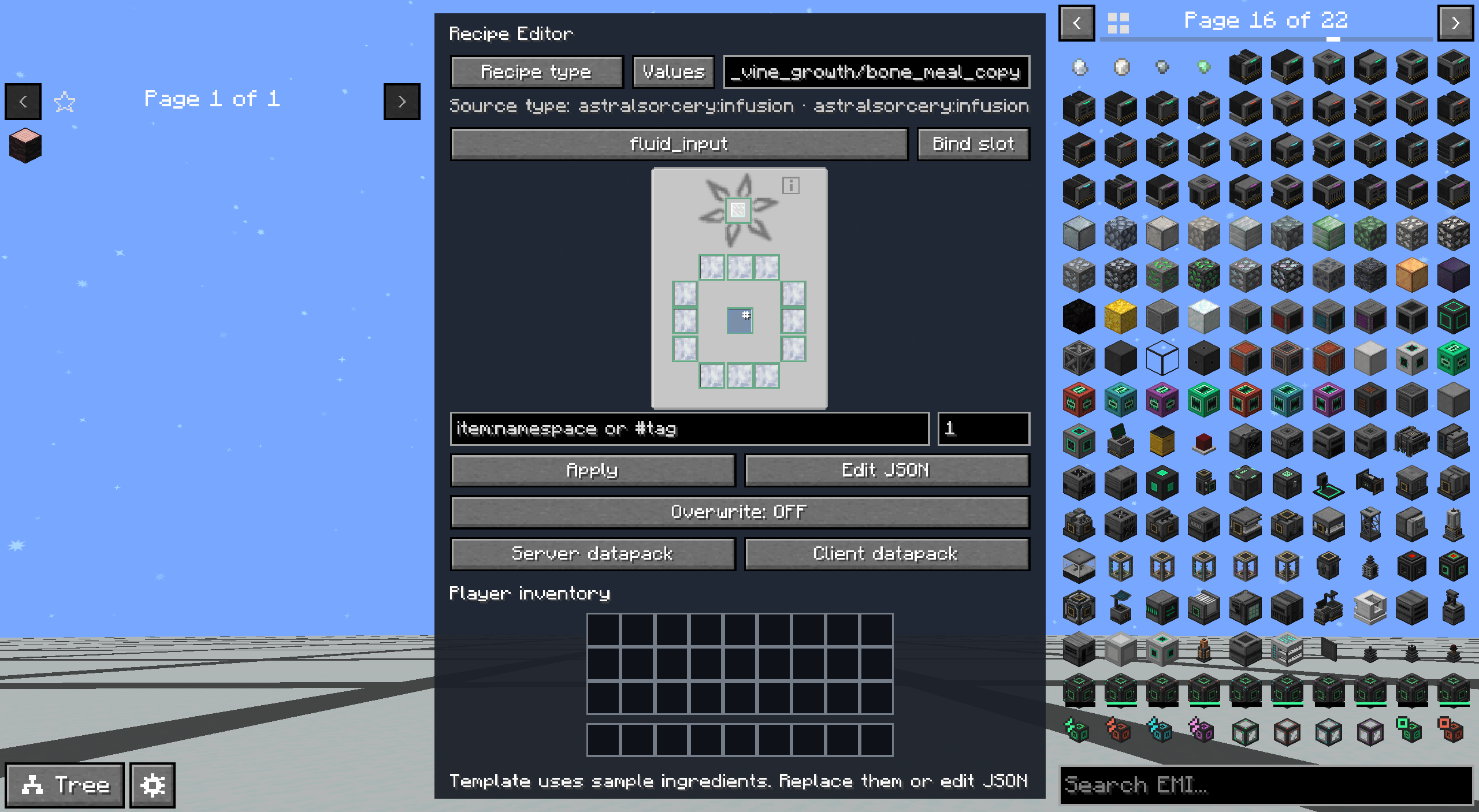 editor.png
 -
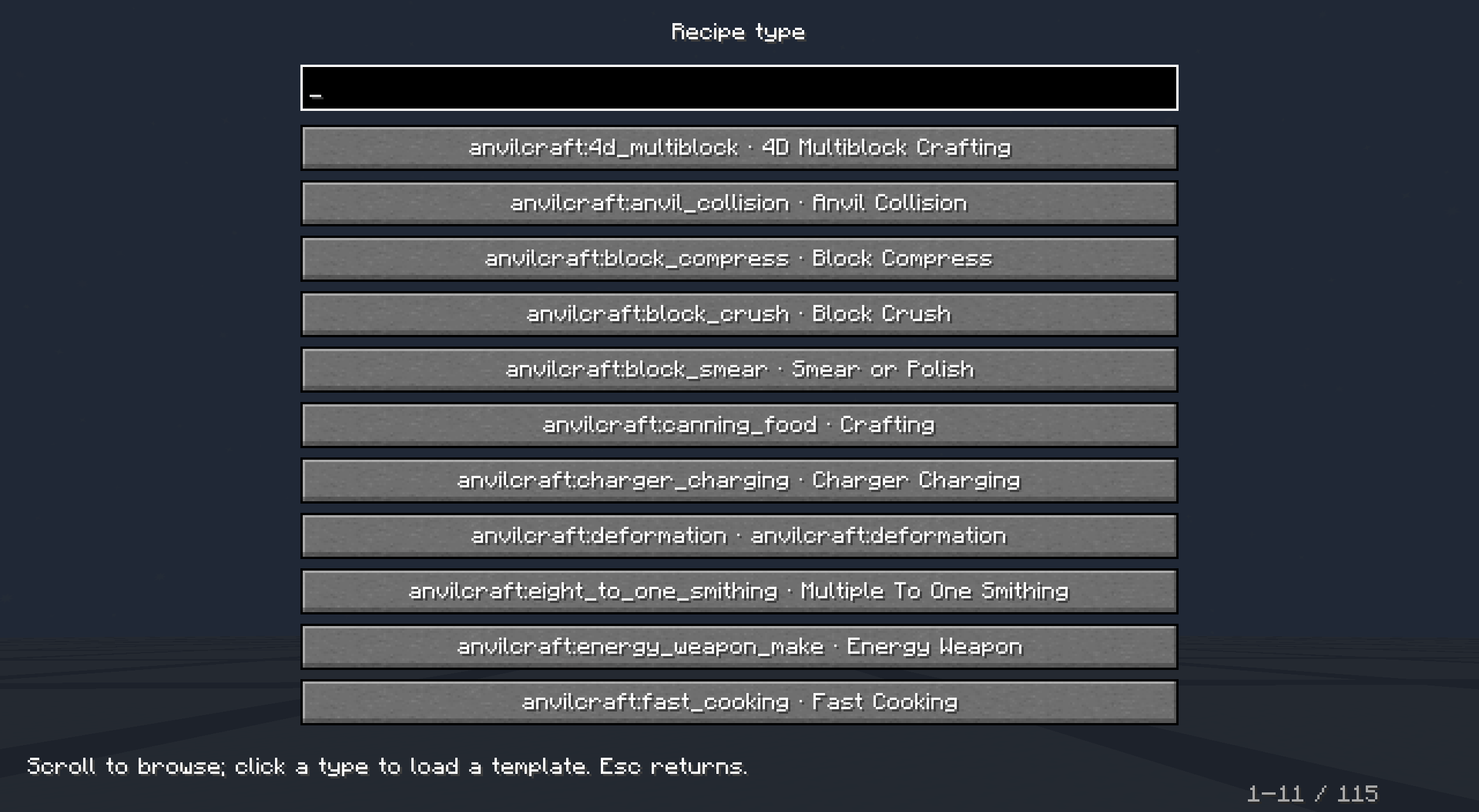 recipe type.png
 -
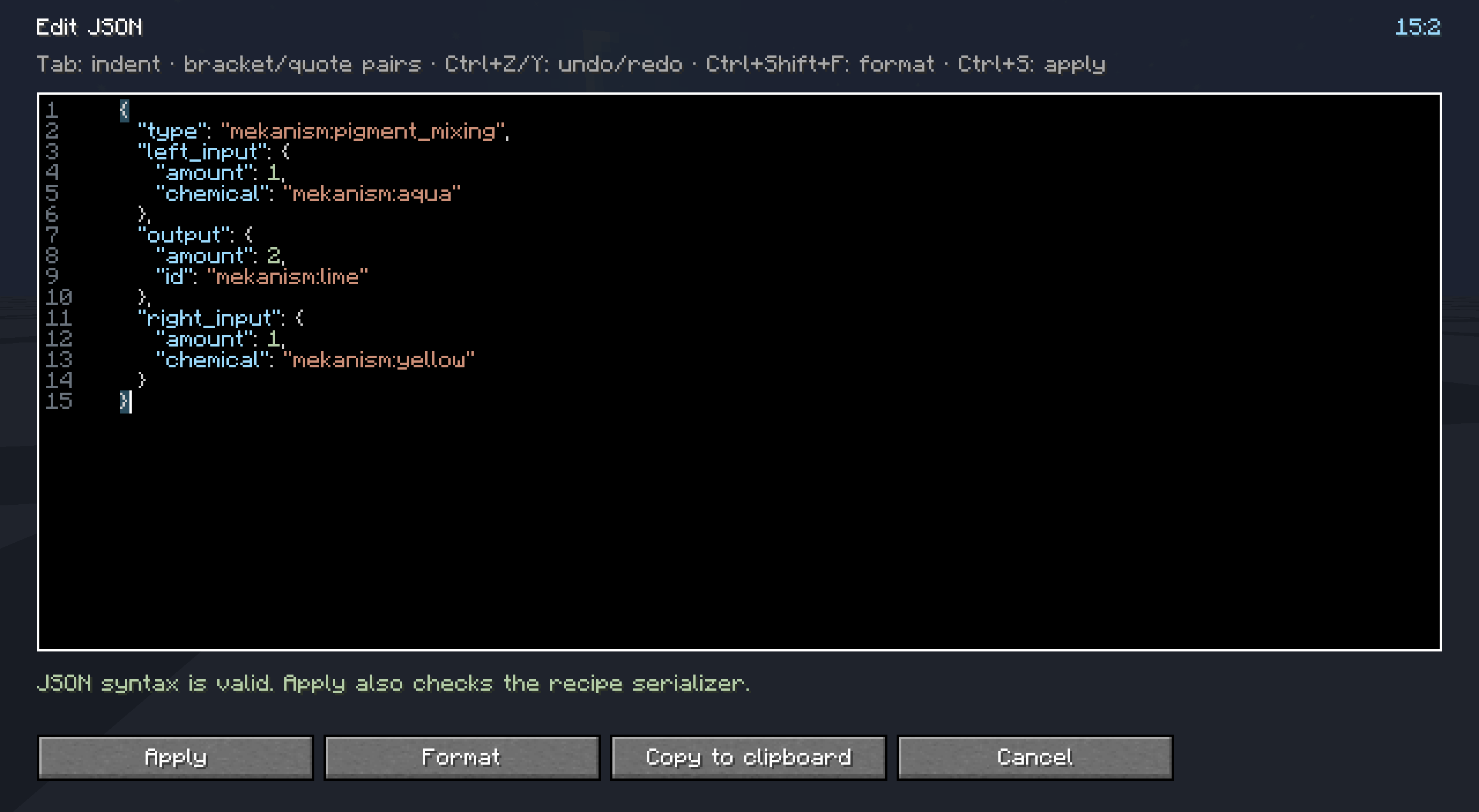 json editor.png
Versions
Files
Relations
Project Relations
More like this
Similar Mods
Suggestions use data such as tags, dependencies, dependents, descriptions, titles, and more to rank how much they overlap with this mod.
On ModDex
Community snapshot
By the numbers
Statistics

Get it on
Available Platforms
On ModDex
Community snapshot
By the numbers
Statistics
Resources