
Community listing page, reviews here may not be monitored by the author.
Vodium

No reviews yet
Vodium adds a lot of optimizations (render, physics and chunk systems optimized) & simple shader-system to Minecraft.
Community voices
Reviews
No reviews yet. Be the first to review this project!
Get it on
Available Platforms
Compatibility
Supported Environments
Works on the client or the server alone, but does more when on both.
About
Project Details
For authors
Embed Badge
If you're the author of this project, you can embed a live badge anywhere that supports HTML or Markdown. It updates automatically whenever ratings change.
Use HTML for any page that supports it, or Markdown for README files and Markdown-based descriptions.
Identifiers
Platform IDs
About
Description
Vodium — a Minecraft optimization mod.

Vodium is a Minecraft optimization and shading system mod that replaces numerous mods with a single, unified system. It optimizes rendering, physics, chunk and entity loading, and also provides a shader system (as mentioned earlier) - you don't need to download a bunch of mods that conflict (Not 100% replacer for all optimization mods! Yes, it works fine, but it isn't too big to replace all mods).
Note: I'm working hard to improve Vodium's shader system, but it's still not a complete replacement for Iris. However, it's already usable - the basic effects and shaders work.
Incompatibles list
Incompatible with:
- Sodium
- (partially - if disable built-in entity physics optimization & AI optim will work) Lithium
- (partially - if disable culling works) EntityCulling
- (Not fully tested) C2ME
- (Partially - disable regionBatching to use) Iris Shaders (however, it replaces their features)
How to download and use
- Download Vodium from the official website (i.e. here, from Modrinth).
- Download shaders from Google Drive.
- Place the .jar file you downloaded from Modrinth in step 1 in the /%Your_Minecraft_Folder%/mods/ folder.
- Place both shaders from the shader ZIP archive from step 2 in the /%Your_Minecraft_Folder%/shaderpacks/ folder.
Optimization showcase
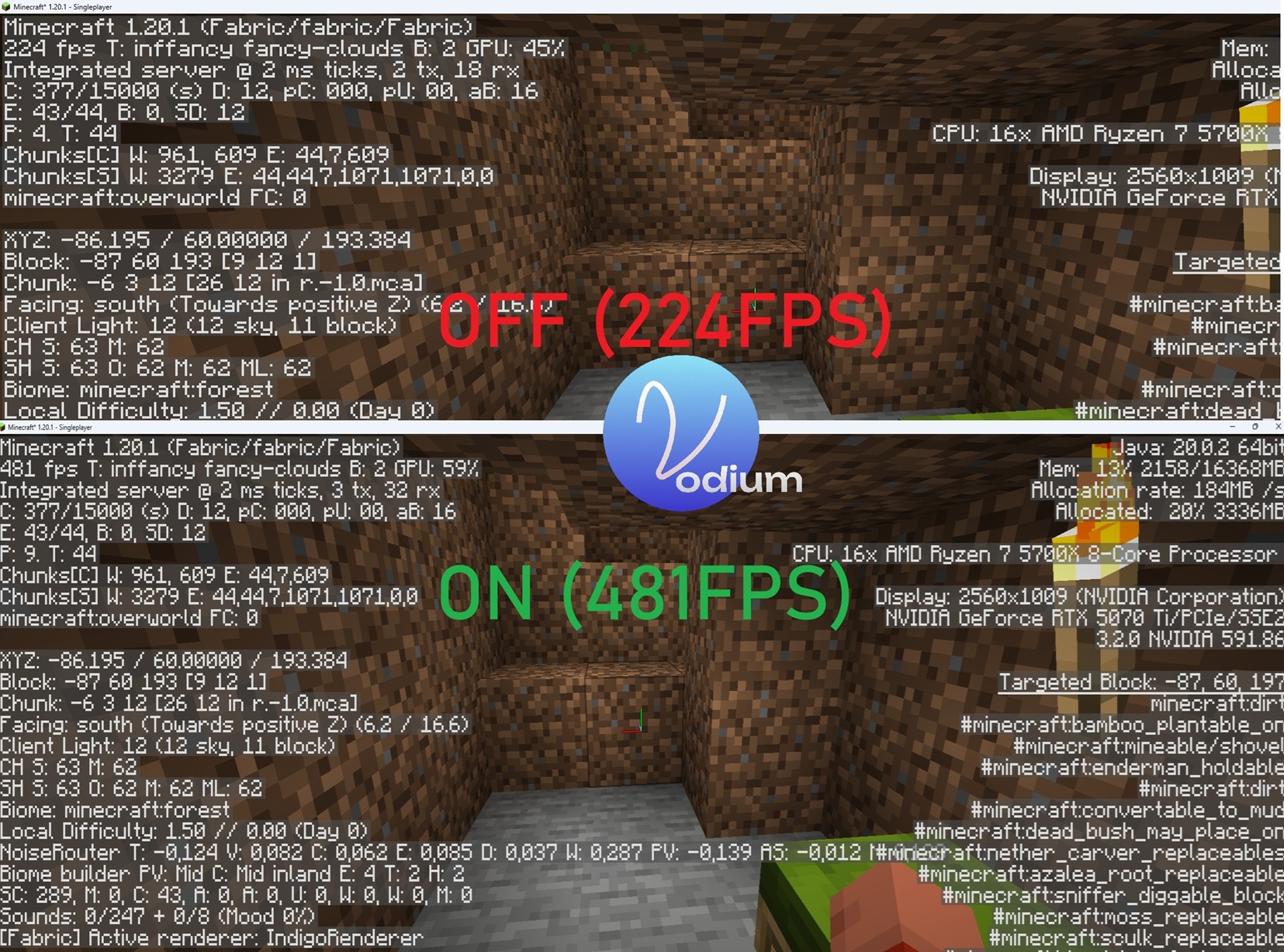
For your tests, you can use /vodium on & /vodium off commands to enable&disable mod's optimizations - on this screenshot I used them (so, please, don't ask "why top has fabric" - I tested using this command too).
If you want, you also can disable mod, run Minecraft again if you want.
Screenshots
Gallery
-
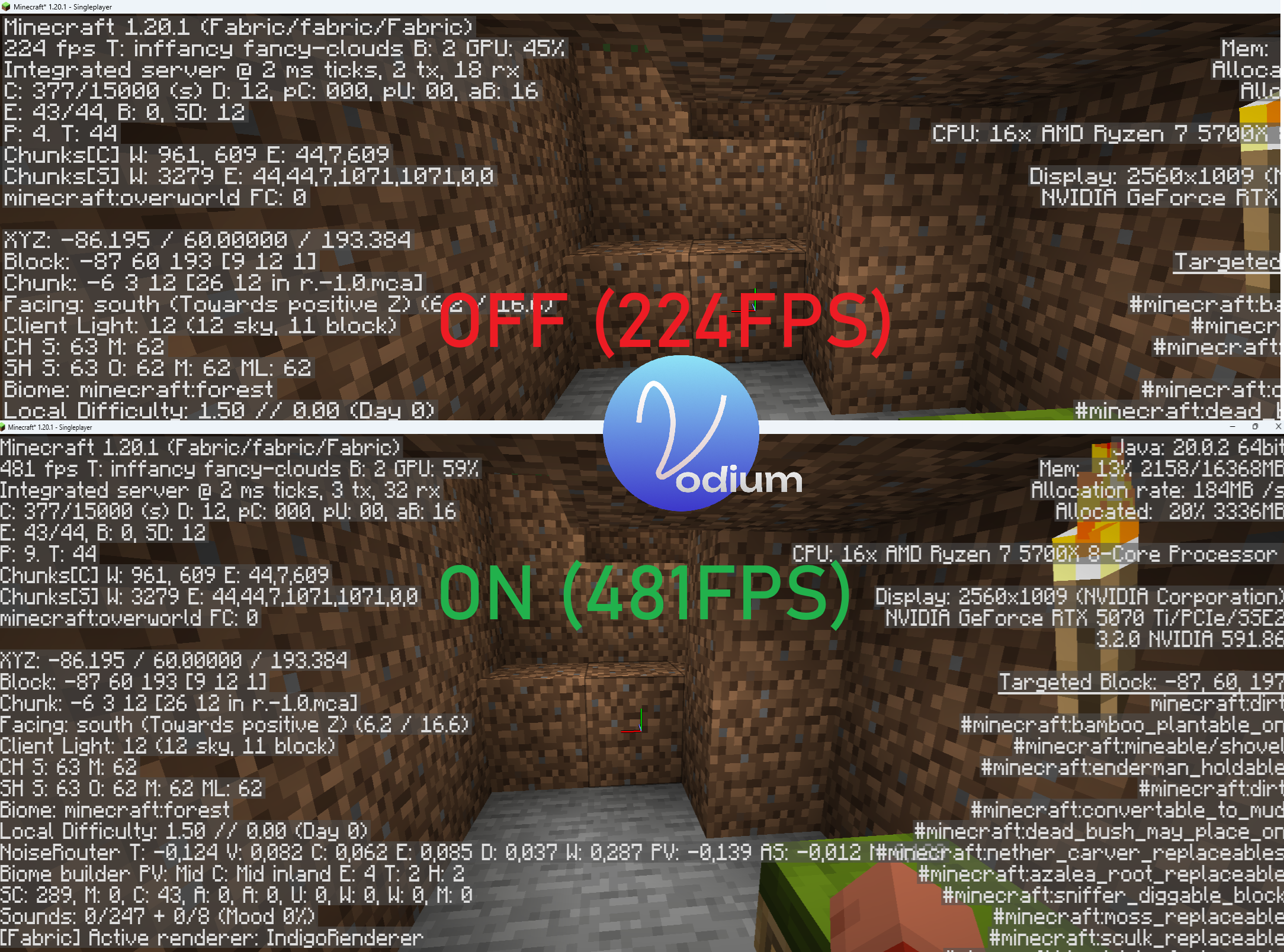 FPS showcase This is a Vodium optimization showcase: the player is inside a "dugout"- if you can call it that - with a forest overhead and a small house a bit further away. I placed about 40 cows around the forest to simulate the conditions of a real Minecraft forest.
 -
 Vodium SSAO showcase Small showcase of shader system (enabled SSAO postprocess and torchlight shader from default shaders)
Versions
Files
Relations
Project Relations
More like this
Similar Mods
Suggestions use data such as tags, dependencies, dependents, descriptions, titles, and more to rank how much they overlap with this mod.
On ModDex
Community snapshot
By the numbers
Statistics

Want to reach Minecraft players?
We're looking for a server hosting partner to feature here and other parts of the site. Interested? Send us a message!
Get in touchGet it on
Available Platforms
On ModDex
Community snapshot
By the numbers