
Community listing page, reviews here may not be monitored by the author.
Voice Chat Screen Share

No reviews yet
Share your screen with the people you are playing with - as a screen floating in the world in front of you, or as a window inside the game.
Community voices
Reviews
No reviews yet. Be the first to review this project!
Get it on
Available Platforms
Compatibility
Supported Environments
Must be installed on both the client and the server.
About
Project Details
For authors
Embed Badge
If you're the author of this project, you can embed a live badge anywhere that supports HTML or Markdown. It updates automatically whenever ratings change.
Use HTML for any page that supports it, or Markdown for README files and Markdown-based descriptions.
Identifiers
Platform IDs
Resources
External Links
About
Description
Voice Chat Screen Share
Share your screen with the people you are playing with - as a screen floating in the world in front of you, or as a window inside the game.
An unofficial add-on for Simple Voice Chat. Not affiliated with or endorsed by its author. Please report problems with this mod here, not to him.
What you can do
Share to everyone, or just to your group. A public broadcast puts a small icon beside your name that anyone nearby can click to watch. A group broadcast goes only to the people in your voice chat group, and appears in their list instead - nothing floats in the world.
Two ways to be seen. By default your screen hangs in front of you and turns with your head, facing whoever is standing in front of you. Or switch to cinema mode and place it anywhere in the world with the scroll wheel - a screen on a wall, above a table, wherever you want people to gather.
Three ways to watch. As that floating screen, filling your whole window, or pinned to a corner so you can carry on playing. The pinned window is dragged and resized while your inventory is open.
With sound. Desktop audio is captured and sent alongside the picture, so viewers hear what you hear - music, a video, a game.
Nobody sees anything by accident
Sharing your screen to strangers is a real risk: notifications, private messages and passwords all pass through it. So the mod is built to make that hard to do by mistake.
- Nothing is ever broadcast automatically. Ever.
- Going public asks you to confirm every single time.
- A live preview of exactly what is going out sits in your corner, with the faces of everyone watching underneath it.
- One key stops everything instantly.
- Viewers can hide any streamer they do not want to see.
- Server owners can turn the mod off, restrict it to groups, or cap the quality.
What you need
- Simple Voice Chat 2.6.20+, on the client and the server
- The server needs this mod too, plus one extra open port - the same way voice chat works
- Sharing your screen is Windows only for now. Everyone can watch, on any system
Quality
480p, 720p or 1080p, at 15 or 30 frames per second.
Only the parts of the screen that actually changed are sent, so an idle desktop costs almost nothing. Measured on a real machine: 720p30 is about 4.3 Mbit/s, 1080p30 about 7.9. Playing fullscreen video will use considerably more.
Capture is capped at 30 fps by Windows itself. 60 is not offered.
Contact
Suggestions, bugs, or just want to get in touch? Write to me on Discord: .reimz
Русский
Voice Chat Screen Share
Показывай свой экран тем, с кем играешь - голограммой в мире перед собой или окном прямо в игре.
Неофициальное дополнение к Simple Voice Chat. Не связано с его автором и им не поддерживается. С проблемами по этому моду пишите сюда, а не ему.
Что умеет
Трансляция всем или только своей группе. При публичной трансляции рядом с твоим ником появляется иконка - любой может нажать и посмотреть. Трансляция в группу уходит только тем, кто с тобой в голосовой группе, и видна у них в списке, а в мире ничего не висит.
Два способа показать. По умолчанию экран висит перед тобой и поворачивается вместе с головой, лицом к тем, кто стоит напротив. Либо переключись в режим кинотеатра и поставь экран где угодно колесом мыши - на стену, над столом, туда, где хочешь собрать людей.
Три способа смотреть. Той самой голограммой, на весь экран, или в окне в углу - тогда можно продолжать играть. Окно двигается и меняет размер, пока открыт инвентарь.
Со звуком. Звук с твоего компьютера идёт вместе с картинкой - зрители слышат то же, что и ты: музыку, видео, игру.
Никто ничего не увидит случайно
Показывать свой экран посторонним - это реальный риск: уведомления, личные сообщения, пароли - всё попадает в кадр. Поэтому мод устроен так, чтобы случайно это сделать было трудно.
- Трансляция никогда не включается сама. Вообще никогда.
- Публичная трансляция спрашивает подтверждение каждый раз.
- В углу у тебя живое превью того, что именно уходит в эфир, а под ним - лица всех, кто смотрит.
- Одна клавиша мгновенно всё выключает.
- Зритель может скрыть любого стримера, которого не хочет видеть.
- Владелец сервера может выключить мод, разрешить только групповые трансляции или ограничить качество.
Что нужно
- Simple Voice Chat 2.6.20+, на клиенте и на сервере
- На сервере тоже нужен этот мод и один открытый порт - так же, как работает голосовой чат
- Транслировать пока можно только с Windows. Смотреть - с любой системы
Качество
480p, 720p или 1080p, 15 или 30 кадров в секунду.
Передаются только те части экрана, которые реально изменились, поэтому неподвижный рабочий стол почти ничего не стоит. Замерено на живой машине: 720p30 - примерно 4.3 Мбит/с, 1080p30 - около 7.9. Видео на весь экран будет ощутимо больше.
Захват упирается в 30 кадров из-за самой Windows. Вариант 60 не предлагается.
Связаться
Есть предложения, баги или просто хочешь написать - пиши мне в Дискорд: .reimz
Screenshots
Gallery
-
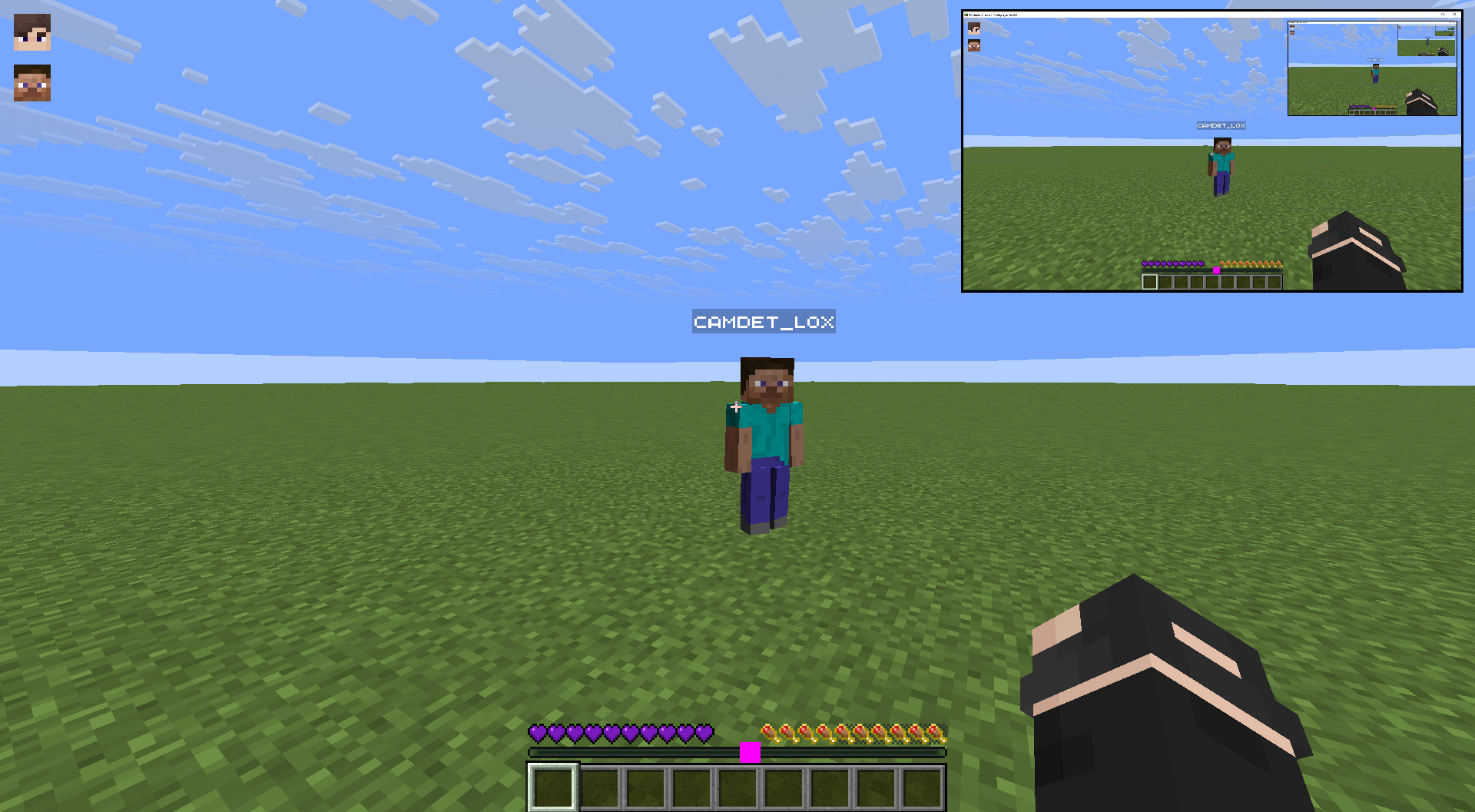 Viewing screen sharing in a group
 -
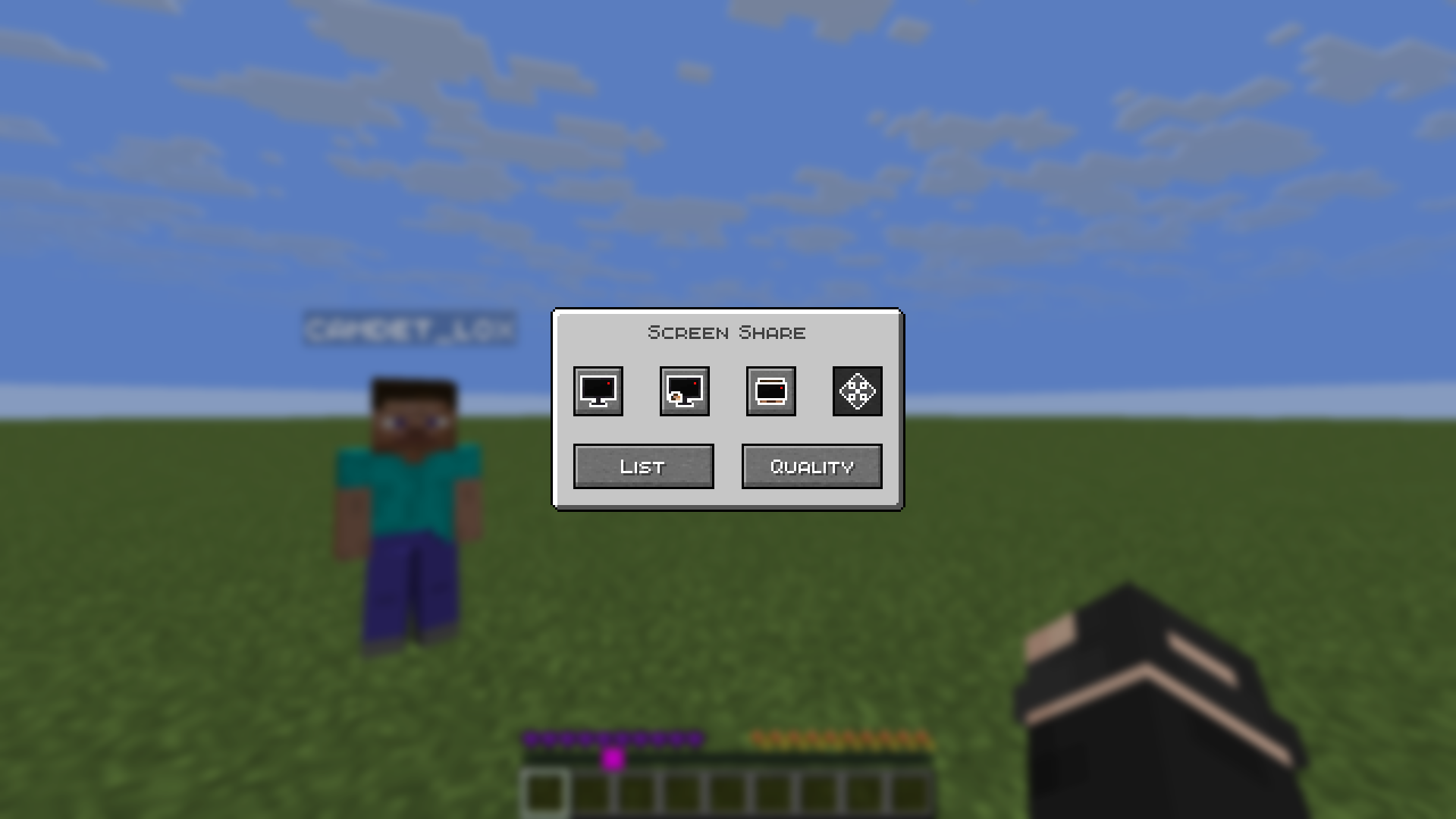 Mod menu Screen sharing menu. To open it, press G. Or change the button in the controls.
 -
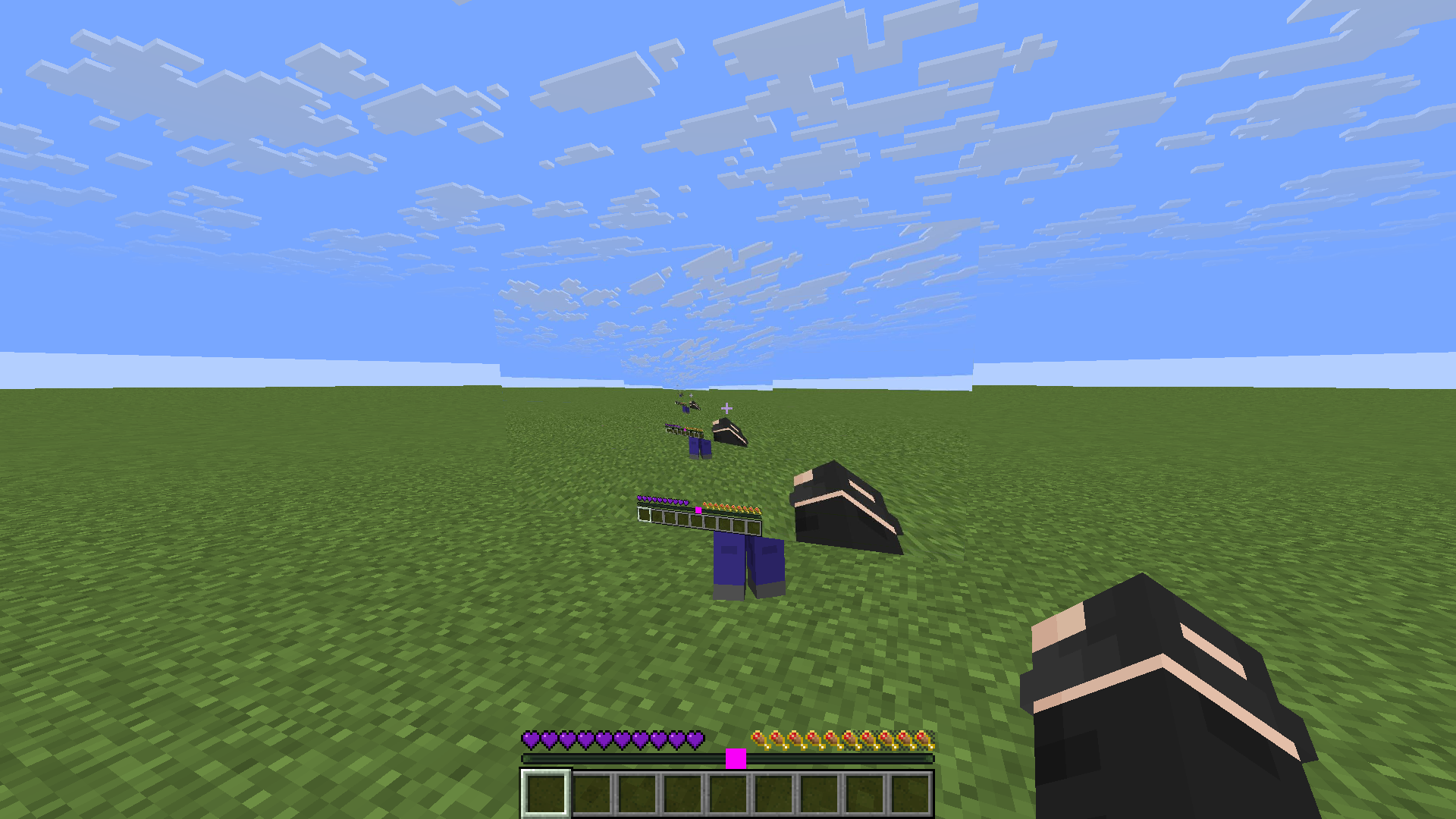 Screen sharing front
 -
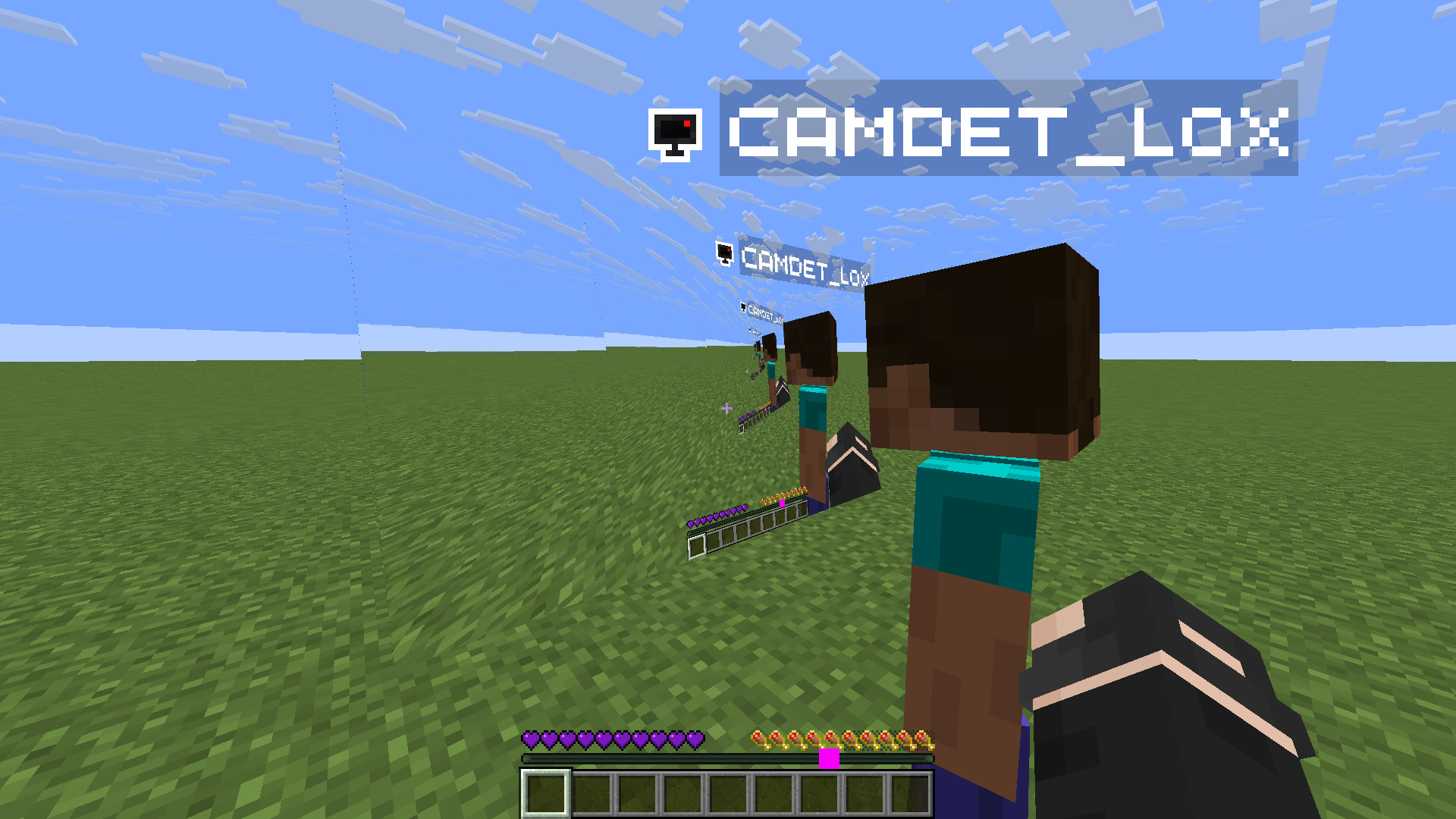 Screen sharing back
 -
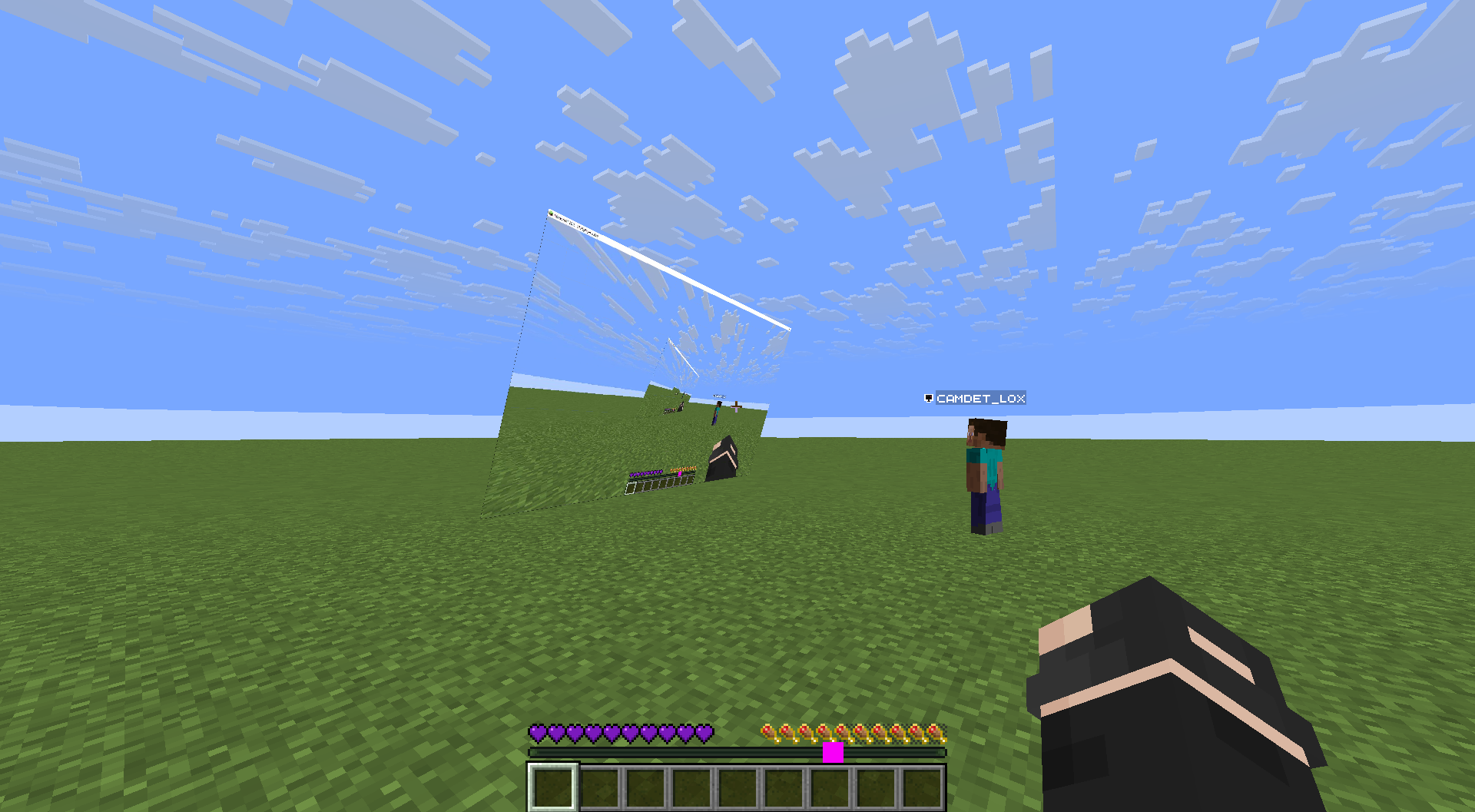 Cinema Mode
 -
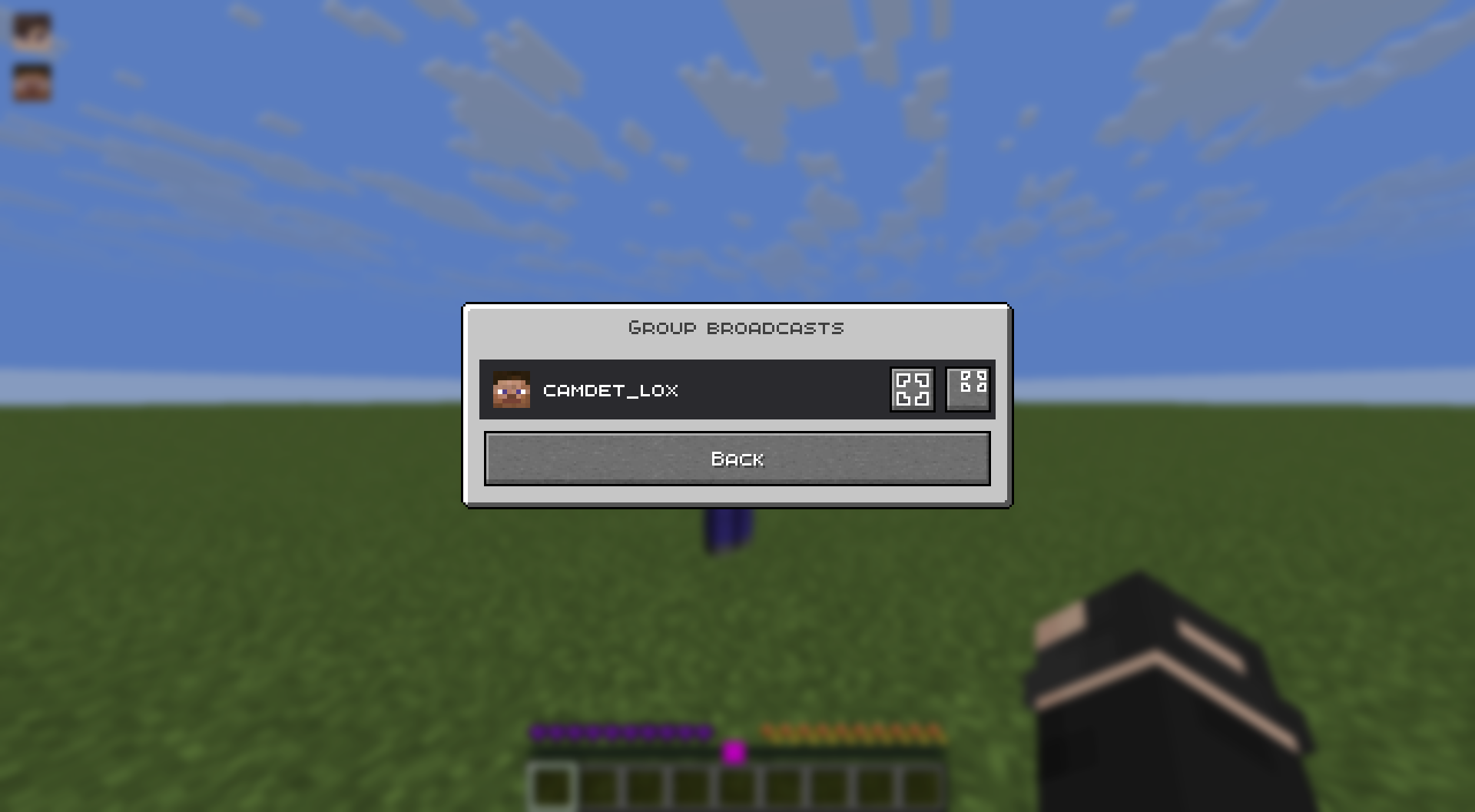 List of screens sharing in a group
Versions
Files
Relations
Project Relations
More like this
Similar Mods
Suggestions use data such as tags, dependencies, dependents, descriptions, titles, and more to rank how much they overlap with this mod.
On ModDex
Community snapshot
By the numbers
Statistics

Want to reach Minecraft players?
We're looking for a server hosting partner to feature here and other parts of the site. Interested? Send us a message!
Get in touchGet it on
Available Platforms
On ModDex
Community snapshot
By the numbers
Statistics
Resources