
Community listing page, reviews here may not be monitored by the author.
Voice chat visualizer

No reviews yet
Client-side Simple Voice Chat overlay that shows who is speaking near you. Face, name and a live voice waveform. Fully draggable and deeply configurable.
Community voices
Reviews
No reviews yet. Be the first to review this project!
Get it on
Available Platforms
Compatibility
Supported Environments
Runs entirely on the client. Works on vanilla servers.
About
Project Details
For authors
Embed Badge
If you're the author of this project, you can embed a live badge anywhere that supports HTML or Markdown. It updates automatically whenever ratings change.
Use HTML for any page that supports it, or Markdown for README files and Markdown-based descriptions.
Identifiers
Platform IDs
About
Description
Voice Chat Visualizer
See who's talking. A lightweight, client-side overlay for Simple Voice Chat that shows the players speaking around you — their face, name and a live voice waveform that reacts to how loud they talk.
When several people are nearby and someone starts speaking, you instantly know who it is.

✨ Features
- Live speaker overlay — face + name + animated indicator for everyone you can currently hear.
- Reacts to loudness — the waveform pulses with the speaker's actual volume, not just on/off.
- All voice modes — proximity, locational and group (static) audio.
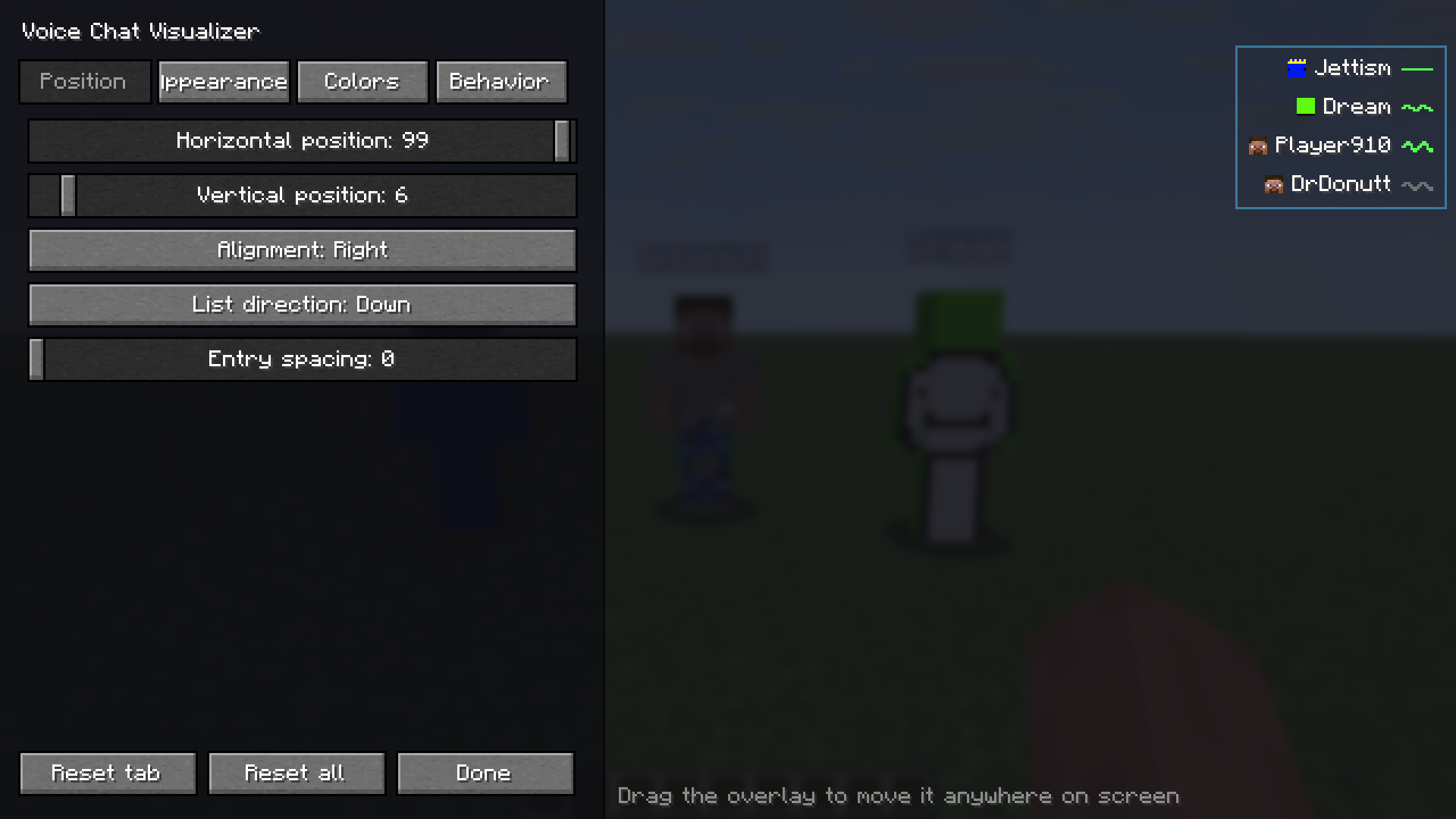
- Fully draggable HUD — put it anywhere on screen, align left/right, list grows up or down.
- Professional in-game configurator — tabs for Position, Appearance, Colors and Behavior, with HSV + hex color pickers and a live preview that uses sample speakers, so you can tune everything solo without a second player online.
- Smart layout — the settings panel automatically moves to the opposite side of the overlay, so it never covers the element you're positioning.
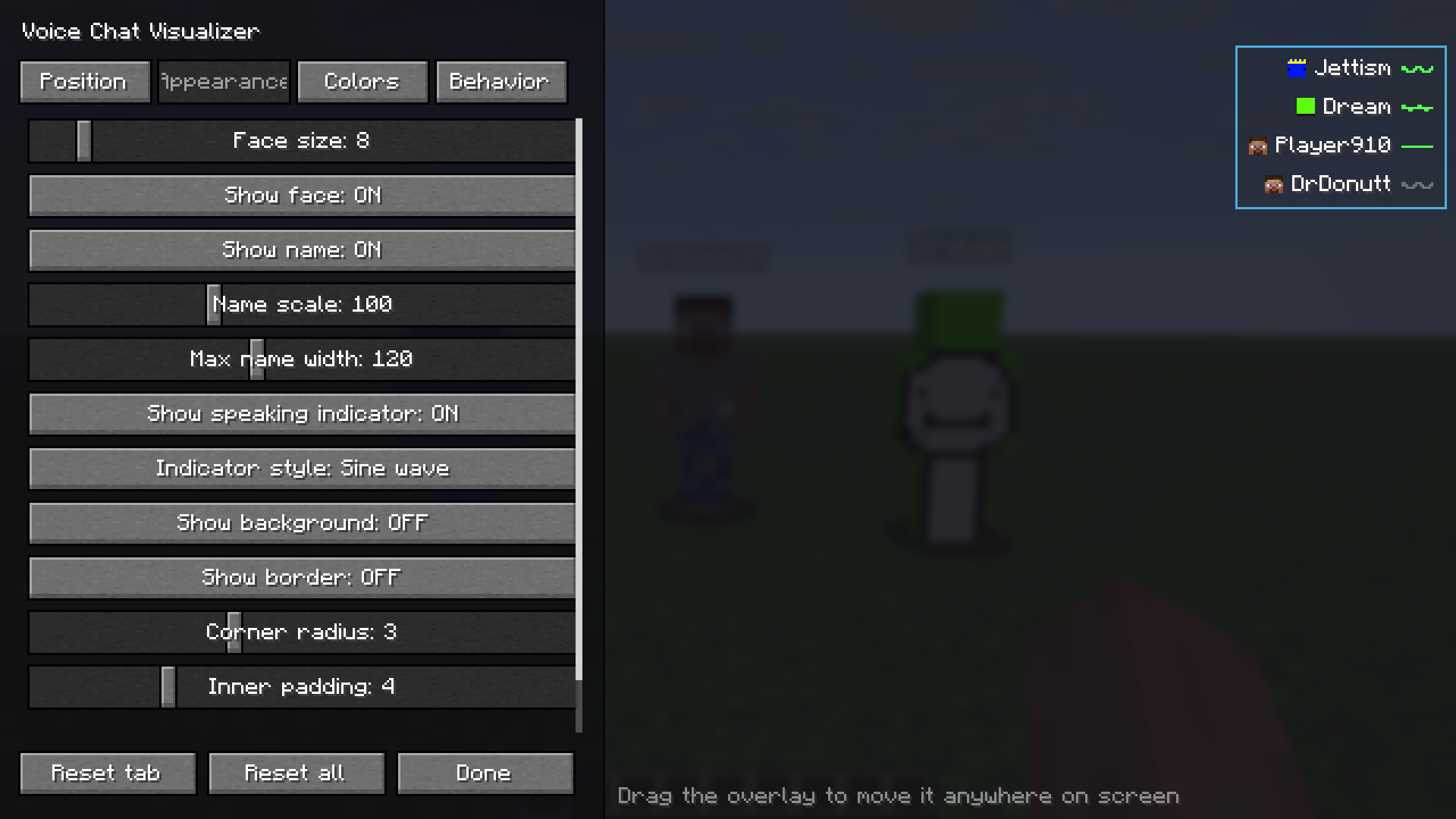
- Deeply customizable — face size (down to 4 px), name scale & max width, background & border, corner radius, padding, distance display, max entries, fade in/out, hold time, slide-in animation, loudness sensitivity, sort order, whisper marking, "show myself", and indicator style (wave / bars / dot).
- Sensible minimal defaults — clean look out of the box (small face, no background).
- Keybinds — open the configurator (default V) and toggle the overlay.
- Mod Menu integration.
- English & Polish translations built in.
🎛️ How it works
Voice Chat Visualizer hooks into the Simple Voice Chat plugin API and listens (read-only) to the audio you receive. For every voice packet you hear, it shows that player in the overlay and fades them out shortly after they stop — so the list always reflects who is actually talking near you. Names and skins come from the tab list, so they're correct even for players behind a wall.
📦 What you need
- Fabric API and Simple Voice Chat — the server must run Simple Voice Chat, as usual.
- Mod Menu (optional — adds a Configure button).
Client-side only — you don't need it on the server.
👉 For the exact Minecraft version and dependency versions, check the Dependencies panel and the Versions tab — every file lists what it supports. Pick the download that matches your game.
🔧 Installation
- Install Fabric Loader.
- Drop Fabric API, Simple Voice Chat and Voice Chat Visualizer into your
modsfolder. - Join a server that uses Simple Voice Chat.
- Press V (default) — or open Mod Menu → Voice Chat Visualizer → Configure — to customize the overlay.
⚙️ Configuration
Open the configurator with the keybind or via Mod Menu. Drag the overlay preview anywhere on
screen, pick colors, sizes and behavior, and watch it update live. Everything is saved to
config/svc-visualizer.json. Changed your mind? Hit Reset tab or Reset all.
Position — drag the live preview anywhere on screen; the settings panel automatically moves to the opposite side so it never covers what you are positioning.
Appearance — face size, name scale and width, indicator style, background, border, padding.
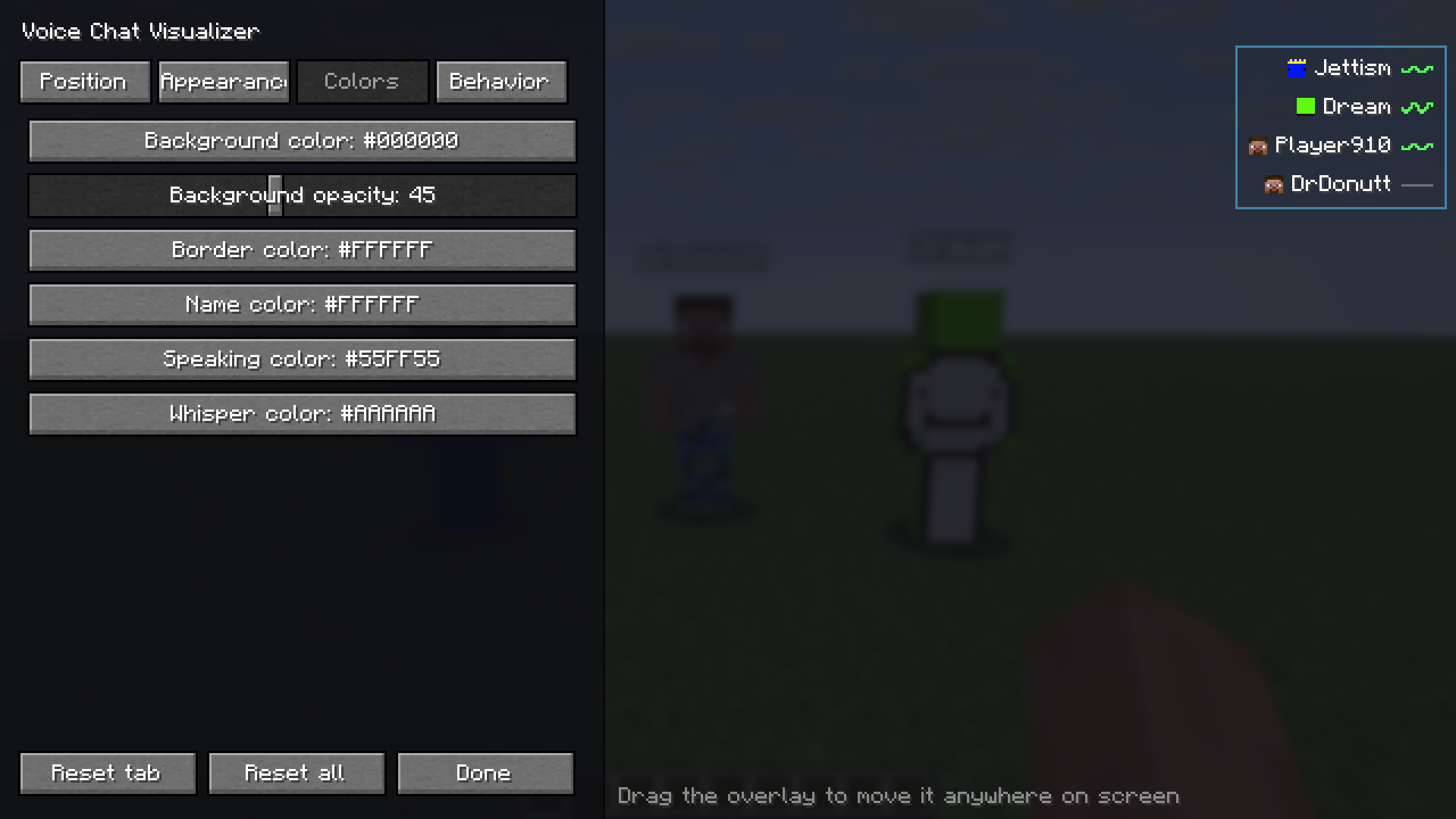
Colors — HSV and hex colour pickers for the background, border, name, speaking and whisper colours.
🧩 Compatibility
| Loader | Fabric |
| Side | Client only |
| License | MIT |
Supported Minecraft versions are listed on each file in the Versions tab.
Screenshots
Gallery
-
Visualization example
-
Settings, page 1
-
Settings, page 2
-
Settings, page 3
Versions
Files
Relations
Project Relations
More like this
Similar Mods
Suggestions use data such as tags, dependencies, dependents, descriptions, titles, and more to rank how much they overlap with this mod.
On ModDex
Community snapshot
By the numbers
Statistics

Want to reach Minecraft players?
We're looking for a server hosting partner to feature here and other parts of the site. Interested? Send us a message!
Get in touchGet it on
Available Platforms
On ModDex
Community snapshot
By the numbers