
Community listing page, reviews here may not be monitored by the author.
Water Optimiser

No reviews yet
A client-side Fabric and NeoForge mod that improves performance in water-heavy scenes with hidden-water culling, reduced water geometry, particle optimisations, configurable profiles, and safe vanilla fallbacks.
Community voices
Reviews
No reviews yet. Be the first to review this project!
Get it on
Available Platforms
About
Project Details
For authors
Embed Badge
If you're the author of this project, you can embed a live badge anywhere that supports HTML or Markdown. It updates automatically whenever ratings change.
Use HTML for any page that supports it, or Markdown for README files and Markdown-based descriptions.
Identifiers
Platform IDs
Resources
External Links
About
Description
🌊 Water Optimisation
Water Optimisation is a client-side Fabric and NeoForge mod that reduces unnecessary water rendering work in Minecraft.
It is mainly useful in water-heavy areas like oceans, flooded caves, large farms, underwater builds, and scenes with lots of water particles.
The mod does not change how water behaves. It only changes how some water is rendered on your client.
What it does
Water Optimisation currently focuses on three main areas:
Hidden water blocks
Minecraft can still spend time processing water blocks that are completely surrounded and cannot be seen.
The mod can detect safe cases like this and skip the rest of the rendering work for that water block.
It only applies to normal source water in situations where the block is fully hidden.
Flowing water, waterlogged blocks, transparent blocks, visible surfaces, and unusual cases use Minecraft's normal rendering instead.
Reduced water geometry
The Maximum FPS profile can remove some extra inward-facing water geometry that Minecraft normally generates.
The normal visible water face is still rendered.
This can reduce translucent geometry and GPU overdraw in large water-heavy scenes.
Because this is a more aggressive optimisation, it is only enabled in the Maximum FPS profile. Some unusual underwater or transparent views may look slightly different.
Water particles
The mod can also reduce or disable water-related particles such as:
bubbles
splashes
underwater particles
dripping water
falling water
bubble-column particles
You can also limit how far away water particles are allowed to appear.
This can help in areas where lots of particles are being created at once.
Performance profiles
Water Optimisation includes four presets.
Vanilla
Disables the mod's water rendering optimisations.
Useful for testing or comparing performance.
Balanced
Keeps things conservative and close to vanilla.
Good if you mainly want the mod installed without aggressive changes.
Performance
Enables the safer performance options, including hidden-water optimisation and stronger particle settings.
Recommended for most users.
Maximum FPS
Enables the strongest available settings, including reduced water geometry.
Use this if you want the lowest possible water rendering workload and do not mind small visual differences in unusual situations.
Settings
If you use Mod Menu, you can open the Water Optimisation settings directly from the mods screen.
You can change things like:
performance profile
hidden-water optimisation
reduced water geometry
water particles
particle distance
fog particle filtering
performance diagnostics
You can use the presets or configure individual options yourself.
Sodium
If Sodium is installed, Water Optimisation does not try to replace or interfere with Sodium's fluid renderer.
Its vanilla water-rendering hooks are disabled automatically when Sodium owns fluid rendering.
Particle-related features can still work.
Diagnostics
There is also an optional diagnostics HUD for testing.
It can show things like:
hidden water blocks skipped
water faces removed
rejected particles
fluid rendering time
section compile time
translucent sorting time
This is mainly useful for checking whether the mod is actually doing something in a specific scene.
For normal gameplay or proper FPS testing, you should keep diagnostics disabled.
Client-side only
Water Optimisation does not need to be installed on the server.
It does not change:
water physics
water flow
collision
player movement
world generation
networking
server behaviour
saved worlds
You can use it as a normal client-side performance mod.
Where it can help
You are most likely to notice a difference in areas with a lot of water, for example:
oceans
large pools
underwater bases
flooded caves
waterfalls
water farms
large enclosed water volumes
particle-heavy underwater areas
The actual FPS improvement depends on the scene and your hardware.
Some optimisations mainly reduce CPU work during chunk rebuilding, while others reduce GPU work from water geometry and particles.
There is no fixed FPS increase, so the best way to test it is to compare the same scene with the mod enabled and disabled.
Compatibility
Minecraft 26.2, 26.3, 1.21.1, 1.21.11
Fabric, NeoForge
Client-side only
Mod Menu supported
Sodium-aware
MIT licensed
Open source
Water Optimisation is meant to do one thing well: reduce unnecessary water rendering work without changing Minecraft gameplay.
Screenshots
Gallery
-
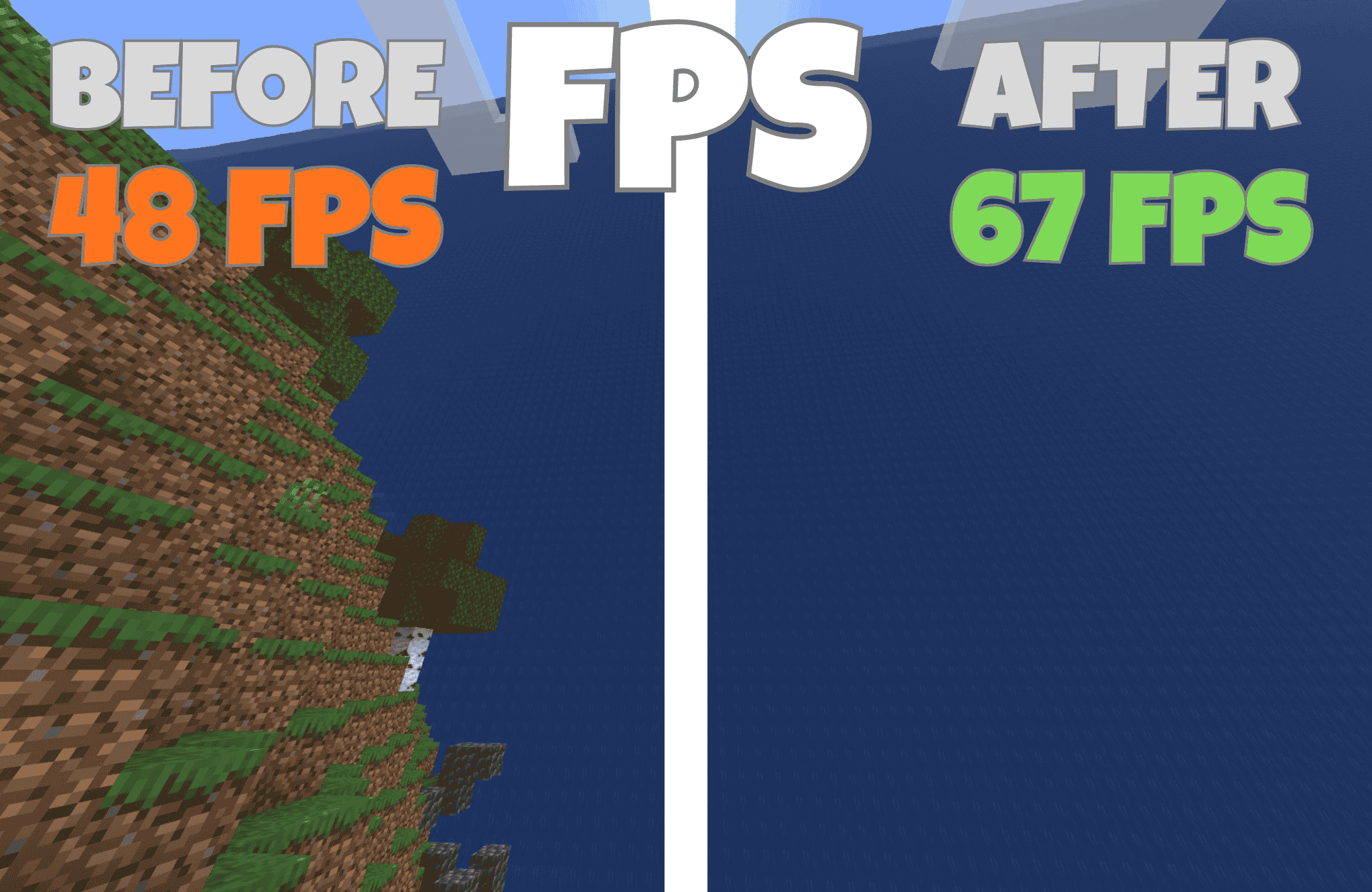 before after
Versions
Files
Relations
Project Relations
More like this
Similar Mods
Suggestions use data such as tags, dependencies, dependents, descriptions, titles, and more to rank how much they overlap with this mod.
On ModDex
Community snapshot
By the numbers
Statistics
Want to reach Minecraft players?
We're looking for a server hosting partner to feature here and other parts of the site. Interested? Send us a message!
Get in touchGet it on
Available Platforms
On ModDex
Community snapshot
By the numbers
Statistics
Resources