Community listing page, reviews here may not be monitored by the author.
Aeronaut's Compass

No reviews yet
Point your compass anywhere — no Lodestone required. - support for Create Aeronautics e JourneyMap
Community voices
Reviews
No reviews yet. Be the first to review this project!
Get it on
Available Platforms
About
Project Details
For authors
Embed Badge
If you're the author of this project, you can embed a live badge anywhere that supports HTML or Markdown. It updates automatically whenever ratings change.
Use HTML for any page that supports it, or Markdown for README files and Markdown-based descriptions.
Identifiers
Platform IDs
Resources
External Links
About
Description
Aeronaut's Compass
Point your compass anywhere. No Lodestone required.
Aeronaut's Compass turns a vanilla compass into a precision navigation tool. Set any destination — by typing coordinates, clicking on the map, or selecting a waypoint — and your compass points there instantly.
Whether you're crossing continents on foot or charting a course for your airship, your compass always knows the way.
Features
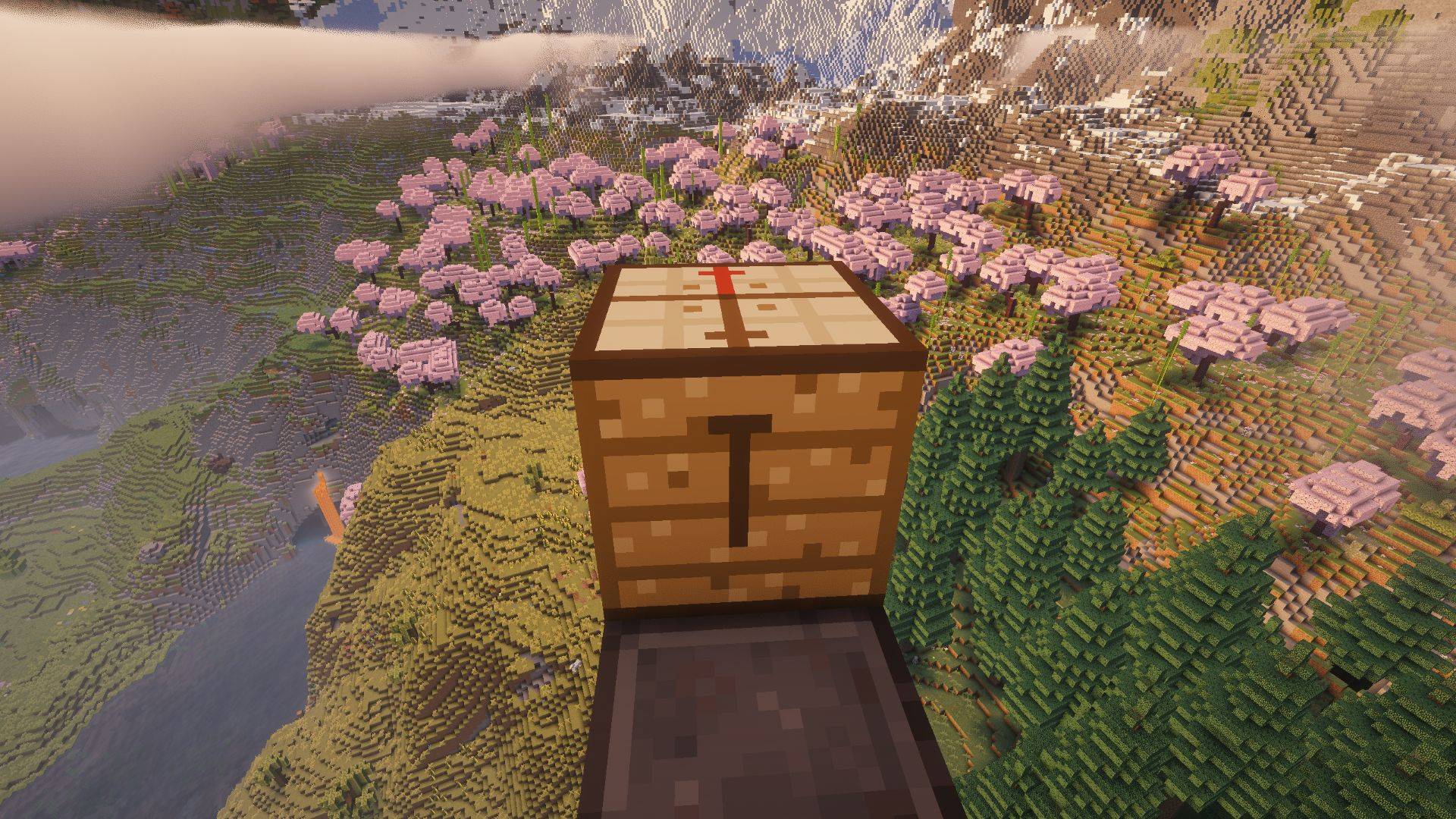
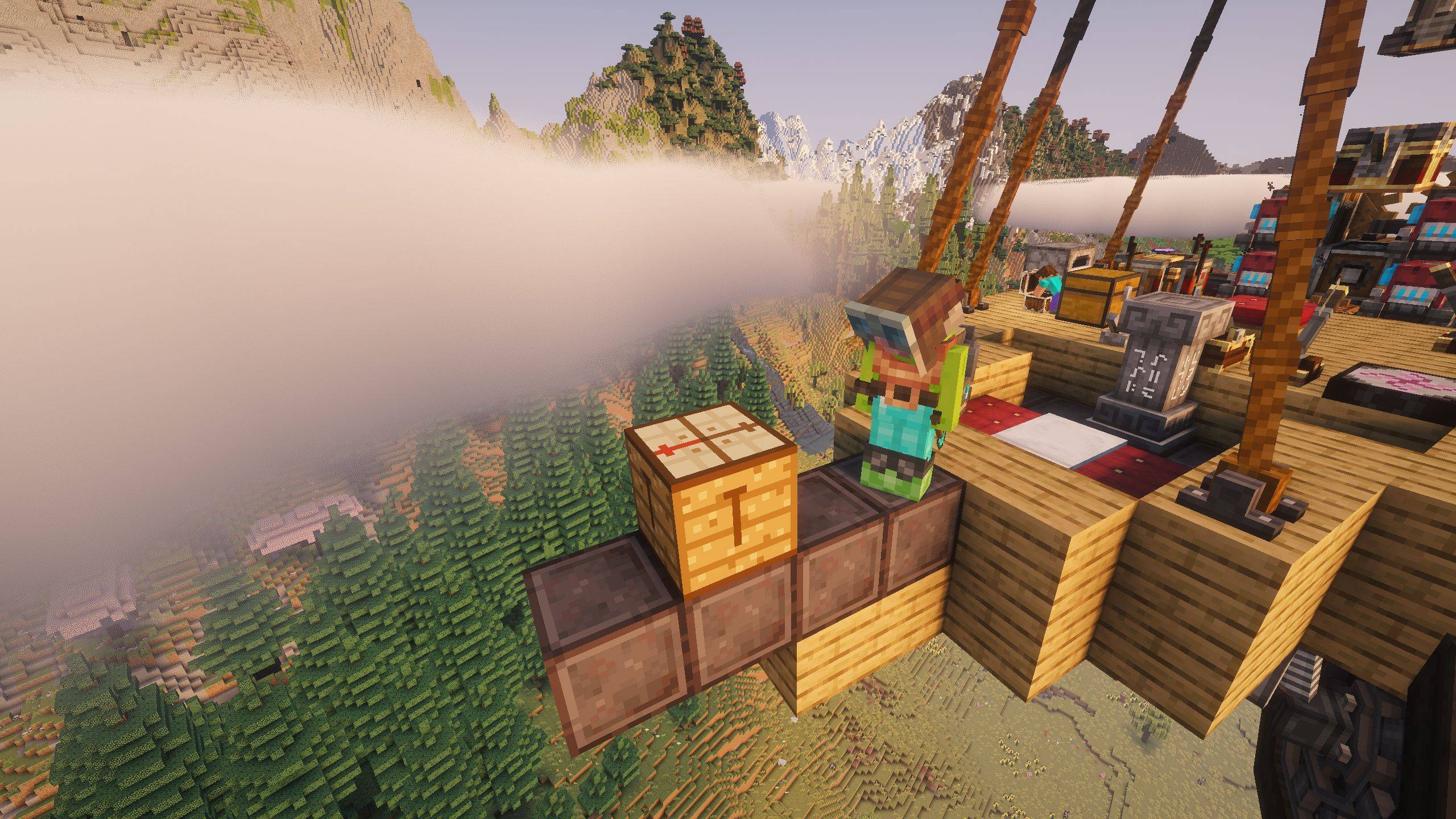
Navigator's Table (standalone — no other mods required)
- Craft with a Cartography Table + Compass (shapeless, any grid)
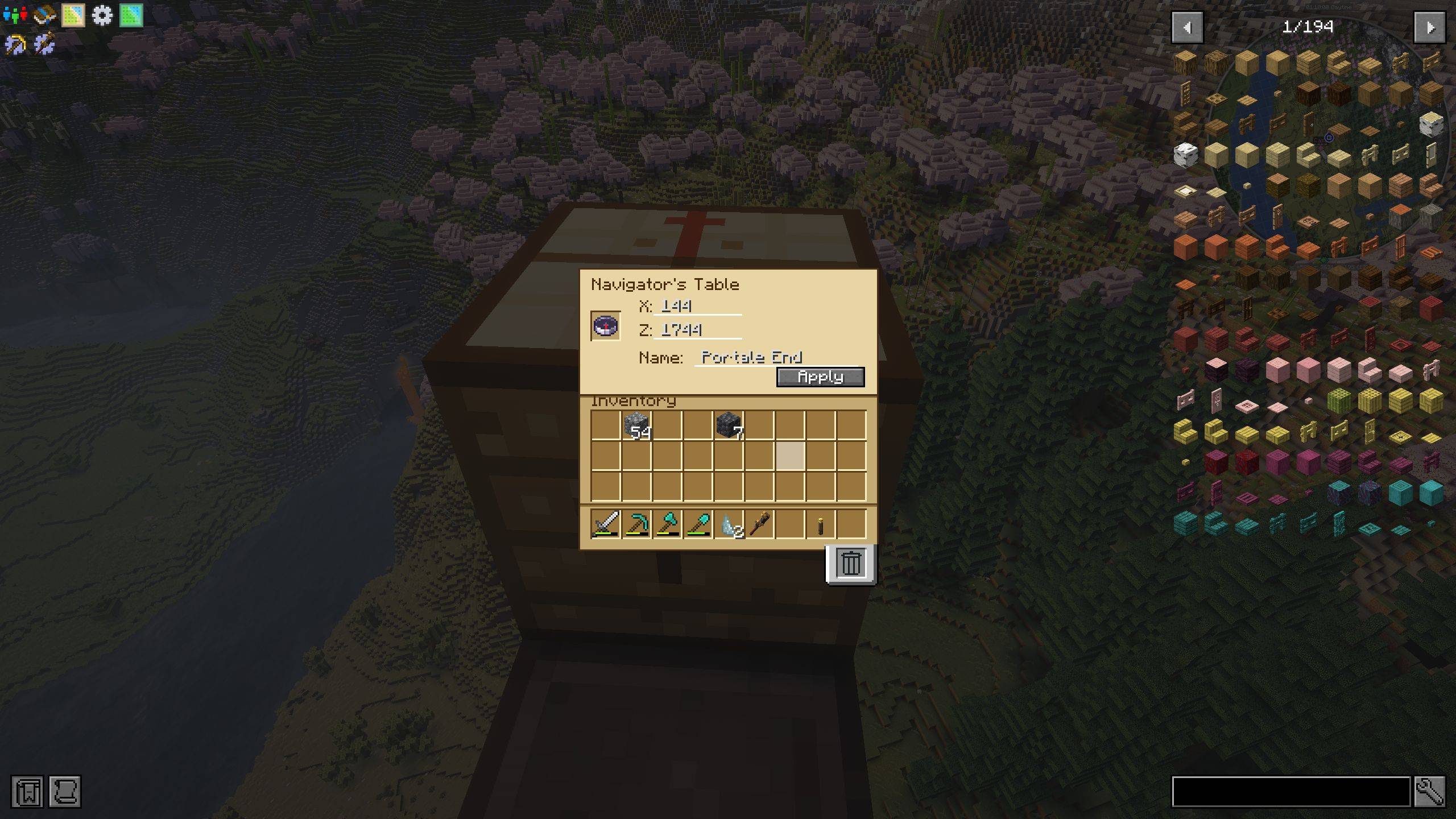
- Insert a compass, type target X and Z coordinates, give it a name, hit Apply
- Inserting an already-configured compass auto-fills its saved coordinates and name
- Treasure map support — place a filled exploration map in the map slot; destination coordinates are read automatically and pre-filled (X / Z fields lock while the map is present, map always wins over a pre-configured compass)
- Break it with an axe to pick it back up
JourneyMap Integration (optional)
- Click-to-navigate — right-click any point on the fullscreen map → compass is set instantly
- Waypoint support — right-click a waypoint pin → compass points there, name applied automatically
General
- Named compass — labelled with your destination name or coordinates
- Reset compass — place a configured compass alone in any crafting grid to restore a fresh vanilla compass
- Multiplayer ready — all item changes are handled server-side
- Dimension aware — Overworld, Nether, End and modded dimensions all supported
- Works without JourneyMap — the Navigator's Table is fully standalone; JourneyMap features are simply unavailable if the mod isn't present
Create: Aeronautics — Set a Course Without a Lodestone
This is where Aeronaut's Compass truly shines.
Create: Aeronautics' Navigation Table uses a compass to plot a course — but normally that compass needs to be pointed at a Lodestone placed physically at the destination. Want to route to a distant base? You'd have to travel there first just to drop a Lodestone.
Aeronaut's Compass removes that constraint entirely. You can point a compass at any coordinate without ever placing a Lodestone — manually, or with a single click on the map.
The workflow:
- Open JourneyMap (
J) and right-click your destination on the map (or type the coordinates directly in the Navigator's Table — no JourneyMap needed) - Your compass is set instantly — no Lodestone, no travel required
- Insert it into the Create: Aeronautics Navigation Table
- Your airship flies itself there
Route to any location in the world, the first time you visit it, from the comfort of your base.
How to use
Navigator's Table (no map mod required):
- Craft: Cartography Table + Compass in any crafting grid
- Place the table and right-click it
- Insert a vanilla compass into the slot
- If the compass already has a target, X / Z / Name fields are filled in automatically
- Type the destination X and Z coordinates (and optionally a name)
- Click Apply — the compass now points to those coordinates
- Take the compass from the slot
Via JourneyMap:
- Hold a vanilla compass in your main or off hand
- Open the JourneyMap fullscreen map (
Jby default) - Right-click anywhere on the map → "Set Compass" — or — right-click a waypoint pin → "Set Compass"
- Done — compass updated instantly
Reset a compass: Place a configured compass alone in any crafting grid → fresh vanilla compass
Requirements
| Dependency | Version | Type |
|---|---|---|
| Minecraft | 1.21.1 | Required |
| NeoForge | 21.1.x | Required |
| JourneyMap | 6.0.0-beta+ | Optional (soft dependency) |
| Create: Aeronautics | any | Optional (soft dependency) |
Languages
- English (primary)
- Italian
Links
Screenshots
Gallery
-
 2026-05-10_17.13.06.jpg 2026-05-10_17.13.06.jpg
 -
 2026-05-10_17.13.19.jpg 2026-05-10_17.13.19.jpg
 -
 2026-05-10_17.13.57.jpg 2026-05-10_17.13.57.jpg
Versions
Files
Relations
Project Relations
More like this
Similar Mods
Suggestions use data such as tags, dependencies, dependents, descriptions, titles, and more to rank how much they overlap with this mod.
- Orechards
- CC:DirectGPU
- Modern Life Patch
- MekaGenJei (Mekanism Generator addon)
- Just Enough Plates
- DontCrashTom (Fixes for Tom's Simple Storage Mod)
- Lightman's Currency x CC:Tweaked Compat
- Variant Lanterns [Fabric/Quilt]
- G.L.A.S.S Remastered
- Enhanced Annihilation Planes
- Tech Reborn Patchouli
- Flashlight MCowners
On ModDex
Community snapshot
By the numbers
Statistics
Want to reach Minecraft players?
We're looking for a server hosting partner to feature here and other parts of the site. Interested? Send us a message!
Get in touchGet it on
Available Platforms
On ModDex
Community snapshot
By the numbers
Statistics
Resources