Community listing page, reviews may not be monitored by the author.
ai-assistant


No reviews yet
Adds an in-game AI assistant that answers your questions using Mistral. Use /ask to chat directly from Minecraft.

Community voices
Reviews
No reviews yet. Be the first to review this project!
Get it on
Available Platforms
Compatibility
Supported Environments
Runs entirely on the client. Works on vanilla servers.
About
Project Details
For authors
Embed Badge
If you're the author of this project, you can embed a live badge anywhere that supports HTML or Markdown. It updates automatically whenever ratings change.
Use HTML for any page that supports it, or Markdown for README files and Markdown-based descriptions.
Identifiers
Platform IDs
About
Description
🇬🇧 English
Gpt Assistant is a Minecraft mod that adds an integrated chat assistant based on the ChatGPT and Mistral neural networks.
Key Features:
-
/askcommand directly in the in-game chat -
API key setup in mod settings (press "I" to open, and it can be changed in settings)
-
Mistral support
-
API key verification and saving via buttons
-
Disable text formatting in responses
How to use:
-
Open Mods → Gpt Assistant → Settings by pressing the "i" button
-
Paste your Mistral API key
-
Click "Verify"
-
After successful verification, click "Save"
-
Type
/ask your queryin chat
How to get API keys:
-
For Mistral:
-
Register at Mistral.ai
-
Go to API Keys in your account
-
Create and copy your key
-
If no key is provided, a warning message will appear in the chat.
Multiline responses and text formatting removal are supported.
🇷🇺 Русский
Gpt Assistant мод для Minecraft, добавляющий встроенного чат-помощника на базе нейросетей ChatGPT и Mistral.
Основные возможности:
-
Команда
/askпрямо в игровом чате -
Настройка API ключа в параметрах мода что бы открыть их нажмите I можно заменить в настройках
-
Поддержка Mistral
-
Проверка и сохранение API ключа через кнопки
-
Отключение форматирования текста в ответах
Как пользоваться:
-
Откройте Mods → Gpt Assistant → Настройки нажав на кнопку i откроются
-
Вставьте API ключ от Mistral
-
Нажмите "Проверить"
-
После успешной проверки нажмите "Сохранить"
-
Введите
/ask ваш запросв чат
Как получить API ключи:
-
Для Mistral:
-
Зарегистрируйтесь на Mistral.ai
-
В личном кабинете перейдите в API Keys
-
Создайте и скопируйте ключ
-
Если ключ не указан, в чате появится сообщение с предупреждением.
Поддерживаются многострочные ответы и очистка форматирования.
🇬🇧 English
Gpt Assistant is a Minecraft mod that adds an integrated chat assistant based on the ChatGPT and Mistral neural networks.
Key Features:
/askcommand directly in the in-game chat- API key setup in mod settings (press "I" to open, and it can be changed in settings)
- Mistral support
- API key verification and saving via buttons
- Disable text formatting in responses
How to use:
- Open Mods → Gpt Assistant → Settings by pressing the "i" button
- Paste your Mistral API key
- Click "Verify"
- After successful verification, click "Save"
- Type
/ask your queryin chat
How to get API keys:
-
For Mistral:
- Register at Mistral.ai
- Go to API Keys in your account
- Create and copy your key
If no key is provided, a warning message will appear in the chat. Multiline responses and text formatting removal are supported.
🇷🇺 Русский
Gpt Assistant мод для Minecraft, добавляющий встроенного чат-помощника на базе нейросетей ChatGPT и Mistral.
Основные возможности:
- Команда
/askпрямо в игровом чате - Настройка API ключа в параметрах мода что бы открыть их нажмите I можно заменить в настройках
- Поддержка Mistral
- Проверка и сохранение API ключа через кнопки
- Отключение форматирования текста в ответах
Как пользоваться:
- Откройте Mods → Gpt Assistant → Настройки нажав на кнопку i откроются
- Вставьте API ключ от Mistral
- Нажмите "Проверить"
- После успешной проверки нажмите "Сохранить"
- Введите
/ask ваш запросв чат
Как получить API ключи:
- Для Mistral:
- Зарегистрируйтесь на Mistral.ai
- В личном кабинете перейдите в API Keys
- Создайте и скопируйте ключ
Если ключ не указан, в чате появится сообщение с предупреждением.
Поддерживаются многострочные ответы и очистка форматирования.
Screenshots
Gallery
-
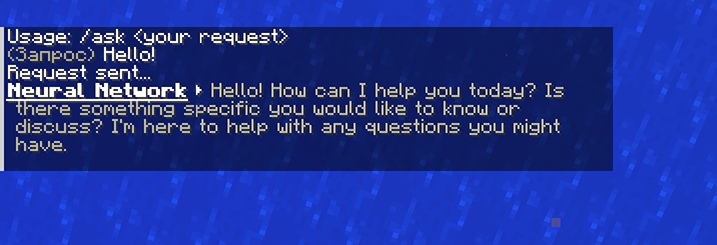 Chat
Chat -
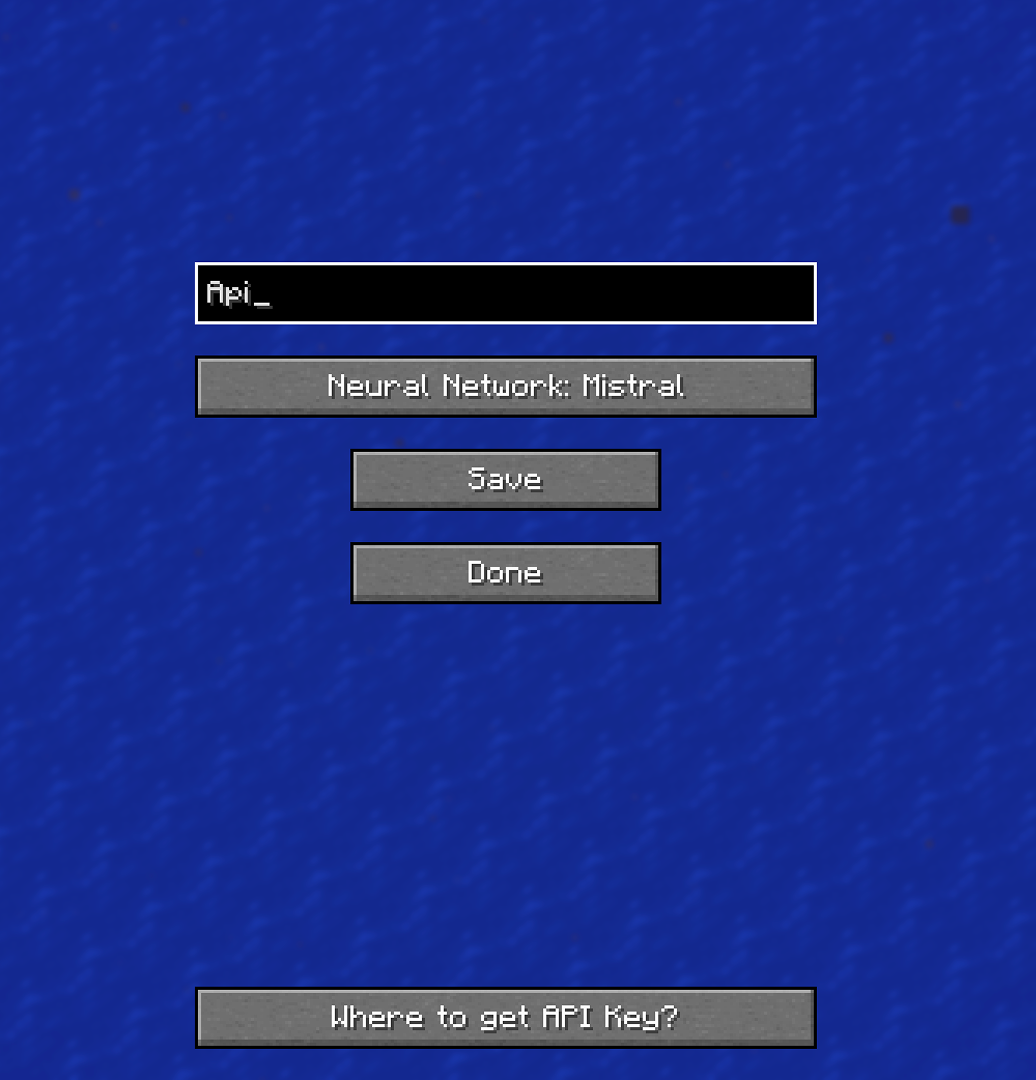 Settings
-
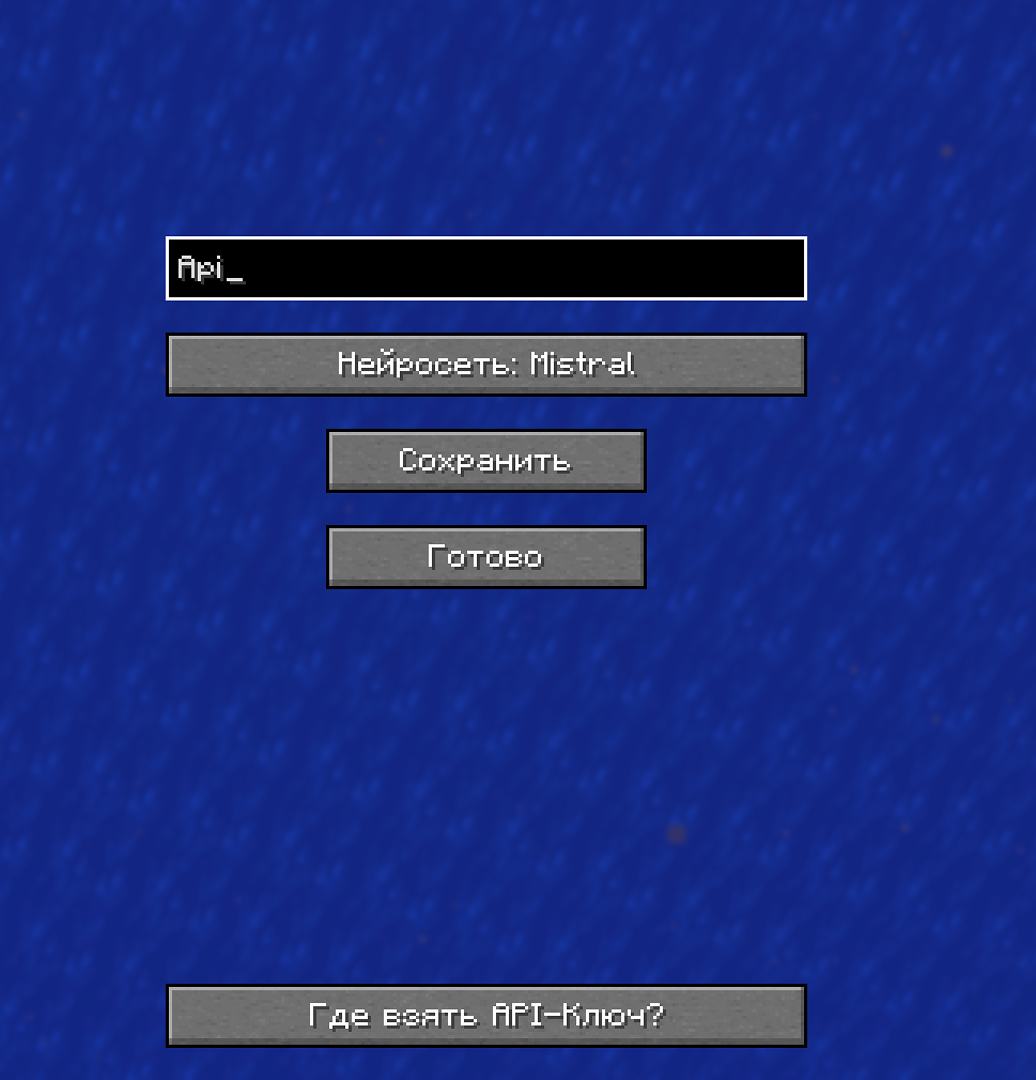 Меню настроек на Русском языке
 -
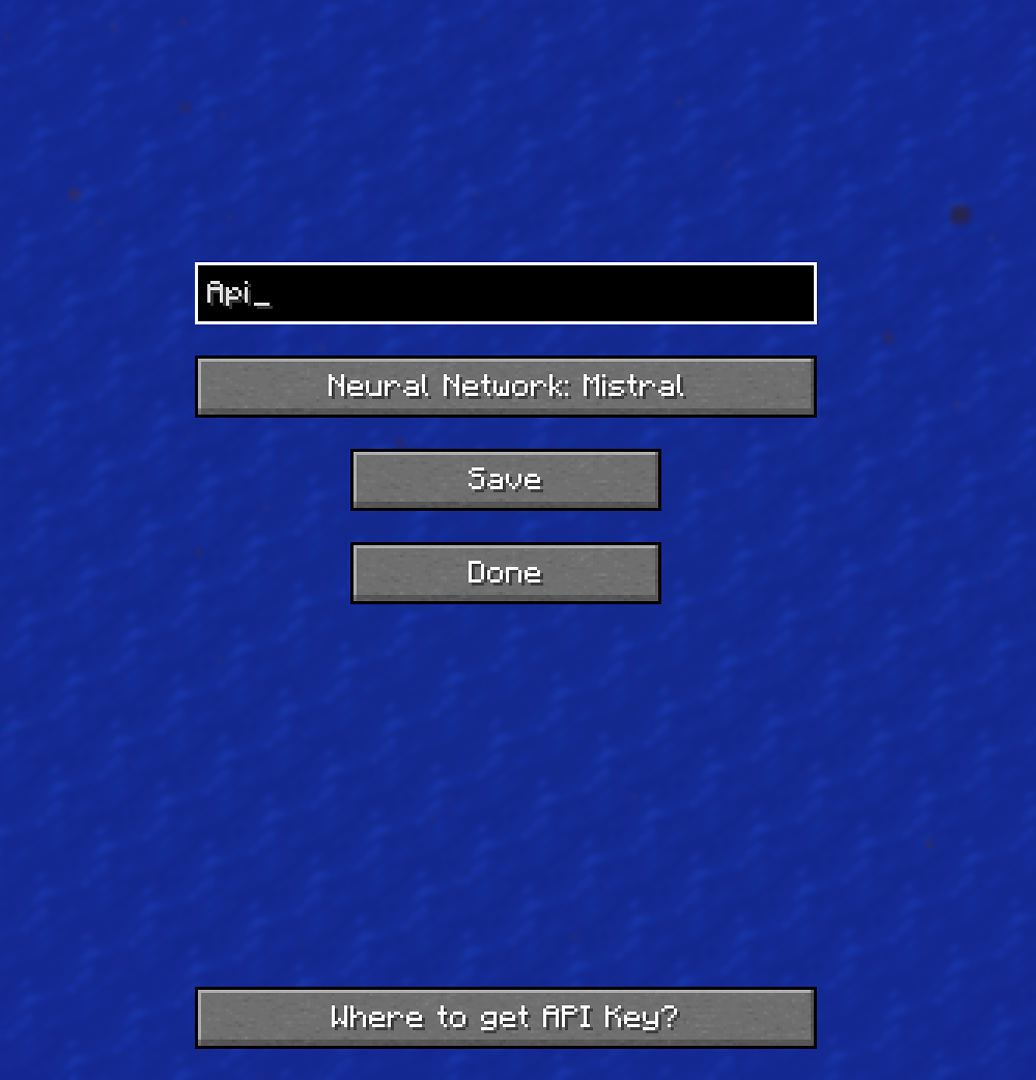 The settings menu is in English
 -
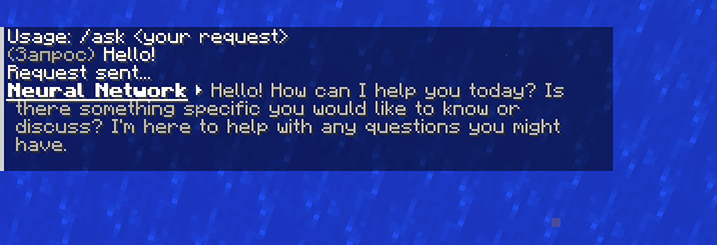 Neural network responses in English
 -
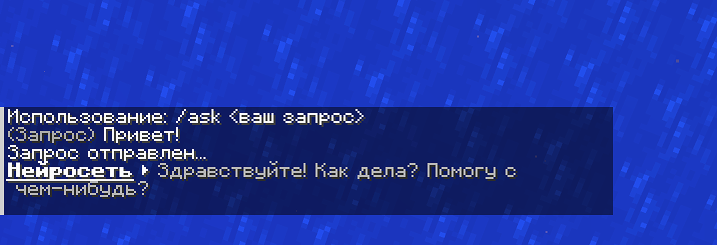 Ответы нейросети на Руском языке
Versions
Files
Relations
Project Relations
More like this
Similar Mods
Suggestions use data such as tags, dependencies, dependents, descriptions, titles, and more to rank how much they overlap with this mod.
On ModDex
Community snapshot
By the numbers
Statistics

Get it on
Available Platforms
On ModDex
Community snapshot
By the numbers