![Arda's Uncrafting Table [ Uncraft / Recycle / Deconstruct Mod ]](https://media.forgecdn.net/avatars/thumbnails/1653/251/256/256/639054457128917959.png)
Community listing page, reviews here may not be monitored by the author.
Arda's Uncrafting Table [ Uncraft / Recycle / Deconstruct Mod ]


No reviews yet
Arda's Uncrafting Table allows you to reverse crafting recipes seamlessly. Retrieve ingredients from unused items, supports damaged tools with a fair probability system, and works automatically with both vanilla and modded recipes.
Community voices
Reviews
No reviews yet. Be the first to review this project!
Get it on
Available Platforms
Compatibility
Supported Environments
Must be installed on both the client and the server.
About
Project Details
For authors
Embed Badge
If you're the author of this project, you can embed a live badge anywhere that supports HTML or Markdown. It updates automatically whenever ratings change.
Use HTML for any page that supports it, or Markdown for README files and Markdown-based descriptions.
Identifiers
Platform IDs
Resources
External Links
About
Description

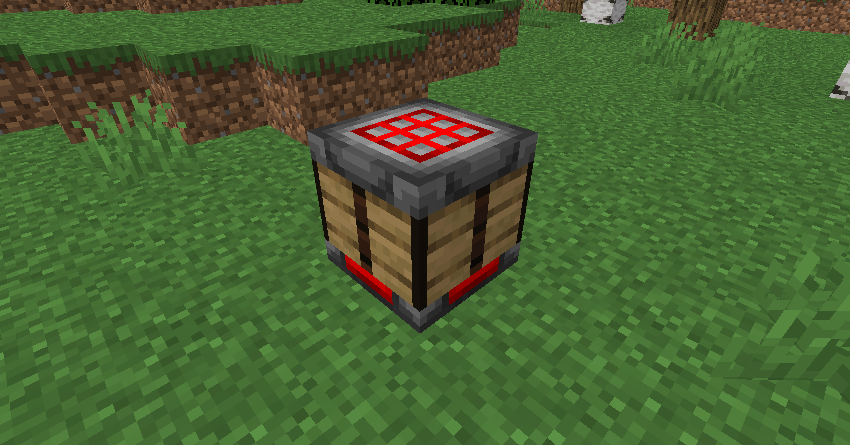
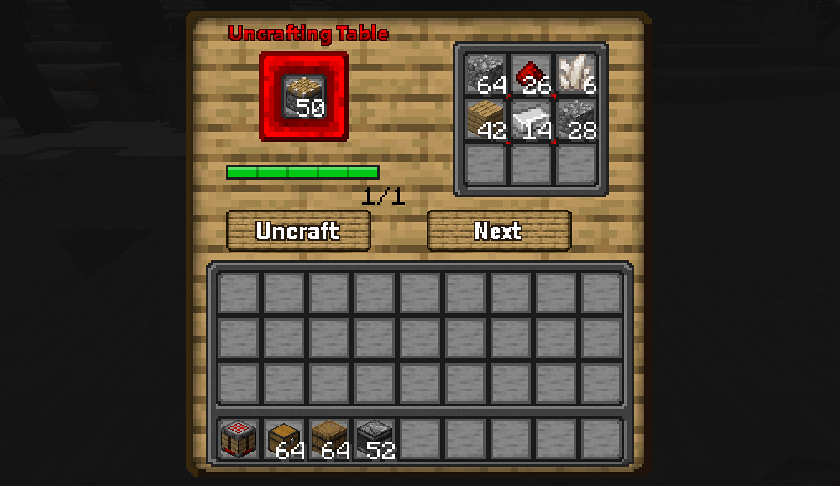
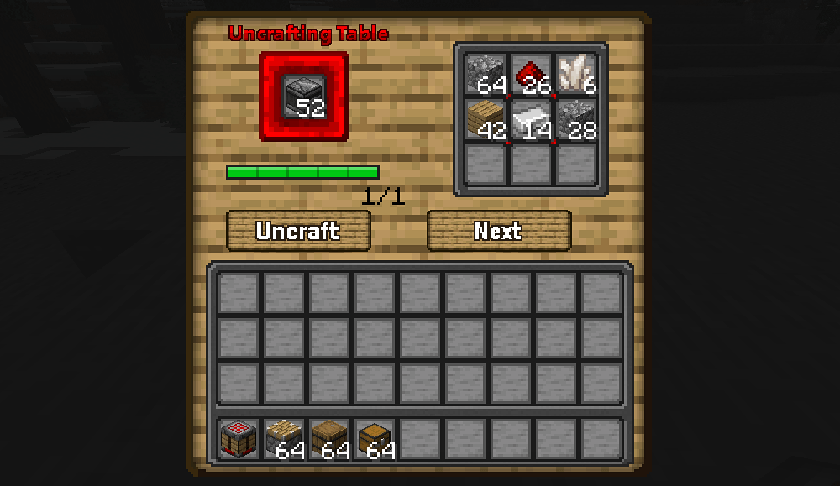
Have you ever crafted the wrong item by mistake, or do you have chests full of loot you will never use? Arda's Uncrafting Table is the solution. This mod introduces a functional utility block that allows you to reverse the crafting process, turning finished items back into their original ingredients.

Key Features
1. Universal Uncrafting
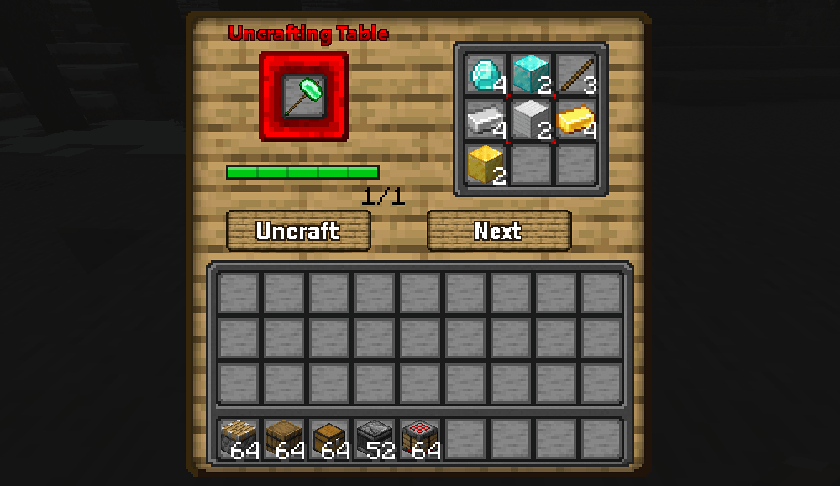
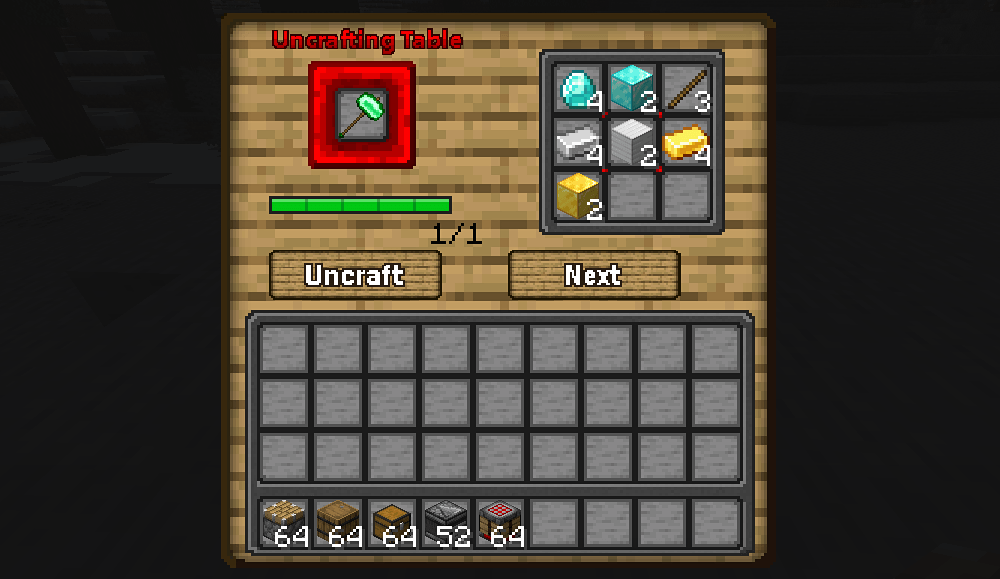
The mod hooks directly into the Minecraft recipe manager. This means it works not only with vanilla items (like Diamond Pickaxes or Gold Armor) but also with items from other mods that use the standard crafting table. If it has a recipe, it can likely be uncrafted.
2. Smart Durability System
The uncrafting logic is balanced to prevent exploitation. You cannot simply craft a tool, use it until it nearly breaks, and get full resources back.
- Perfect Condition: If an item is fully repaired, you get 100% of the ingredients back.
- Damaged Items: The mod calculates the remaining durability percentage. Each ingredient has a chance to be returned based on this percentage, but now with a maximum loss limit of 2 items to ensure fairness.
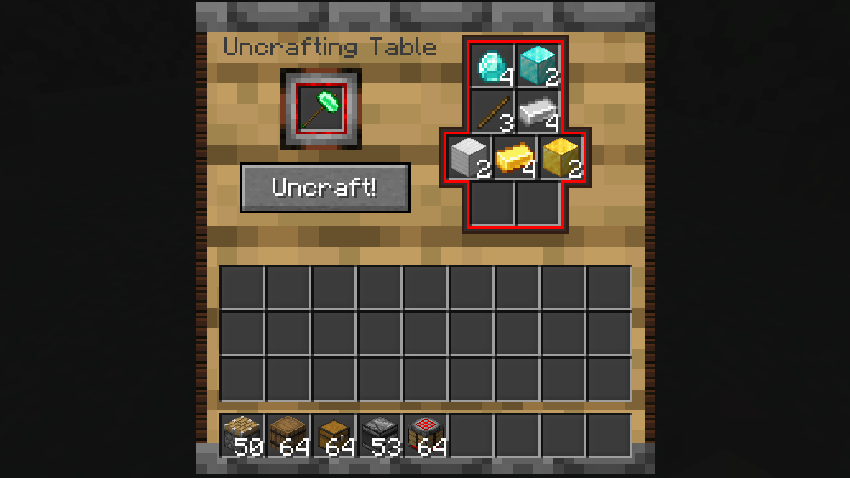
- Example: If a Diamond Pickaxe has 50% durability left, there is exactly a 50% chance for each diamond and stick to be returned, but you'll never lose more than 2 items total.
3. Batch Uncrafting (Shift-Click)
Need to dismantle multiple items at once? Simply hold the Shift key while clicking the Uncraft button. The table will automatically process as many items as possible until the input runs out or the output slots are full, saving you time and clicks.
4. Smart Output Slot Filling
The uncrafted items are placed into the output slots in order (slot 1 to 9), just like items flow through a hopper. This ensures that when you switch recipes, new items fill empty slots instead of being dropped on the ground.
5. Ghost Preview (Visual Helper)
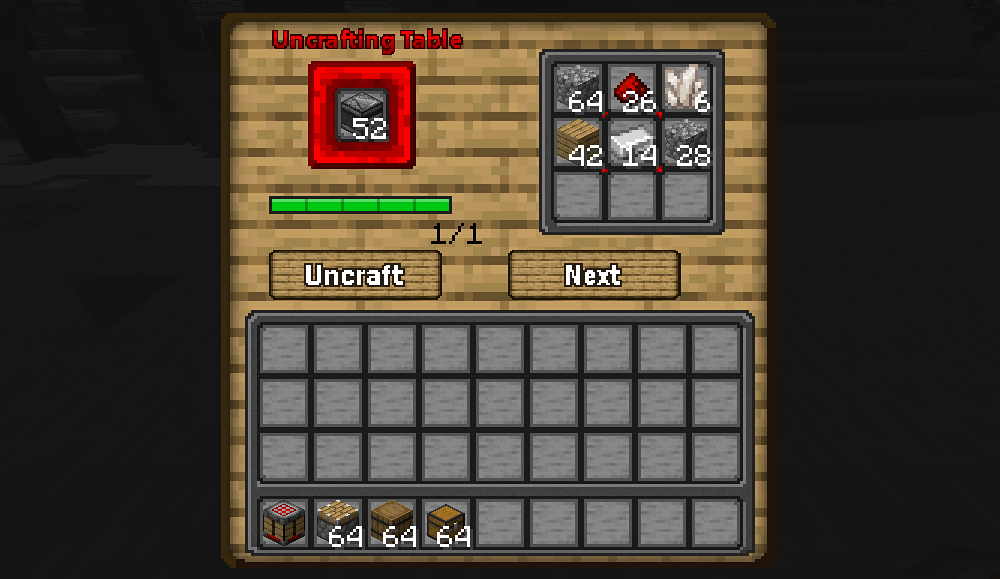
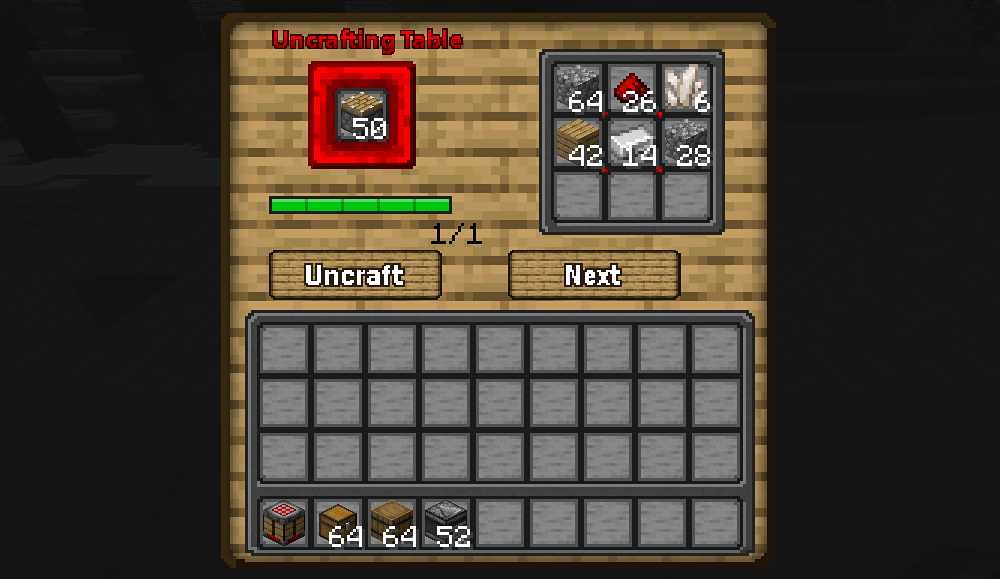
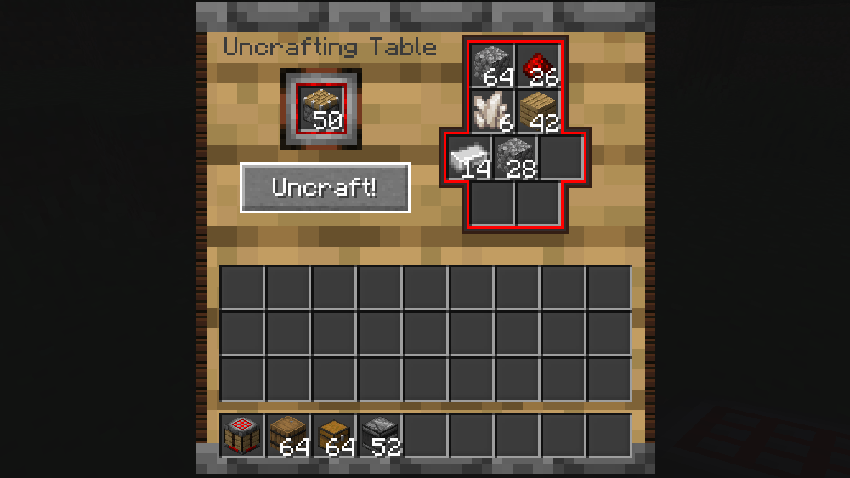
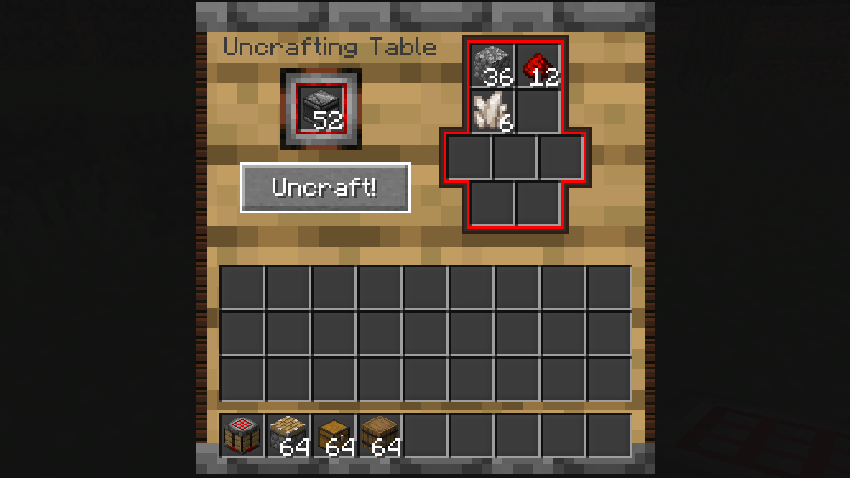
Before uncrafting, you can see a transparent preview of exactly which items will go into which output slots. This preview shows a single icon per item type (e.g., one stone represents all eight) and appears at 60% transparency, so you can plan your inventory management.
6. Recipe Cycling
Some items have multiple crafting recipes (e.g., different wood types for the same item). Use the Next Recipe button to cycle through all available recipes for the input item, giving you control over which variant you get back.
7. Interactive Button Feedback
The Uncraft and Next Recipe buttons provide visual feedback: they briefly display a "pressed" texture when clicked, and turn blue when hovered, making the interface more responsive and enjoyable.
8. Fair Exchange Mechanics
The mod respects recipe output counts. If a crafting recipe yields 4 items (e.g., Stairs or Torches), you must place exactly 4 of those items into the input slot to retrieve the ingredients. This prevents material duplication.
9. Safety & Overflow Protection
No items are lost. If the output slots in the Uncrafting Table are full, or if the resulting ingredients do not fit, the excess items will automatically drop at the player's feet.
How to Use
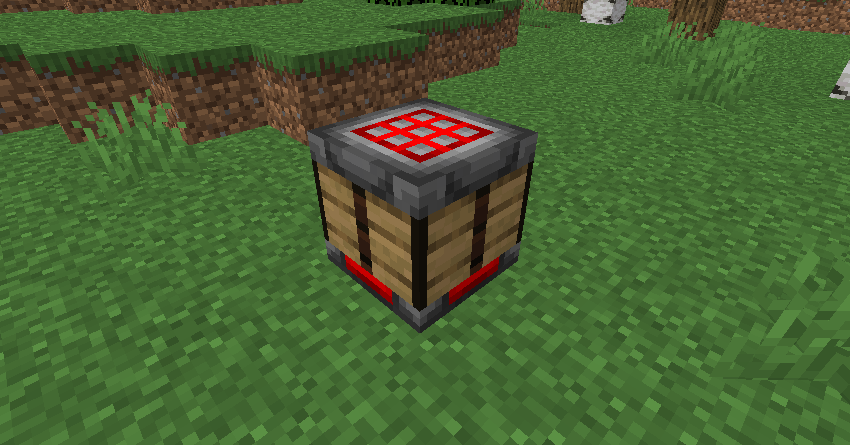
- Craft the Uncrafting Table (Recipe matches standard crafting tables but with a unique twist, check JEI/REI for details).
- Place the item you wish to dismantle in the Input Slot (left side).
- Ensure the item is uncraftable (it must have a valid crafting recipe).
- Click the Uncraft button (or Shift+Click for batch uncrafting).
- Collect your materials from the output grid. Use the Next Recipe button if multiple recipes exist.
Technical Details
- Server-Side Execution: All logic runs on the server to prevent "ghost items" or desynchronization issues.
- Sound Effects: Features immersive mechanical sounds (Grindstone effects) when processing items.
- Compatibility: Fully compatible with NeoForge 1.21.1 and works with all mods that use the vanilla crafting system.
Download today and stop wasting your valuable resources!
Have you ever crafted the wrong item by mistake, or do you have chests full of loot you will never use? Arda's Uncrafting Table is the solution. This mod introduces a functional utility block that allows you to reverse the crafting process, turning finished items back into their original ingredients.
Key Features
1. Universal Uncrafting
The mod hooks directly into the Minecraft recipe manager. This means it works not only with vanilla items (like Diamond Pickaxes or Gold Armor) but also with items from other mods that use the standard crafting table. If it has a recipe, it can likely be uncrafted.
2. Smart Durability System
The uncrafting logic is balanced to prevent exploitation. You cannot simply craft a tool, use it until it nearly breaks, and get full resources back.
- Perfect Condition: If an item is fully repaired, you get 100% of the ingredients back.
- Damaged Items: The mod calculates the remaining durability percentage. Each ingredient has a chance to be returned based on this percentage, but now with a maximum loss limit of 2 items to ensure fairness.
- Example: If a Diamond Pickaxe has 50% durability left, there is exactly a 50% chance for each diamond and stick to be returned, but you'll never lose more than 2 items total.
3. Batch Uncrafting (Shift-Click)
Need to dismantle multiple items at once? Simply hold the Shift key while clicking the Uncraft button. The table will automatically process as many items as possible until the input runs out or the output slots are full, saving you time and clicks.
4. Smart Output Slot Filling
The uncrafted items are placed into the output slots in order (slot 1 to 9), just like items flow through a hopper. This ensures that when you switch recipes, new items fill empty slots instead of being dropped on the ground.
5. Ghost Preview (Visual Helper)
Before uncrafting, you can see a transparent preview of exactly which items will go into which output slots. This preview shows a single icon per item type (e.g., one stone represents all eight) and appears at 60% transparency, so you can plan your inventory management.
6. Recipe Cycling
Some items have multiple crafting recipes (e.g., different wood types for the same item). Use the Next Recipe button to cycle through all available recipes for the input item, giving you control over which variant you get back.
7. Interactive Button Feedback
The Uncraft and Next Recipe buttons provide visual feedback: they briefly display a "pressed" texture when clicked, and turn blue when hovered, making the interface more responsive and enjoyable.
8. Fair Exchange Mechanics
The mod respects recipe output counts. If a crafting recipe yields 4 items (e.g., Stairs or Torches), you must place exactly 4 of those items into the input slot to retrieve the ingredients. This prevents material duplication.
9. Safety & Overflow Protection
No items are lost. If the output slots in the Uncrafting Table are full, or if the resulting ingredients do not fit, the excess items will automatically drop at the player's feet.
How to Use
- Craft the Uncrafting Table (Recipe matches standard crafting tables but with a unique twist, check JEI/REI for details).
- Place the item you wish to dismantle in the Input Slot (left side).
- Ensure the item is uncraftable (it must have a valid crafting recipe).
- Click the Uncraft button (or Shift+Click for batch uncrafting).
- Collect your materials from the output grid. Use the Next Recipe button if multiple recipes exist.
Technical Details
- Server-Side Execution: All logic runs on the server to prevent "ghost items" or desynchronization issues.
- Sound Effects: Features immersive mechanical sounds (Grindstone effects) when processing items.
- Compatibility: Fully compatible with NeoForge 1.21.1 and works with all mods that use the vanilla crafting system.
Download today and stop wasting your valuable resources!
Screenshots
Gallery
-
 2026-02-21_16.31.18.png 2026-02-21_16.31.18.png
 -
 2026-02-21_16.29.45.png 2026-02-21_16.29.45.png
 -
 2026-02-21_16.29.32.png 2026-02-21_16.29.32.png
 -
 old 2026-01-31_10.27.09.png
 -
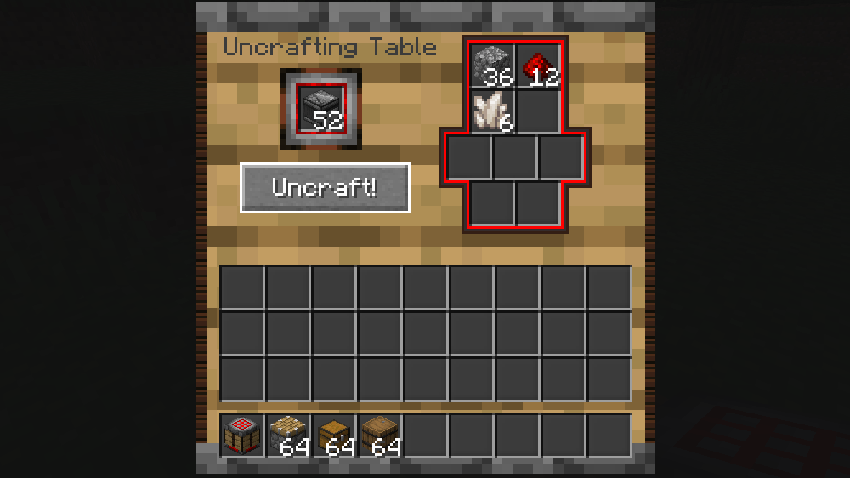 old 2026-01-31_10.26.58.png
 -
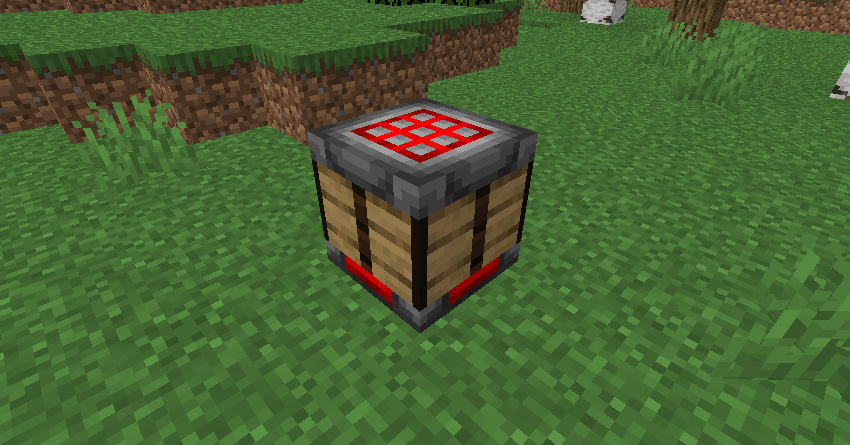 uncrafting 2026-01-31_10.25.43.png
 -
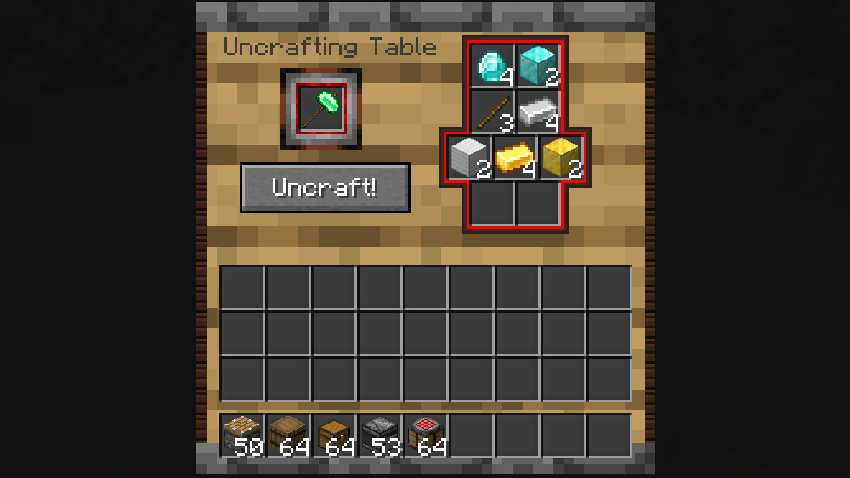 old 2026-01-31_10.28.13.png
-
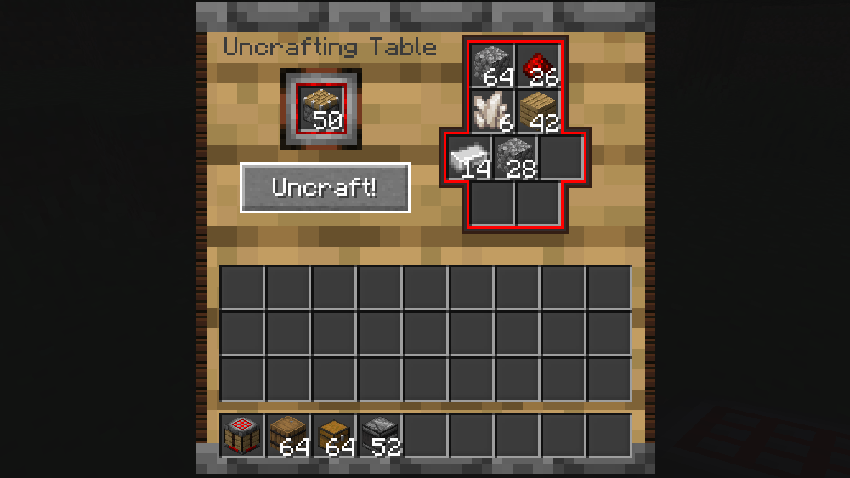 gui3
gui3 -
 gui2
gui2 -
 uncrafting table
 -
![Arda's Uncrafting Table [ Uncraft / Recycle / Deconstruct Mod ] screenshot](https://cdn.modrinth.com/data/tRtQjNO2/images/ba1c4044f6022c70d4072222880e3ceb1a528452.png)
-
 gui1
gui1
Versions
Files
Relations
Project Relations
More like this
Similar Mods
Suggestions use data such as tags, dependencies, dependents, descriptions, titles, and more to rank how much they overlap with this mod.
On ModDex
Community snapshot
By the numbers
Statistics
Want to reach Minecraft players?
We're looking for a server hosting partner to feature here and other parts of the site. Interested? Send us a message!
Get in touchGet it on
Available Platforms
On ModDex
Community snapshot
By the numbers
Statistics
Resources