![CobbleDollars [Cobblemon Addon]](https://media.forgecdn.net/avatars/thumbnails/815/329/256/256/638191410786897261.png)
Community listing page, reviews here may not be monitored by the author.
CobbleDollars [Cobblemon Addon]


No reviews yet
adds money and merchants for Cobblemon

Community voices
Reviews
No reviews yet. Be the first to review this project!
Get it on
Available Platforms
Compatibility
Supported Environments
Must be installed on both the client and the server.
About
Project Details
For authors
Embed Badge
If you're the author of this project, you can embed a live badge anywhere that supports HTML or Markdown. It updates automatically whenever ratings change.
Use HTML for any page that supports it, or Markdown for README files and Markdown-based descriptions.
Identifiers
Platform IDs
Resources
External Links
About
Description
This mod adds money and Merchants for Cobblemon.
Dependencies:
- Kotlin For Forge (Forge & NeoForge)
- Fabric API (Fabric only)
- Architectury API (1.5.2 & lower only)
- Cobblemon
If you'd like to support me, I have a Patreon <3.
Feel free to add my mods to your modpacks!
How to use the mod
- To earn money you have to kill wild pokémons, you'll earn a certain amount depending on their level.
- The merchant spawns in overworld villages, just like vanilla villagers (~8%).
- Vanilla Villagers can obtain the CobbleMerchant profession with a Display Case block from Cobblemon
- The merchant follow the player if you hold a pokéball.
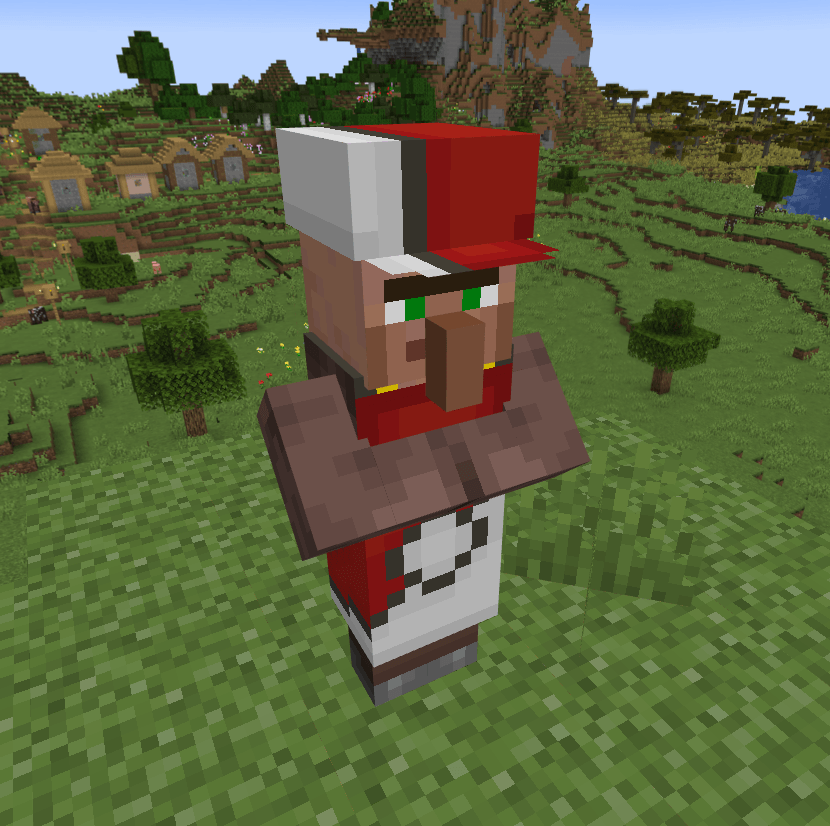
The Merchant Menus
The Shop
- By Right Clicking the merchant:
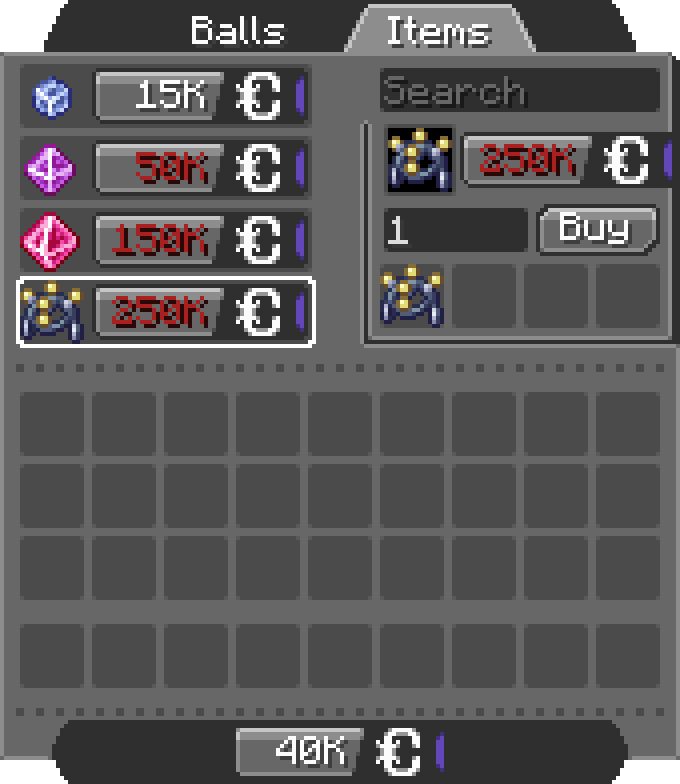
- You can scroll in the list, search for items, set the amount (MAX 256) and click the Buy button (you can see the total price on the right of the preview item) ! (if you don't have enough CobbleDollars the price will be red)
- You can switch between the configured tab, each one offer different items.
The Bank
- By Shift + Right Clicking the merchant:
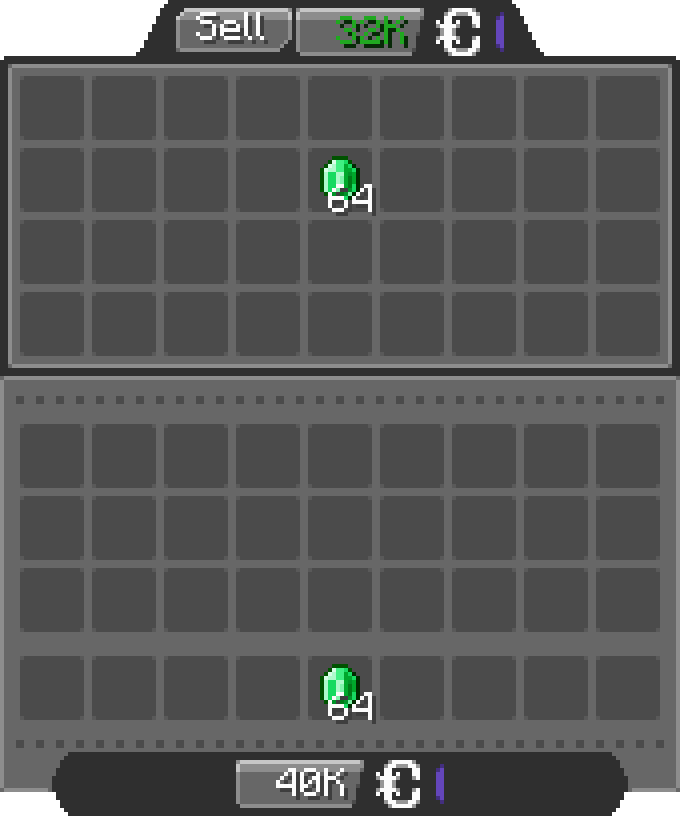
- You can insert any items allowed by the config in the bank inventory, the merchant will buy the items for the configured price (by default 1 Emerald = 500 CobbleDollars).
Configuration
The configuration files are located under "[Minecraft files or Server location]\config\cobbledollars\"
Client
You can choose the position of the money overlay:
- top left
- top right
- bottom left
- bottom right (default)
Common
Shop
You can configure which items the merchant sells, for example:
2.X.X:
{
  "defaultShop": [
    {
      "Poké Balls": [
        {
          "item": "cobblemon:poke_ball",
          "price": 2000
        }
      ]
    },
    {
      "Items": [
        {
          "item": "minecraft:stick",
          "price": 250000
        },
        {
          "item": "create:cogwheel",
          "price": 100
        }
      ]
    }
  ]
}1.5.X:
{
  "merchantShop": {
    "balls": {
      "cobblemon:poke_ball": 2000
    },
    "items": {
      "minecraft:stick": 250000,
      "create:cogwheel": 100
    }
  }
}
Before 1.5:
{
  "merchantBalls": {
    "cobblemon:poke_ball": 2000
  },
  "merchantItems": {
    "minecraft:stick": 250000,
    "create:cogwheel": 100
  }
}
Here they will sell
- Pokéballs for 2k CobbleDollars each under the category "Balls"
- Sticks for 250k CobbleDollars each and Cogwheels from the mod Create for 100 CobbleDollars each under the category "Items"
Bank
You can configure the items accepted in the bank and for what price:
2.X.X:
{
  "bank": [
    {
      "item": "minecraft:emerald",
      "price": 500
    },
    {
      "item": "cobblemon:red_apricorn",
      "price": 2500
    }
  ]
}1.5.X:
{
  "bankItems": {
    "minecraft:emerald": 500,
    "cobblemon:red_apricorn": 2500
  }
}
Here the bank accept
- Emeralds for 500 CobbleDollars each
- Red Apricorns for 2.5k each
You can even put items from other mods.
Permissions
- cobbledollars
- cobbledollars.reload
- cobbledollars.leaderboard
- cobbledollars.leaderboard.update
- cobbledollars.cobbledollars
- cobbledollars.cobbledollars.give
- cobbledollars.cobbledollars.pay
- cobbledollars.cobbledollars.query
- cobbledollars.cobbledollars.remove
- cobbledollars.cobbledollars.set
- cobbledollars.cobblemerchant
- cobbledollars.cobblemerchant.edit
- cobbledollars.cobblemerchant.open
- cobbledollars.cobblemerchant.open.bank
- cobbledollars.cobblemerchant.open.shop
This mod adds money and Merchants for Cobblemon.
Dependencies:
- Kotlin For Forge (forge & NeoForge)
- Fabric API (fabric only)
- Architectury API (1.5.2 & lower only)
- Cobblemon
If you'd like to support me, I have a Patreon <3.
Feel free to add my mods to your modpacks!
How to use the mod
- To earn money you have to kill wild pokémons, you'll earn a certain amount depending on their level.
- The merchant spawns in overworld villages, just like vanilla villagers (~8%).
- Vanilla Villagers can obtain the CobbleMerchant profession with a Display Case block from Cobblemon
- The merchant follow the player if you hold a pokéball.
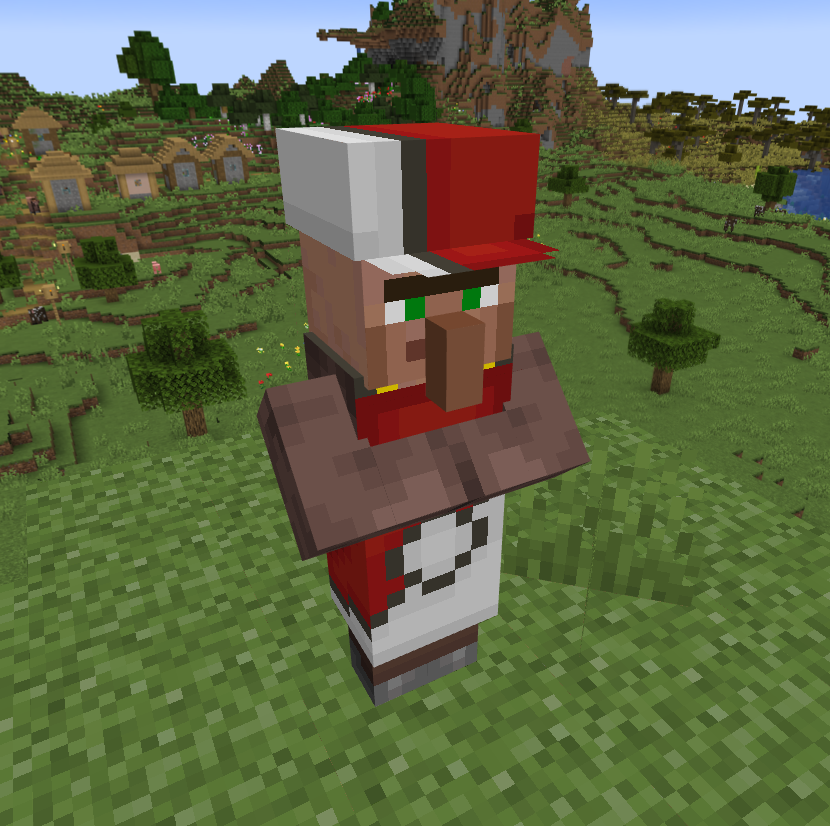
The Merchant Menus
The Shop
- By Right Clicking the merchant:
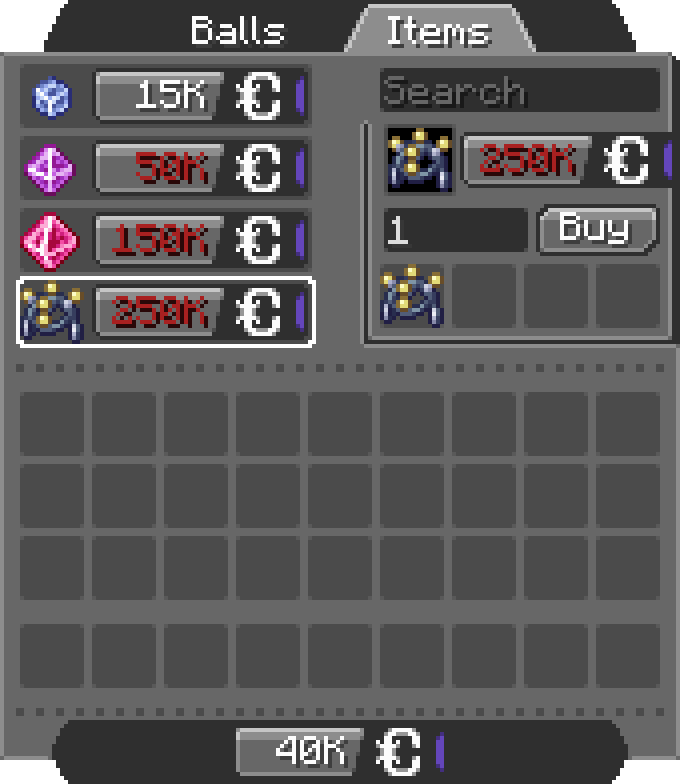
- You can scroll in the list, search for items, set the amount (MAX 256) and click the Buy button (you can see the total price on the right of the preview item) ! (if you don't have enough CobbleDollars the price will be red)
- You can switch between the configured tabs, each one offer different items.
The Bank
- By Shift + Right Clicking the merchant:
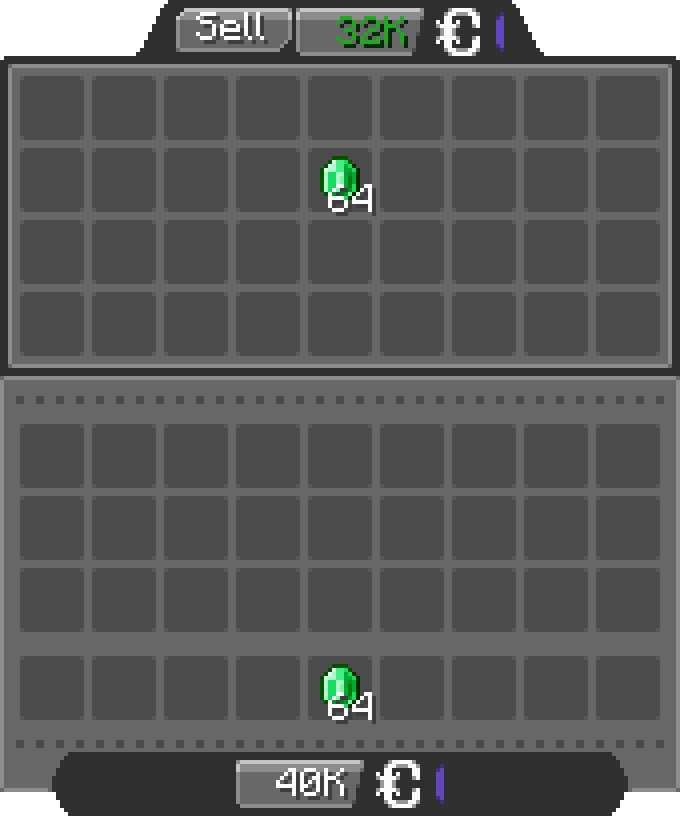
- You can insert any items allowed by the config in the bank inventory, the merchant will buy the items for the configured price (by default 1 Emerald = 500 CobbleDollars).
Configuration
The configuration files are located under "[Minecraft files or Server location]\config\cobbledollars"
Client
You can choose the position of the money overlay:
- top left
- top right
- bottom left
- bottom right (default)
Common
Shop
You can configure which items the merchant sells, for example:
2.X.X:
{
  "defaultShop": [
    {
      "Poké Balls": [
        {
          "item": "cobblemon:poke_ball",
          "price": 2000
        }
      ]
    },
    {
      "Items": [
        {
          "item": "minecraft:stick",
          "price": 250000
        },
        {
          "item": "create:cogwheel",
          "price": 100
        }
      ]
    }
  ]
}
1.5.X:
{
  "merchantShop": {
    "balls": {
      "cobblemon:poke_ball": 2000
    },
    "items": {
      "minecraft:stick": 250000,
      "create:cogwheel": 100
    }
  }
}
Before 1.5:
{
  "merchantBalls": {
    "cobblemon:poke_ball": 2000
  },
  "merchantItems": {
    "minecraft:stick": 250000,
    "create:cogwheel": 100
  }
}
Here they will sell
- Pokéballs for 2k CobbleDollars each under the category "Balls"
- Sticks for 250k CobbleDollars each and Cogwheels from the mod Create for 100 CobbleDollars each under the category "Items"
Bank
You can configure the items accepted in the bank and for what price:
2.X.X:
{
  "bank": [
    {
      "item": "minecraft:emerald",
      "price": 500
    },
    {
      "item": "cobblemon:red_apricorn",
      "price": 2500
    }
  ]
}
1.5.X:
{
  "bankItems": {
    "minecraft:emerald": 500,
    "cobblemon:red_apricorn": 2500
  }
}
Here the bank accept
- Emeralds for 500 CobbleDollars each
- Red Apricorns for 2.5k each
You can even put items from other mods.
Permissions
- cobbledollars
- cobbledollars.reload
- cobbledollars.leaderboard
- cobbledollars.leaderboard.update
- cobbledollars.cobbledollars
- cobbledollars.cobbledollars.give
- cobbledollars.cobbledollars.pay
- cobbledollars.cobbledollars.query
- cobbledollars.cobbledollars.remove
- cobbledollars.cobbledollars.set
- cobbledollars.cobblemerchant
- cobbledollars.cobblemerchant.edit
- cobbledollars.cobblemerchant.open
- cobbledollars.cobblemerchant.open.bank
- cobbledollars.cobblemerchant.open.shop
Screenshots
Gallery
-
New Shop Menu new_shop_menu.png
-
New Cobble Merchant new_cobble_merchant.png
-
New Bank Menu New Bank Menu.png
-
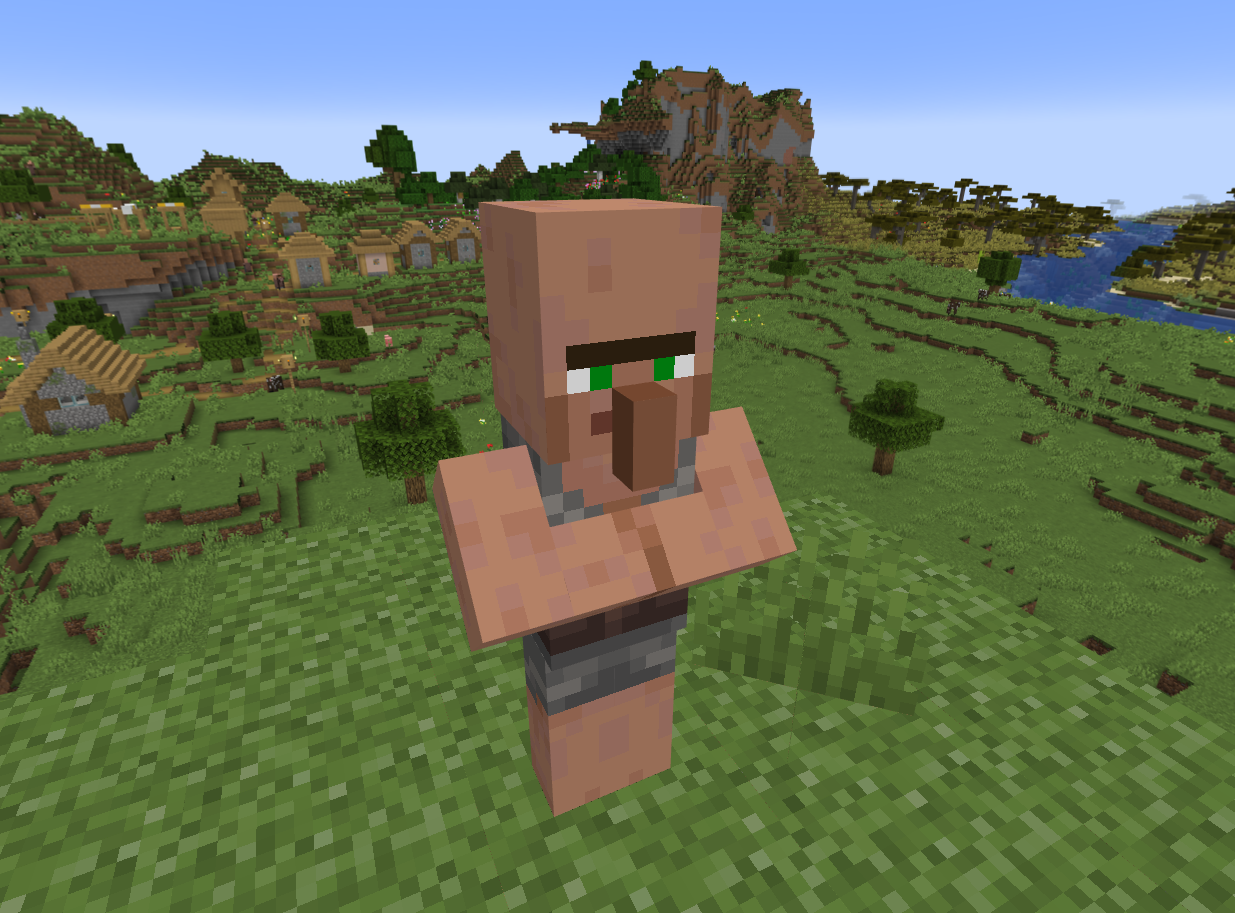 Cobble Merchant The NPC who sells items
 -
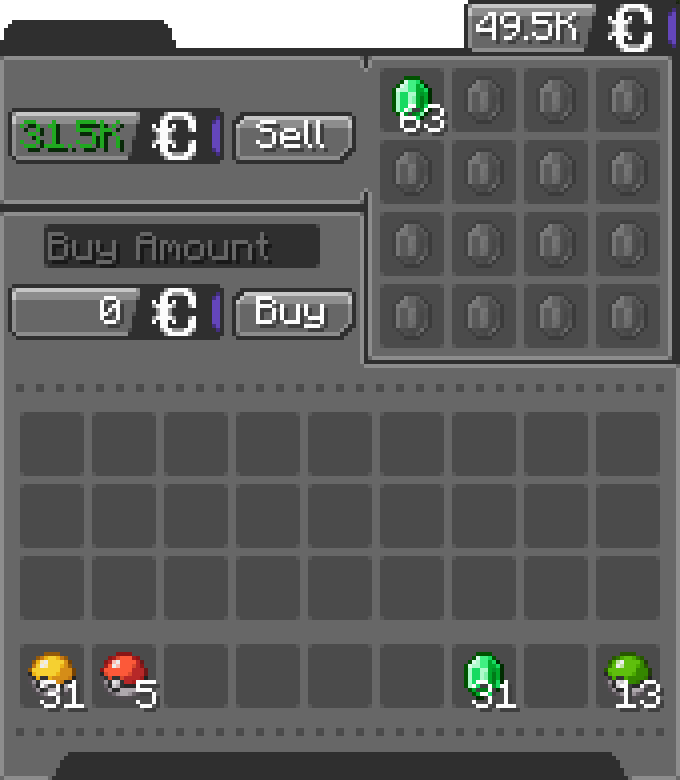 Bank Menu The bank menu
 -
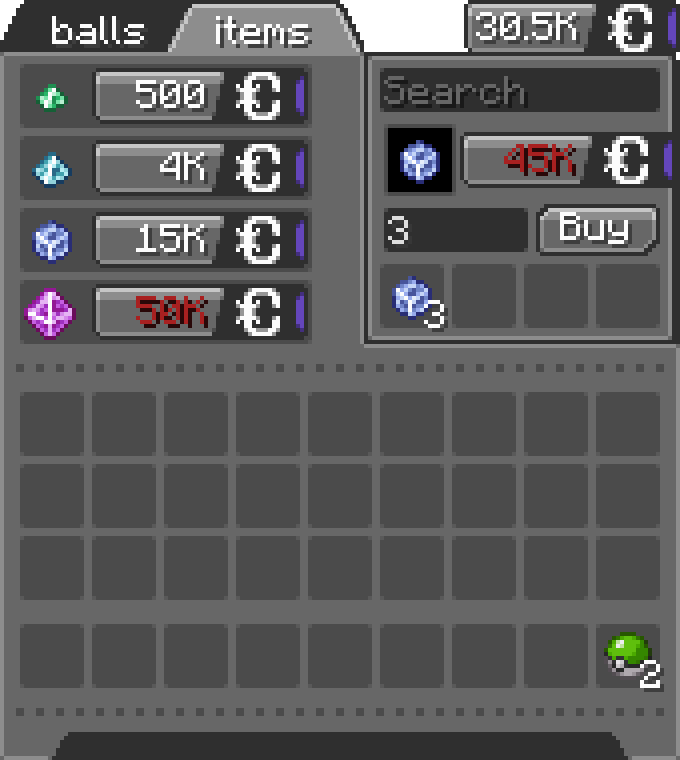 Shop Menu The shop menu
-
New Cobble Merchant The New Cobble Merchant in its natural habitat
-
New Shop Menu The New Merchant Shop Menu (Right Click the Merchant)
-
New Bank Menu The New Bank Menu (Shift + Right Click the Merchant)
-
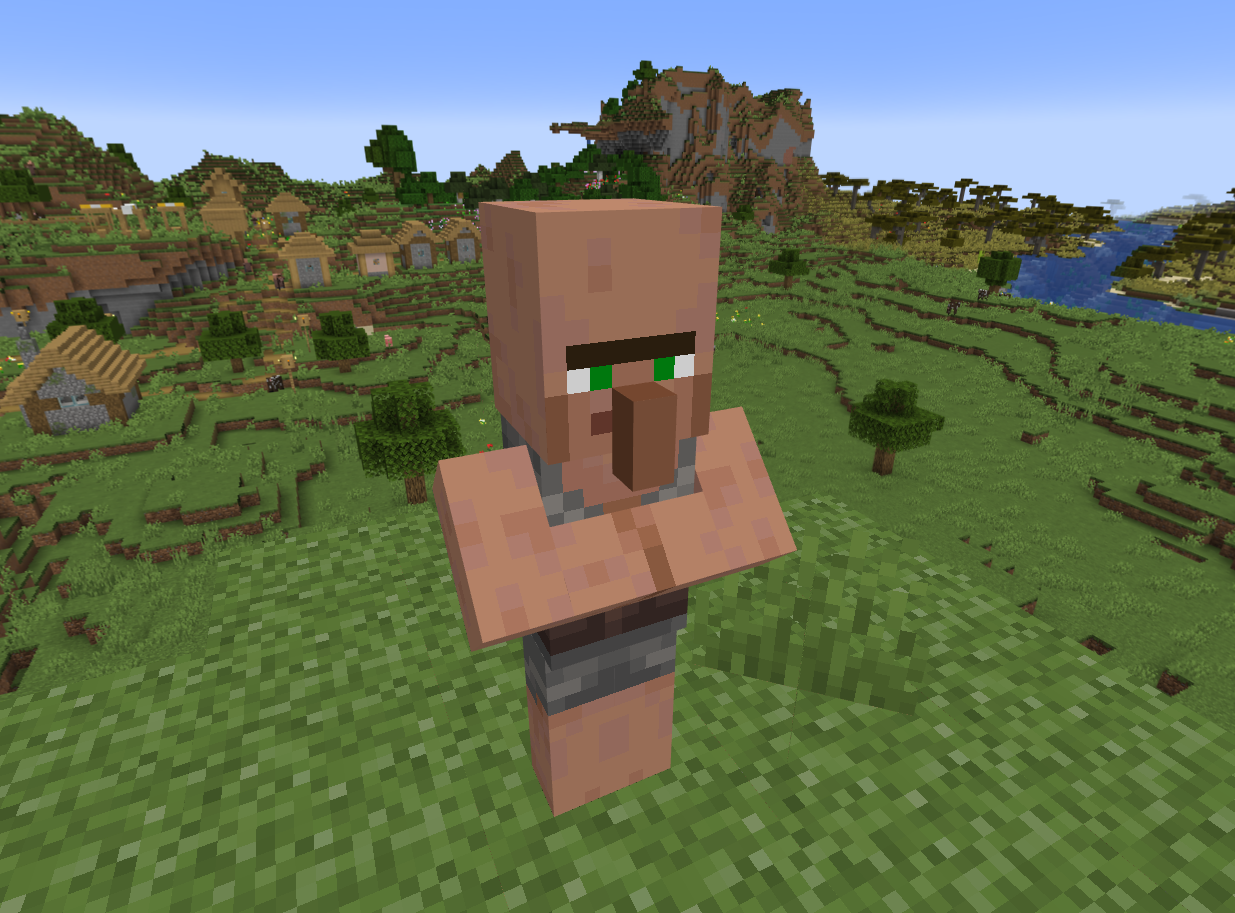 The Cobble Merchant The Cobble Merchant in its natural habitat
 -
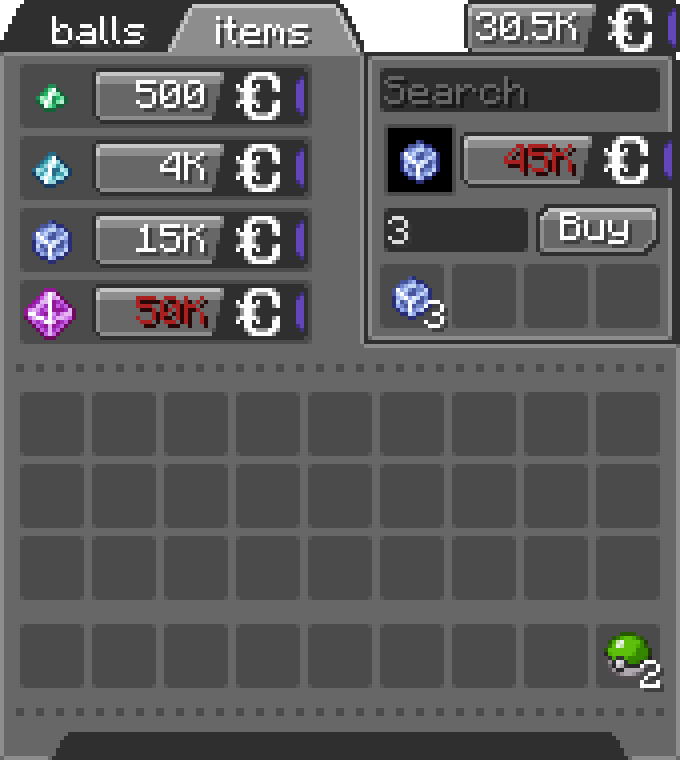 Shop Menu The Merchant Shop Menu (Right Click the Merchant)
 -
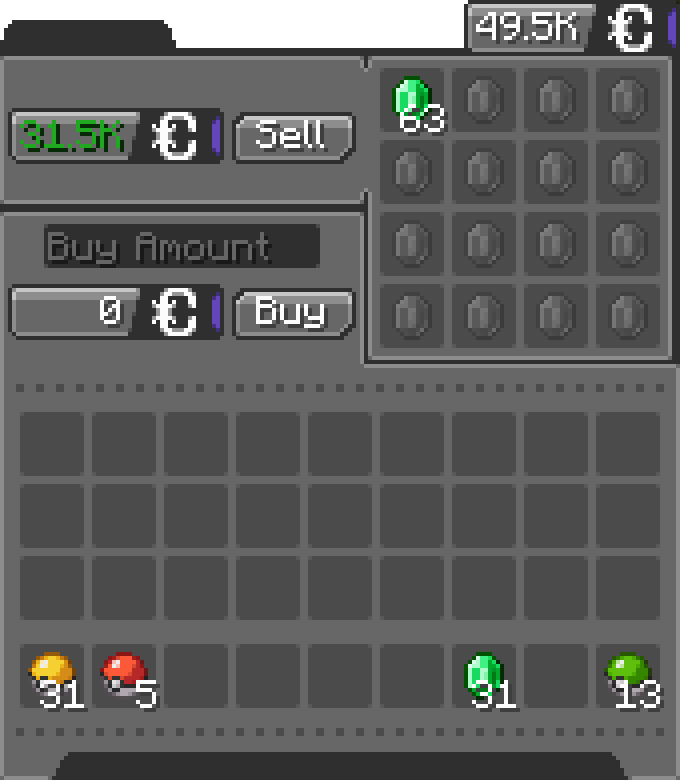 Bank Menu The Merchant Bank Menu (Shift + Right Click the Merchant)
Versions
Files
Relations
Project Relations
More like this
Similar Mods
Suggestions use data such as tags, dependencies, dependents, descriptions, titles, and more to rank how much they overlap with this mod.
On ModDex
Community snapshot
By the numbers
Statistics
 (opens in a new tab)
Get it on
Available Platforms
On ModDex
Community snapshot
By the numbers
Statistics
Resources