
Community listing page, reviews here may not be monitored by the author.
Compass Block Finder

No reviews yet
Compass Block Finder lets you quickly find any block in your Minecraft world. Select a block using the in-game search menu, left-click to start a search, and let the compass guide you toward the nearest discovered location.
Community voices
Reviews
No reviews yet. Be the first to review this project!
Get it on
Available Platforms
About
Project Details
For authors
Embed Badge
If you're the author of this project, you can embed a live badge anywhere that supports HTML or Markdown. It updates automatically whenever ratings change.
Use HTML for any page that supports it, or Markdown for README files and Markdown-based descriptions.
Identifiers
Platform IDs
About
Description
**Compass Block Finder** is a Fabric mod that turns a compass into a simple and powerful block-finding tool.
Select any block from an in-game menu, then use the Compass Block Finder to search nearby chunks for it. When the block is found, the compass points toward its location.
No coordinates to memorize. No manual searching through caves. Just **select a block and search**.
---
## ✨ Features
* 🧭 Custom Compass Block Finder item
* 🔎 Search for blocks using an in-game search menu
* 🧱 Select from available Minecraft blocks
* ⚡ Search nearby chunks starting from the player's location
* 📍 Compass points toward the discovered block
* 📊 Live search progress
* 💬 Clear status messages while searching
* 🔄 Manual searches with left-click
* 📏 Searches up to 6 chunks around the player
* 🎮 Designed specifically for Minecraft with Fabric
---
## 📸 Screenshots
### Block Selection Menu
Choose the block you want to find using the in-game block selection menu.

---
### Search for a Block
Use the search box to quickly find the block you are looking for.
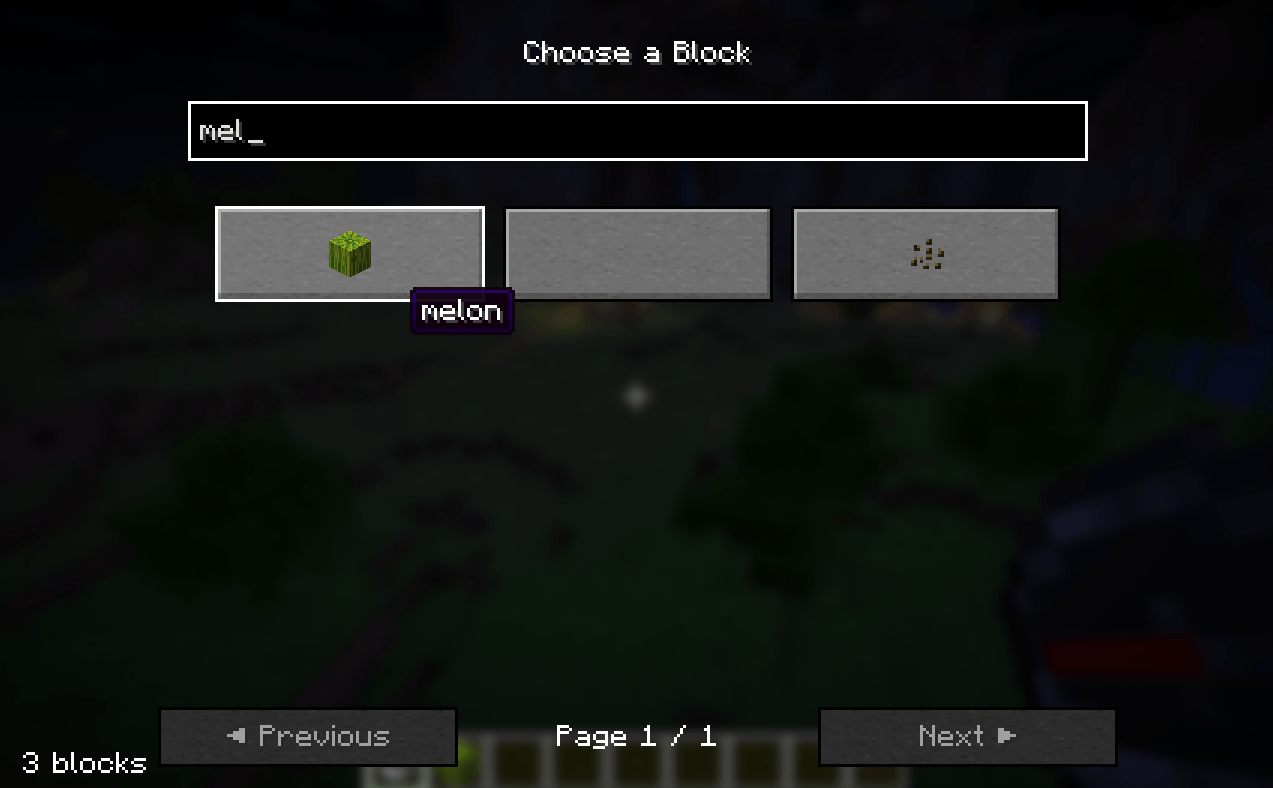
For example, searching for:
```text
melon
```
will show blocks matching the search.
---
### Start a Search
After selecting a block, **left-click while holding the Compass Block Finder** to begin searching.
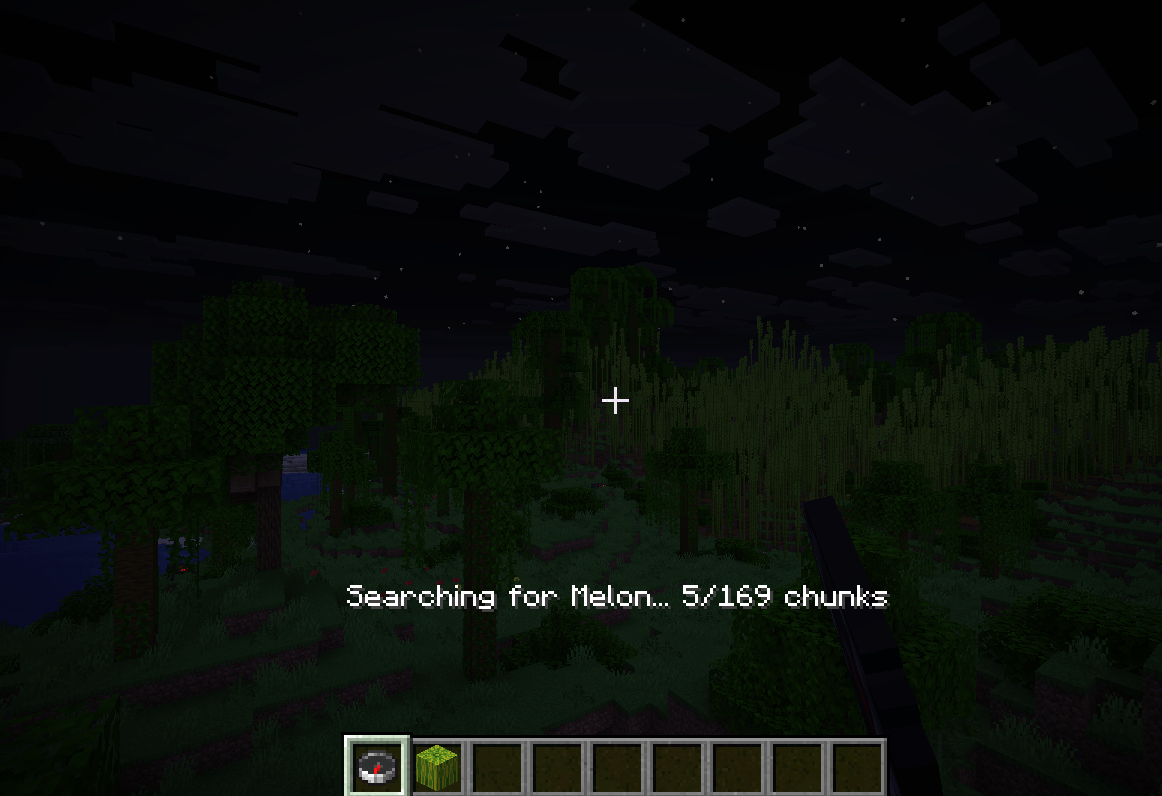
The mod searches nearby chunks starting with the chunks closest to you.
You will see progress such as:
```text
Searching for melon...
Searching for melon... 5/169 chunks
```
---
### Block Found
When a matching block is discovered, the mod reports its distance and the compass points toward it.
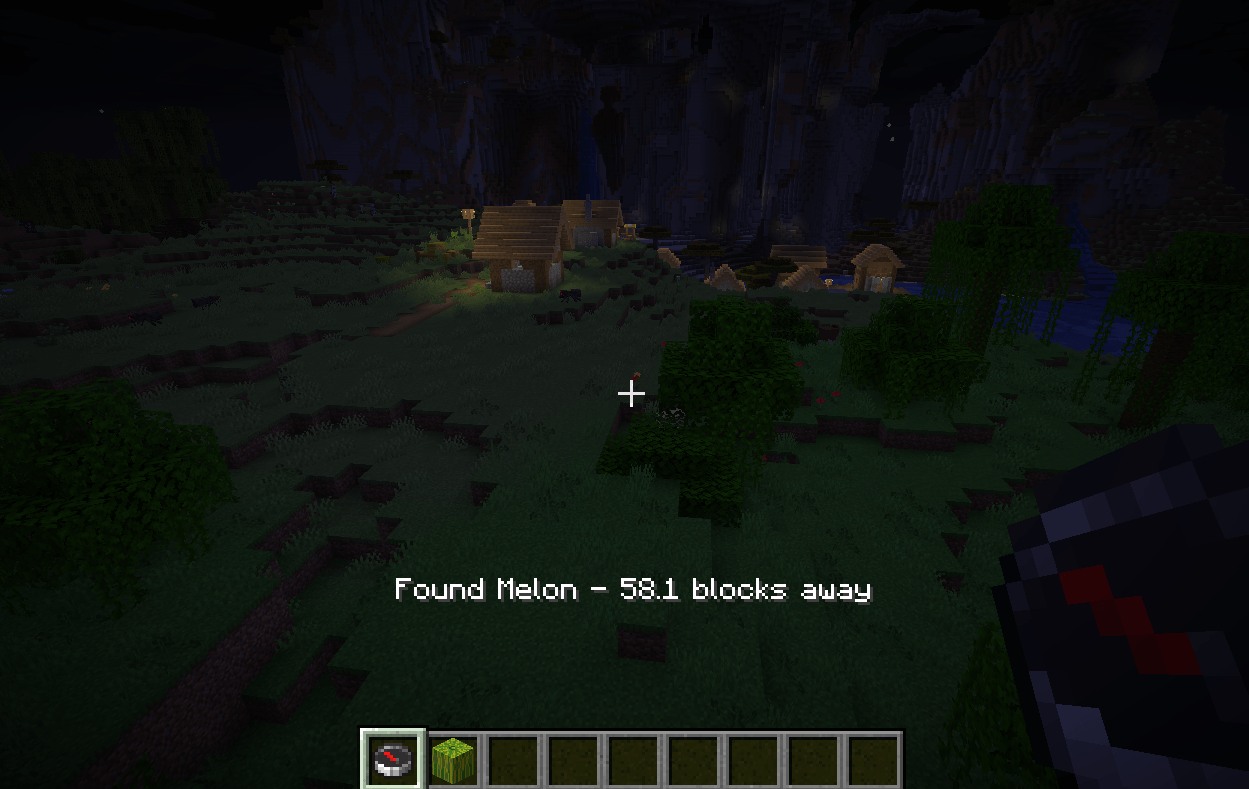
Example:
```text
Found Melon - 42.3 blocks away
```
---
# 🎮 How to Use
## 1. Get the Compass Block Finder
Install the mod and launch Minecraft using the Fabric loader.
Once in your world, obtain the **Compass Block Finder** from the creative inventory.
---
## 2. Select a Block
Hold the Compass Block Finder and **right-click**.
This opens the block selection menu.
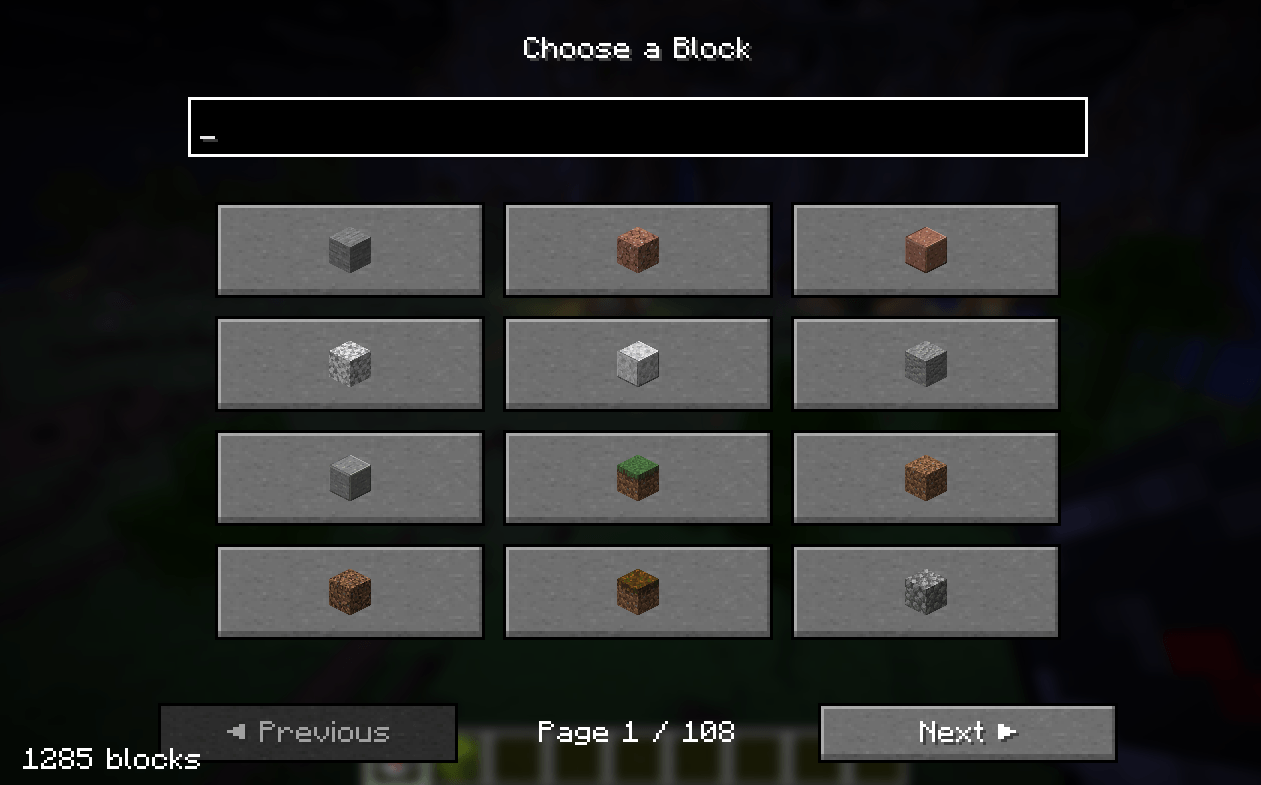
You can browse through the available blocks or use the search box.
Click the block you want to search for.
---
## 3. Start Searching
Once a block has been selected, hold the Compass Block Finder and **left-click**.
The search begins immediately.
The mod searches nearby chunks starting with the chunks closest to your current position.
---
## 4. Follow the Compass
When the target block is found, the compass will point toward it.
The mod also displays the approximate distance to the discovered block.
For example:
```text
Found Melon - 42.3 blocks away
```
Follow the direction of the compass to reach your target.
---
# 🔎 Search System
Compass Block Finder searches the world **chunk by chunk**.
The search starts with the chunks closest to the player and progressively checks chunks farther away.
The default search radius is:
```text
6 chunks
```
This creates a search area of:
```text
13 × 13 chunks
```
or:
```text
169 chunks
```
The search is performed incrementally so that the mod does not attempt to scan the entire search area in a single operation.
---
# 💬 Search Messages
The mod provides feedback while you use it.
### No block selected
If you try to search before selecting a block:
```text
Select a block first!
```
### Search started
```text
Searching for Melon...
```
### Search progress
```text
Searching for Melon... 15/169 chunks
```
### Block found
```text
Found Melon - 42.3 blocks away
```
### Nothing found
If no matching block is found within the search radius:
```text
No Melon found within 6 chunks
```
---
# 🕹️ Controls
| Action | Control |
| ------------------- | ----------------------------- |
| Open block selector | **Right-click** |
| Start search | **Left-click** |
| Select block | **Click a block in the menu** |
| Search blocks | **Type in the search box** |
---
# 🧱 Supported Blocks
The block selector uses Minecraft's registered blocks, allowing you to search for a wide variety of blocks.
Examples include:
* Diamond Ore
* Deepslate Diamond Ore
* Iron Ore
* Gold Ore
* Ancient Debris
* Coal Ore
* Redstone Ore
* Emerald Ore
* Lapis Lazuli Ore
* Copper Ore
* Stone
* Deepslate
* Sand
* Gravel
* Wood
* And many more
The search menu can be used to quickly filter the available blocks.
---
# 📦 Installation
## Requirements
* **Minecraft 26.3**
* **Fabric Loader 0.19.5 or newer**
* **Fabric API**
* **Java 25 or newer**
## Installation Steps
1. Install Fabric Loader for Minecraft 26.3.
2. Install Fabric API.
3. Download the latest Compass Block Finder `.jar`.
4. Place the `.jar` file inside your Minecraft `mods` folder.
5. Launch Minecraft using the Fabric profile.
6. Enter your world.
7. Find the Compass Block Finder in the creative inventory.
Your mods folder should look similar to:
```text
.minecraft/
└── mods/
├── fabric-api-....jar
└── compass-block-finder-....jar
```
---
# 🛠️ Development
Compass Block Finder is built using:
* **Java**
* **Minecraft 26.3**
* **Fabric**
* **Fabric Loader**
* **Fabric API**
* **Fabric Loom**
## Build From Source
Clone the repository:
```bash
git clone <your-repository-url>
```
Enter the project directory:
```bash
cd compass-block-finder
```
Build the mod:
```bash
./gradlew build
```
On Windows:
```powershell
.\gradlew.bat build
```
The compiled mod will be available in:
```text
build/libs/
```
---
# 🗺️ Roadmap
Planned improvements may include:
* [ ] Improved search performance
* [ ] More precise nearest-block detection
* [ ] Search configuration
* [ ] Configurable search radius
* [ ] Additional compass behavior
* [ ] Better visual feedback
* [ ] Multiplayer support improvements
* [ ] Additional Minecraft versions
* [ ] Fabric and other platform support where practical
---
# 🤝 Contributing
Contributions, bug reports, and suggestions are welcome.
If you encounter a problem, please open an issue with:
* Minecraft version
* Fabric Loader version
* Fabric API version
* Compass Block Finder version
* Steps to reproduce the problem
* Relevant crash log or error message
---
# 🐛 Bug Reports & Feature Requests
Found a bug or have an idea?
Open an issue in the project's GitHub repository and describe what happened.
When reporting a bug, screenshots and logs are especially helpful.
---
# 📄 License
This project is licensed under the license included in this repository.
See [`LICENSE`](LICENSE) for details.
---
# ❤️ Credits
Created by **Harfy**.
Built for the Minecraft Fabric modding community.
If you enjoy the mod, consider ⭐ starring the project on GitHub and sharing it with other players!
---
## 🧭 Compass Block Finder
**Select → Search → Find → Follow**
Happy mining! ⛏️
Screenshots
Gallery
-
block found
-
block menu ui
-
left click search
-
menu search
Versions
Files
Relations
Project Relations
More like this
Similar Mods
Suggestions use data such as tags, dependencies, dependents, descriptions, titles, and more to rank how much they overlap with this mod.
On ModDex
Community snapshot
By the numbers
Statistics
Want to reach Minecraft players?
We're looking for a server hosting partner to feature here and other parts of the site. Interested? Send us a message!
Get in touchGet it on
Available Platforms
On ModDex
Community snapshot
By the numbers