Community listing page, reviews may not be monitored by the author.
Create: Clipboard Toolkit

No reviews yet
A Create addon that turns storage contents and selected areas into item checklists, with clipboard locking and stock order improvements.

Community voices
Reviews
No reviews yet. Be the first to review this project!
Get it on
Available Platforms
About
Project Details
For authors
Embed Badge
If you're the author of this project, you can embed a live badge anywhere that supports HTML or Markdown. It updates automatically whenever ratings change.
Use HTML for any page that supports it, or Markdown for README files and Markdown-based descriptions.
Identifiers
Platform IDs
Resources
External Links
About
Description
Create: Clipboard Toolkit
Turn storage contents and building materials into clear, reusable checklists on Create’s clipboard.
Scan a container or select an area to record items with icons and quantities. Protect your lists from accidental changes, copy them between clipboards, and use them to place orders through Create’s stock system.
Features
Storage scanning
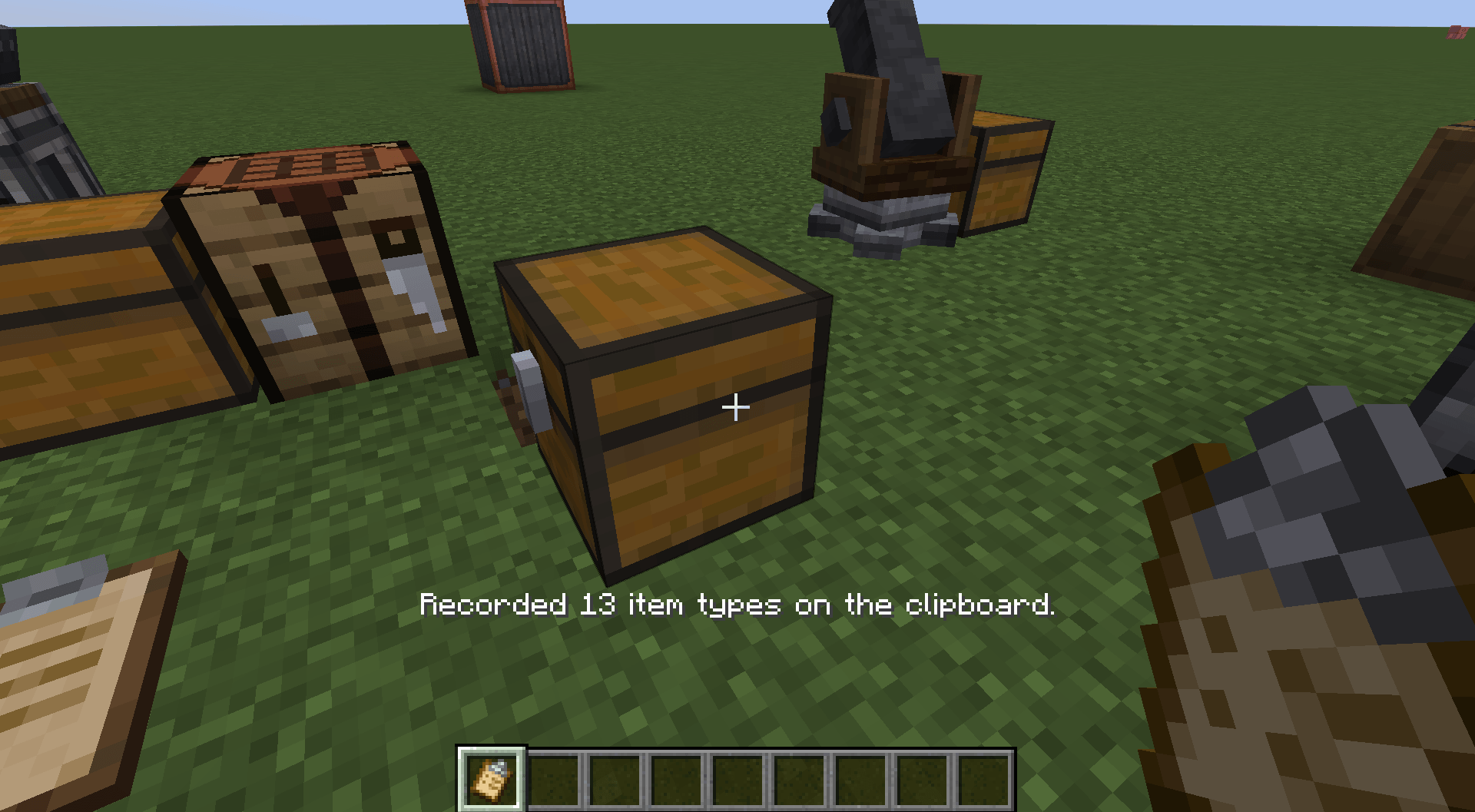
Record the contents of chests, barrels, shulker boxes, Create Item Vaults, and other supported inventories.
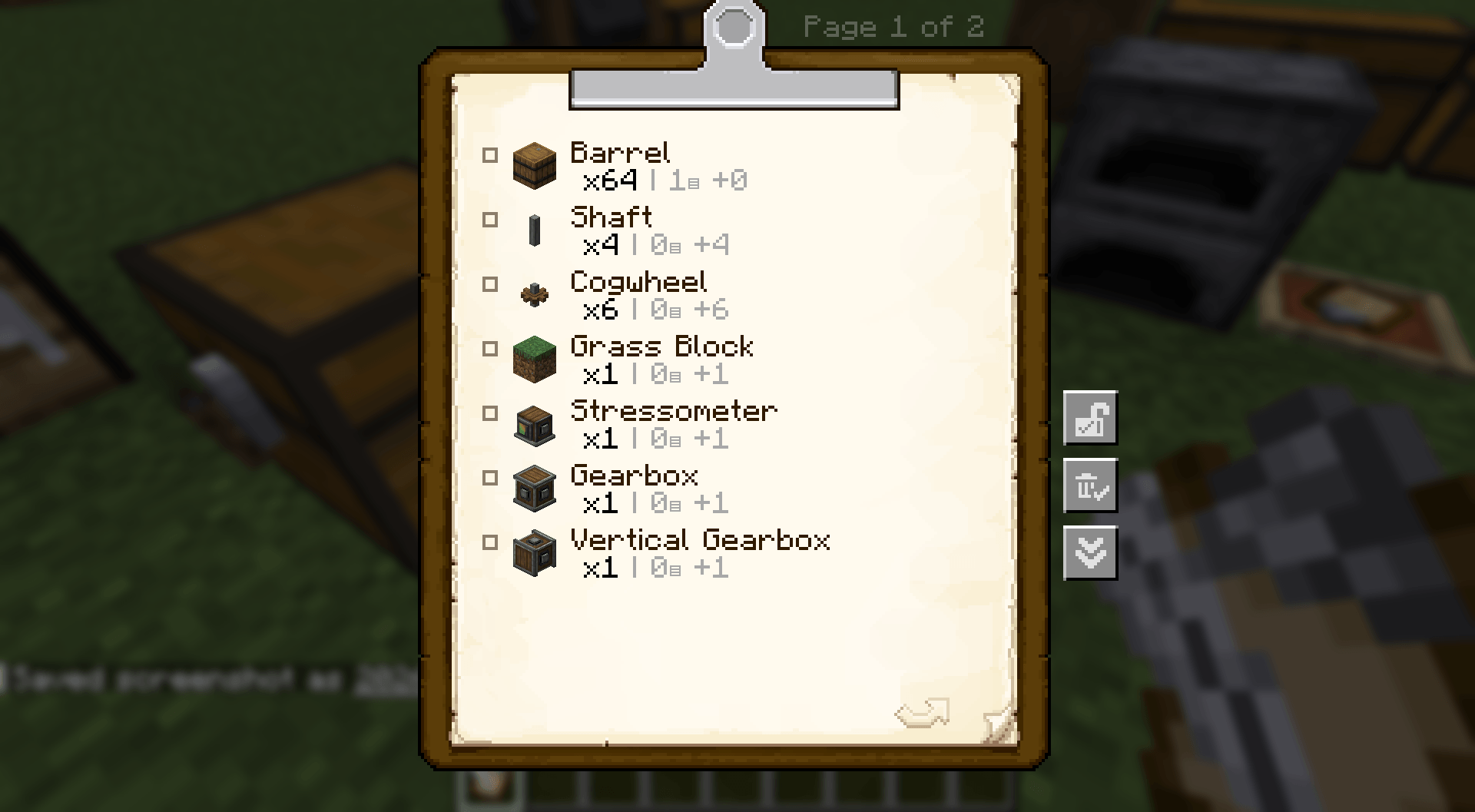
Matching items are combined into a single entry. Items with different names, durability, or other components remain separate. Scanning does not remove or consume items.
Area scanning
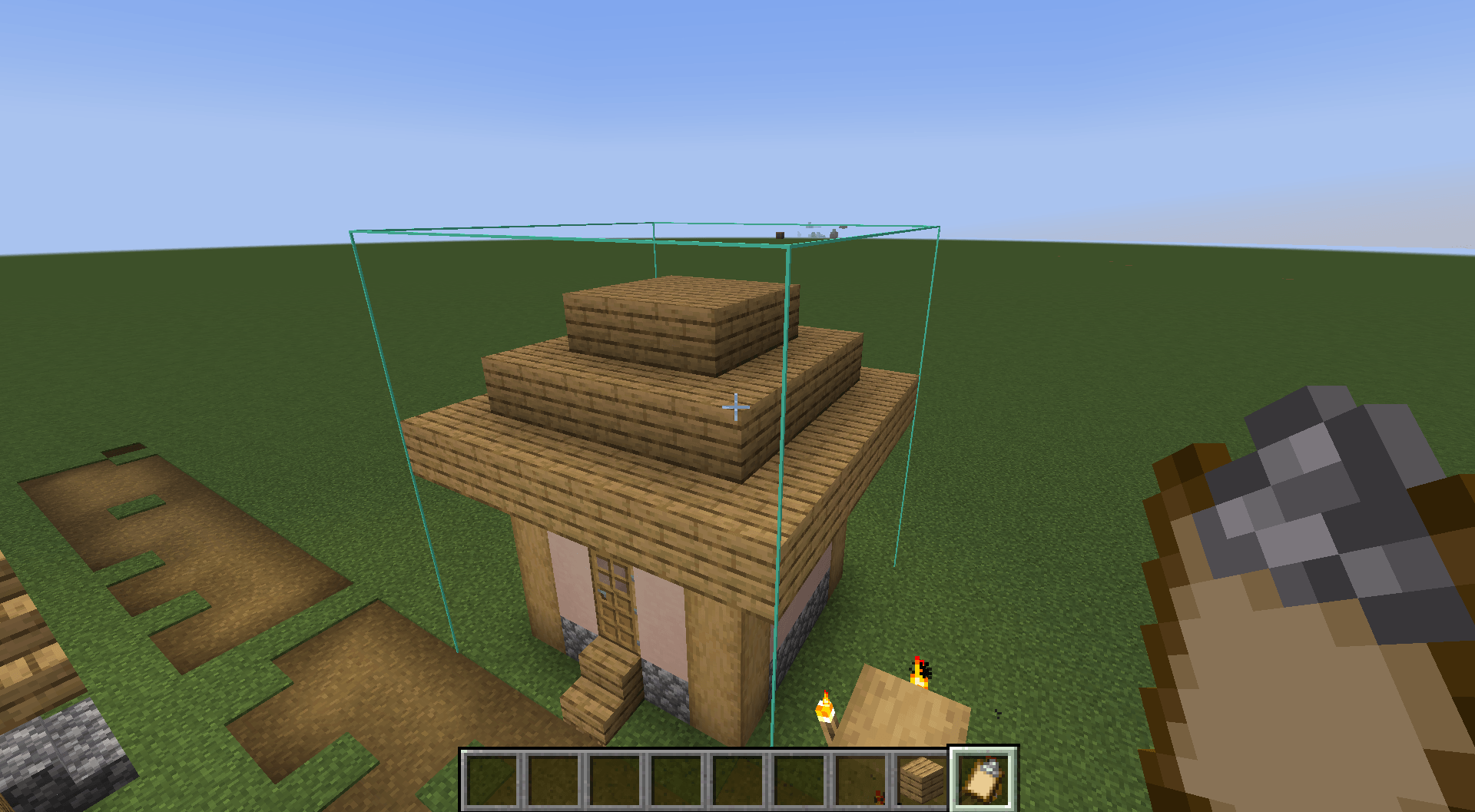
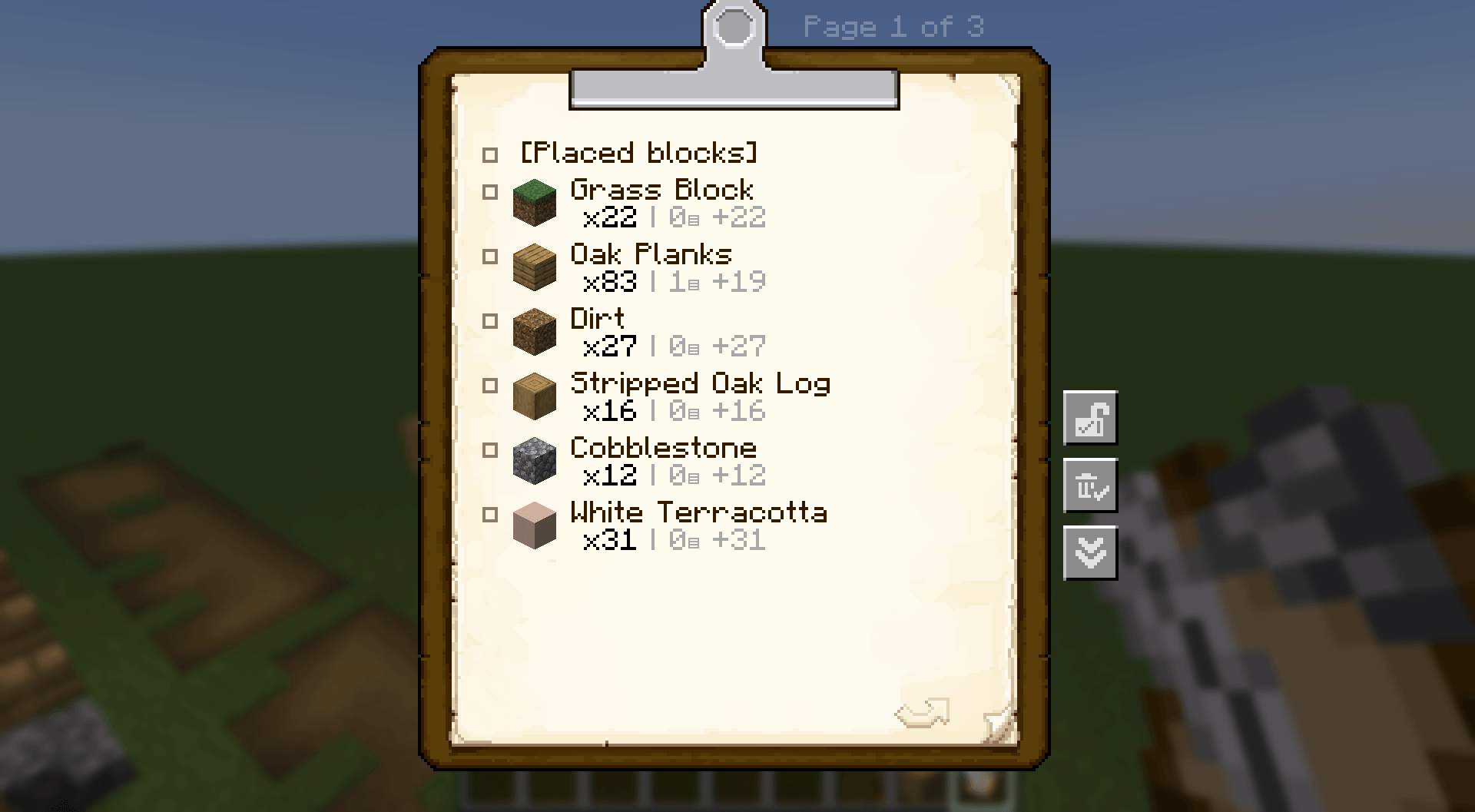
Select two corners to scan an area. Placed blocks and items inside storage are recorded on separate pages, keeping building materials and stored supplies distinct.
Clipboard locking
Use the padlock button on the right side of the clipboard screen to prevent accidental changes.
While locked, a clipboard blocks incoming copies, text editing, clearing checked entries, and scanning. You can still browse its pages, toggle checkboxes, and use it as a copy source.
Locks work on both held and placed clipboards and persist when placing or picking them up. This is protection against accidental edits, not an ownership or access-control system.
Copies that retain item data
Copying from a placed clipboard preserves item icons, quantities, and checkbox states. The copied list can also be used for stock orders.
For a complete copy, use an empty, unlocked clipboard as the destination.
Skip checked items when ordering
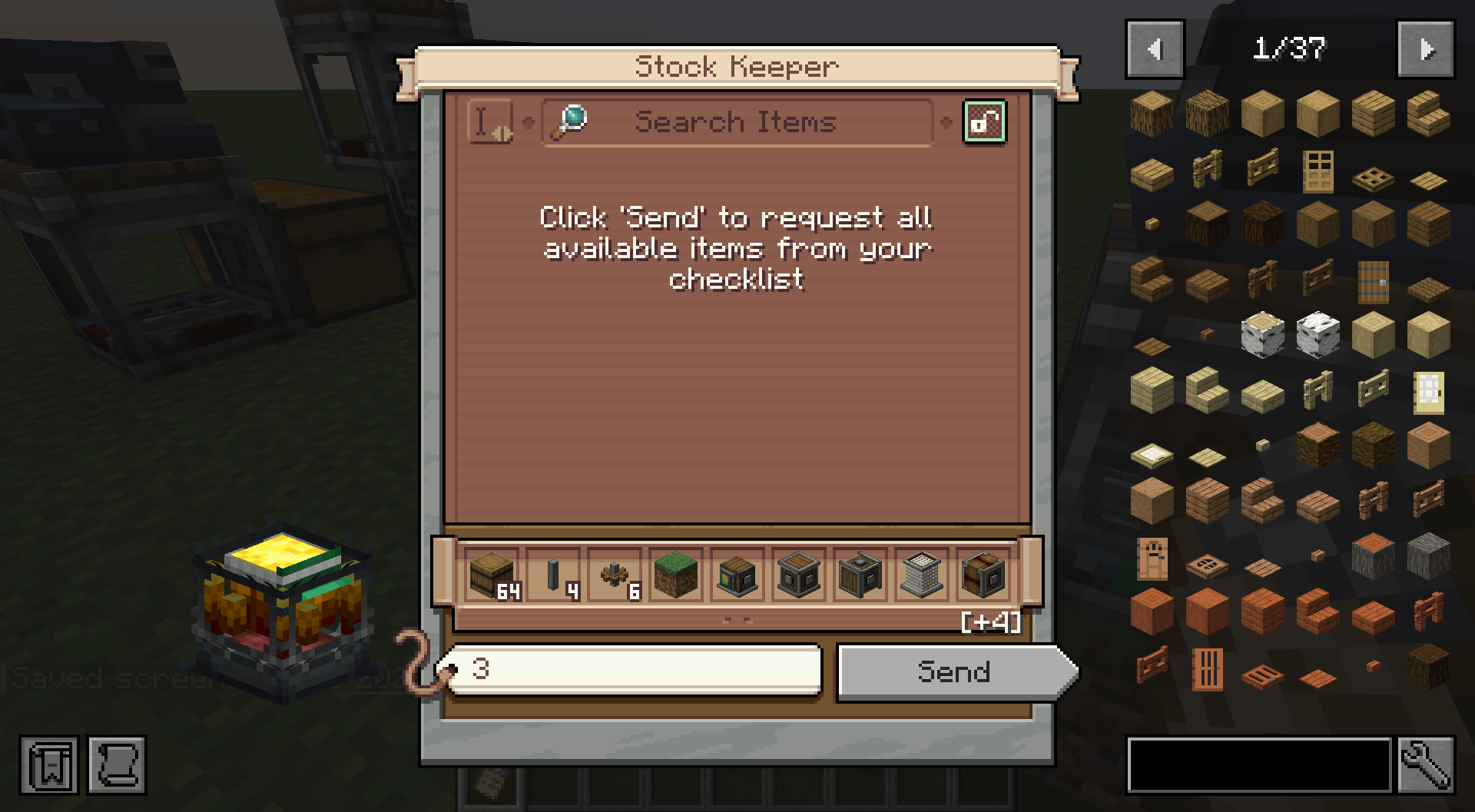
Checked entries are excluded when importing a clipboard list into Create’s stock order screen.
Recorded quantities are preserved. Uncheck an entry and reopen the order screen to include it again.
Create-style quantity display
Scanned lists show total quantities alongside a stack breakdown:
-
208 items:
x208 | 3▤ +16 -
64 items:
x64 | 1▤ +0 -
32 items:
x32 | 0▤ +32
Like Create’s schematic checklist, the breakdown uses units of 64, regardless of the item’s actual maximum stack size.
Basic Controls
Hold an empty Create clipboard in your main hand.
-
Left Alt + Right-click a container: scan its contents.
-
G: start area selection.
-
Right-click twice: select the two corners.
-
G again: confirm and record the area.
-
Shift + G: cancel area selection.
Key bindings can be changed in Minecraft’s Controls settings.
To copy a list, place the source clipboard, then right-click it while holding the destination clipboard.
Supported Storage
-
Chests and double chests
-
Barrels and shulker boxes
-
Hoppers, furnaces, droppers, and similar inventories
-
Create Item Vaults
-
Other modded storage that exposes NeoForge’s item inventory capability
Combined chests and Item Vaults are counted once. Area scans must include the entire combined storage structure.
Single-container scans can read the player’s Ender Chest inventory. Area scans count the Ender Chest block but exclude its personal inventory.
Storage using custom inventory or permission systems may require additional compatibility support.
Limits and Notes
-
Existing clipboard contents are not overwritten by scanning.
-
Area scans support up to 4,096 blocks, with a maximum of 64 blocks per side.
-
Single-container scans support up to 350 distinct item entries.
-
Lists are limited to 50 pages.
-
Unloaded areas are not scanned.
-
Fluids, energy, and entity inventories are not supported.
-
Scanned list text is read-only; checkboxes remain usable.
Requirements
-
Minecraft 1.21.1
-
NeoForge 21.1.234 or newer
-
Create 6.0.10 or newer, below 6.1.0
Create is required. Install Clipboard Toolkit on both the client and the server for multiplayer.
JEI and EMI are not required.
License
MIT
Created using AI
Screenshots
Gallery
-
 2026-10-15_20.25.50.png 2026-10-15_20.25.50.png
 -
 2026-10-15_20.25.59.png 2026-10-15_20.25.59.png
 -
 2026-10-15_20.26.09.png 2026-10-15_20.26.09.png
 -
 2026-10-15_20.27.05.png 2026-10-15_20.27.05.png
 -
 2026-10-15_20.27.22.png 2026-10-15_20.27.22.png
Versions
Files
Relations
Project Relations
More like this
Similar Mods
Suggestions use data such as tags, dependencies, dependents, descriptions, titles, and more to rank how much they overlap with this mod.
On ModDex
Community snapshot
By the numbers
Statistics

Get it on
Available Platforms
On ModDex
Community snapshot
By the numbers
Statistics
Resources