
Diagonal Fences
Rank 362
Rank 250 among mods

Quick rating

Diagonal Fences

Overall rating distribution
0.5★ (no ratings)
1.0★ (no ratings)
1.5★ (no ratings)
2.0★ (no ratings)
2.5★ (no ratings)
3.0★ (no ratings)
3.5★ (no ratings)
2 ratings (100%) · 4.0★
4.5★ (no ratings)
5.0★ (no ratings)
0.5★ 5★
Gameplay rating distribution
0.5★ (no reviews)
1.0★ (no reviews)
1.5★ (no reviews)
2.0★ (no reviews)
2.5★ (no reviews)
3.0★ (no reviews)
1 review (100%) · 3.5★
4.0★ (no reviews)
4.5★ (no reviews)
5.0★ (no reviews)
0.5★ 5★
Aesthetics rating distribution
0.5★ (no reviews)
1.0★ (no reviews)
1.5★ (no reviews)
2.0★ (no reviews)
2.5★ (no reviews)
3.0★ (no reviews)
3.5★ (no reviews)
4.0★ (no reviews)
1 review (100%) · 4.5★
5.0★ (no reviews)
0.5★ 5★
Performance rating distribution
0.5★ (no reviews)
1.0★ (no reviews)
1.5★ (no reviews)
2.0★ (no reviews)
2.5★ (no reviews)
1 review (100%) · 3.0★
3.5★ (no reviews)
4.0★ (no reviews)
4.5★ (no reviews)
5.0★ (no reviews)
0.5★ 5★

Fences connecting diagonally? Wait. That's illegal.

No Theme
No Genre
Aesthetic Improvements
QoL & Tweaks
Mod Loaders
Forge
NeoForge
Fabric
Minecraft
26.2

Community voices

Reviews

Versions
Loading versions…
Match includes

Click once to include, again to exclude, again to clear

Rating Any
Any 0.5 1.0 1.5 2.0 2.5 3.0 3.5 4.0 4.5 5.0
Min
Max
Play Status
Reviews
Time Played
hrs+
Verified developers only
Has developer response
List view
Grid view
Compact view
Sort by
Date
Rating
Helpful
Unhelpful
Edited
Sort ascending
Delete this review?

This removes your review from the project. You can write a new review after.

Review submitted for moderation

Your review has been sent to moderators, who will check that it meets our guidelines before it appears publicly.

4.0
smeagle-0

Reputation ranks

Explorer 0 pts
Contributor 100 pts
Guide 500 pts
Veteran 1,500 pts
Luminary 4,000 pts

Ranks only ever go up; points can drop but your rank stays.

About reputation ranks
Total 100 hrs MC 1.19, 1.2… MC 1.19, 1.20, 1.21
The version(s) the reviewer played
Gameplay
3.5
Aesthetics
4.5
Performance
3.0

Awesome looking mod that i include in nearly every pack i make because it lets you do so much more with fences.


1
0
Posted June 1, 2026 at 2:03:39 PM UTC
4.0
smeagle-0

Reputation ranks

Explorer 0 pts
Contributor 100 pts
Guide 500 pts
Veteran 1,500 pts
Luminary 4,000 pts

Ranks only ever go up; points can drop but your rank stays.

About reputation ranks
Total 100 hrs MC 1.19, 1.2… MC 1.19, 1.20, 1.21
The version(s) the reviewer played
Gameplay
3.5
Aesthetics
4.5
Performance
3.0

Awesome looking mod that i include in nearly every pack i make because it lets you do so much more with fences.

1
0
Posted June 1, 2026 at 2:03:39 PM UTC
4.0
smeagle-0

Reputation ranks

Explorer 0 pts
Contributor 100 pts
Guide 500 pts
Veteran 1,500 pts
Luminary 4,000 pts

Ranks only ever go up; points can drop but your rank stays.
About reputation ranks
Posted June 1, 2026 at 2:03:39 PM UTC
Total 100 hrs MC 1.19, 1.2… MC 1.19, 1.20, 1.21
The version(s) the reviewer played
1
0

Get it on

Available Platforms

Compatibility

Supported Environments

Dev Environment
Client Required
Server Required

About

Project Details

Type
Mod
License
Mozilla Public License 2.0
Latest Version
[NEOFORGE] [26.2.x] v26.2.0
Authors
CurseForge

For authors

Embed Badge

If you're the author of this project, you can embed a live badge anywhere that supports HTML or Markdown. It updates automatically whenever ratings change.
Custom banner text
ModDex rating badge preview

Use HTML for any page that supports it, or Markdown for README files and Markdown-based descriptions.

Identifiers

Platform IDs

CurseForge ID
Modrinth ID

Resources

External Links

About

Description

banner.png

strip.png

v1?label=&message=Discord&color=ECEBE6&labelColor=2F4858&style=for-the-badge&logo=discord&logoColor=whitev1?label=&message=Twitter&color=ECEBE6&labelColor=2F4858&style=for-the-badge&logo=x&logoColor=whitev1?label=&message=YouTube&color=ECEBE6&labelColor=2F4858&style=for-the-badge&logo=youtube&logoColor=whitev1?label=&message=GitHub&color=ECEBE6&labelColor=2F4858&style=for-the-badge&logo=github&logoColor=whitev1?label=&message=CurseForge&color=ECEBE6&labelColor=2F4858&style=for-the-badge&logo=curseforge&logoColor=whitev1?label=&message=Modrinth&color=ECEBE6&labelColor=2F4858&style=for-the-badge&logo=modrinth&logoColor=white

strip.png

about.png

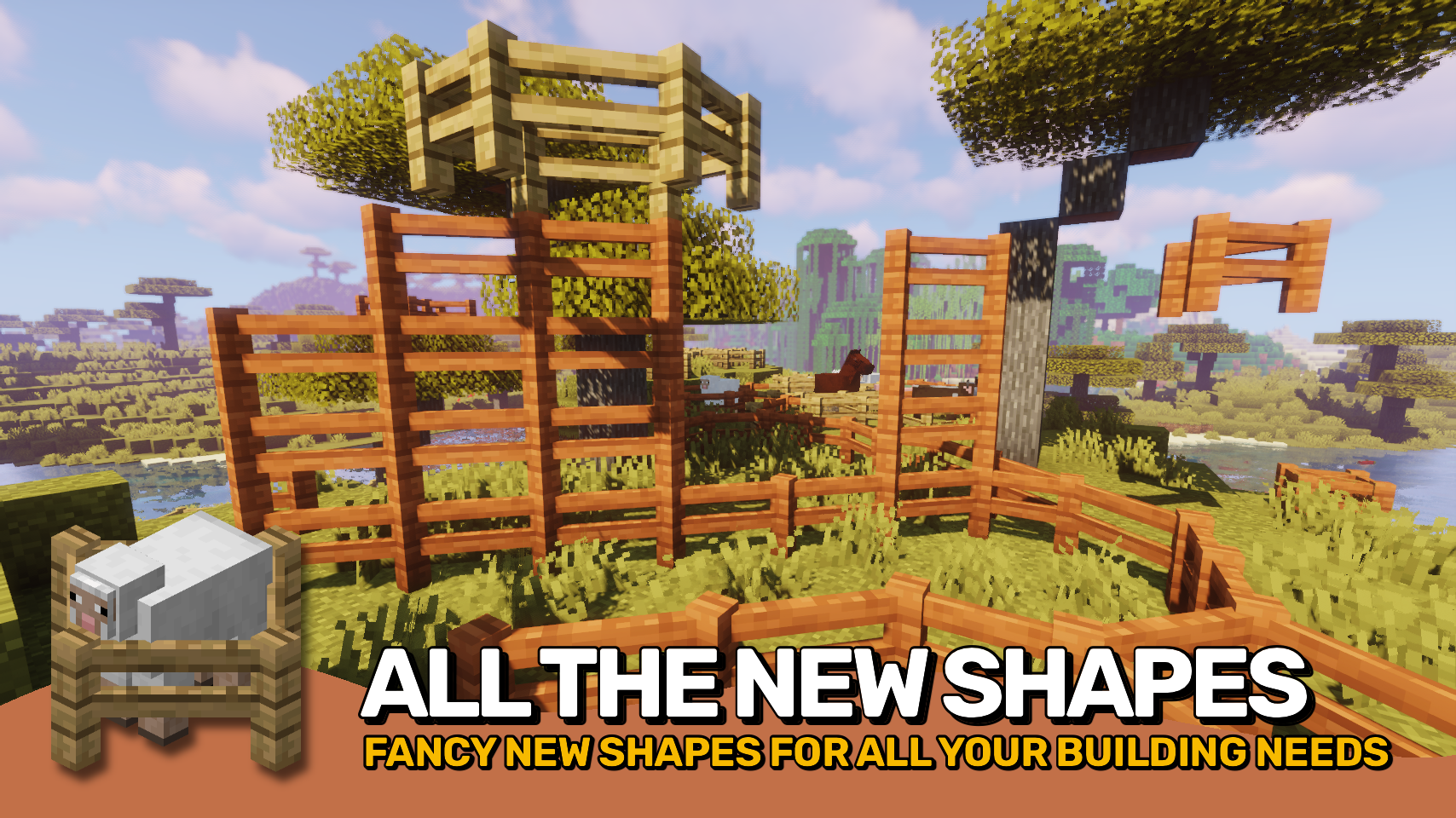
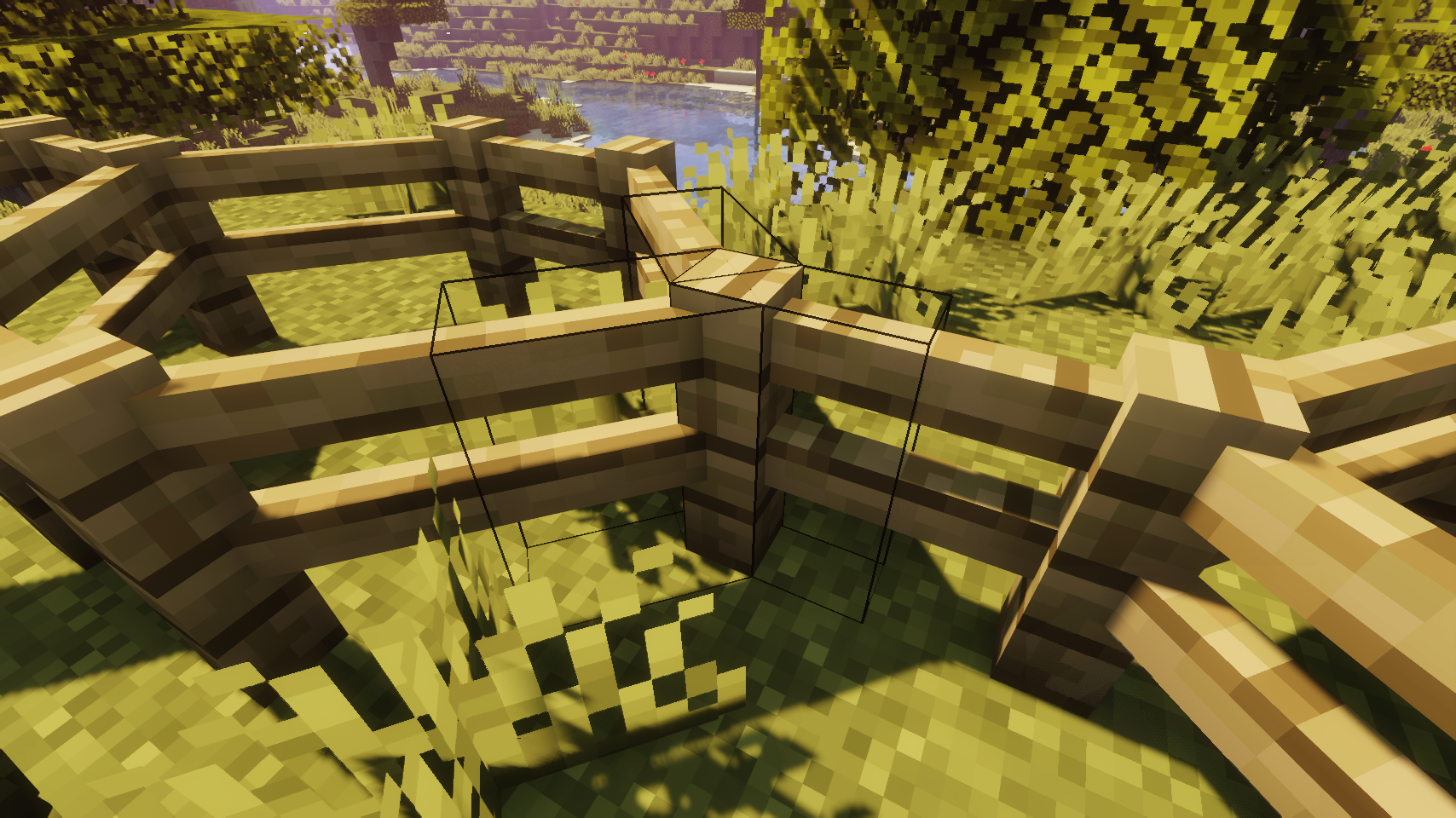
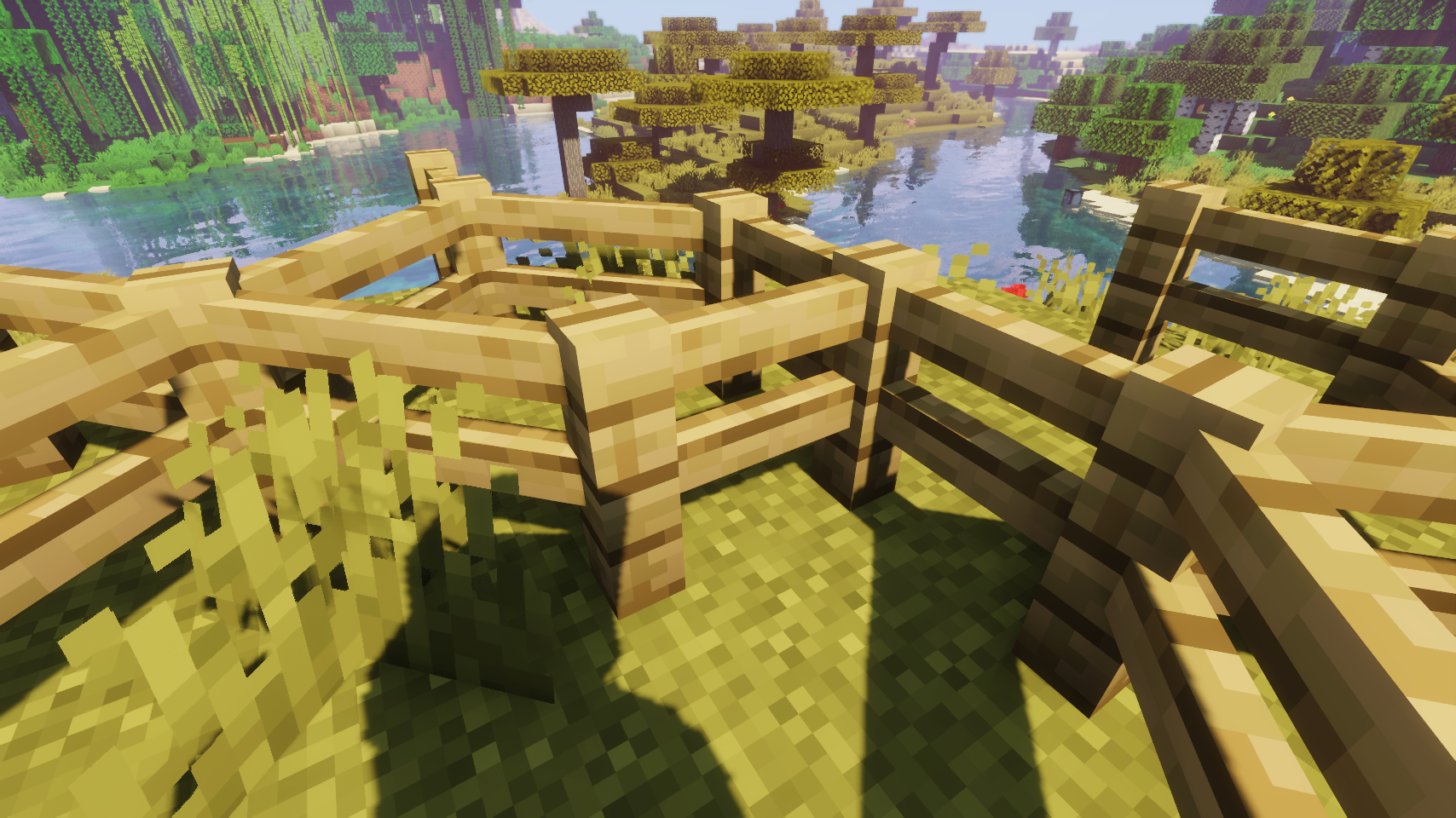
Diagonal Fences makes all kinds of fences able to connect diagonally. Works just like you would expect it to, so not much more to say really.

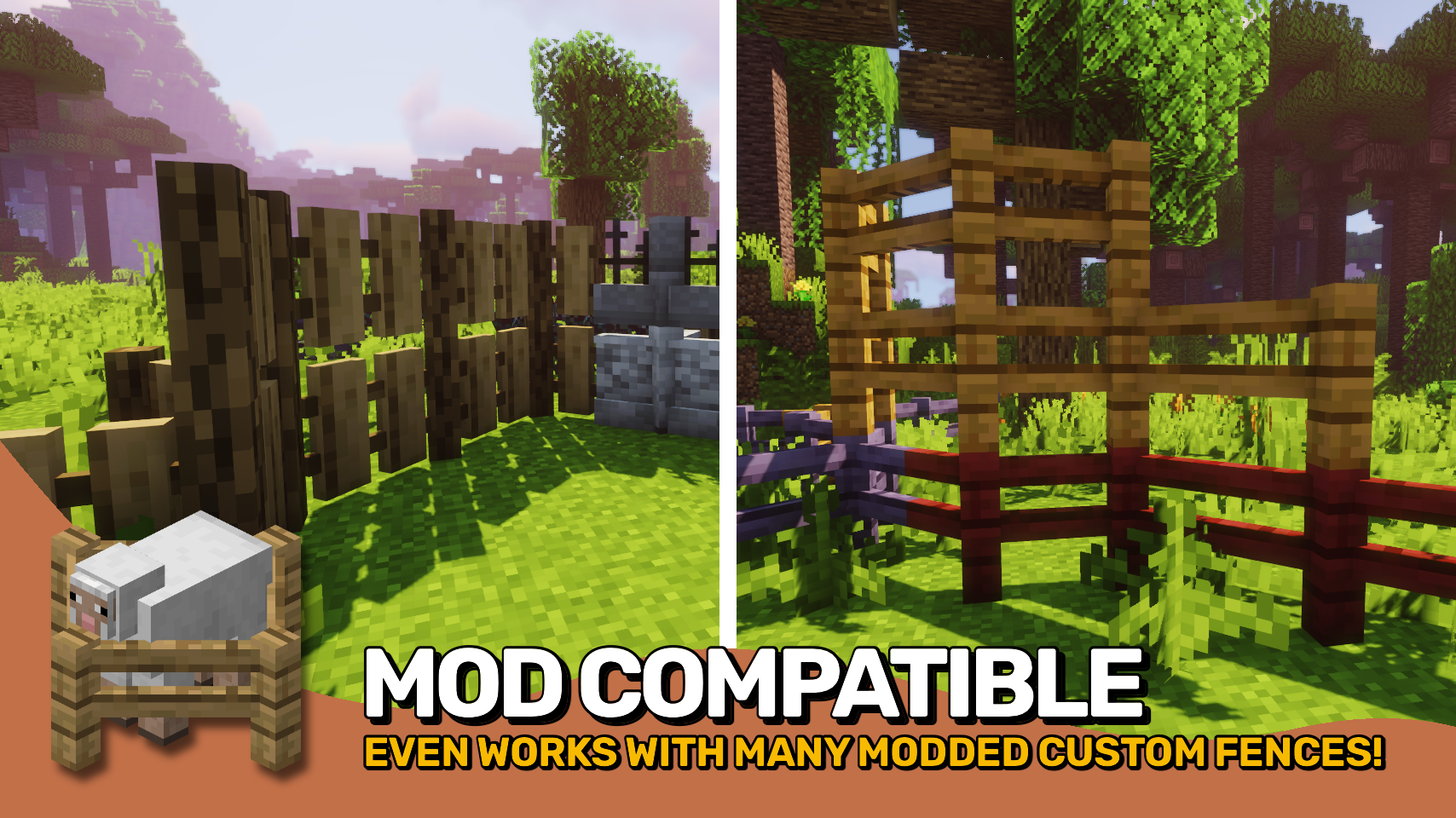
Blocks added by other mods are dynamically supported whenever possible. Blocks that are affected unintentionally can be prevented from being so by adding them to the diagonalfences:non_diagonal_fences block tag.

Check out the two other projects from the diagonal blocks mod family: Diagonal Windows and Diagonal Walls.

Works great in combination with mods such as MrCrayfish's Furniture Mod by MrCrayfish and Macaw's Fences and Walls by Sketch_Macaw.

strip.png

media.png

1.png

2.png

3.png

strip.png

installation.png

INSTALLATION REQUIRED ON CLIENT & REQUIRED ON SERVER

REQUIRES PUZZLES LIB TO BE INSTALLED (FABRIC & NEOFORGE)

REQUIRES FABRIC API TO BE INSTALLED (FABRIC)

REQUIRES FORGE CONFIG API PORT TO BE INSTALLED (FABRIC)

strip.png

configuration.png

If available for a mod, configuration is possible directly from in-game using the mod menu (requires Mod Menu by Prospector to be installed on Fabric). Please note that on older Minecraft versions installing Forge Config Screens is also a requirement.

For manual configuration using an external text editor all files are found at .minecraft/config, named as MOD_ID-client.toml, MOD_ID-common.toml, or MOD_ID-server.toml, depending on the type of config. Not all types might exist for a mod, if any at all.

strip.png

credits.png

🌟 Thanks to TheWeatherPony for the original idea with their Fence Overhaul mod.

🌟 Thanks to Magneticflux for some of the diagonal hitbox code from their Diagonal Panes mod.

🌟 Thanks a lot to XFactHD for porting Diagonal Fences to 1.18, contributing the diagonal model code and helping out during development in general!

strip.png

banner.png    banner.png
 
banner.png    banner.png
 
banner.png    banner.png
 
banner.png    banner.png
 
banner.png    banner.png
 

strip.png

studio.png

strip.png

banner.png

strip.png

v1?label=&message=Discord&color=ECEBE6&labelColor=2F4858&style=for-the-badge&logo=discord&logoColor=whitev1?label=&message=Twitter&color=ECEBE6&labelColor=2F4858&style=for-the-badge&logo=x&logoColor=whitev1?label=&message=YouTube&color=ECEBE6&labelColor=2F4858&style=for-the-badge&logo=youtube&logoColor=whitev1?label=&message=GitHub&color=ECEBE6&labelColor=2F4858&style=for-the-badge&logo=github&logoColor=whitev1?label=&message=CurseForge&color=ECEBE6&labelColor=2F4858&style=for-the-badge&logo=curseforge&logoColor=whitev1?label=&message=Modrinth&color=ECEBE6&labelColor=2F4858&style=for-the-badge&logo=modrinth&logoColor=white

strip.png

about.png

Diagonal Fences makes all kinds of fences able to connect diagonally. Works just like you would expect it to, so not much more to say really.

Blocks added by other mods are dynamically supported whenever possible. Blocks that are affected unintentionally can be prevented from being so by adding them to the diagonalfences:non_diagonal_fences block tag.

Check out the two other projects from the diagonal blocks mod family: Diagonal Windows and Diagonal Walls.

Works great in combination with mods such as MrCrayfish's Furniture Mod by MrCrayfish and Macaw's Fences and Walls by Sketch_Macaw.

strip.png

media.png

1.png

2.png

3.png

strip.png

installation.png

INSTALLATION REQUIRED ON CLIENT & REQUIRED ON SERVER

REQUIRES PUZZLES LIB TO BE INSTALLED (FABRIC & NEOFORGE)

REQUIRES FABRIC API TO BE INSTALLED (FABRIC)

REQUIRES FORGE CONFIG API PORT TO BE INSTALLED (FABRIC)

strip.png

configuration.png

If available for a mod, configuration is possible directly from in-game using the mod menu (requires Mod Menu by Prospector to be installed on Fabric). Please note that on older Minecraft versions installing Forge Config Screens is also a requirement.

For manual configuration using an external text editor all files are found at .minecraft/config, named as MOD_ID-client.toml, MOD_ID-common.toml, or MOD_ID-server.toml, depending on the type of config. Not all types might exist for a mod, if any at all.

strip.png

credits.png

🌟 Thanks to TheWeatherPony for the original idea with their Fence Overhaul mod.

🌟 Thanks to Magneticflux for some of the diagonal hitbox code from their Diagonal Panes mod.

🌟 Thanks a lot to XFactHD for porting Diagonal Fences to 1.18, contributing the diagonal model code and helping out during development in general!

strip.png

banner.png

banner.png

banner.png

strip.png

studio.png

strip.png

Screenshots

Gallery

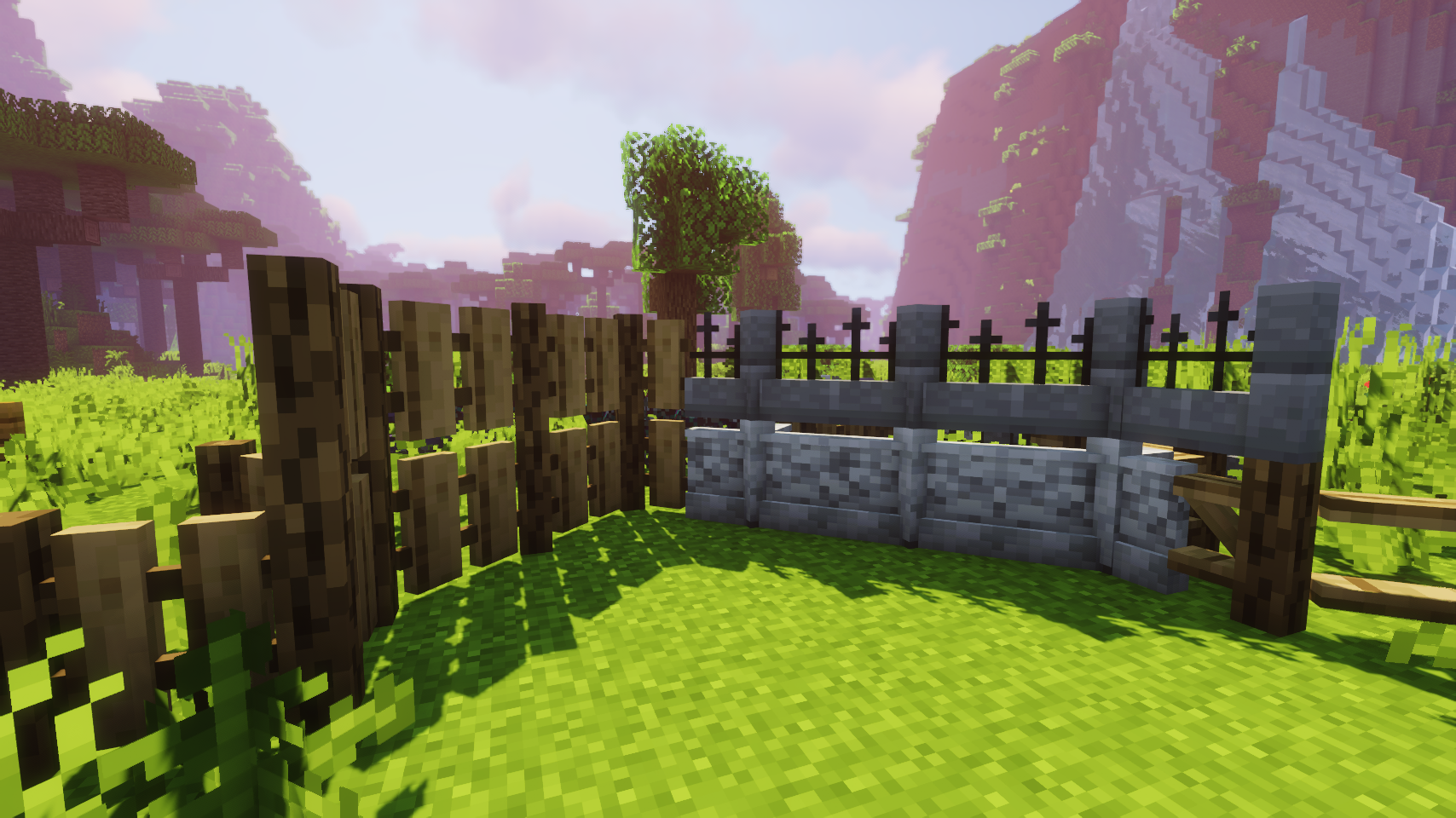
  • Even works with many custom fences
    Even works with many custom fences
  • Perfectly compatible with normal fences added by other mods
    Perfectly compatible with normal fences added by other mods
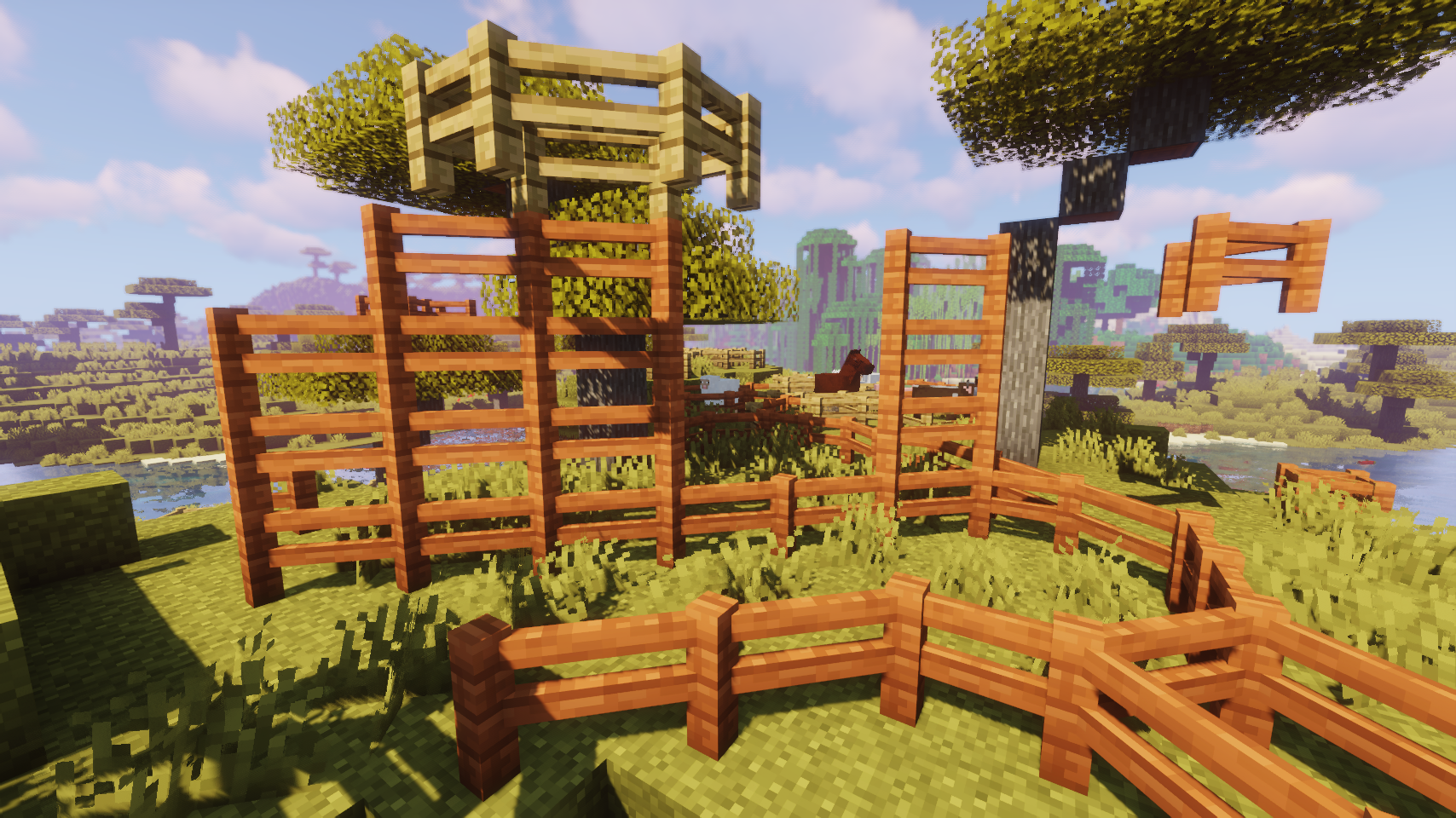
  • Collision boxes and hit boxes match the new shapes
    Collision boxes and hit boxes match the new shapes
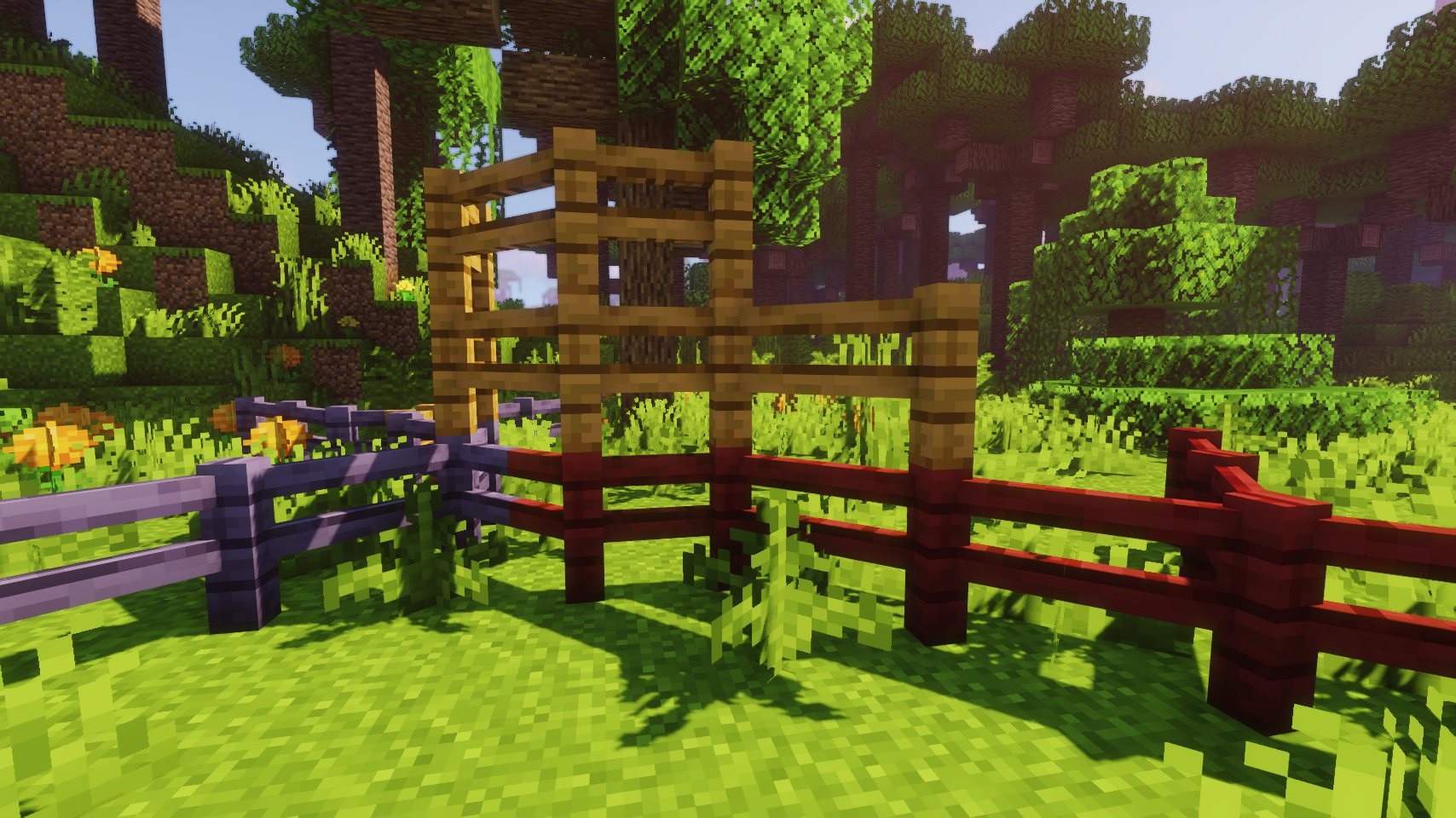
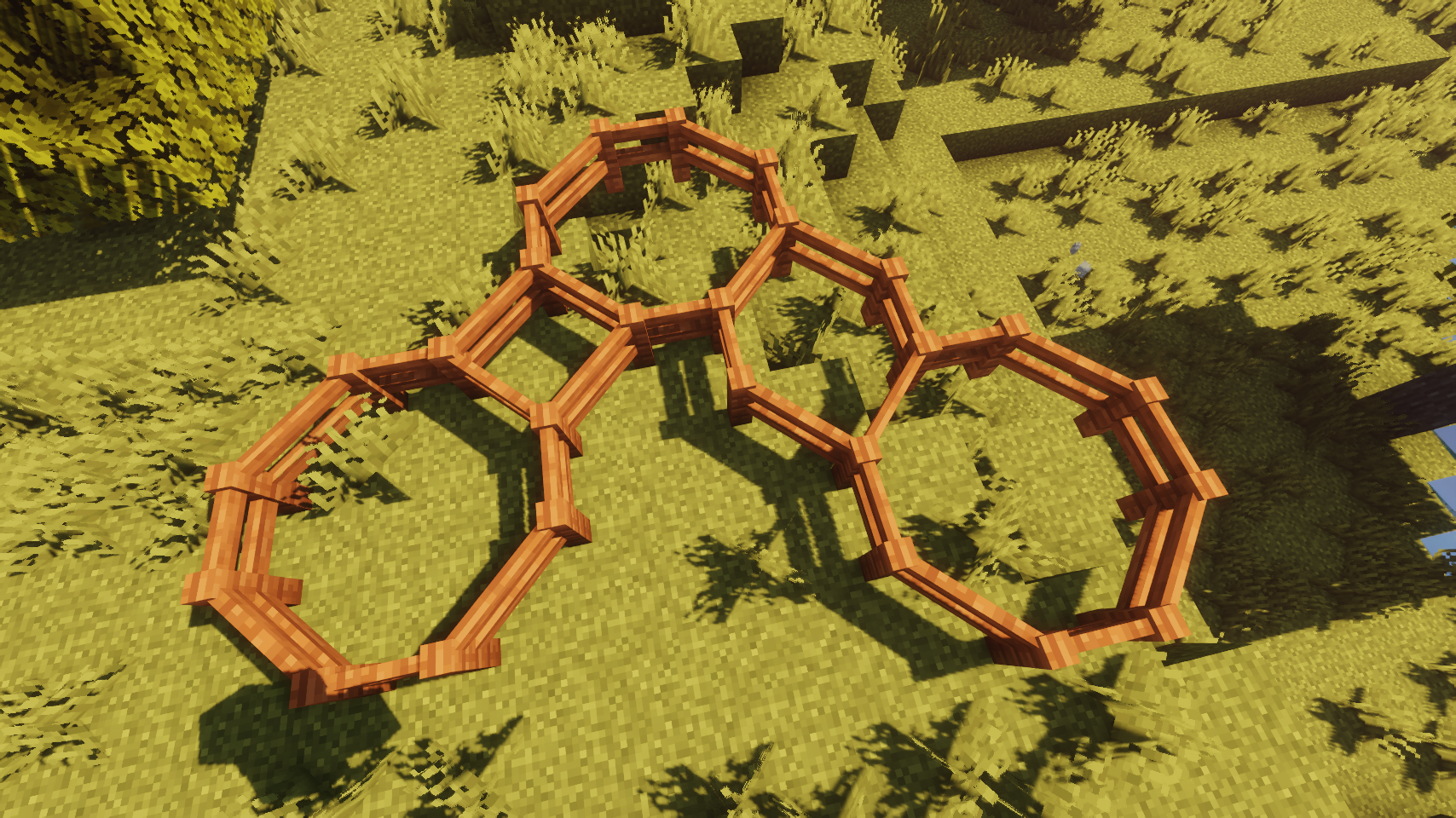
  • Fences only connect diagonally when there is no other option
    Fences only connect diagonally when there is no other option
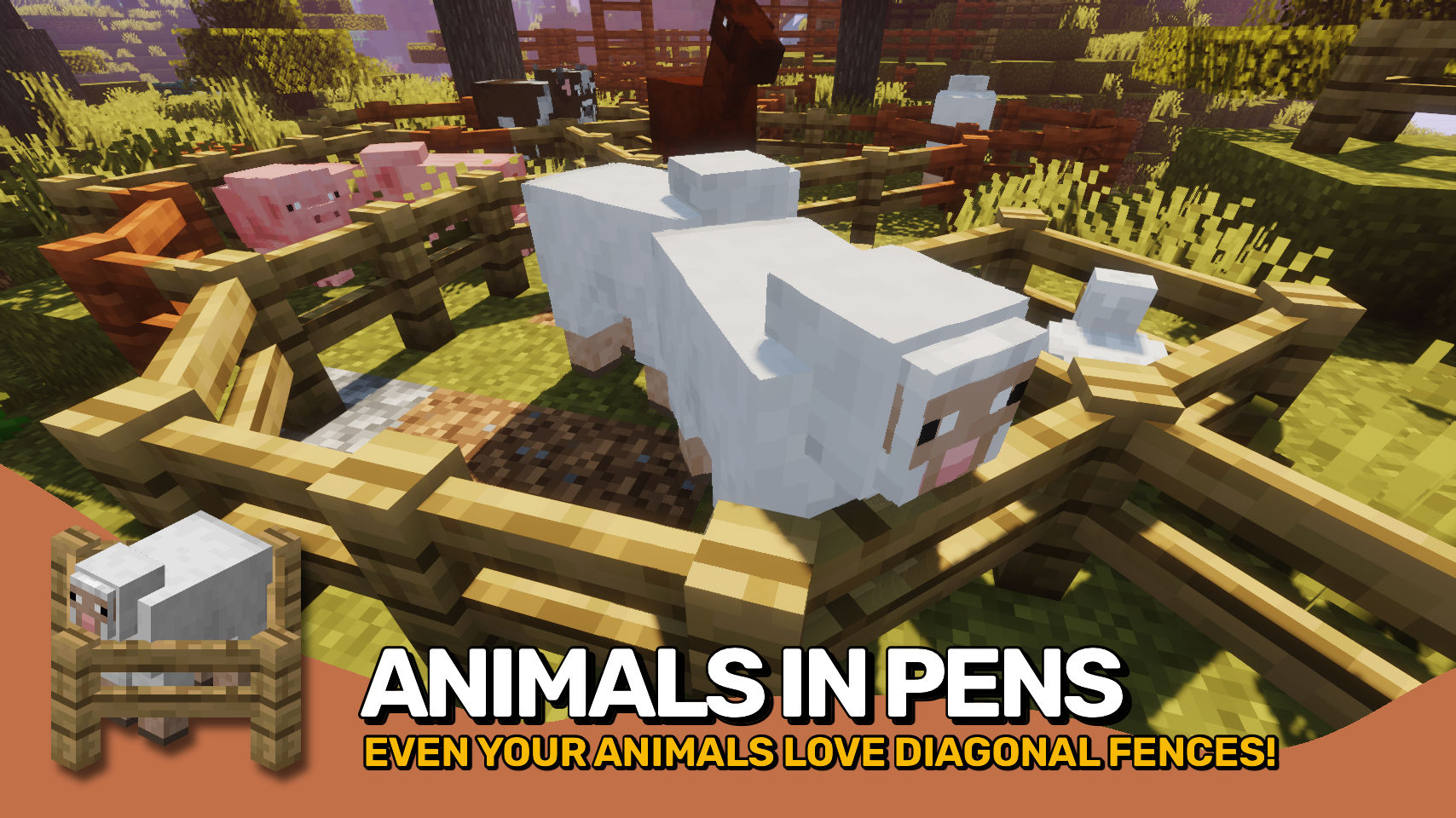
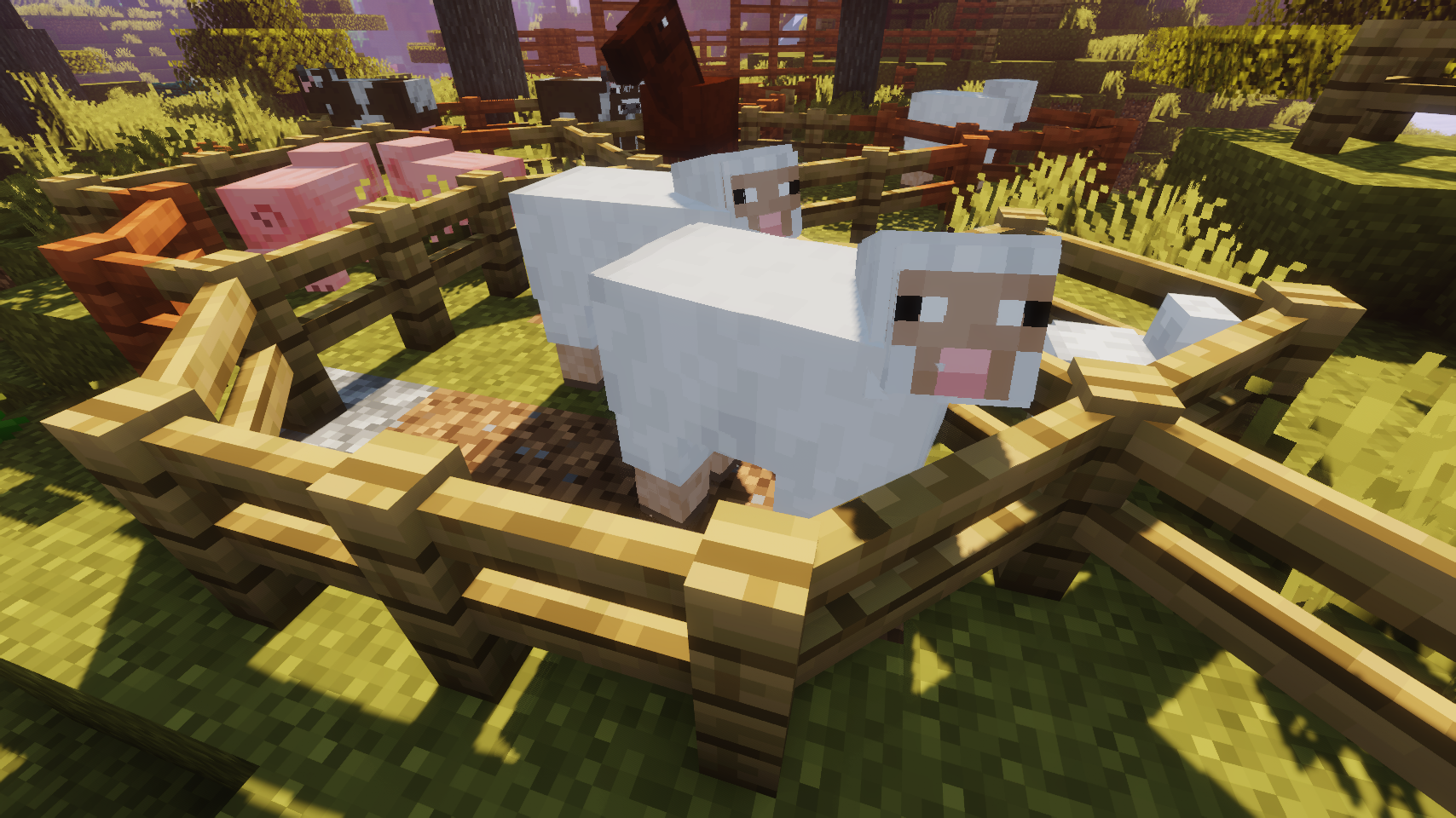
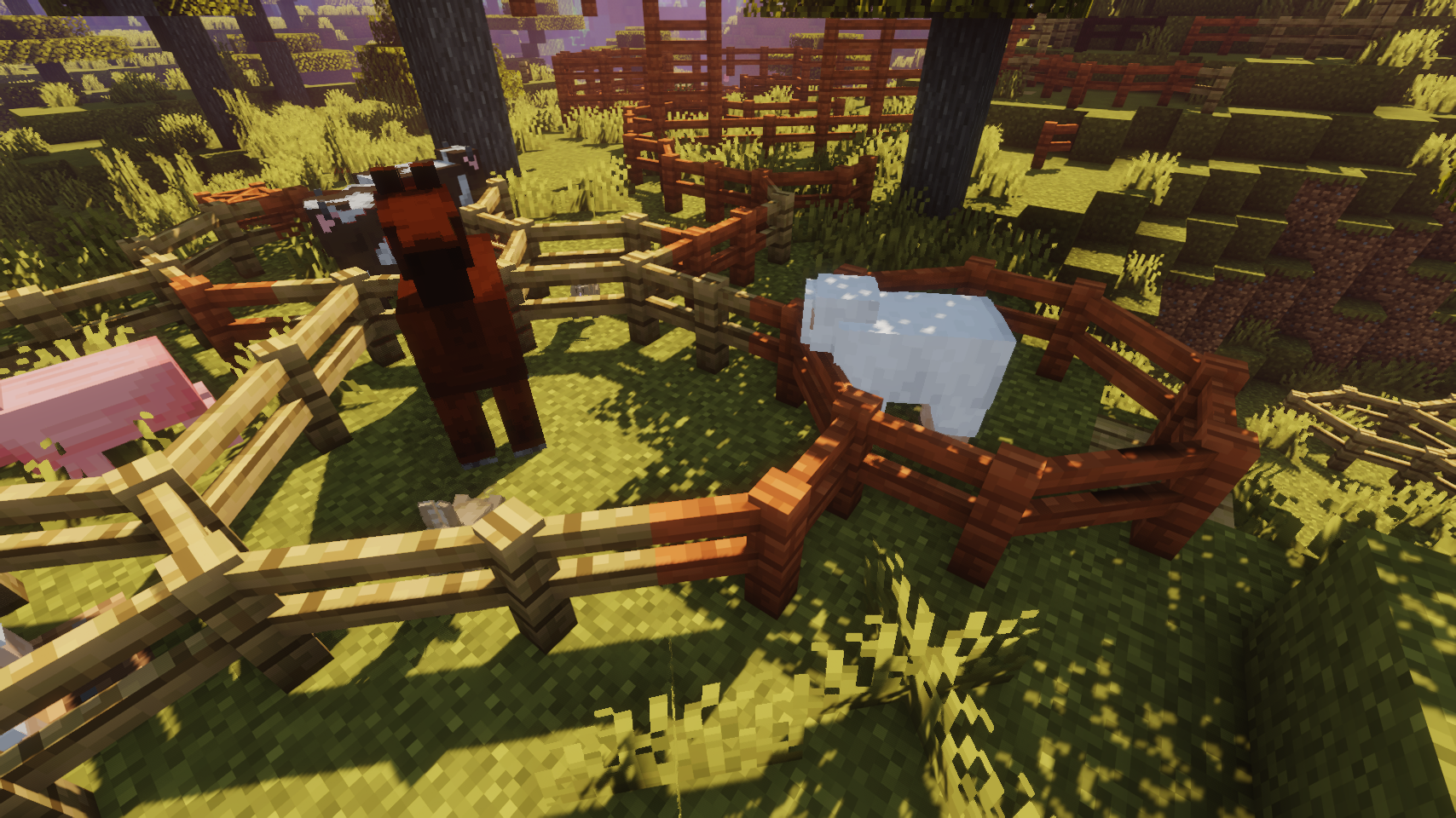
  • Even more animals in pens
    Even more animals in pens
  • Animals are kept in their pens as always
    Animals are kept in their pens as always
  • Fancy new pen shapes
    Fancy new pen shapes
  • Diagonal fences everywhere
    Diagonal fences everywhere

Versions

Files

Relations

Project Relations

More like this

Similar Mods

Suggestions use data such as tags, dependencies, dependents, descriptions, titles, and more to rank how much they overlap with this mod.

On ModDex

Community snapshot

2
Ratings
0
Followers
0
In stacks

By the numbers

Statistics

56.5m
Total Downloads
CurseForge
46.6m
Modrinth
9.8m
Last Updated
CurseForge
Created
CurseForge
Modrinth
Last synced
When ModDex last fetched this project from CurseForge or Modrinth. Every project is re-checked on a schedule, and any project that ships a new file is synced automatically within hours of the release.
New file updates sync automatically
How syncing works