
Community listing page, reviews here may not be monitored by the author.
Extended Interactions

No reviews yet
Overwhelmed by keybinds? Lost in all the "press shift and right click", "left click with X item", "hold shift and right click with empty hand"? If you answered yes, this mod is for you.
Community voices
Reviews
No reviews yet. Be the first to review this project!
Get it on
Available Platforms
Compatibility
Supported Environments
Must be installed on both the client and the server.
About
Project Details
For authors
Embed Badge
If you're the author of this project, you can embed a live badge anywhere that supports HTML or Markdown. It updates automatically whenever ratings change.
Use HTML for any page that supports it, or Markdown for README files and Markdown-based descriptions.
Identifiers
Platform IDs
About
Description


📖 About:
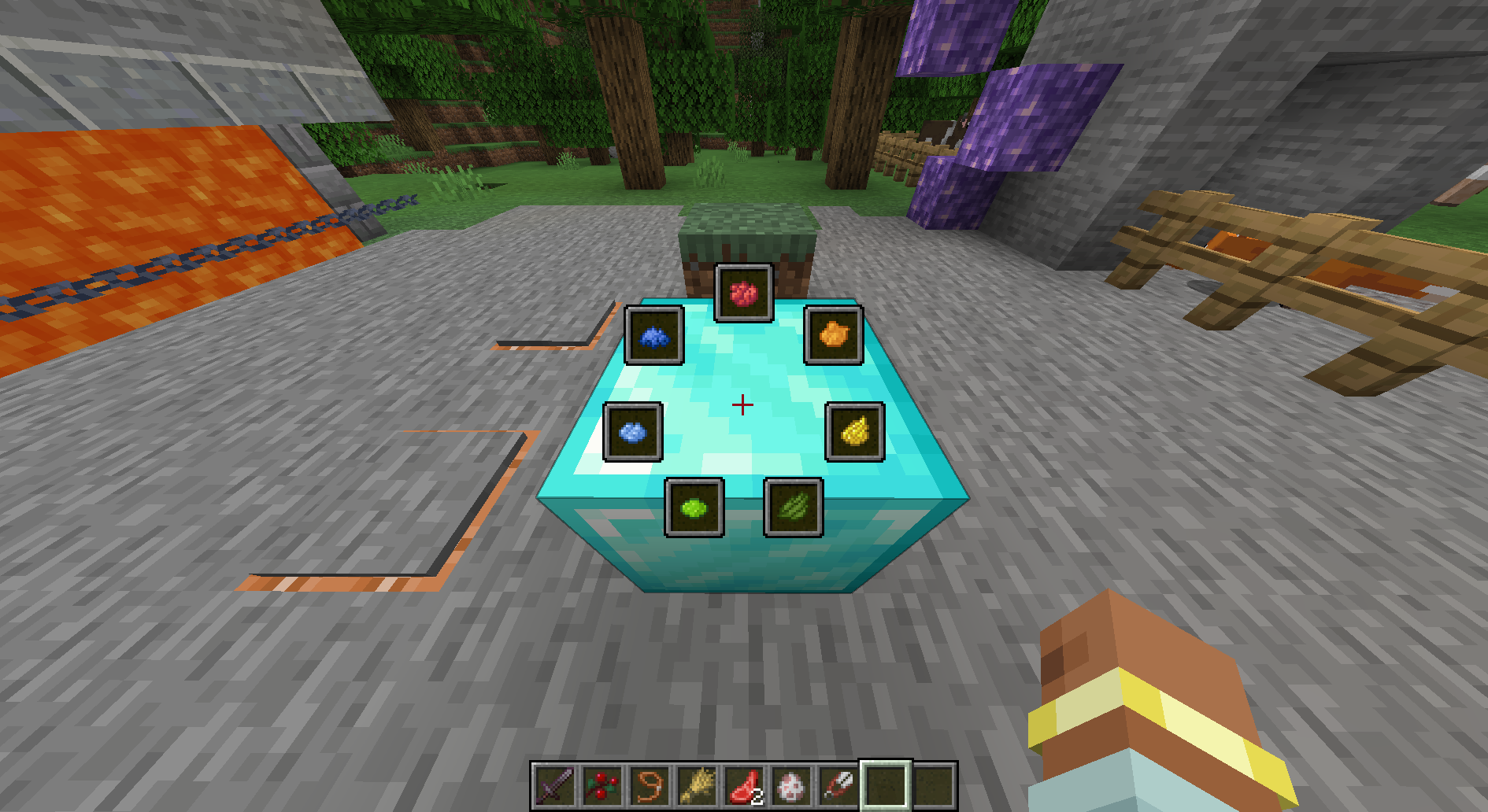
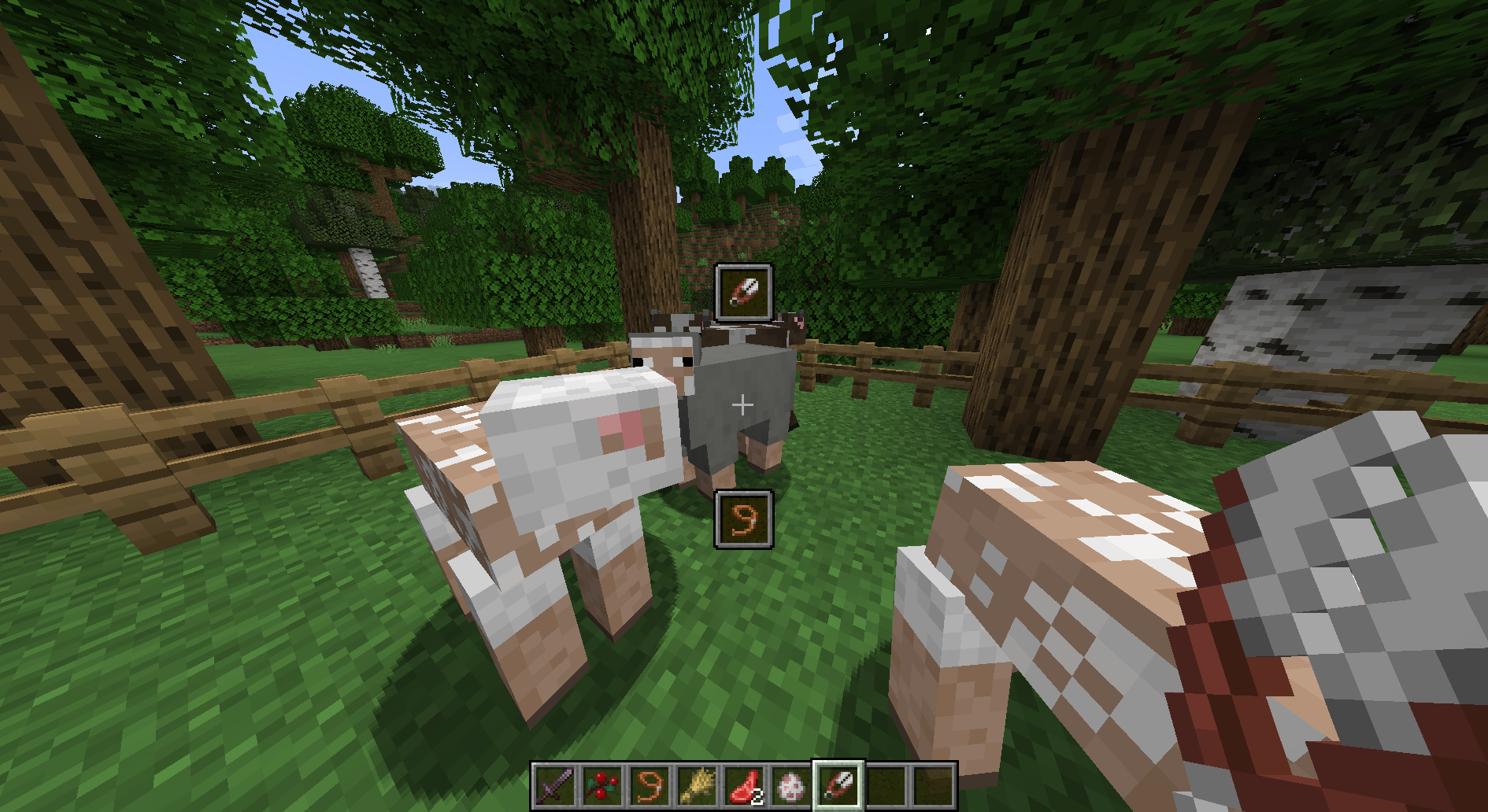
Extended Interactions adds radial menu for all blocks and entities that fill your world. This menu allows doing stuff without holding correct item in hand, without holding shift, etc. Just hold Tab and choose what you want to do.
❓ Why this mod exists?
There are a lot of radial(or similar) menu mods already, but most of them solve different problem. These mods like Radial Macros and Radial are used for client-side actions like pressing keybinds. Basically create small macroses/scripts.
On other hand EI operates on both client and server to implement interactions/radial menu buttons/actions like vanilla mechanics - with own server code and client code. EI has ability to trigger keybinds and do other stuff radial menu macros/script mods does, but only as a workaround to support mods that don't have proper EI integration in them.
Running both on server and client gives us ability to ignore restrictions vanilla(or non-EI) servers have. For example actions like sheep shearing require holding specific items in player's hand. To implement this without server we would need to quickly put correct item in player's hand, do the required thing, and put items how they were originally. With server integrated we don't need to do anything like this, we can just shear the sheep directly. This improves performance with big network latency and UX in general.
📚 Compatibility:
EI has builtin support for following ingame docs mods: Oracle Index, Pathouli. EI allows openning related articles from mentioned mod using radial menu.
EI also has a lot of vanilla interactions available. There is full list of features in in collapsed section below.
Full mod compatibility
| Interaction / MC version | 1.21.1 | 1.21.11 |
|---|---|---|
MC Sheep shearing |
✅ | ✅ |
MC Cow milking |
✅ | ✅ |
MC Mooshroom soup collection |
✅ | ✅ |
MC Attaching leashes |
✅ | ✅ |
MC Detaching leashes |
✅ | ✅ |
MC Putting saddles |
✅ | ✅ |
MC Trading with villagers |
✅ | ✅ |
MC Trading with wandering traders |
✅ | ✅ |
MC Configuring repeaters |
✅ | ✅ |
MC Take result from furnaces |
✅ | ✅ |
MC Insert plants into composters |
✅ | ✅ |
MC Insert keys into vaults |
✅ | ✅ |
OI Looking up articles based on target block |
✅ | ⛔ |
PTO Looking up articles based on target block |
✅ | ⛔ |
🦊 MFG Activating lib keybinds in custom interactions |
✅ | ✅ |
📜 MLL Activating lib keybinds in custom interactions |
✅ | ✅ |
Table symbols
MC - Vanilla Minecraft interactions |
✅ - Supported on latest EI version |
OI - Oracle Index interaction |
⛔ - Third party mod is does not support this minecraft version |
Etc. All gray boxes in left column indicate mod interaction is for. Press on gray box to open mod's page |
⚠️ - Interaction isn't implmented by EI yet! |
| ⏳ - Implemented on unreleased EI version | |
| 📜 - Only on fabric | |
| 🦊 - Only on neoforge |
👷🏻 For modpack and mod developers
For mod development EI has Java API for creating custom interactions. Modpack devs can create custom interactions using <.minecraft>/config/extended-interactions/custom directory.
Tutorial: Creating custom interactions using config
All custom interactions are represented by json files in <.minecraft>/config/extended-interactions/custom directory. Just create a file there and fill it with following:
{
    "icon": {
        "id": "minecraft:diamond"
    },
    "blocks": [],
    "entities": [],
    "actions": []
}
File name must match [a-z][a-z0-9_]+\.json regex. ID of this interaction will be file's name without .json suffix.
Interaction's icon is defined in icon property. It uses same format as recipe result does.
Times when this interaction is available are defined by blocks and entities properties in following format:
{
    "subject": "<block/entity identifier>".
    "if": [<list of conditions>]
}
For this kind of target to match all conditions in if property need to match. Conditions are formatted like so:
// Conditions for blocks
{
    // Optional. Map of blockstate properties to values
    "state": {
        "waterlogged": "true"
    },
    // Optional. NBT to match
    "nbt": {
        "CustomName": "Intersting block"
    },
    // Optional. Chat component (https://minecraft.wiki/w/Text_component_format) to show if this condition has failed
    "message": "Block must be waterlogged"
}
// Conditions for entities
{
    // Optional. NBT to match
    "nbt": {
        "Sitting": true
    },
    // Optional. Chat component (https://minecraft.wiki/w/Text_component_format) to show if this condition has failed
    "message": "Fox must be sitting"
}
Stuff that will happen if this interaction in triggered is defined by actions property. This are all supported actions:
// Since 1.1.0
// Execute chat command server-side
// Command is executed as interaction target. (@s - is block or entity player looked at when openning radial menu)
// To target player who is running the interaction use @ei:user
{
    "type": "extended_interactions:command",
    "cmd": "item replace entity @s weapon.mainhand with minecraft:totem_of_undying"
}
// Since 1.1.0
// Right click with item is hand
// This action automatically checks that player has item that
// matches provided predicate. If player doesn't following message is displayed
// {"translate":"extinter.extended_interactions.custom/<interaction id>.no_item"}
{
    "type": "extended_interactions:use_item",
    // Item predicate (https://minecraft.wiki/w/Advancement/Conditions/item)
    "item": {
        "items": ["minecraft:shears"]
    }
}
// Since 1.1.0
// Trigger minecraft keybind client-side
{
    "type": "extended_interactions:key",
    // Keybind identifier (https://minecraft.wiki/w/Controls#Configurable_controls)
    "key": "key.drop"
}
// Since 1.1.0. MaFgLib required
// Trigger MaFgLib keybind
{
    "type": "extended_interactions:mafglib",
    // Name of category this keybind belongs to
    "category": "Generic hotkeys",
    // Identifier of MaFgLib keybind
    "keybind": "openGuiConfigs"
}
// Since 1.1.0. MaLiLib required
// Trigger MaLiLib keybind
{
    "type": "extended_interactions:malilib",
    // Name of category this keybind belongs to
    "category": "Generic hotkeys",
    // Identifier of MaLiLib keybind
    "keybind": "openGuiConfigs"
}
Custom interactions are named as a language key: extinter.extended_interactions.custom/<interaction id>.
Example. Sheep shearing
<.minecraft>/config/extended-interactions/custom/shearing.json:
{
    "icon": {
        "id": "minecraft:shears"
    },
    "blocks": [],
    "entities": [
        {
            "subject": "minecraft:sheep",
            "if": [
                {
                    "nbt": {"Sheared": false},
                    "message": {"translate": "extinter.extended_interactions.custom/shearing.no_wool"}
                }
            ]
        }
    ],
    "actions": [
        {
            "type": "extended_interactions:use_item",
            "item": {
                "items": ["minecraft:shears"]
            }
        }
    ]
}
<resource-pack>/assets/lang/en_us.json:
{
    "extinter.extended_interactions.custom/shearing": "Collect wool",
    "extinter.extended_interactions.custom/shearing.no_item": "You need a shears",
    "extinter.extended_interactions.custom/shearing.no_wool": "No wool to collect"
}
Screenshots
Gallery
-
 Debug only interactions
 -
-
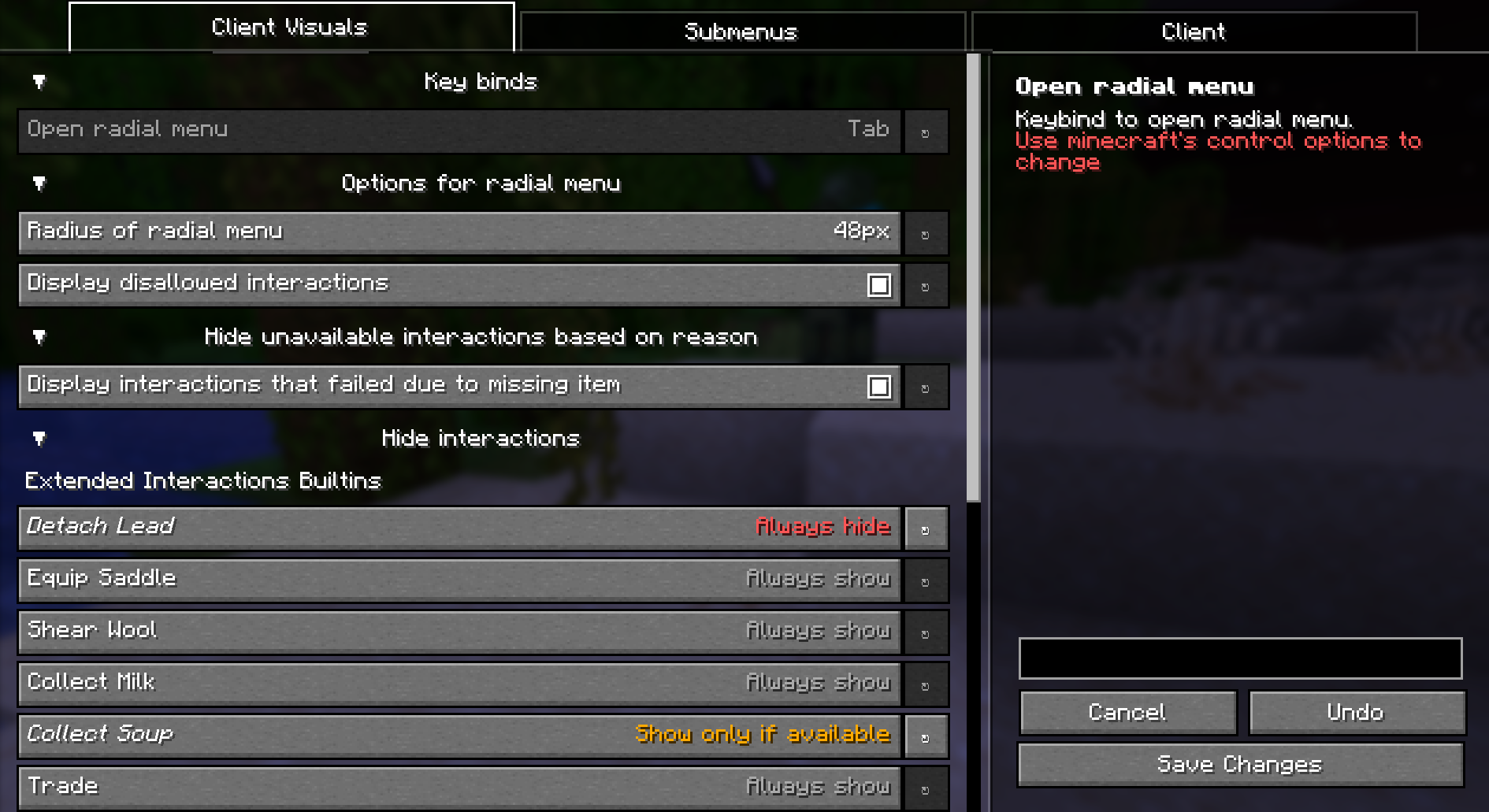 Config screen
 -
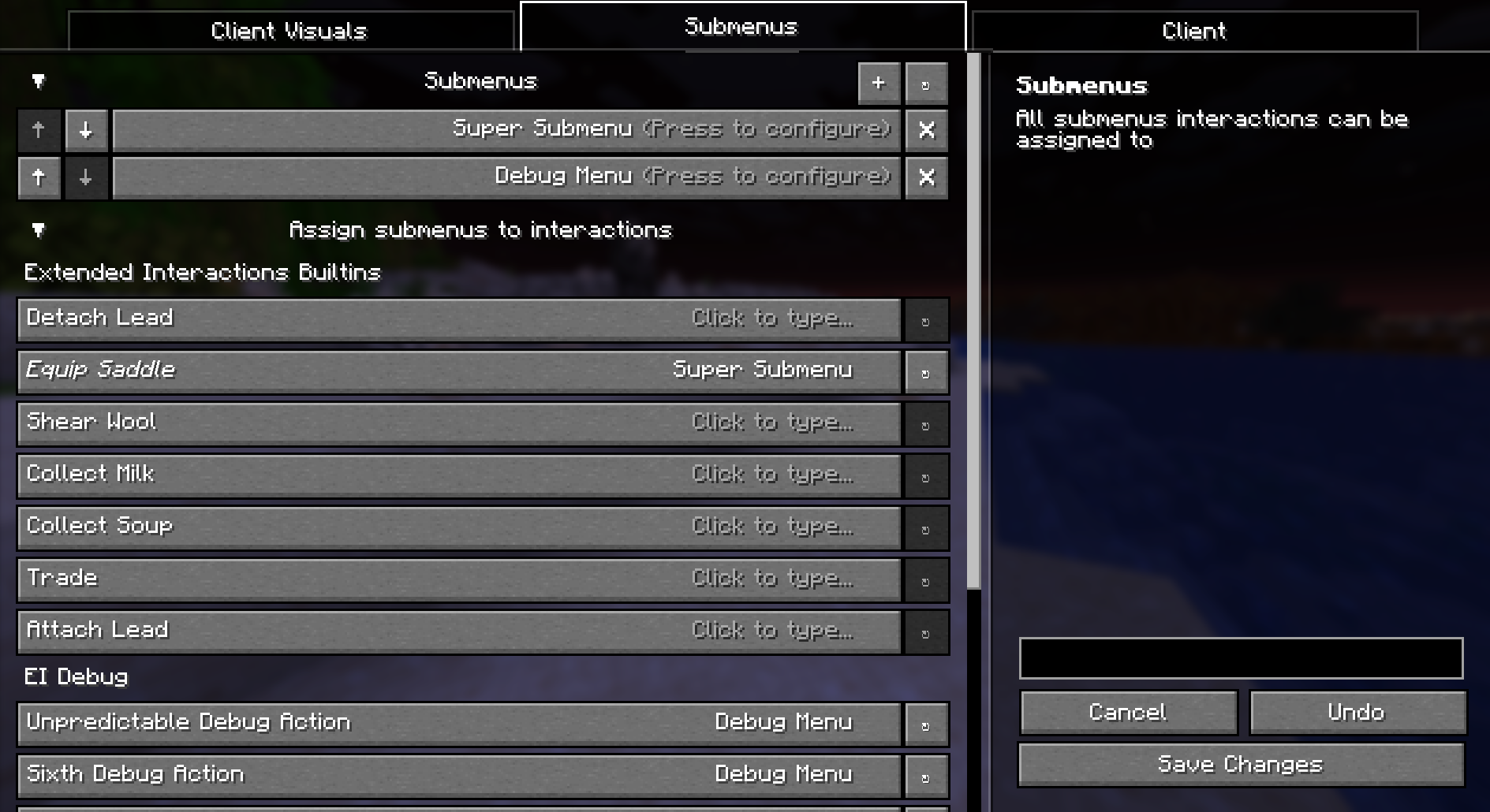 Submenus config screen
 -
 Test pratices
Versions
Files
Relations
Project Relations
More like this
Similar Mods
Suggestions use data such as tags, dependencies, dependents, descriptions, titles, and more to rank how much they overlap with this mod.
On ModDex
Community snapshot
By the numbers
Statistics

Want to reach Minecraft players?
We're looking for a server hosting partner to feature here and other parts of the site. Interested? Send us a message!
Get in touchGet it on
Available Platforms
On ModDex
Community snapshot
By the numbers