Community listing page, reviews here may not be monitored by the author.
Extreme Sound Muffler: Legacy


No reviews yet
Backport of Extreme Sound Muffler to 1.7.10 & 1.12.2
Community voices
Reviews
No reviews yet. Be the first to review this project!
Get it on
Available Platforms
Compatibility
Supported Environments
Runs entirely on the client. Works on vanilla servers.
About
Project Details
For authors
Embed Badge
If you're the author of this project, you can embed a live badge anywhere that supports HTML or Markdown. It updates automatically whenever ratings change.
Use HTML for any page that supports it, or Markdown for README files and Markdown-based descriptions.
Identifiers
Platform IDs
About
Description
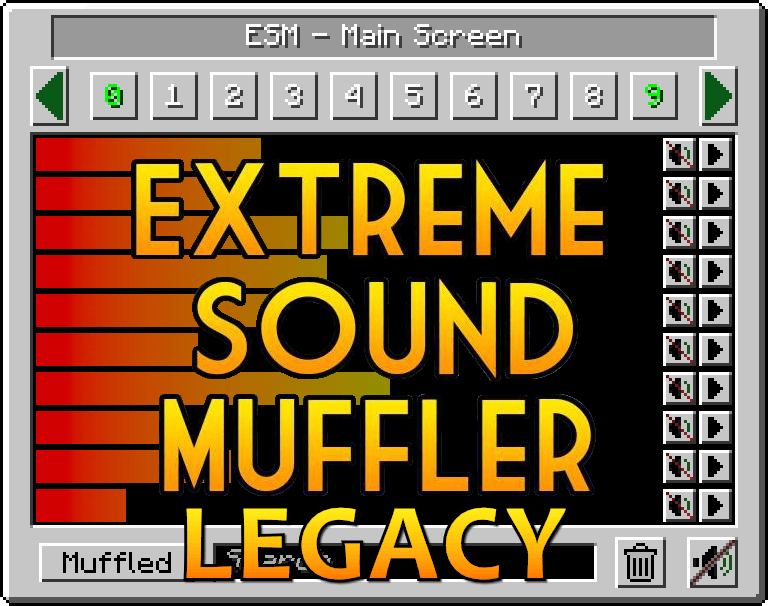
Extreme Sound Muffler: Legacy
Backport of ESM for 1.7.10 & 1.12.2.
ESM:Legacy is a client side mod that allows you to muffle sounds selectively.
HOW IT WORKS:
1. Click on the button in your inventory or assign a key to open the gui.

2. Click on the button next to the sound you want to muffle.

3.  Optional: set the volume of the sound dragging the slider around.

4. Optional: press the play button to be sure that's the sound you want to muffle.

5. Enjoy peace.
What about Anchors?
Anchors are ranged mufflers, for when you want to muffle a sound on a small area
1. Open your ESM Screen

2. Select one of the 10 numbered buttons

3. Press the marker like button on the right panel to set the Anchor position

4. Optional: press the edit Anchor button (next to marker) and set the name and range of the Anchor

5. Muffle the sounds and enjoy ranged peace
You can change the Anchor position whenever you want by pressing the marker button.
Inventory button:
- If you don't like the ESM muffler in the inventory, you can disable it in the config.
- If you don't like the position of the button, you can hold CTRL + left mouse button over the muffler button and drag it wherever you want.
Most things are configurable!
- You can put the muffle and play buttons on the left right of the screen for easier visuals.
- You can disable the anchors.
- You can blacklist sounds to prevent them from appearing in the ESM screen.
- You can choose the default muffle volume.
- You can disable the Inventory button
Extreme Sound Muffler: Legacy
Backport of ESM for 1.7.10 & 1.12.2.
ESM:Legacy is a client side mod that allows you to muffle sounds selectively.
HOW IT WORKS:
- Click on the button in your inventory or assign a key to open the gui.
- Click on the button next to the sound you want to muffle.
- Optional: set the volume of the sound dragging the slider around.
- Optional: press the play button to be sure that's the sound you want to muffle.
- Enjoy peace.
What about Anchors?
Anchors are ranged mufflers, for when you want to muffle a sound on a small area
- Open your ESM Screen
- Select one of the 10 numbered buttons
- Press the marker like button on the right panel to set the Anchor position
- Optional: press the edit Anchor button (next to marker) and set the name and range of the Anchor
- Muffle the sounds and enjoy ranged peace
You can change the Anchor position whenever you want by pressing the marker button.
Inventory button:
If you don't like the ESM muffler in the inventory, you can disable it in the config.
If you don't like the position of the button, you can hold CTRL + left mouse button over the muffler button and drag it wherever you want.
Most things are configurable!
You can put the muffle and play buttons on the left right of the screen for easier visuals.
You can disable the anchors.
You can blacklist sounds to prevent them from appearing in the ESM screen.
You can choose the default muffle volume.
You can disable the Inventory button
Screenshots
Gallery
Versions
Files
Relations
Project Relations
More like this
Similar Mods
Suggestions use data such as tags, dependencies, dependents, descriptions, titles, and more to rank how much they overlap with this mod.
On ModDex
Community snapshot
By the numbers
Statistics
Want to reach Minecraft players?
We're looking for a server hosting partner to feature here and other parts of the site. Interested? Send us a message!
Get in touchGet it on
Available Platforms
On ModDex
Community snapshot
By the numbers