
Community listing page, reviews may not be monitored by the author.
Hex Text


No reviews yet
HexText adds RGB Colors, Outlines and new Formatting to Minecraft 1.7.10

Community voices
Reviews
No reviews yet. Be the first to review this project!
Get it on
Available Platforms
Compatibility
Supported Environments
Required on the client. Installing it on the server adds functionality.
About
Project Details
For authors
Embed Badge
If you're the author of this project, you can embed a live badge anywhere that supports HTML or Markdown. It updates automatically whenever ratings change.
Use HTML for any page that supports it, or Markdown for README files and Markdown-based descriptions.
Identifiers
Platform IDs
About
Description
HexText extends Minecraft's font renderer with a modern colour pipeline that understands full RGB hex codes, nested colour spans, and a handful of animated text effects. This document summarises the available formatting tokens and how they interact so you can take full advantage of the system.





🔹 Installation
This mod requires UniMixins to run. It can be installed on both the Server and Client.
Standard Minecraft formatting
All of the vanilla § style formatting codes continue to work exactly as they do in base Minecraft.
When using HexText you may prefer to write them with an ampersand for easier typing; if the server
permits ampersand formatting HexText will normalise them for the game at render time. The supported
codes are:
| Token | Description |
|---|---|
&0–&9, &a–&f |
Vanilla palette colours (16 in total). |
&k |
Obfuscated/random glyphs. |
&l |
Bold text. |
&m |
Strikethrough. |
&n |
Underline. |
&o |
Italic text. |
&r |
Reset colour and clear styles/effects. |
You can still type the same codes with § instead of & if you prefer the original syntax.
Direct RGB colours
HexText recognises two RGB-focused syntaxes that let you move beyond the vanilla palette:
Inline hex colours
Use &#RRGGBB (or §#RRGGBB) to immediately switch to an exact RGB colour (for example
&#ff8800). The change takes effect from the character immediately following the code and clears any
nested colour spans that were active before it.
Scoped hex spans
Wrap a section of text in <RRGGBB> ... </RRGGBB> to apply a colour until the matching closing tag.
These spans can be nested and work alongside inline hex codes. Closing a span restores the previous
colour, making it easy to temporarily highlight text without permanently overwriting the stack.
Servers can disable these HTML-style tags if they want to restrict formatting to inline codes.
Both syntaxes accept upper- or lower-case hexadecimal digits.
Special effects
In addition to vanilla style toggles, HexText adds four extra effect codes. Like other formatting
codes they can be written with either & or §:
| Token | Effect |
|---|---|
&g |
Enables the animated rainbow shader. Use &r to clear it. |
&h |
Flips the text upside-down (Dinnerbone effect). |
&i |
Adds a fiery ignite overlay to the text. |
&j |
Applies a subtle shake/jitter animation. |
Effects remain active until the renderer resets them. Any explicit reset (&r) or colour-stack
change (such as applying a new colour or closing a <RRGGBB> span) clears the effect, so place the
code after the colour you want it to animate.
Tips for authors
- Hex colour codes are always six hexadecimal digits – shorthand (
#abc) is not supported. - Nesting
<RRGGBB>spans is safe; the renderer keeps an internal colour stack and restores the previous colour when a span closes. - You can freely combine RGB colours, vanilla colour codes, and style/effect toggles in a single string. HexText will resolve the intended output before rendering.
With these tokens you can express complex gradients, highlight sections of text, or animate chat messages while remaining compatible with Minecraft's existing formatting system.
Server configuration
HexText exposes several server-side toggles via the server category of its configuration file:
enableRgbHtmlFormat– whentrue, the<RRGGBB>and</RRGGBB>tags described above are parsed. Set this tofalseto treat them as literal text.allowSignEditing– controls whether players can right-click signs with an empty hand to open the editor.universalAmpersandFormatting– accepts ampersands as an alternative to the section sign for formatting codes and direct RGB colours.ampersandsInChat– converts ampersand formatting tokens to section signs when sending chat messages or commands.ampersandsInSigns– converts ampersand formatting tokens to section signs while editing signs.ampersandsInRepairs– converts ampersand formatting tokens to section signs when renaming items in anvils.
These options make it easy to tailor HexText's behaviour to a server's moderation or gameplay needs.
HexText extends Minecraft's font renderer with a modern colour pipeline that understands full RGB hex codes, nested colour spans, and a handful of animated text effects. This document summarises the available formatting tokens and how they interact so you can take full advantage of the system.


🔹 Installation
This mod requires UniMixins to run. It can be installed on both the Server and Client.
Standard Minecraft formatting
All of the vanilla § style formatting codes continue to work exactly as they do in base Minecraft.
When using HexText you may prefer to write them with an ampersand for easier typing; if the server
permits ampersand formatting HexText will normalise them for the game at render time. The supported
codes are:
| Token | Description |
|---|---|
&0–&9, &a–&f |
Vanilla palette colours (16 in total). |
&k |
Obfuscated/random glyphs. |
&l |
Bold text. |
&m |
Strikethrough. |
&n |
Underline. |
&o |
Italic text. |
&r |
Reset colour and clear styles/effects. |
You can still type the same codes with § instead of & if you prefer the original syntax.
Direct RGB colours
HexText recognises two RGB-focused syntaxes that let you move beyond the vanilla palette:
Inline hex colours
Use &#RRGGBB (or §#RRGGBB) to immediately switch to an exact RGB colour (for example
&#ff8800). The change takes effect from the character immediately following the code and clears any
nested colour spans that were active before it.
Scoped hex spans
Wrap a section of text in <RRGGBB> ... </RRGGBB> to apply a colour until the matching closing tag.
These spans can be nested and work alongside inline hex codes. Closing a span restores the previous
colour, making it easy to temporarily highlight text without permanently overwriting the stack.
Servers can disable these HTML-style tags if they want to restrict formatting to inline codes.
Both syntaxes accept upper- or lower-case hexadecimal digits.
Special effects
In addition to vanilla style toggles, HexText adds four extra effect codes. Like other formatting
codes they can be written with either & or §:
| Token | Effect |
|---|---|
&g |
Enables the animated rainbow shader. Use &r to clear it. |
&h |
Flips the text upside-down (Dinnerbone effect). |
&i |
Adds a fiery ignite overlay to the text. |
&j |
Applies a subtle shake/jitter animation. |
Effects remain active until the renderer resets them. Any explicit reset (&r) or colour-stack
change (such as applying a new colour or closing a <RRGGBB> span) clears the effect, so place the
code after the colour you want it to animate.
Tips for authors
- Hex colour codes are always six hexadecimal digits – shorthand (
#abc) is not supported. - Nesting
<RRGGBB>spans is safe; the renderer keeps an internal colour stack and restores the previous colour when a span closes. - You can freely combine RGB colours, vanilla colour codes, and style/effect toggles in a single string. HexText will resolve the intended output before rendering.
With these tokens you can express complex gradients, highlight sections of text, or animate chat messages while remaining compatible with Minecraft's existing formatting system.
Server configuration
HexText exposes several server-side toggles via the server category of its configuration file:
enableRgbHtmlFormat– whentrue, the<RRGGBB>and</RRGGBB>tags described above are parsed. Set this tofalseto treat them as literal text.allowSignEditing– controls whether players can right-click signs with an empty hand to open the editor.universalAmpersandFormatting– accepts ampersands as an alternative to the section sign for formatting codes and direct RGB colours.ampersandsInChat– converts ampersand formatting tokens to section signs when sending chat messages or commands.ampersandsInSigns– converts ampersand formatting tokens to section signs while editing signs.ampersandsInRepairs– converts ampersand formatting tokens to section signs when renaming items in anvils.
These options make it easy to tailor HexText's behaviour to a server's moderation or gameplay needs.
Screenshots
Gallery
-
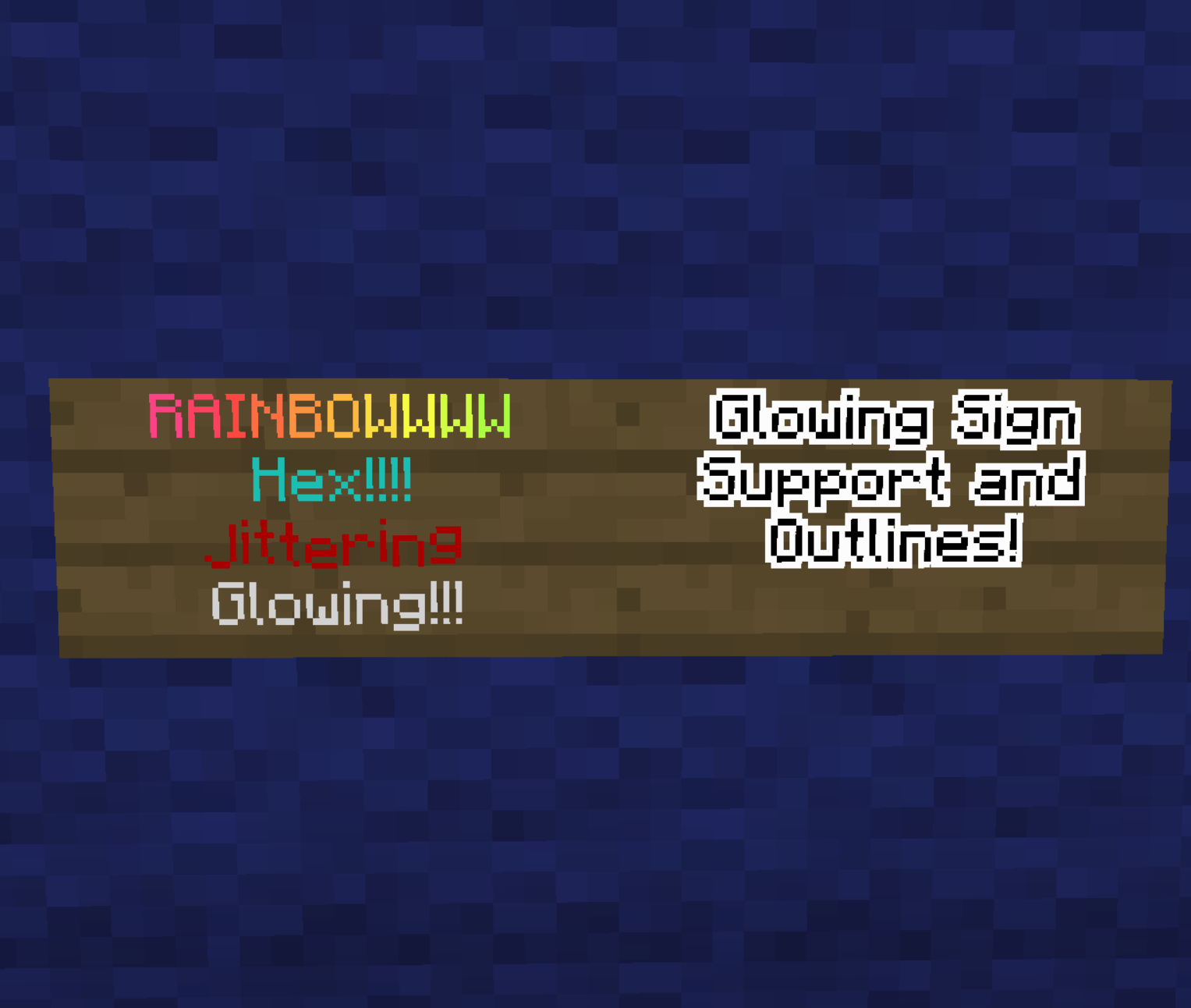 FULL VIEW.png FULL VIEW.png
 -
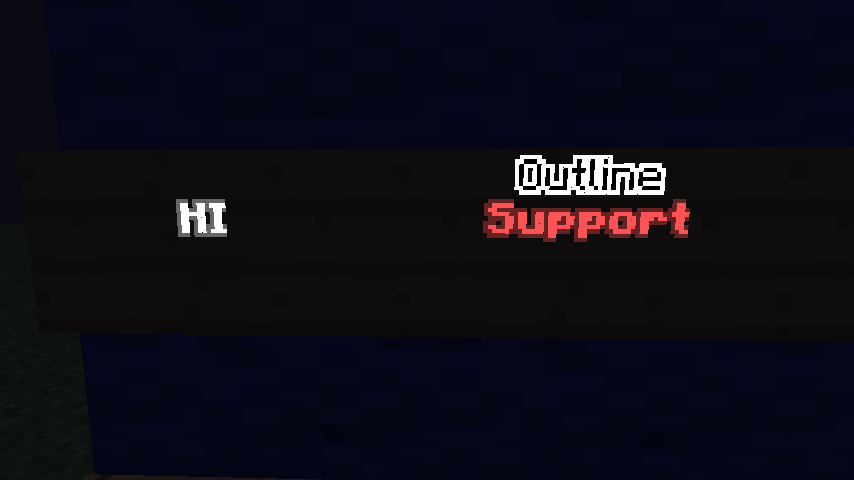 Outlines.png Outlines.png
 -
 Hex Colors.png Hex Colors.png
 -
 RGB Color.png RGB Color.png
 -
 In Line Editing.png In Line Editing.png
-
 In-Line Editing
 -
 Hex Chat
 -
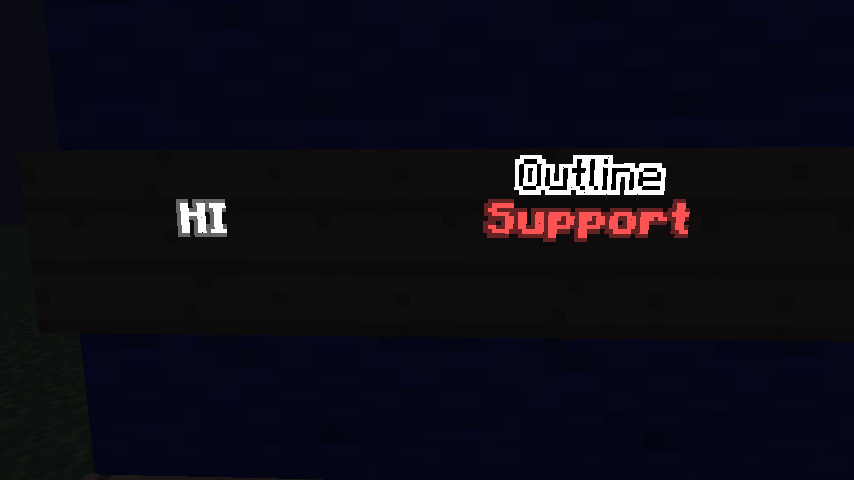 Sign Outline Support
 -
 Rainbow Effect
 -
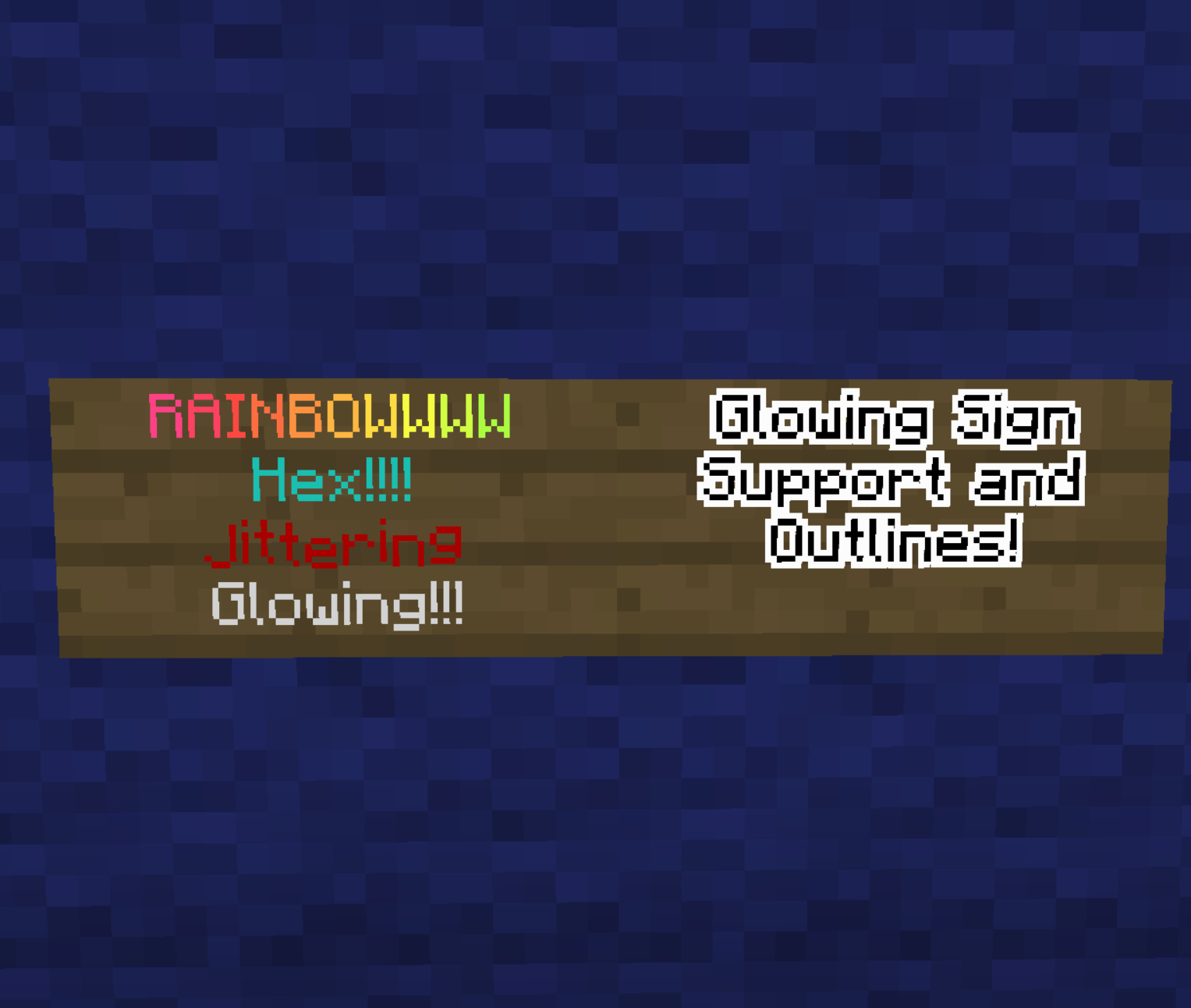 Showcase
Versions
Files
Relations
Project Relations
More like this
Similar Mods
Suggestions use data such as tags, dependencies, dependents, descriptions, titles, and more to rank how much they overlap with this mod.
On ModDex
Community snapshot
By the numbers
Statistics

Get it on
Available Platforms
On ModDex
Community snapshot
By the numbers