
Community listing page, reviews here may not be monitored by the author.
Map Link (formerly Remote Player Waypoints for Xaero's Map)

No reviews yet
Downloads and converts tiles and synchronizes players, markers and area overlays from Bluemap, Dynmap, Pl3xMap or Squaremap with Xaero's Minimap and Worldmap. Also displays AFK time in the tab list.
Community voices
Reviews
No reviews yet. Be the first to review this project!
Get it on
Available Platforms
Compatibility
Supported Environments
Runs entirely on the client. Works on vanilla servers.
About
Project Details
For authors
Embed Badge
If you're the author of this project, you can embed a live badge anywhere that supports HTML or Markdown. It updates automatically whenever ratings change.
Use HTML for any page that supports it, or Markdown for README files and Markdown-based descriptions.
Identifiers
Platform IDs
About
Description








Map Link is a client mod that can download and convert tiles and synchronizes player positions, marker positions and area overlays from Web-Maps like Bluemap, Dynmap, LiveAtlas, Pl3xMap or Squaremap with Xaero's Minimap and Worldmap. It can also show how long a player has been AFK based on movement data.
Formerly known as "Remote Player Waypoints for Xaero's Map"
Features
- Synchronizes player positions in real-time as player-head-icons (Xaero's "Tracked Players") or waypoints
- Download and convert map-tiles (Bluemap only; other maps in future updates)
- Displays web-map-markers with custom icons
- Displays web-map-area-overlays aka claims
- AFK-time display in tab list
- Friend-list to override some settings for friends
- Very customizable with lots of config settings
Supported Web Maps
- Bluemap
- Dynmap
- LiveAtlas
- Pl3xMap
- Squaremap
How to use
- Open the mod config menu (requires Mod Menu on Fabric/Quilt)
- Add a new server-entry in the config: [General -> Server Entries]
- Select the correct [Web Map Type]
- Put in the exact server-ip you use to connect to the server
- Put in the link to the web map (just copy it from the browser)
How to download and convert map tiles
Bluemap only for now
- Right-Click-Drag on the Worldmap to select the chunks
- Select "Download Map Tiles"
- Select the correct world
...and then just wait until it's finished :)
Compatibility
- Xaero's Minimap and Xaero's Better PvP + Fair Play Versions
- Xaero's Worldmap
Massive thanks to
- ewpratten for making RemotePlayers which this mod was originally based on
- MeerBiene for having the idea and helping with the AFK-time formatting
- eatmyvenom for having the idea and helping with implementing the marker support
- James Seibel for making Distance Horizons: I used a lot of the multi-version build scripts from there.
- TheMrEngMan for letting me use the features from his own fork of the original RemotePlayers mod
- NotRyken for helping with the 26.1 and 26.2 port
- Deltaforce8472 for making the new Icon
This mod is not officially affiliated with Bluemap, Dynmap, LiveAtlas, Pl3xMap, Squaremap or Xaero in any way.
Screenshots
Gallery
-
 Player Tracker with Icon and Distance Screenshot from Complementary SMP
 -
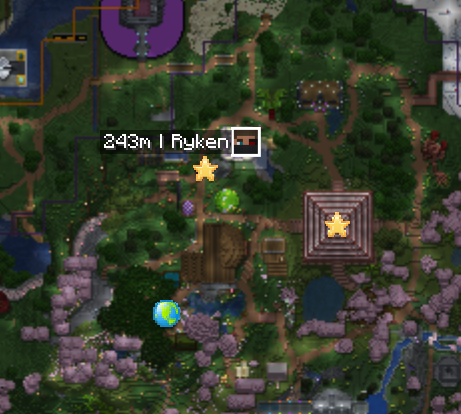 on Xaero's World Map Player Tracker, Markers with Icons and some Area Outlines. Screenshot from Complementary SMP
 -
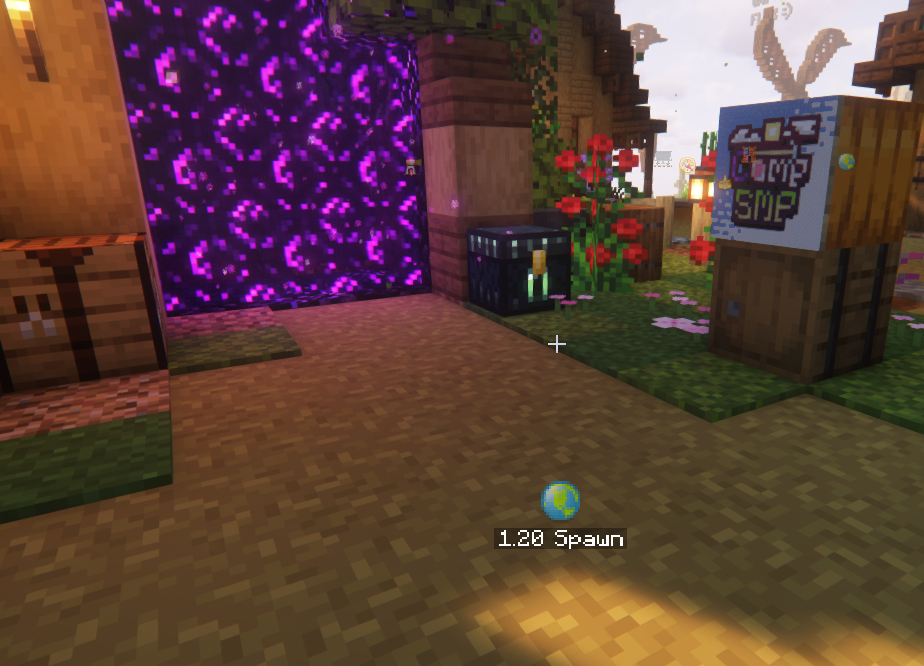 Custom Marker on Hud Screenshot from Complementary SMP
 -
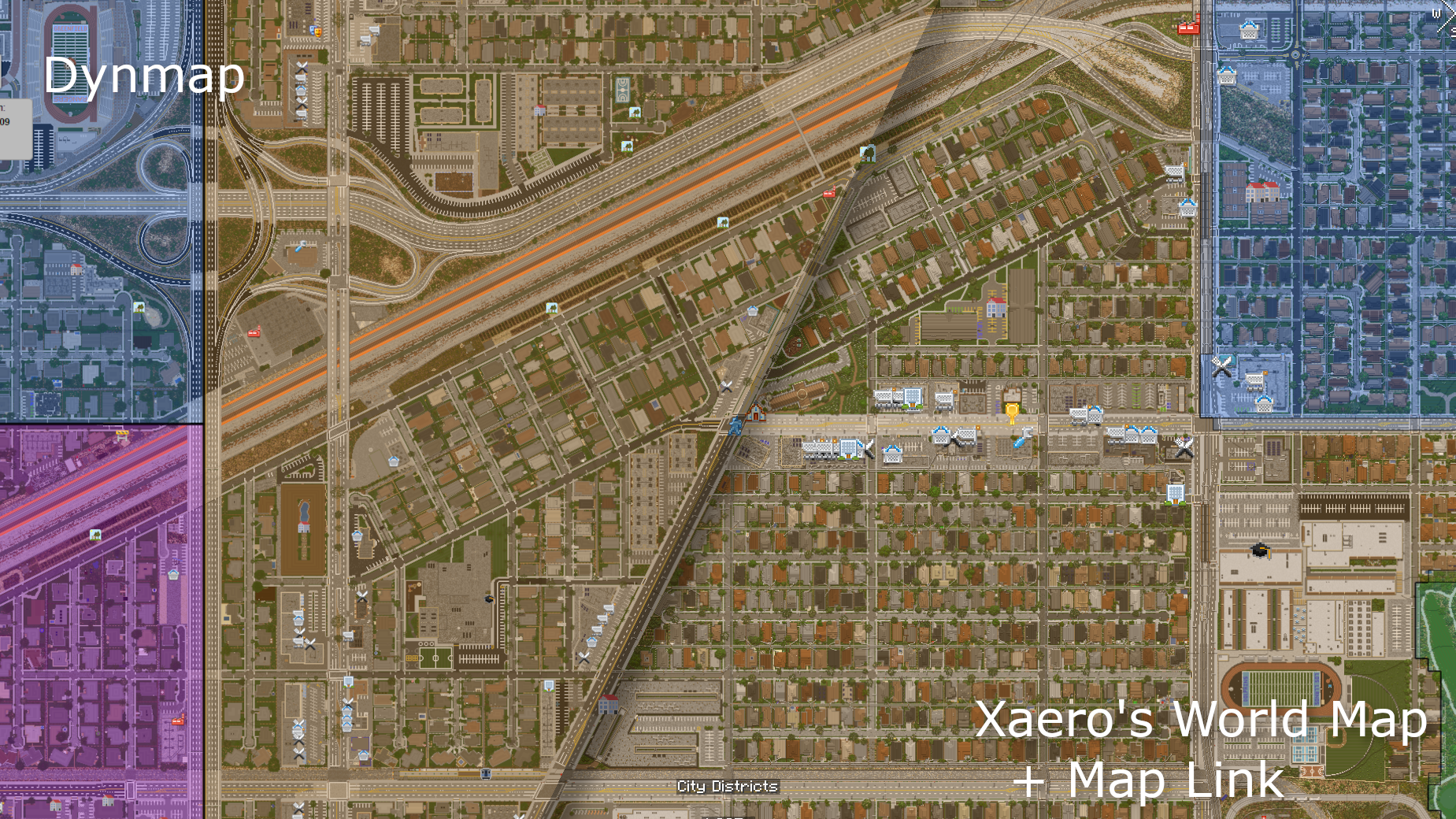 Area Overlay and Marker Icons Overlay alpha can be adjusted. Everything can be toggled independently. City map from: https://www.greenfieldmc.net/ [explored chunks, not converted]
 -
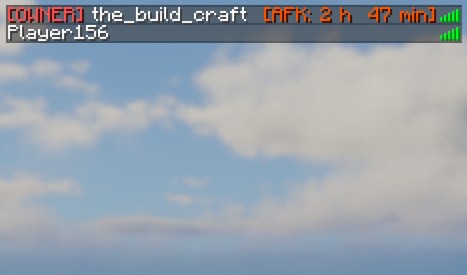 AFK Time in Tab List Color and time display can be adjusted.
 -
 Comparison with Dynmap Screenshot from Complementary SMP [explored chunks, not converted]
Versions
Files
Relations
Project Relations
More like this
Similar Mods
Suggestions use data such as tags, dependencies, dependents, descriptions, titles, and more to rank how much they overlap with this mod.
On ModDex
Community snapshot
By the numbers
Statistics


Want to reach Minecraft players?
We're looking for a server hosting partner to feature here and other parts of the site. Interested? Send us a message!
Get in touchGet it on
Available Platforms
On ModDex
Community snapshot
By the numbers