Community listing page, reviews here may not be monitored by the author.
Ping Items


No reviews yet
Lets you mark items in containers!
Community voices
Reviews
No reviews yet. Be the first to review this project!
Get it on
Available Platforms
Compatibility
Supported Environments
Must be installed on both the client and the server.
About
Project Details
For authors
Embed Badge
If you're the author of this project, you can embed a live badge anywhere that supports HTML or Markdown. It updates automatically whenever ratings change.
Use HTML for any page that supports it, or Markdown for README files and Markdown-based descriptions.
Identifiers
Platform IDs
Resources
External Links
About
Description
PingItems
**Point out items in containers to your teammates - instantly.**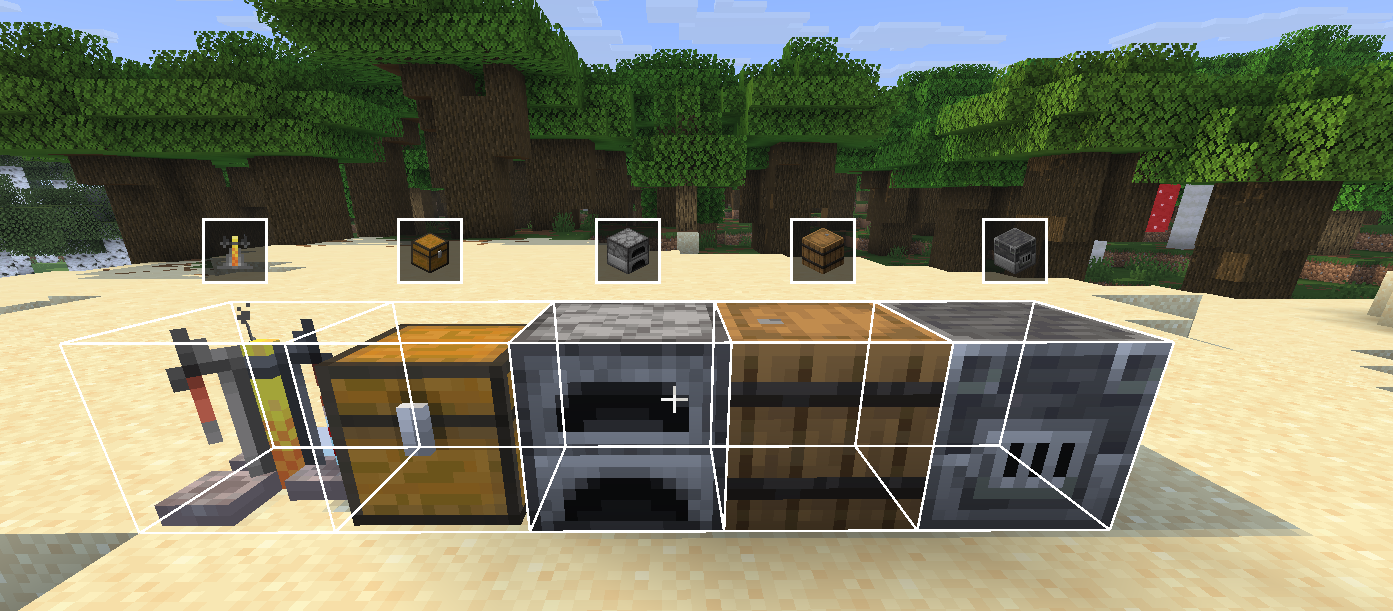
Ever dug through a chest trying to describe where something is? PingItems lets you middle-click any item in a container and ping it - your teammates see a highlight on the item and a glowing outline on the chest in the world.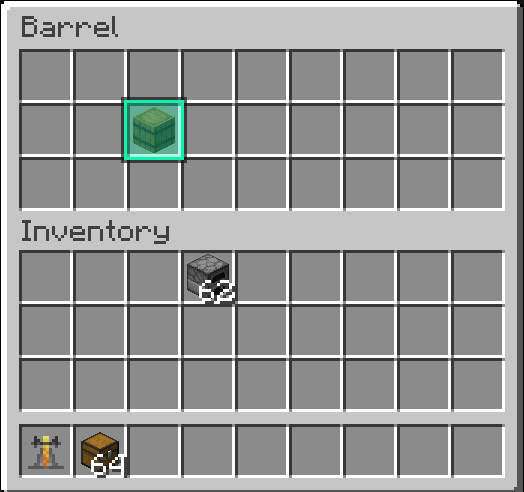
---
Features
- **Middle-click to ping** any item in a chest, barrel, or other container
- **Slot highlight** - the exact slot you pinged lights up with a gold outline for everyone
- **World outline** - a glowing box appears around the container in the world so teammates can find it from a distance
- **HUD icon** - a container icon floats above the block on screen when you're not looking at it directly
- **Multi-ping** - ping up to 5 items at once; pings expire after 10 seconds
- **Color picker** - choose your ping color in the mod settings
- **Channel system** - filter pings by channel so large servers stay organized
- **Configurable keybind** - rebind the ping key in Options → Controls → Key Binds under the **PingItems** category

---
How to use
1. Open any container (chest, barrel, etc.)
2. Hover over an item
3. Press **middle mouse button** (rebindable)
4. Your teammates see the ping
---
Requirements
- [Fabric Loader](https://fabricmc.net/)
- [Fabric API](https://modrinth.com/mod/fabric-api)
- [Mod Menu](https://modrinth.com/mod/modmenu)
- [Cloth Config](https://modrinth.com/mod/cloth-config)
---
Designed for multiplayer survival and co-op servers.
PingItems
Point out items in containers to your teammates - instantly.
Ever dug through a chest trying to describe where something is? PingItems lets you middle-click any item in a container and ping it - your teammates see a highlight on the item and a glowing outline on the chest in the world.
Features
- Middle-click to ping any item in a chest, barrel, or other container
- Slot highlight - the exact slot you pinged lights up with a gold outline for everyone
- World outline - a glowing box appears around the container in the world so teammates can find it from a distance
- HUD icon - a container icon floats above the block on screen when you're not looking at it directly
- Multi-ping - ping up to 5 items at once; pings expire after 10 seconds
- Color picker - choose your ping color in the mod settings
- Channel system - filter pings by channel so large servers stay organized
- Configurable keybind - rebind the ping key in Options → Controls → Key Binds under the PingItems category
How to use
- Open any container (chest, barrel, etc.)
- Hover over an item
- Press middle mouse button (rebindable)
- Your teammates see the ping
Requirements
Designed for multiplayer survival and co-op servers.
Screenshots
Gallery
-
main main
-
settings
-
inv
Versions
Files
Relations
Project Relations
More like this
Similar Mods
Suggestions use data such as tags, dependencies, dependents, descriptions, titles, and more to rank how much they overlap with this mod.
On ModDex
Community snapshot
By the numbers
Statistics
Want to reach Minecraft players?
We're looking for a server hosting partner to feature here and other parts of the site. Interested? Send us a message!
Get in touchGet it on
Available Platforms
On ModDex
Community snapshot
By the numbers
Statistics
Resources