Community listing page, reviews may not be monitored by the author.
Randomized Block & Mob Drops


No reviews yet
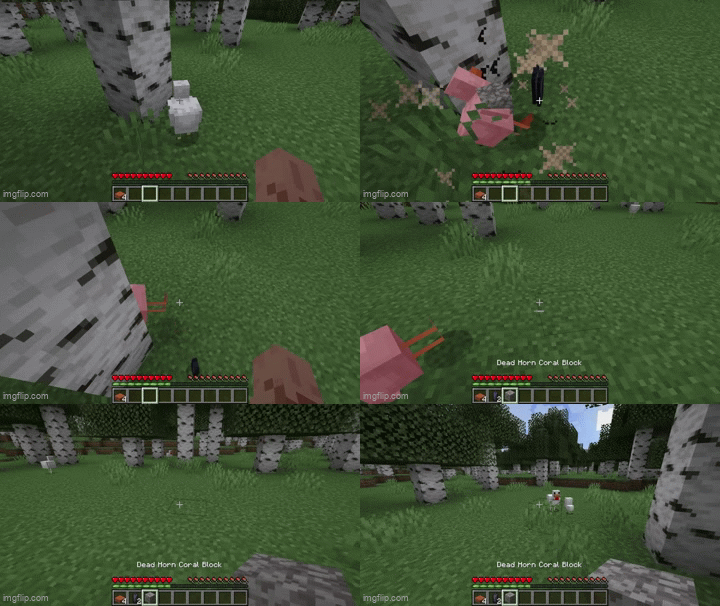
This mod randomizes all block and mob drops in Minecraft — including modded ones.

Community voices
Reviews
No reviews yet. Be the first to review this project!
Get it on
Available Platforms
Compatibility
Supported Environments
Runs entirely on the server. Also works in singleplayer.
Must be installed on both the client and the server.
Varies by version.
About
Project Details
For authors
Embed Badge
If you're the author of this project, you can embed a live badge anywhere that supports HTML or Markdown. It updates automatically whenever ratings change.
Use HTML for any page that supports it, or Markdown for README files and Markdown-based descriptions.
Identifiers
Platform IDs
About
Description
🎲 Randomized Block & Mob Drops (RBMD)
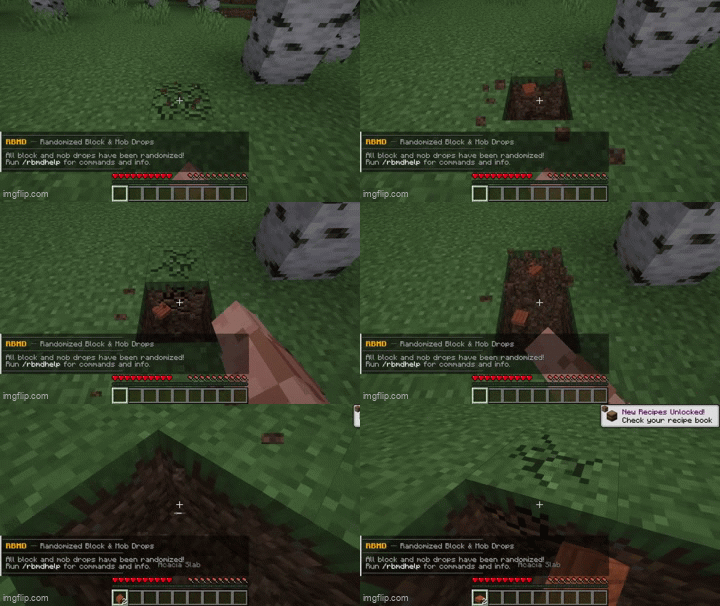
Every block and mob drop in Minecraft is randomized — vanilla and modded. Just install and play.
📖 What It Does
- Every block and mob has its drops shuffled to something completely different
- Drops are consistent — the same block always drops the same thing in your world
- Each world gets its own randomization, saved so it never changes between sessions
- Works with modded blocks, mobs, and items automatically
- Only items that can naturally drop are in the shuffle pool — nothing becomes unobtainable
- If you add, remove, or update a mod, the datapack rebuilds automatically on next world load
⚙️ How It Works
Load a world. RBMD automatically:
- Scans all loot tables to find every naturally obtainable item
- Shuffles them using your world seed
- Writes a datapack and reloads — drops are active immediately
If you change your config or mod list, RBMD detects the change and rebuilds the datapack using the same seed on the next world load. No manual steps needed.
🔁 Want completely new drops? Run
/rbmdreshuffleat any time.
📜 Commands
| Command | Description |
|---|---|
/rbmdhelp |
Show help in-game |
/rbmdreshuffle |
Re-randomize with a new seed |
/rbmdreshuffle <seed> |
Re-randomize with a specific seed |
/rbmdfind <item> |
What block or mob drops this item |
/rbmdmob <mob> |
What this mob drops now |
Both /rbmdfind and /rbmdmob support tab completion — start typing minecraft: or mymod: and it will suggest matching items and mobs.
Debug commands (OP only)
| Command | Description |
|---|---|
/rbmddebug |
Force rebuild the datapack if drops seem wrong |
/rbmdcheck |
Verify blacklists are working — shows pool size and flags issues |
/rbmddump |
Export every drop change to datapacks/rbmd_randomizer/rbmd_dump.txt |
💡 Use
/rbmddumpto review all changes and copy IDs straight into the blacklist config.
⚙️ Config
File: config/rbmd-common.toml
Changes are detected automatically on next world load — no need to run /rbmdreshuffle unless you want new drops entirely.
| Option | Default | Description |
|---|---|---|
randomize_blocks |
true |
Randomize block drops |
randomize_mobs |
true |
Randomize mob drops |
randomize_silk_touch |
true |
Randomize Silk Touch drops |
item_blacklist |
(see below) | Items excluded from the pool entirely |
mob_blacklist |
(empty) | Mobs whose drops are never randomized |
mod_blacklist |
(empty) | Exclude all items and mobs from a mod by its mod ID |
chaos_mode |
false |
Skip all filters — see below |
reset_welcome_message |
false |
Show the welcome message again on next join |
Item blacklist defaults — excluded because they can't be obtained naturally: bedrock, barrier, command_block, chain_command_block, repeating_command_block, structure_block, structure_void, jigsaw, light, debug_stick, knowledge_book, bundle. Remove any entry to put it back in the pool.
Blacklist format — use full registry IDs:
item_blacklist = ["minecraft:diamond", "mymod:special_item"]
mob_blacklist  = ["minecraft:zombie", "mymod:boss"]
mod_blacklist  = ["mymod", "anothermod"]
🔴 Chaos Mode
Setting chaos_mode = true skips everything — blacklists, spawn egg filter, and the natural drop filter. Every registered item enters the pool. A warning appears in chat when you join with chaos mode on.
⚠️ Some items may become unobtainable in chaos mode. Use at your own risk.
🔧 Notes
- Wrong tool = no drop — same as vanilla. A block that needs a pickaxe drops nothing without one.
- Same seed = same drops — two worlds sharing a seed will have identical randomization. Use
/rbmdreshuffleto override. - Each world is independent — worlds store their own seed and config hash in
datapacks/rbmd_randomizer/. Switching between worlds never affects each other. - Adding or removing mods — detected automatically. Drops will shift slightly since the pool size changes, but the same seed is reused so existing items stay as consistent as possible.
- Silk Touch — randomized by default. Set
randomize_silk_touch = falseif you want Silk Touch to always give the original block. - Mods with hardcoded drops — mobs that skip the loot table system are still covered by an event hook on every mob death.
- Debugging — all output tagged
[RBMD]inlatest.log. Use/rbmddumpto export a full human-readable list of every drop change.
🎲 Randomized Block & Mob Drops (RBMD)
Every block and mob drop in Minecraft is randomized — vanilla and modded. Just install and play.
📖 What It Does
- Every block and mob has its drops shuffled to something completely different
- Drops are consistent — the same block always drops the same thing in your world
- Each world gets its own randomization, saved so it never changes between sessions
- Works with modded blocks, mobs, and items automatically
- Only items that can naturally drop are in the shuffle pool — nothing becomes unobtainable
- If you add, remove, or update a mod, the datapack rebuilds automatically on next world load
⚙️ How It Works
Load a world. RBMD automatically:
- Scans all loot tables to find every naturally obtainable item
- Shuffles them using your world seed
- Writes a datapack and reloads — drops are active immediately
If you change your config or mod list, RBMD detects the change and rebuilds the datapack using the same seed on the next world load. No manual steps needed.
🔁 Want completely new drops? Run
/rbmdreshuffleat any time.
📜 Commands
| Command | Description |
|---|---|
/rbmdhelp |
Show help in-game |
/rbmdreshuffle |
Re-randomize with a new seed |
/rbmdreshuffle <seed> |
Re-randomize with a specific seed |
/rbmdfind <item> |
What block or mob drops this item |
/rbmdmob <mob> |
What this mob drops now |
Both /rbmdfind and /rbmdmob support tab completion — start typing minecraft: or mymod: and it will suggest matching items and mobs.
Debug commands (OP only)
| Command | Description |
|---|---|
/rbmddebug |
Force rebuild the datapack if drops seem wrong |
/rbmdcheck |
Verify blacklists are working — shows pool size and flags issues |
/rbmddump |
Export every drop change to datapacks/rbmd_randomizer/rbmd_dump.txt |
💡 Use
/rbmddumpto review all changes and copy IDs straight into the blacklist config.
⚙️ Config
File: config/rbmd-common.toml
Changes are detected automatically on next world load — no need to run /rbmdreshuffle unless you want new drops entirely.
| Option | Default | Description |
|---|---|---|
randomize_blocks |
true |
Randomize block drops |
randomize_mobs |
true |
Randomize mob drops |
randomize_silk_touch |
true |
Randomize Silk Touch drops |
item_blacklist |
(see below) | Items excluded from the pool entirely |
mob_blacklist |
(empty) | Mobs whose drops are never randomized |
mod_blacklist |
(empty) | Exclude all items and mobs from a mod by its mod ID |
chaos_mode |
false |
Skip all filters — see below |
reset_welcome_message |
false |
Show the welcome message again on next join |
Item blacklist defaults — excluded because they can't be obtained naturally: bedrock, barrier, command_block, chain_command_block, repeating_command_block, structure_block, structure_void, jigsaw, light, debug_stick, knowledge_book, bundle. Remove any entry to put it back in the pool.
Blacklist format — use full registry IDs:
item_blacklist = ["minecraft:diamond", "mymod:special_item"]
mob_blacklist  = ["minecraft:zombie", "mymod:boss"]
mod_blacklist  = ["mymod", "anothermod"]
🔴 Chaos Mode
Setting chaos_mode = true skips everything — blacklists, spawn egg filter, and the natural drop filter. Every registered item enters the pool. A warning appears in chat when you join with chaos mode on.
⚠️ Some items may become unobtainable in chaos mode. Use at your own risk.
🔧 Notes
- Wrong tool = no drop — same as vanilla. A block that needs a pickaxe drops nothing without one.
- Same seed = same drops — two worlds sharing a seed will have identical randomization. Use
/rbmdreshuffleto override. - Each world is independent — worlds store their own seed and config hash in
datapacks/rbmd_randomizer/. Switching between worlds never affects each other. - Adding or removing mods — detected automatically. Drops will shift slightly since the pool size changes, but the same seed is reused so existing items stay as consistent as possible.
- Silk Touch — randomized by default. Set
randomize_silk_touch = falseif you want Silk Touch to always give the original block. - Mods with hardcoded drops — mobs that skip the loot table system are still covered by an event hook on every mob death.
- Debugging — all output tagged
[RBMD]inlatest.log. Use/rbmddumpto export a full human-readable list of every drop change.
Screenshots
Gallery
Versions
Files
Relations
Project Relations
More like this
Similar Mods
Suggestions use data such as tags, dependencies, dependents, descriptions, titles, and more to rank how much they overlap with this mod.
On ModDex
Community snapshot
By the numbers
Statistics

Get it on
Available Platforms
On ModDex
Community snapshot
By the numbers