
Community listing page, reviews here may not be monitored by the author.
ShadowTrace

No reviews yet
ShadowTrace is a Minecraft mod that allows server administrators to track and inspect ore mining activity using data from CoreProtect.
Community voices
Reviews
No reviews yet. Be the first to review this project!
Get it on
Available Platforms
Compatibility
Supported Environments
Runs entirely on the client. Works on vanilla servers.
About
Project Details
For authors
Embed Badge
If you're the author of this project, you can embed a live badge anywhere that supports HTML or Markdown. It updates automatically whenever ratings change.
Use HTML for any page that supports it, or Markdown for README files and Markdown-based descriptions.
Identifiers
Platform IDs
About
Description
ShadowTrace
ShadowTrace is a Minecraft mod designed to give players a powerful tool for visualizing historical block data directly within the game world. The mod allows users to inspect where and when specific ore blocks were mined, helping server staff detect suspicious mining patterns and possible x-ray usage. Through client-side rendering, ShadowTrace highlights mined blocks in the 3D world with clearly visible colored outlines, making it easy to investigate and analyze block changes.
ShadowTrace is not a standalone mod - it requires the ShadowTrace server plugin to function properly. The server side plugin handles all data queries and sends relevant information to the mod via custom packets. This ensures a clean and efficient separation of logic, where the server handles data processing, and the client focuses on visualization.
Together, the ShadowTrace plugin and mod create a seamless investigative toolset tailored for moderation and anti-cheat purposes on Minecraft servers.
Download the ShadowTrace Server Plugin here.
ShadowTrace is a lightweight mod inspired by the Watson mod, offering a simpler way to visualize removed blocks in Minecraft. While Watson includes many advanced tools, ShadowTrace focuses solely on showing blocks that players have mined or removed. It integrates with CoreProtect and provides a clean, easy-to-use GUI, making it ideal for quickly spotting suspicious activity without the extra complexity.
Features
- View historical mining activity of players.
- See exact coordinates of mined blocks.
- Filter lookups by player and timeframe (e.g.
1m,1h,1d). - Renders blocks as colored outlines in the world.
- Each block type has its own distinctive color for easy identification.
- Supports up to 300 blocks per search, optimized for visibility.
- Works both for online and offline players.
- Uses a custom packet system for efficient data transfer.
- Press G to open the ShadowTrace GUI.
Config file
Add whatever color you want to the different blocks, in hex. You can also add other blocks that you want specific colors on. You can find the configuration file in .minecraft/config/shadowtrace.
{
  "copper_ore": "#bc633d",
  "gold_ore": "#ffaa00",
  "redstone_ore": "#ff0000",
  "nether_gold_ore": "#ffaa00",
  "deepslate_redstone_ore": "#ff0000",
  "deepslate_emerald_ore": "#00cd12",
  "diamond_ore": "#00f2ff",
  "iron_ore": "#e9c0a4",
  "deepslate_copper_ore": "#bc633d",
  "ancient_debris": "#851b00",
  "lapis_ore": "#002bff",
  "spawner": "#9900ff",
  "coal_ore": "#000000",
  "deepslate_iron_ore": "#e9c0a4",
  "deepslate_lapis_ore": "#002bff",
  "emerald_ore": "#00cd12",
  "deepslate_coal_ore": "#000000",
  "deepslate_gold_ore": "#ffaa00",
  "deepslate_diamond_ore": "#00f2ff"
}
Remember to restart the Minecraft client after changing the colors in the configuration file for the changes to take effect.
Screenshots
Gallery
-
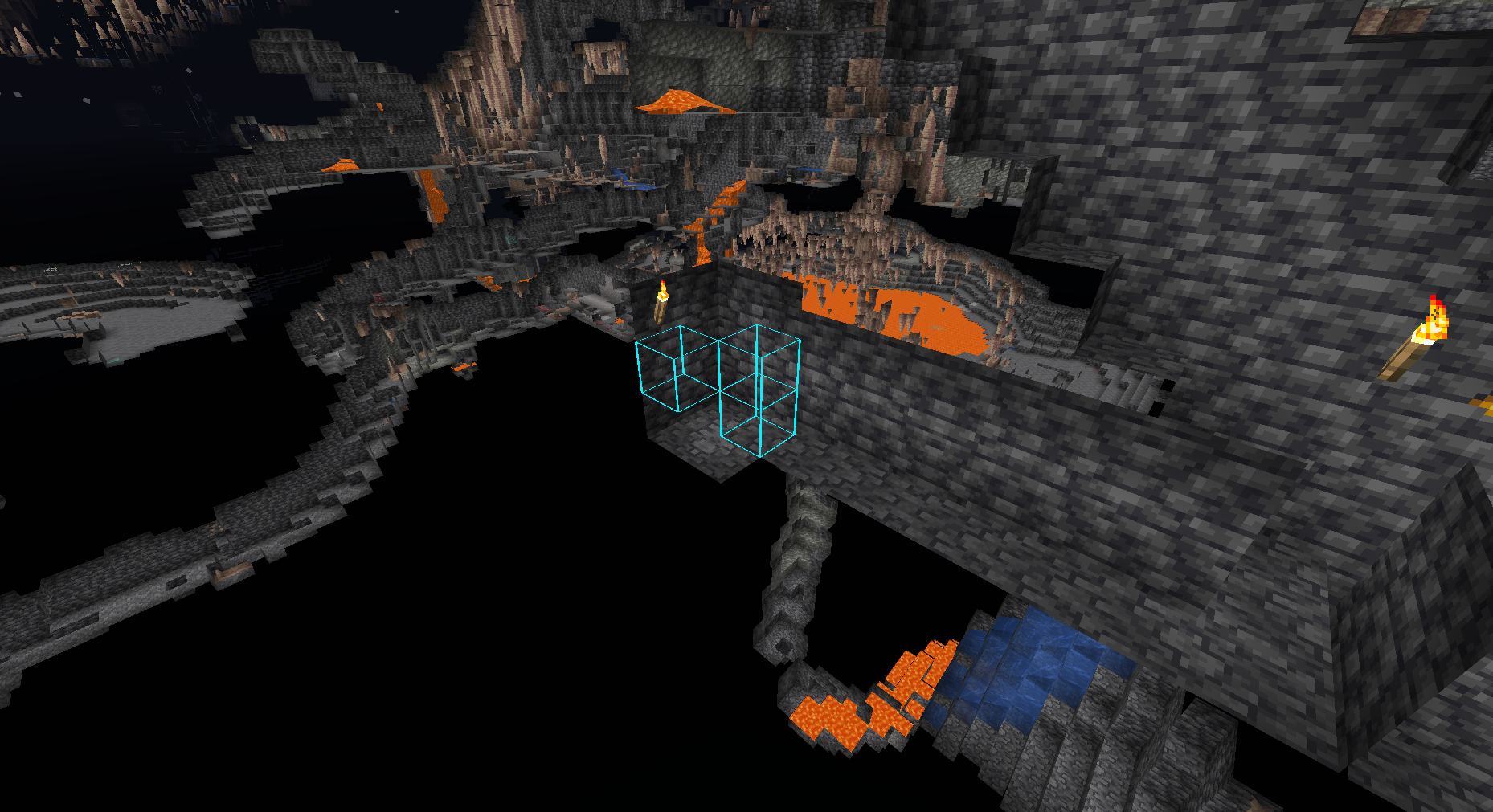 Diamond Ores Diamond ores that are taken by x-ray users. Easy to get an overview of the situation.
 -
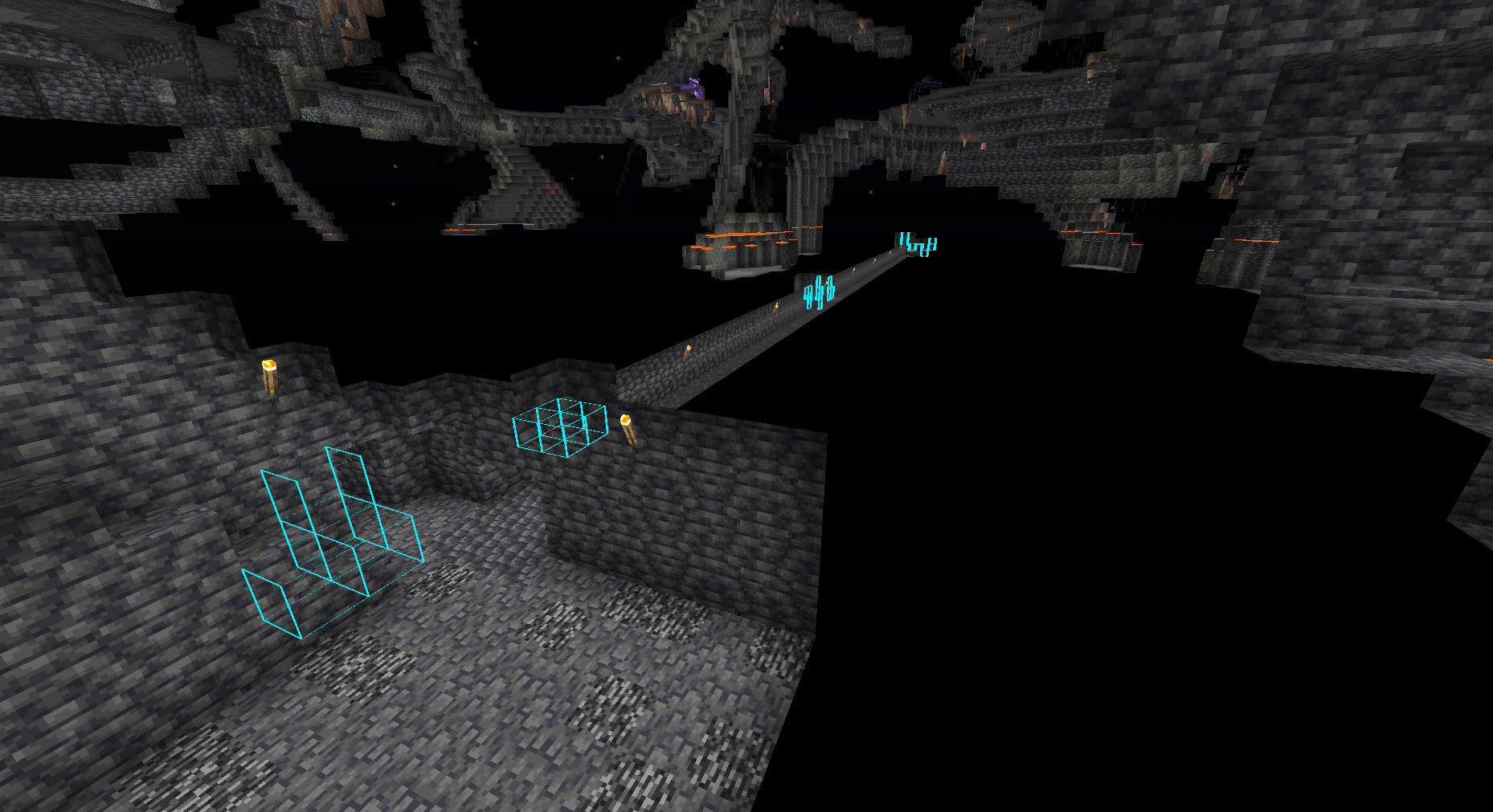 Trace blocks far away Get an overview of where the blocks where found.
Versions
Files
Relations
Project Relations
More like this
Similar Mods
Suggestions use data such as tags, dependencies, dependents, descriptions, titles, and more to rank how much they overlap with this mod.
On ModDex
Community snapshot
By the numbers
Statistics

Want to reach Minecraft players?
We're looking for a server hosting partner to feature here and other parts of the site. Interested? Send us a message!
Get in touchGet it on
Available Platforms
On ModDex
Community snapshot
By the numbers