
Community listing page, reviews here may not be monitored by the author.
Simple HUD Utilities


No reviews yet
A Minecraft Mod that enhances the Game's HUD with some simple utilities

Community voices
Reviews
No reviews yet. Be the first to review this project!
Get it on
Available Platforms
Compatibility
Supported Environments
Runs entirely on the client. Works on vanilla servers.
About
Project Details
For authors
Embed Badge
If you're the author of this project, you can embed a live badge anywhere that supports HTML or Markdown. It updates automatically whenever ratings change.
Use HTML for any page that supports it, or Markdown for README files and Markdown-based descriptions.
Identifiers
Platform IDs
About
Description
END OF LIFE
Consider using an Simple Hud Enhanced instead
Adding this notice as of commit `5420a64d12e2738df9669c51b035e47e34876068` for the mod linked above
This mod is unlikely to receive future changes and has pending unsolved issues I couldn't get around to fixing/adding.
The mod linked above has more features and lots of unsolved bugs are already fixed. UX is pretty much the same and any feature it has over this one are toggleable if you want a more minimal experience.
Simple HUD Utilities Mod
A Mod that enhances the Game's HUD with some simple utilities like the following:
- HUD Features:
- Simplified coordinates that are available at all times on the screen (Example: 39, 64, 200 as X, Y, Z)
- Cardinal directions and which Coordinates are increasing/decreasing (Example: (East X+) when looking East, where the X coordinate is increasing)
- Current armour and hand items and their durabilities, available at all times on the screen
- Different colors based on how low the durability is
- Current Game time in AM/PM format
- Current sprinting status
- Current framerate
- Current Biome the player is on
- Toggle key (editable in Controls screen, default is 'k')
- Settings page and config file with Mod Menu
- Requires Mod Menu mod to open settings screen in-game
- Config file: .minecraft/config/simple_utilities.toml (does not require Mod Menu mod to use)
END OF LIFE
Consider using an Simple Hud Enhanced instead
Adding this notice as of commit 5420a64d12e2738df9669c51b035e47e34876068 for the mod linked above
This mod is unlikely to receive future changes and has pending unsolved issues I couldn't get around to fixing/adding.
The mod linked above has more features and lots of unsolved bugs are already fixed. UX is pretty much the same and any feature it has over this one are toggleable if you want a more minimal experience.
Simple HUD Utilities
A Minecraft Mod that enhances the Game's HUD with some simple utilities like the following:
- HUD Features:
- Simplified coordinates that are available at all times on the screen (Example:
39, 64, 200asX, Y, Z) - Cardinal directions and which Coordinates are increasing/decreasing (Example:
(East X+)when looking East, where theXcoordinate is increasing) - Current armour and hand items and their durabilities, available at all times on the screen
- Different colors based on how low the durability is
- Current Game time in AM/PM format
- Current sprinting status
- Current framerate
- Current Biome the player is on
- Nether/overworld coordinates conversion
- Toggle key (editable in Controls screen, default is
k) - Settings page and config file with Mod Menu
- Requires Mod Menu mod to open settings screen in-game
- Config file:
.minecraft/config/simple_utilities.toml(does not require Mod Menu mod to edit)
- Simplified coordinates that are available at all times on the screen (Example:
| In-game HUD | Settings page (Requires ModMenu Mod) |
|---|---|
 |
 |
Planned features
- Add configuration to move any specific HUD elements around the screen (drag-and-drop if possible)
- Add option for E counter (entities) and C counter (chunk sections) (possibly M/C counters as well (monsters/creatures))
- Add current status effects duration to HUD
- Add Sun/Moon icons to the current game time, so it's easier to notice if it's Day or Night
FAQ
-
Does this Mod work on versions below 1.15?
- No, it might work on 1.14 with some changes, but not anything below 1.14, since this Mod is made with Fabric, which only supports Minecraft 1.14 and above.
-
Will this Mod get me banned from X multiplayer server?
- Maybe, maybe not (but probably not), the Mod is entirely Client-sided and does not require it to be installed on the Server, and mostly shows things already available to you at all times like coordinates and Cardinal directions, like an extended but simplified F3 Menu, but it has some exceptions, like very specific Game time, so some servers may not allow it, do look into the Server's rules carefully before using it, do not create issues here asking about that, since I won't know.
-
Will you add 'X feature not present in the Planned Features section'?
- Maybe, and only if it fits with the other features of the mod, create an issue about it, I only work on this project on my spare time, but I'd be happy to add wanted features if I can get around to it.
Screenshots
Gallery
-
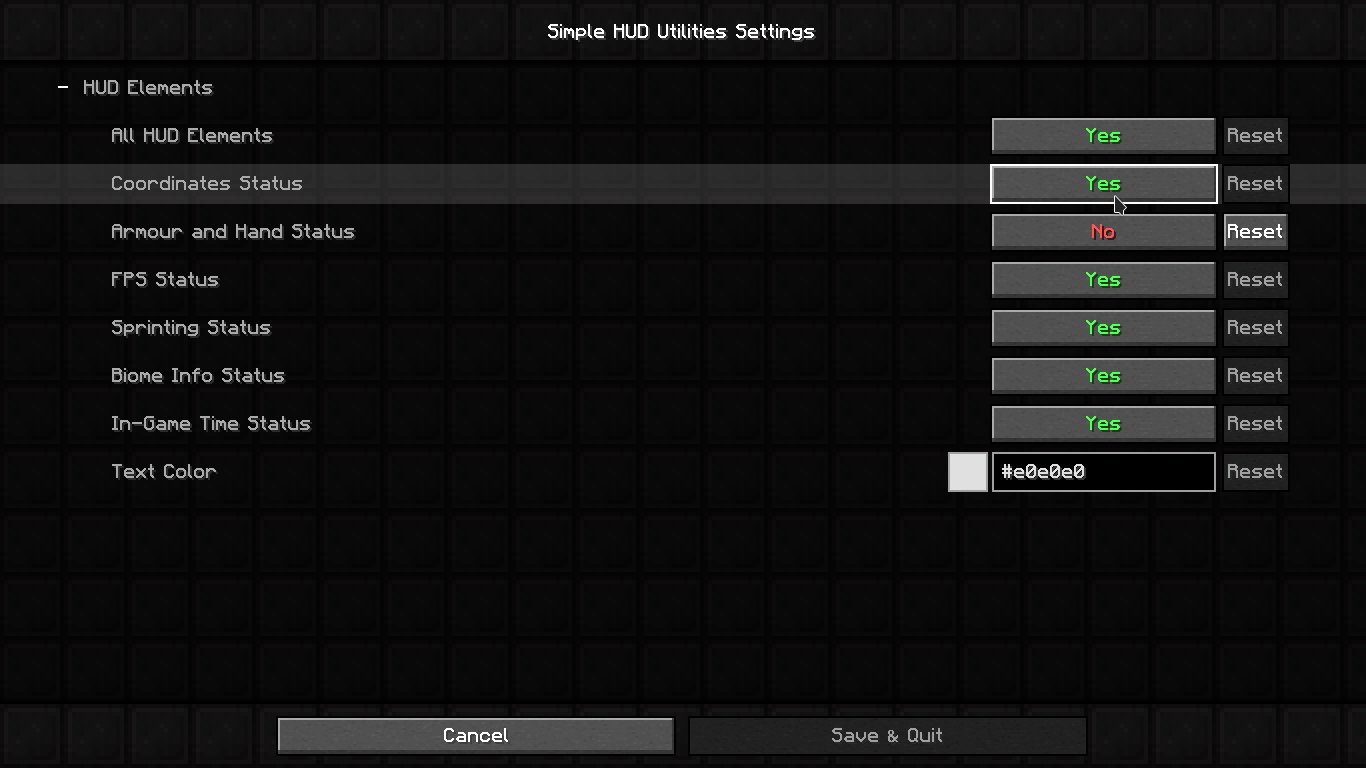 Settings HUD Open with Mod Menu
 -
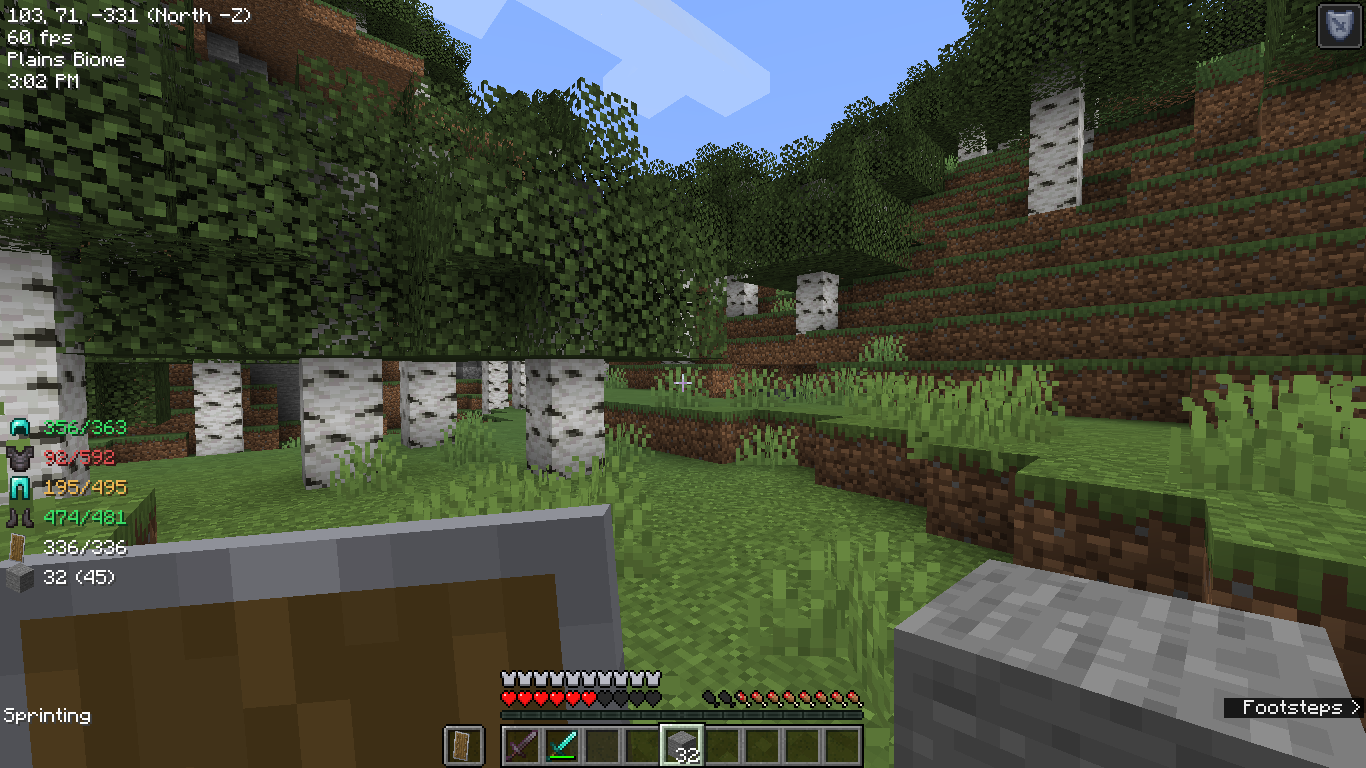 HUD Showcase
-
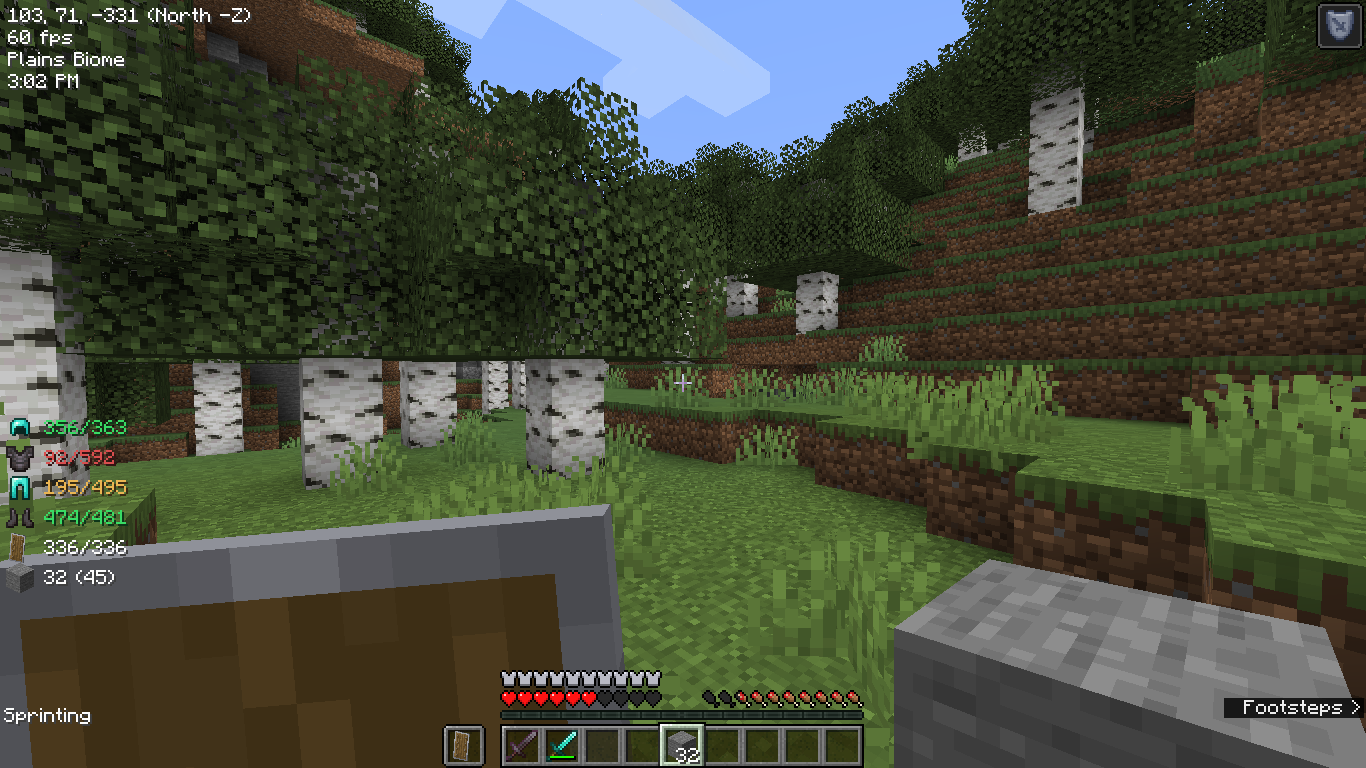 In-game HUD
 -
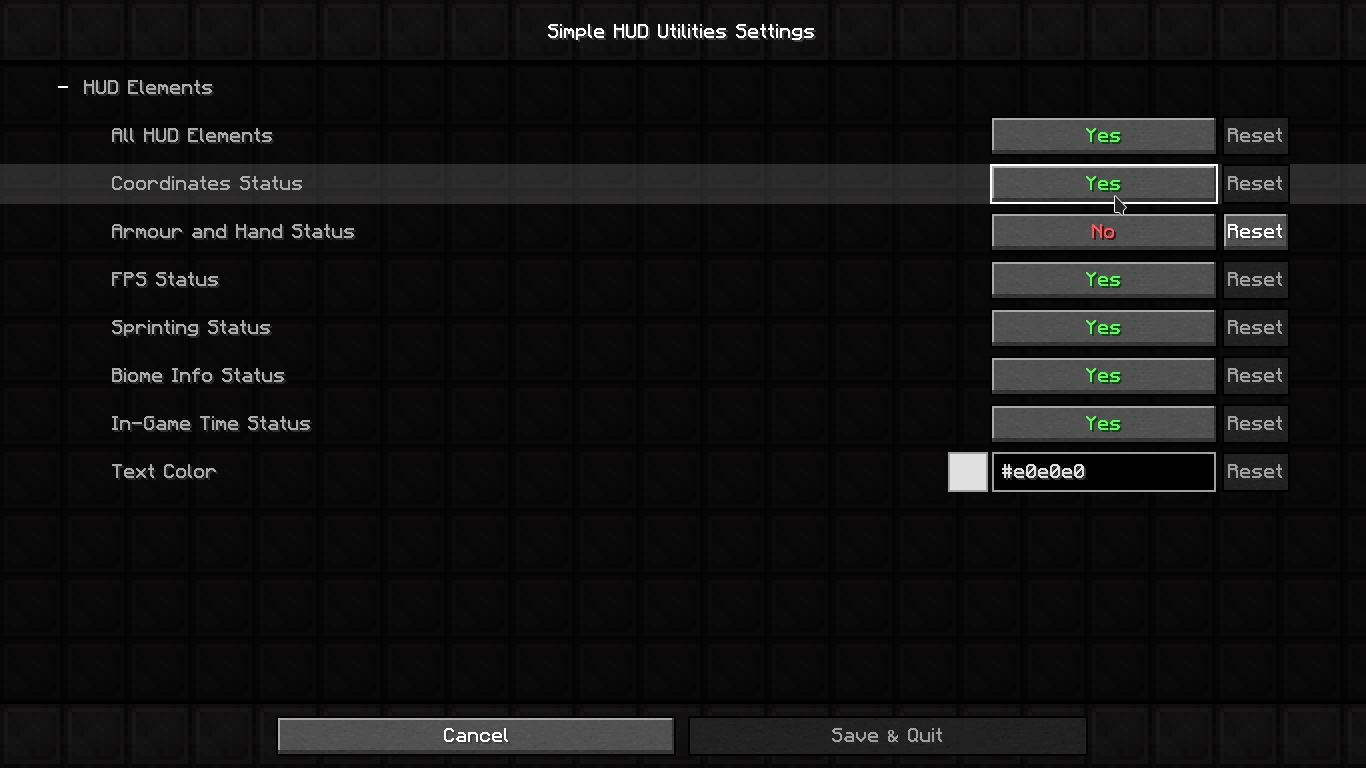 Settings
Versions
Files
Relations
Project Relations
More like this
Similar Mods
Suggestions use data such as tags, dependencies, dependents, descriptions, titles, and more to rank how much they overlap with this mod.
On ModDex
Community snapshot
By the numbers
Statistics
 (opens in a new tab)
Get it on
Available Platforms
On ModDex
Community snapshot
By the numbers