Community listing page, reviews here may not be monitored by the author.
Skin Hotkey


No reviews yet
Switch skin layers by hotkeys
Community voices
Reviews
No reviews yet. Be the first to review this project!
Get it on
Available Platforms
Compatibility
Supported Environments
Runs entirely on the client. Works on vanilla servers.
About
Project Details
For authors
Embed Badge
If you're the author of this project, you can embed a live badge anywhere that supports HTML or Markdown. It updates automatically whenever ratings change.
Use HTML for any page that supports it, or Markdown for README files and Markdown-based descriptions.
Identifiers
Platform IDs
About
Description
Skin Hotkey - a small mod that allows you to turn on and off the second layer of skin by pressing a key (s).
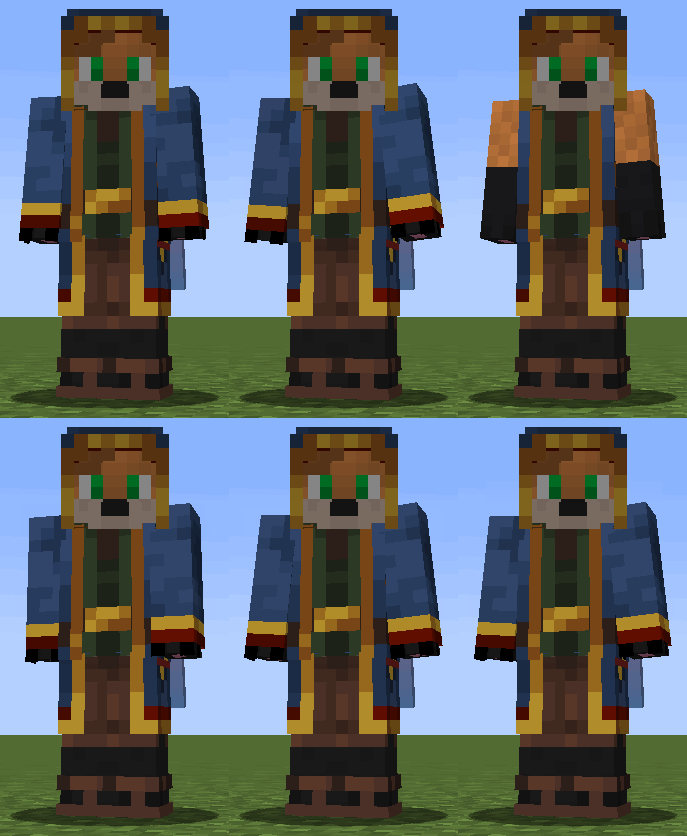
(An example of the work of groups and parts in the game)
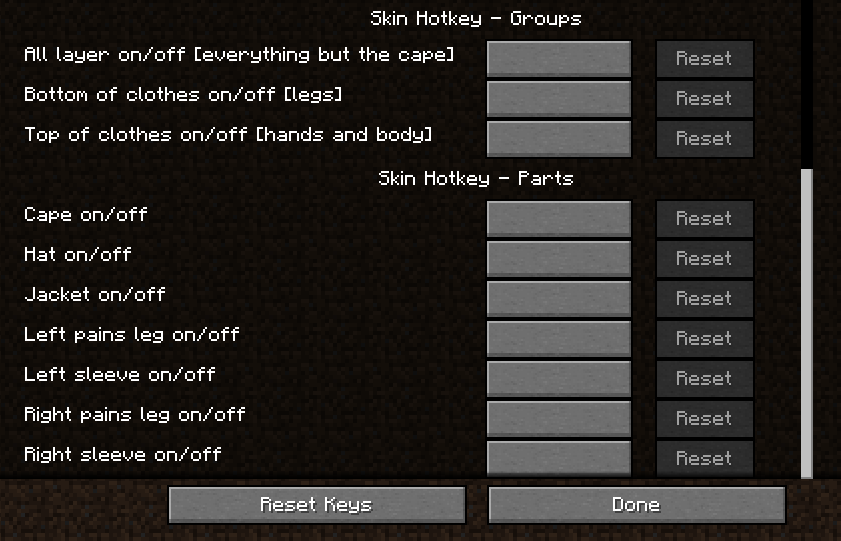
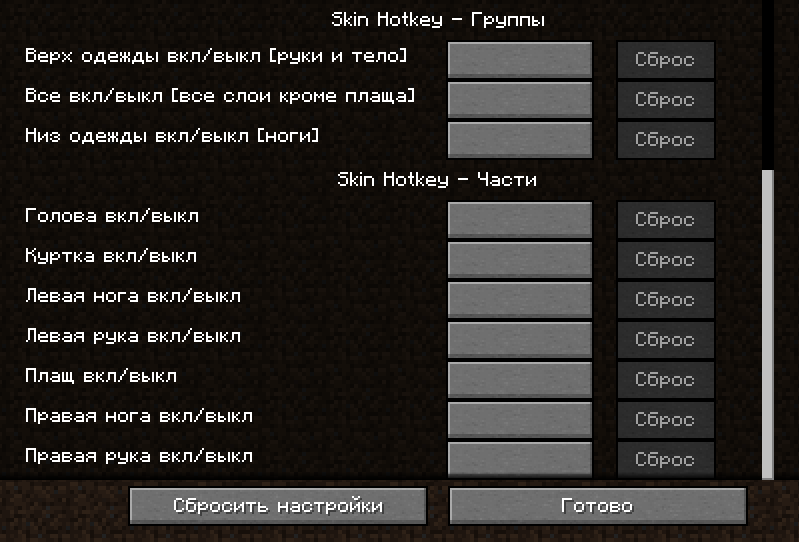
1) Skin Hotkey - Groups
In groups, you can configure the bind to enable and disable several elements at once:
• Everything except the raincoat
• Top of clothing (two arms and body)
• Bottom of clothing (two legs)
They are made in such a way that they first turn off and then turn on these parts (the state is reset when you restart the game, that is, the mod does not remember the previous state, but each time it first tries to turn off and then turn on all the parts in this group)
2) Skin Hotkey - Parts
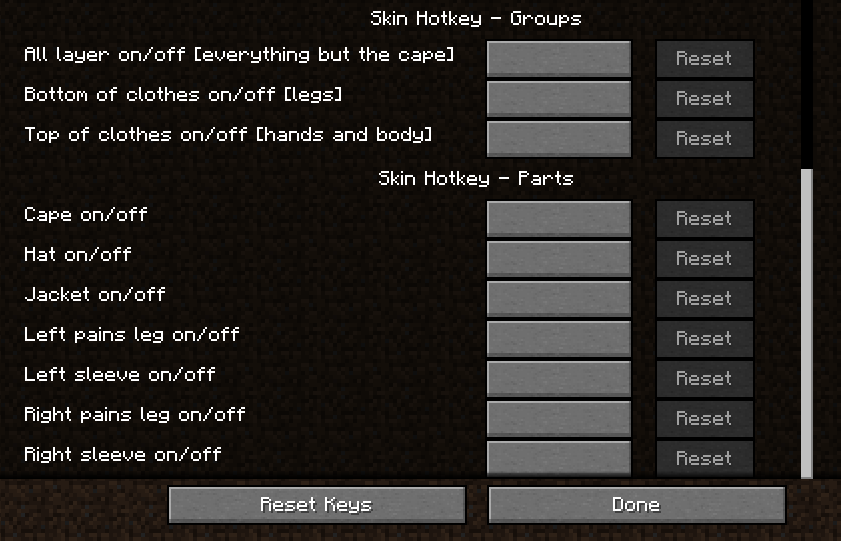
In parts, you can set up buttons to enable and disable all parts individually.
Starting with version 1.1 of the mod, you can assemble your group through the "Parts" section by assigning the parts you need to the same button.
ATTENTION! in the part section - all parts just reverse their state! For example: if you create your group by binding the G button on the head, arms and legs. Then, by pressing this button, the state of all these parts will be separately changed to the opposite. That is: if your head was turned off and your legs and arms were turned on, then it would turn out that your head would turn on and your legs and arms would turn off.
Skin Hotkey - a small mod that allows you to turn on and off the second layer of skin by pressing a key (s).
1) Skin Hotkey - Groups
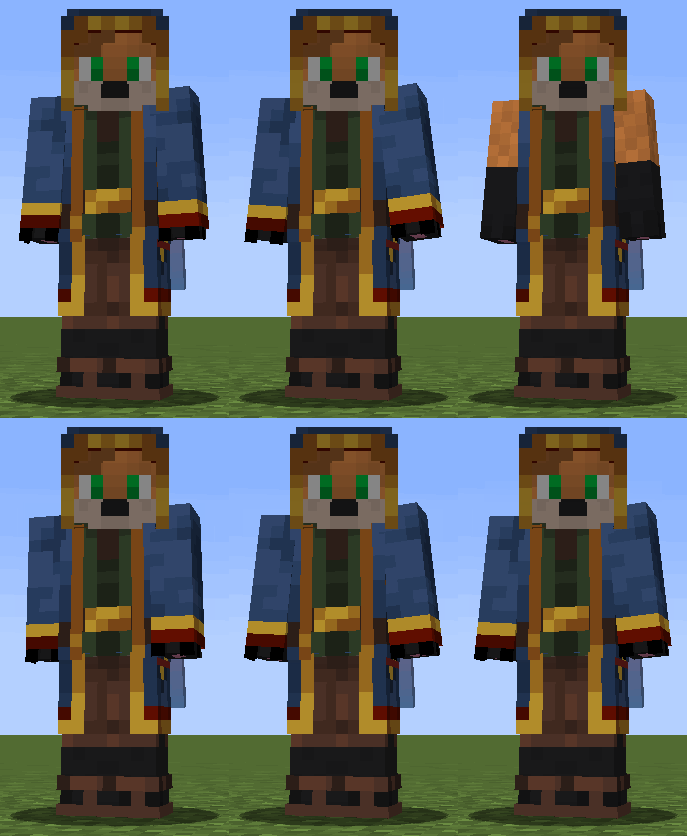
In groups, you can configure the bind to enable and disable several elements at once: • Everything except the raincoat • Top of clothing (two arms and body) • Bottom of clothing (two legs) They are made in such a way that they first turn off and then turn on these parts (the state is reset when you restart the game, that is, the mod does not remember the previous state, but each time it first tries to turn off and then turn on all the parts in this group)
2) Skin Hotkey - Parts
In parts, you can set up buttons to enable and disable all parts individually. Starting with version 1.1 of the mod, you can assemble your group through the "Parts" section by assigning the parts you need to the same button.
ATTENTION! in the part section - all parts just reverse their state! For example: if you create your group by binding the G button on the head, arms and legs. Then, by pressing this button, the state of all these parts will be separately changed to the opposite. That is: if your head was turned off and your legs and arms were turned on, then it would turn out that your head would turn on and your legs and arms would turn off.
Screenshots
Gallery
-
Work example
-
 ru
ru -
en
-
 ru
ru -
gif
-
en
Versions
Files
Relations
Project Relations
More like this
Similar Mods
Suggestions use data such as tags, dependencies, dependents, descriptions, titles, and more to rank how much they overlap with this mod.
On ModDex
Community snapshot
By the numbers
Statistics
Want to reach Minecraft players?
We're looking for a server hosting partner to feature here and other parts of the site. Interested? Send us a message!
Get in touchGet it on
Available Platforms
On ModDex
Community snapshot
By the numbers