Community listing page, reviews here may not be monitored by the author.
Spell Codex: Iron's Spells 'n Spellbooks Addon

No reviews yet
Spell Codex: Iron's Spells 'n Spellbooks Addon turns Iron's spell list into a progression-driven Spell Codex, wired into Spell Actionbar.
Community voices
Reviews
No reviews yet. Be the first to review this project!
Get it on
Available Platforms
About
Project Details
For authors
Embed Badge
If you're the author of this project, you can embed a live badge anywhere that supports HTML or Markdown. It updates automatically whenever ratings change.
Use HTML for any page that supports it, or Markdown for README files and Markdown-based descriptions.
Identifiers
Platform IDs
Resources
External Links
About
Description
Spell Codex is a progression addon for Iron's Spells 'n Spellbooks. Spells are discovered into a Spell Codex, unlocked tier by tier with XP and ink, then equipped on a Spell Actionbar. You cast only what you have earned — from Iron's base schools and compatible school addons.
Requires Iron's Spells 'n Spellbooks and Spell Actionbar 1.1.6+.
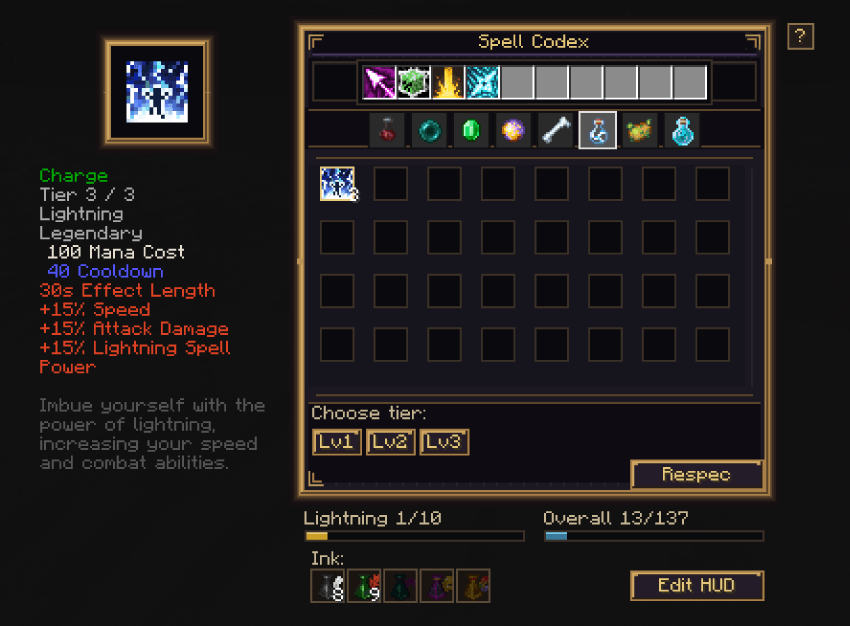
The loop
- Discover spells into your Codex
- Open the Codex with the Spell Actionbar key (default
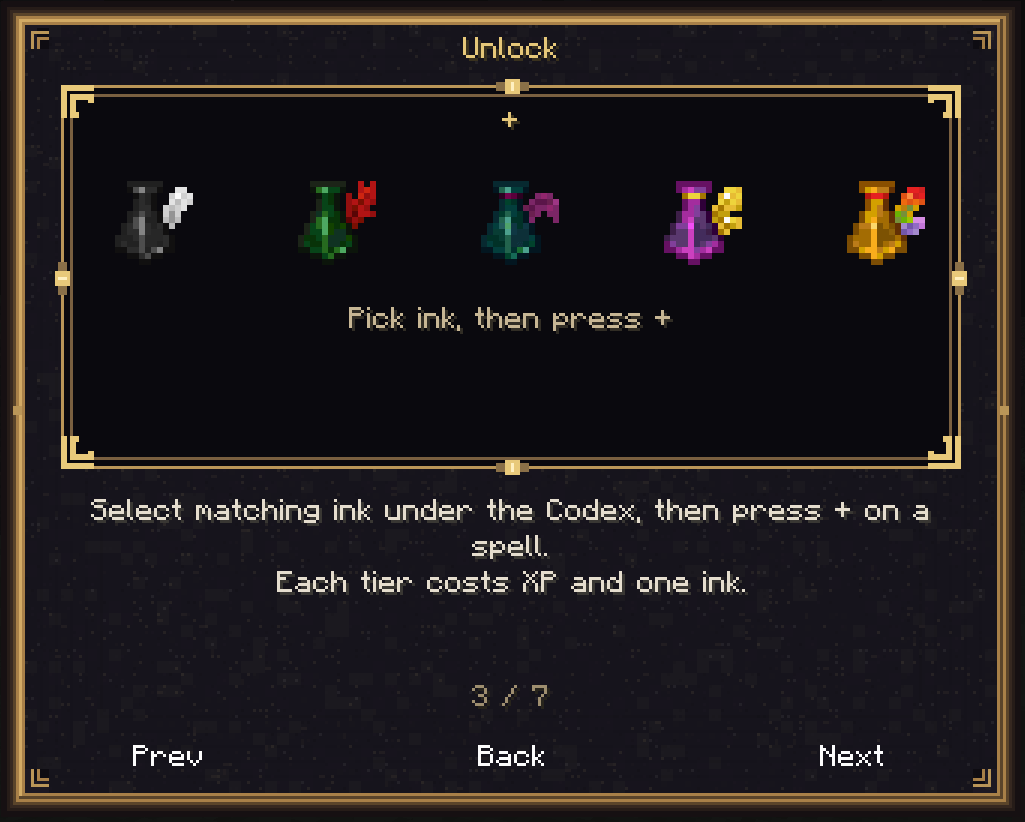
`) - Select matching ink, then press + to unlock the next tier
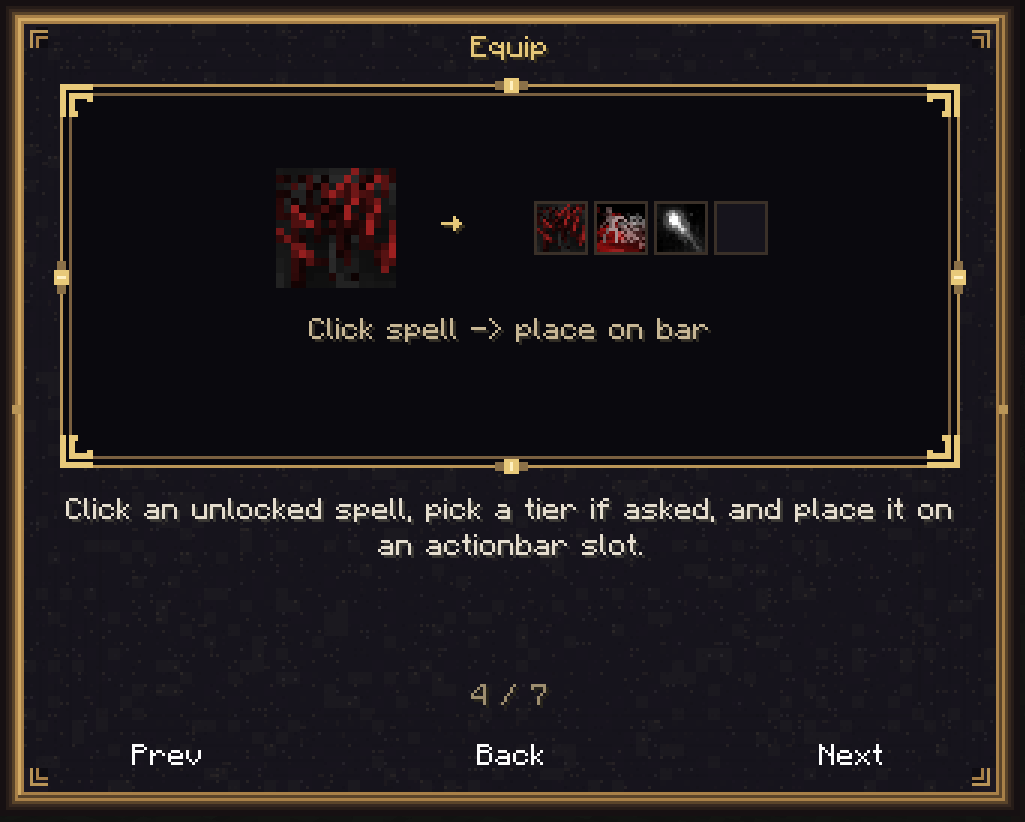
- Click an unlocked spell, choose a tier if asked, and place it on the action bar
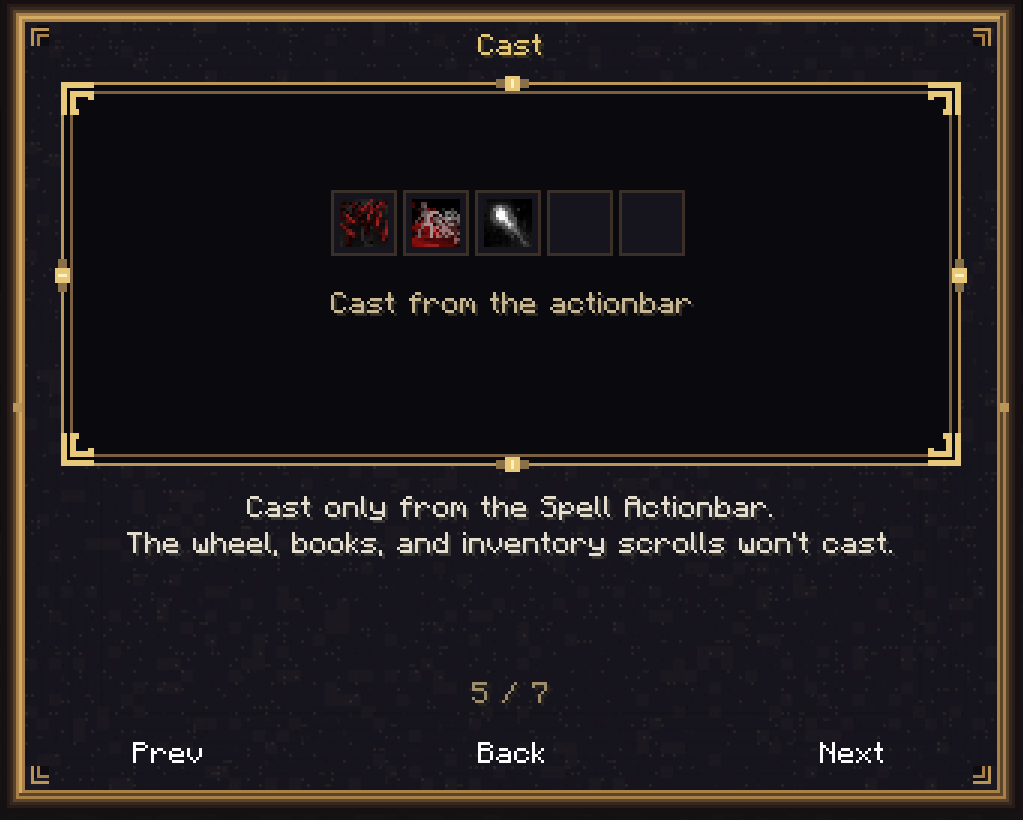
- Cast from the action bar only
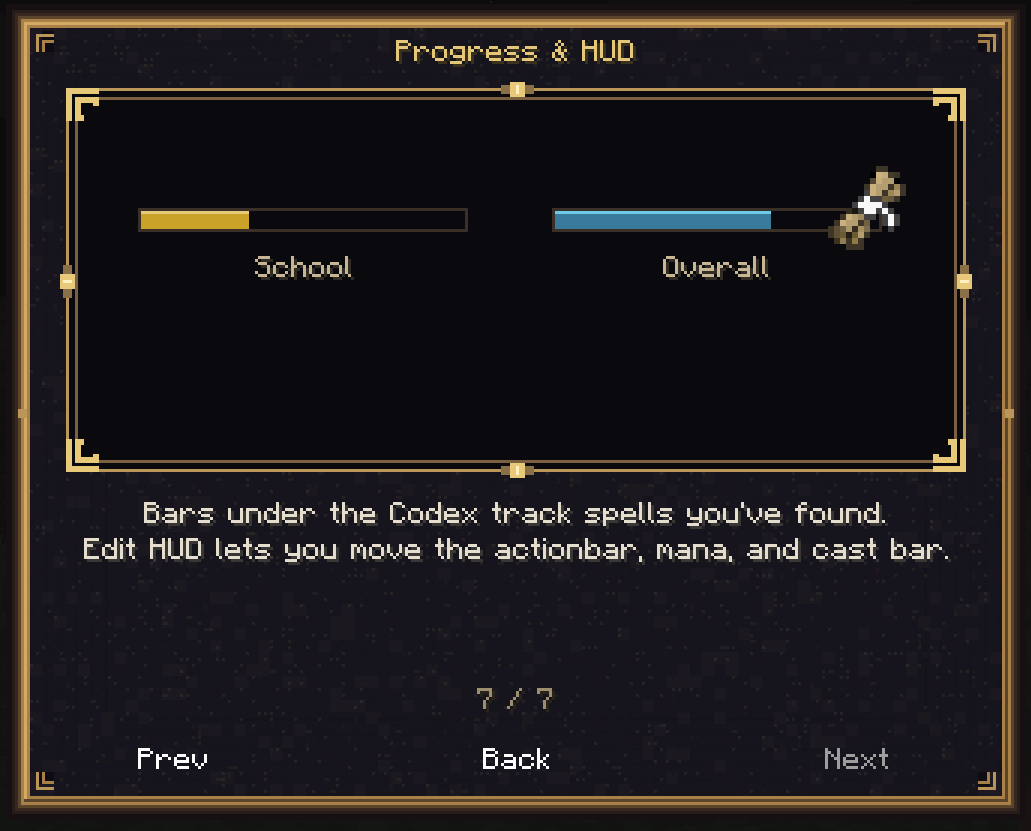
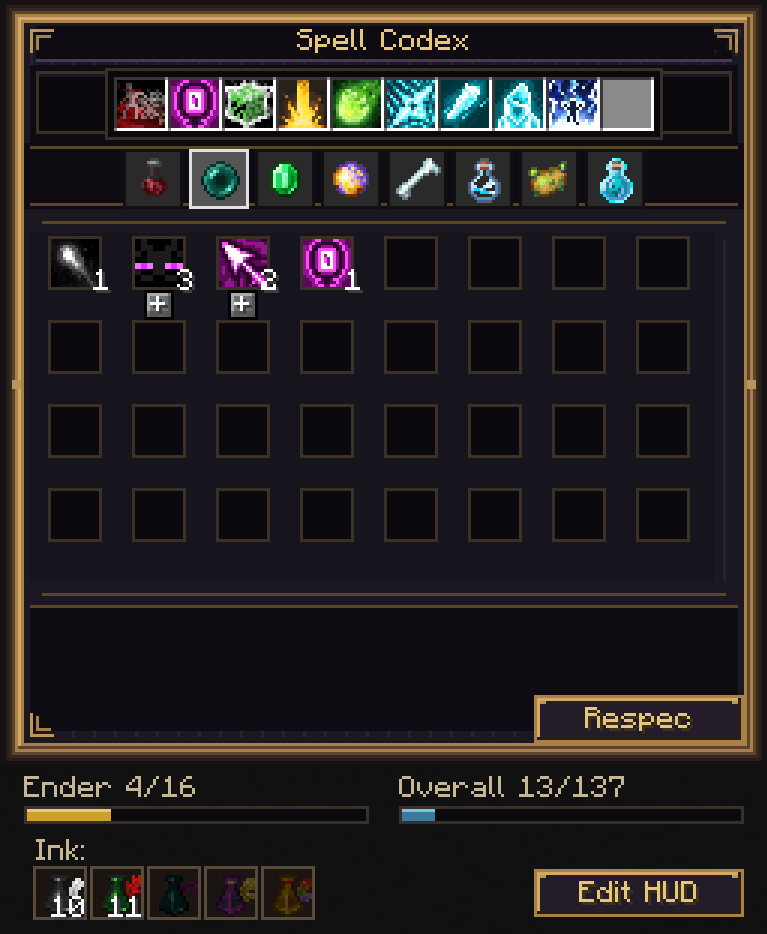
A built-in Guide (? beside the Codex) walks through each step with live illustrations. Progress bars under the Codex track school and overall discovery.
Discovering spells
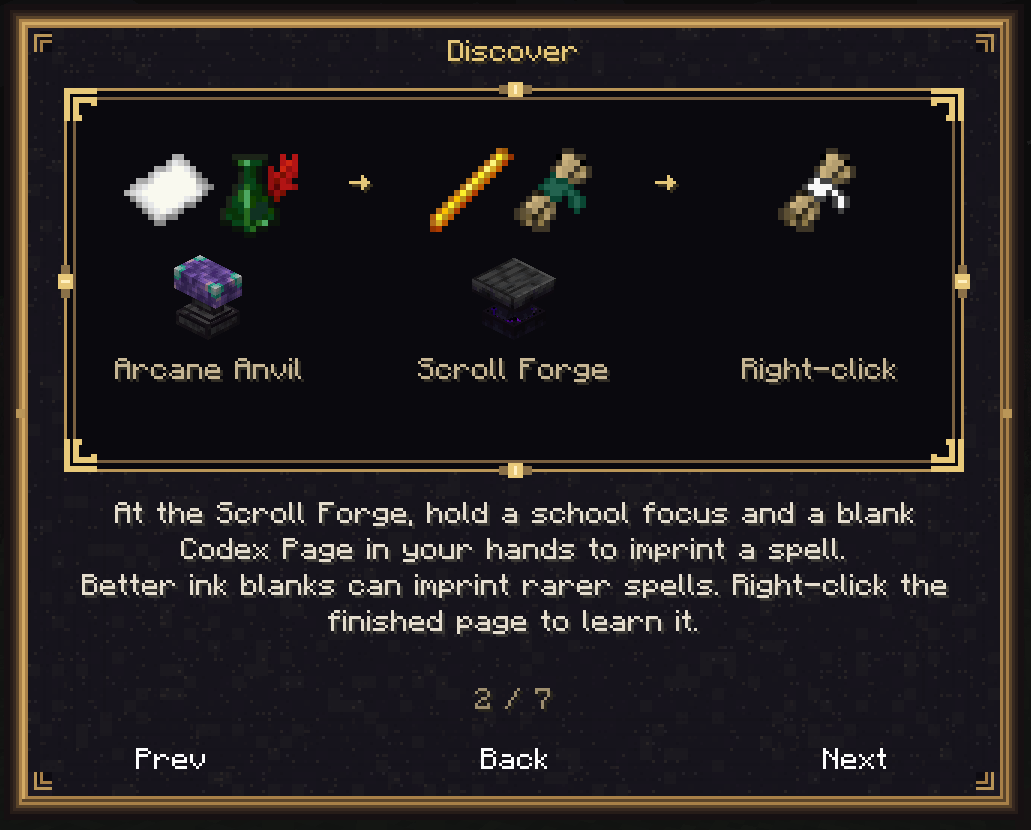
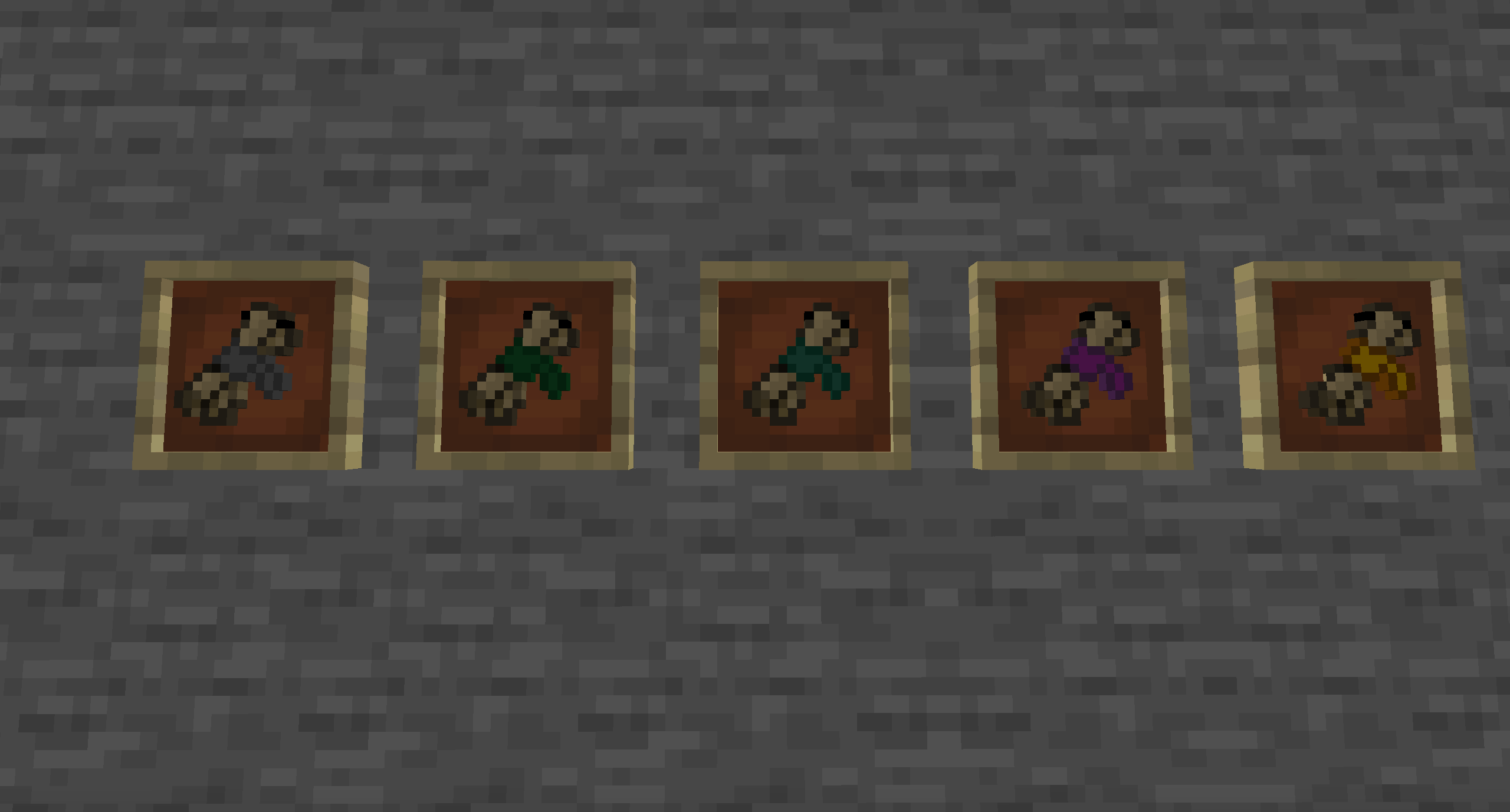
- Empty Codex Page — Arcane Anvil: paper + Iron's ink (attuned to that rarity)
- Scroll Forge imprint — hold a school focus and a blank page in your hands, then use the forge (costs XP). Stronger ink blanks can imprint rarer spells
- Codex Pages — right-click to learn; found in adventure loot, and converted from Iron's scroll drops
- Leftover Iron's scrolls — right-click to absorb into the Codex
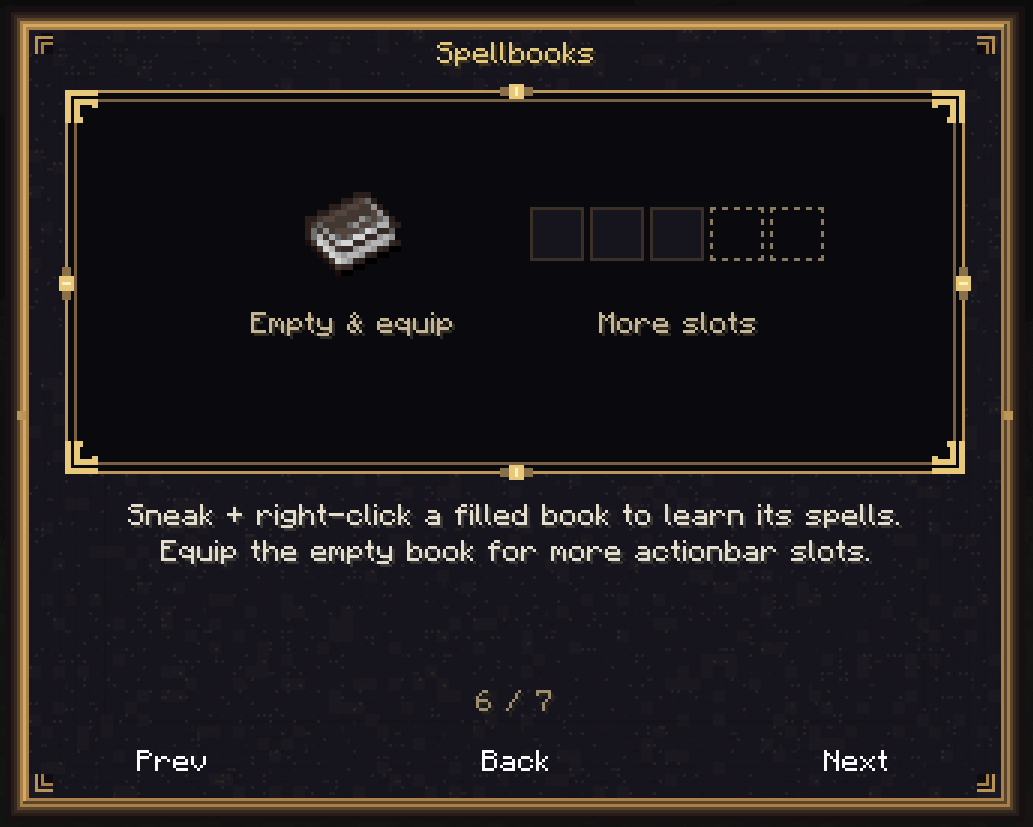
- Filled spellbooks — sneak + right-click to learn inscribed spells and empty the book; equip the empty book in Curios for more action bar slots
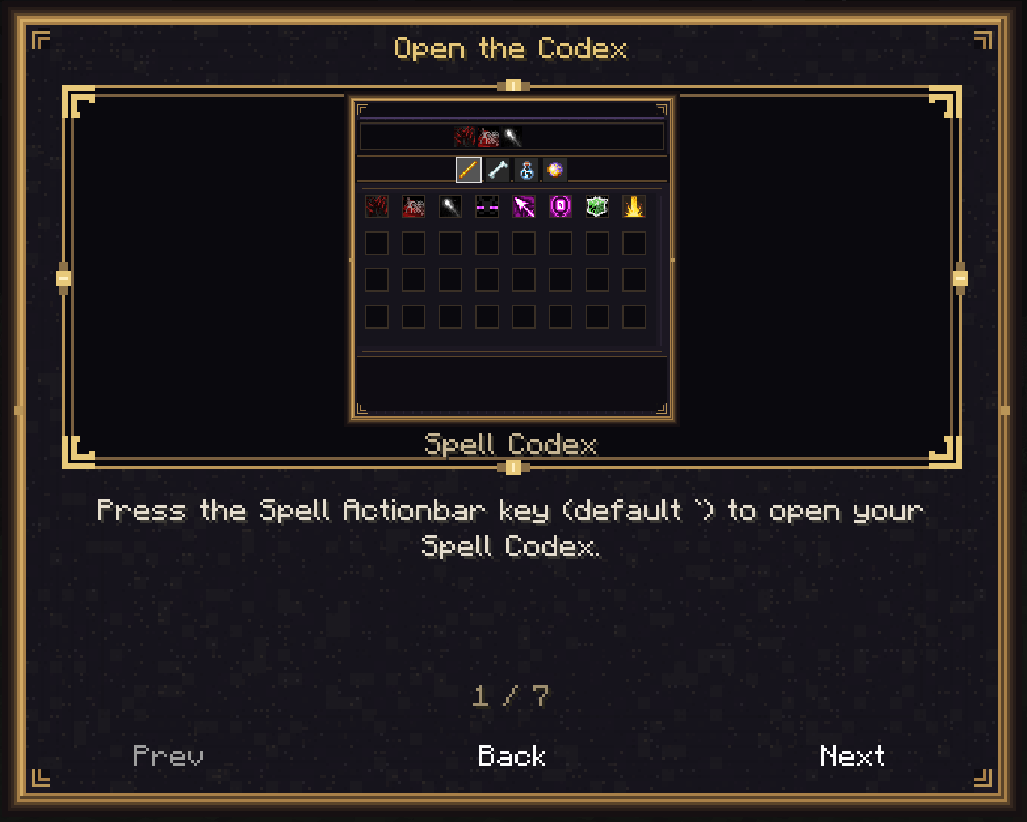
Spell Codex
- School tabs and a grid of discovered spells
- Action bar slots follow your equipped empty Curios spellbook (default 3 with no book)
- Horizontal scrolling for wide books and long school lists
- Ink slots under the panel for tier unlocks
- School / overall discovery progress bars
- Edit HUD — reposition the action bar + mana group and the cast/charge bar
- The action bar HUD stays hidden until at least one spell is equipped
Unlocking & casting
- + unlocks the next tier in order; costs XP and one matching rarity ink
- Hold a matching school focus for a 25% XP discount (ink still required)
- Respec refunds a configurable share of spent XP
- Casting is actionbar-only — Iron's wheel, books, inventory scrolls, and imbued weapons cannot cast for players
- Only unlocked tiers of discovered spells can be cast
What Specs changes
- Iron's scroll crafting is removed; spellbook crafting stays
- The Scroll Forge imprints Empty Codex Pages instead of crafting scrolls
- Scroll loot/drops become Codex pages; pages recycle in the Alchemist Cauldron for ink
- Spellbooks still craft, drop, and toss normally (empty before equipping for bar slots)
Pack & server tools
Synced JSON under config/specs_irons_spellbooks/:
spell_blacklist.json/school_blacklist.jsonschool_unlock_costs.json/spell_unlock_costs.jsoncodex_settings.json(respec %, optional creative-only spells)known_spells.jsonreference list
Client HUD offsets: specs_irons_spellbooks-client.toml and Spell Actionbar's client config.
Admin: /specs_codex — schools, discoveries, give pages, list access.
Screenshots
Gallery
-
 gallery_02.PNG gallery_02.PNG
 -
 gallery_03.PNG gallery_03.PNG
 -
 gallery_04.PNG gallery_04.PNG
 -
 gallery_05.PNG gallery_05.PNG
 -
 gallery_06.PNG gallery_06.PNG
 -
 gallery_07.PNG gallery_07.PNG
 -
 gallery_08.PNG gallery_08.PNG
 -
 gallery_01.PNG gallery_01.PNG
 -
 gallery_09.png gallery_09.png
Versions
Files
Relations
Project Relations
More like this
Similar Mods
Suggestions use data such as tags, dependencies, dependents, descriptions, titles, and more to rank how much they overlap with this mod.
- Apprentice's Codex
- The Spell Library
- Arcanism
- Fluid Shell Extensions
- Spell Engine
- Spell Power Attributes
- Spell Engine x Open Parties and Claims
- Spell Bundle (Electroblob's Wizardry)
- Spell Enchants Expanded - Fix for the RPG Enchants
- Spell Enchants for All! - Prominence II
- Spell Vulnerabilities
- Spell Dimension Extra
On ModDex
Community snapshot
By the numbers
Statistics
Want to reach Minecraft players?
We're looking for a server hosting partner to feature here and other parts of the site. Interested? Send us a message!
Get in touchGet it on
Available Platforms
On ModDex
Community snapshot
By the numbers
Statistics
Resources