
Community listing page, reviews here may not be monitored by the author.
Tweelix

No reviews yet
A vanilla-focused lightweight client-side utility mod.
Community voices
Reviews
No reviews yet. Be the first to review this project!
Get it on
Available Platforms
Compatibility
Supported Environments
Runs entirely on the client. Works on vanilla servers.
About
Project Details
For authors
Embed Badge
If you're the author of this project, you can embed a live badge anywhere that supports HTML or Markdown. It updates automatically whenever ratings change.
Use HTML for any page that supports it, or Markdown for README files and Markdown-based descriptions.
Identifiers
Platform IDs
About
Description
🚀 Quick Start
- Install the mod and its dependencies.
- Launch the game and press
Zto open the configuration GUI. - Enable desired features and optionally assign hotkeys to them.
⚠️ Note: All features are disabled by default. You must manually enable the ones you need.
✨ Feature Overview
🛠️ Generic
| Feature | Default | Description |
|---|---|---|
| Open Config GUI | Z |
Hotkey to open the Tweelix configuration interface. |
| Spectator Mode | ❌ | Prevents breaking/placing blocks and damaging entities – useful for server tours. |
| Copy Crosshair Target Info | ❌ | Copies the registry name (ID), display name, or coordinates of the targeted block, entity, or inventory item. |
| Default Toggle State | ❌ | Provides a default value for features that do not have individual toggle controls. |
| Execute Sign Commands | ❌ | Right‑click the back of a sign to run commands starting with / or !!. |
| Auto Line Wrap for Sign Edit | ❌ | Automatically wraps pasted text on signs according to pixel width. |
| Unlimited Backside Sign Paste | ❌ | Ignores the client‑side text length limit when pasting on the back of a sign (useful with the execute command feature). |
🖥️ Display
| Feature | Default | Description |
|---|---|---|
| Command Suggestions | ❌ | Shows parameter hints while typing commands (requires the built‑in resource pack). |
| Show Single-Layer Bedrock | ❌ | Highlights bedrock that is only one layer thick at the top of the Nether. |
| Custom Gamemode Switching | ❌ | Customises the F3+F4 gamemode switcher behaviour; allows configuring commands for each mode. |
| Refresh LAN Port | ❌ | Adds a refresh button to the "Open to LAN" screen. |
| Show Shader Packs Button | ❌ | Adds a Shader Packs button below the Resource Packs button in the Options screen. |
| Hide Cross‑Team Player Names | ❌ | Press F1 to toggle hiding nameplates of players on other teams. |
| Show Litematica Folder Button | ❌ | Adds a button to open the Litematica project folder from the Litematica main menu. |
| Infinite Night Vision | ❌ | Grants permanent Night Vision with adjustable brightness intensity. |
🔧 Tweaks
| Feature | Default | Description |
|---|---|---|
| Flat Mining | ❌ | When not sneaking, prevents breaking blocks that are lower than the player's height. |
| Wall Mining | ❌ | When not sneaking, prevents mining blocks that are directly below configured blocks. |
| Add Mining Cooldown | ❌ | Limits digging speed to prevent rapid block breaking. |
| Remove Mining Cooldown | ❌ | Removes the default 5‑game‑tick mining cooldown in Survival mode. |
| Freecam | ❌ | Acts like the vanilla spectator mode, allowing free movement and observation. |
| Protect Suspicious Blocks | ❌ | When not sneaking, prevents breaking suspicious sand/gravel. |
| Empty Inventory (one‑key) | ❌ | Press a hotkey to quickly drop configured items; supports filter rules. |
| Mining Blacklist | ❌ | Prevents mining blocks that are on the configured blacklist. |
⌨️ Commands
All commands are accessed via the /tweelix root command.
📋 Action Commands
| Command | Description |
|---|---|
/tweelix openConfigGui |
Opens the configuration GUI. |
/tweelix crosshairCopy |
Triggers copying of crosshair‑target data. |
/tweelix emptyInventory |
Empties the inventory (requires the feature to be enabled). |
/tweelix exportkeys |
Exports all translation keys of commands to exports/command_keys.json. |
⏱️ Delayed Execution
/tweelix delay <command1> <time> <command2>
Screenshots
Gallery
-
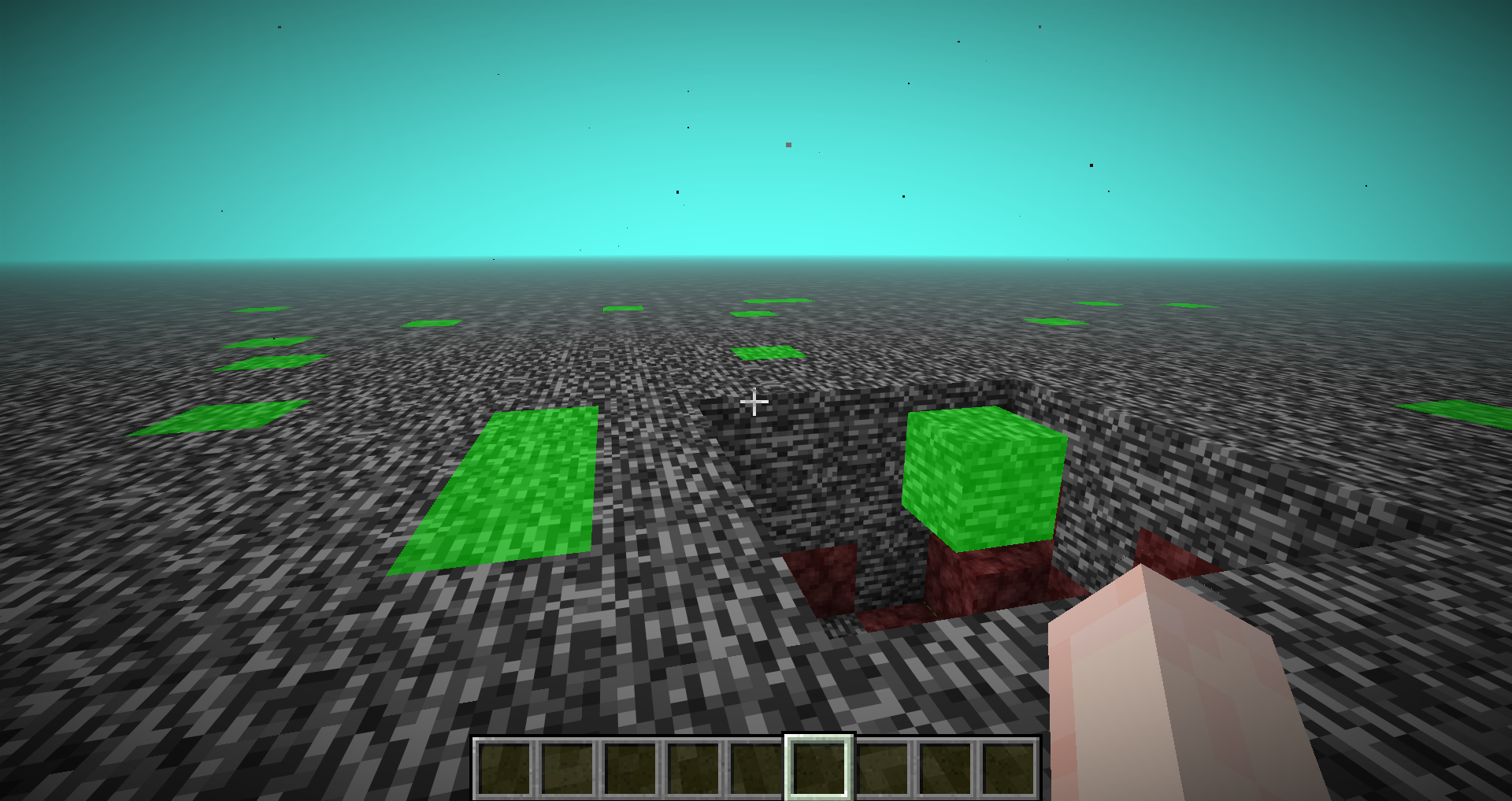 Show Single‑Layer Bedrock Highlights bedrock that is only one block thick on the top layer of the Nether.
 -
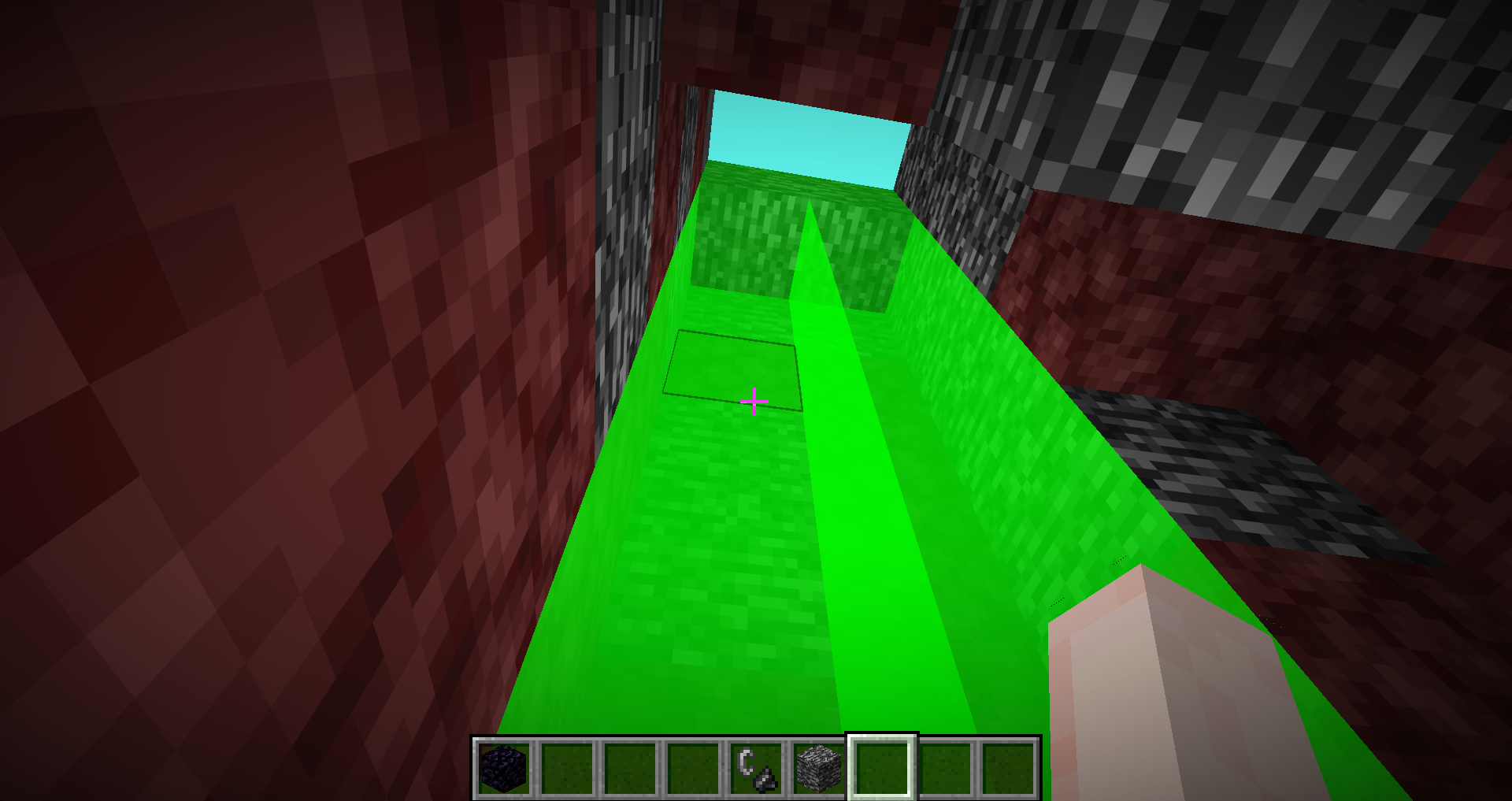 Show Single‑Layer Bedrock Highlights bedrock that is only one block thick on the top layer of the Nether.
Versions
Files
Relations
Project Relations
More like this
Similar Mods
Suggestions use data such as tags, dependencies, dependents, descriptions, titles, and more to rank how much they overlap with this mod.
On ModDex
Community snapshot
By the numbers
Statistics

Want to reach Minecraft players?
We're looking for a server hosting partner to feature here and other parts of the site. Interested? Send us a message!
Get in touchGet it on
Available Platforms
On ModDex
Community snapshot
By the numbers