Community listing page, reviews here may not be monitored by the author.
Unidentified Enchantments


No reviews yet
Hides the Enchantments on loot items

Community voices
Reviews
No reviews yet. Be the first to review this project!
Get it on
Available Platforms
Compatibility
Supported Environments
Must be installed on both the client and the server.
About
Project Details
For authors
Embed Badge
If you're the author of this project, you can embed a live badge anywhere that supports HTML or Markdown. It updates automatically whenever ratings change.
Use HTML for any page that supports it, or Markdown for README files and Markdown-based descriptions.
Identifiers
Platform IDs
About
Description
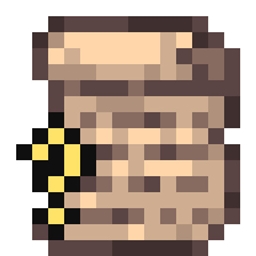
This mod hides the Enchantments on loot items, making them appear in the same way you find them in the enchantment table, unreadable.
These Ioot items can be identified with a Scroll of Identification, after it has absorbed 5 levels from the player.
By placing a Scroll of Identification on top of an unidentified item, the scroll will be consumed and a random enchantment will be identified.
To incentivize identifying your loot weapons and armor, a couple of curses have been added.
- Curse of Hunger: While using the tool, or taking damage, you will use more hunger.
- Curse of Weight: While this curse is applied to your armor, you will be slower in the water.
- Curse of Insomnia: While this curse is applied to your armor, you can not sleep in a bed.
- Curse of Vanity: Does nothing, but you don't know that ;p
- Curse of Madness: Every so often, a harmless creeper will spawn close to you and blow up, dealing no damage. You are the only person who can see it.
- Curse of Brittleness: The tools and armor take more damage than normal.
What to do when an enchantment is not hidden:
There are 2 main reasons for an enchantment to not be hidden:
- If the item is found in a modded structure's chest, my loot filter did not detect them. You can make an issue on github and mention which mod the structure belongs to. I'll add it to the filter to fix it.
- if only some enchantments are not hidden, some other mod has also modified the loot after I've hidden it. To solve this the order of our "global loot modifiers" needs to be changed. This might sound complex but I've added a command to help you, see "Global Loot command".
Global Loot command
This mod uses global loot modifiers to change loot tables. This might cause issues if the "hiddenloot" modifier is called before all enchantments/items have been added by other mods. For that reason this modifier must be at the bottom of the list. But changing the order can be hard if you don't know which modifiers are present so I've added a command to help.
- /globalloot : Exports the current list of global loot modifiers to the "config" directory. The file will be named "global_loot_modifiers.json". This can be useful for pack makers to order them.
- /globalloot replace : Replaces the current global loot modifiers with one that has the "hiddenloot" modifier as the last one. This is the simple way to fix that some enchantments are not hidden in custom modpacks. The order of other modifiers are not changed. For modpacks: This is achieved by making a datapack with a global loot modifiers overwrite. This means that on packs that already have a datapack it might create some issues.
- /globalloot delete : Removes the global loot modifiers overwrite made by /globalloot replace.
made during dechmodcontest
Unidentified Enchantments
This mod hides the Enchantments on loot items, making them appear in the same way you find them in the enchantment table, unreadable. These loot items can be identified with a Scroll of Identification, after it has absorbed 5 levels (can be changed in the serverconfig) from the player. By placing a Scroll of Identification on top of an unidentified item, the scroll will be consumed and a random enchantment will be identified.
To incentivize identifying your loot weapons and armor, a couple of curses have been added.
- Curse of Hunger: While using the tool, or taking damage, you will use more hunger.
- Curse of Weight: While this curse is applied to your armor, you will be slower in the water.
- Curse of Insomnia: While this curse is applied to your armor, you can not sleep in a bed.
- Curse of Vanity: Does nothing, but you don't know that ;p
- Curse of Madness: Every so often, a harmless creeper will spawn close to you and blow up, dealing no damage. You are the only person who can see it.
What to do when an enchantment is not hidden:
There are 2 main reasons for an enchantment to not be hidden:
If the item is found in a modded structure's chest, my loot filter did not detect them. You can make an issue on github and mention which mod the structure belongs to. I'll add it to the filter to fix it. if only some enchantments are not hidden, some other mod has also modified the loot after I've hidden it. To solve this the order of our "global loot modifiers" needs to be changed. This might sound complex but I've added a command to help you, see "Global Loot command".
Global Loot command
This mod uses global loot modifiers to change loot tables. This might cause issues if the "hiddenloot" modifier is called before all enchantments/items have been added by other mods. For that reason this modifier must be at the bottom of the list. But changing the order can be hard if you don't know which modifiers are present so I've added a command to help.
- /globalloot : Exports the current list of global loot modifiers to the "config" directory. The file will be named "global_loot_modifiers.json". This can be useful for pack makers to order them.
- /globalloot replace : Replaces the current global loot modifiers with one that has the "hiddenloot" modifier as the last one. This is the simple way to fix that some enchantments are not hidden in custom modpacks. The order of other modifiers are not changed. For modpacks: This is achieved by making a datapack with a global loot modifiers overwrite. This means that on packs that already have a datapack it might create some issues.
- /globalloot delete : Removes the global loot modifiers overwrite made by /globalloot replace. made during dechmodcontest
thanks to demonikhunter for the awesome texture!
Screenshots
Gallery
Versions
Files
Relations
Project Relations
More like this
Similar Mods
Suggestions use data such as tags, dependencies, dependents, descriptions, titles, and more to rank how much they overlap with this mod.
On ModDex
Community snapshot
By the numbers
Statistics
 (opens in a new tab)
Get it on
Available Platforms
On ModDex
Community snapshot
By the numbers