
Community listing page, reviews here may not be monitored by the author.


Community voices
Reviews
No reviews yet. Be the first to review this project!
Get it on
Available Platforms
Compatibility
Supported Environments
Works in singleplayer only; does not function in multiplayer.
About
Project Details
For authors
Embed Badge
If you're the author of this project, you can embed a live badge anywhere that supports HTML or Markdown. It updates automatically whenever ratings change.
Use HTML for any page that supports it, or Markdown for README files and Markdown-based descriptions.
Identifiers
Platform IDs
About
Description
CreateWorldUI
A complete redesign of the Minecraft 1.7.10 + 1.12.2 world creation screen, inspired by the clean and intuitive UI of modern Minecraft.
CreateWorldUI brings a smoother, more organized, and more user‑friendly experience to a classic version of the game.
If you feel the vanilla 1.7.10 world creation menu is outdated or cluttered, this mod gives it a fresh, modern upgrade.




✨ Features
Modern Tabbed Layout
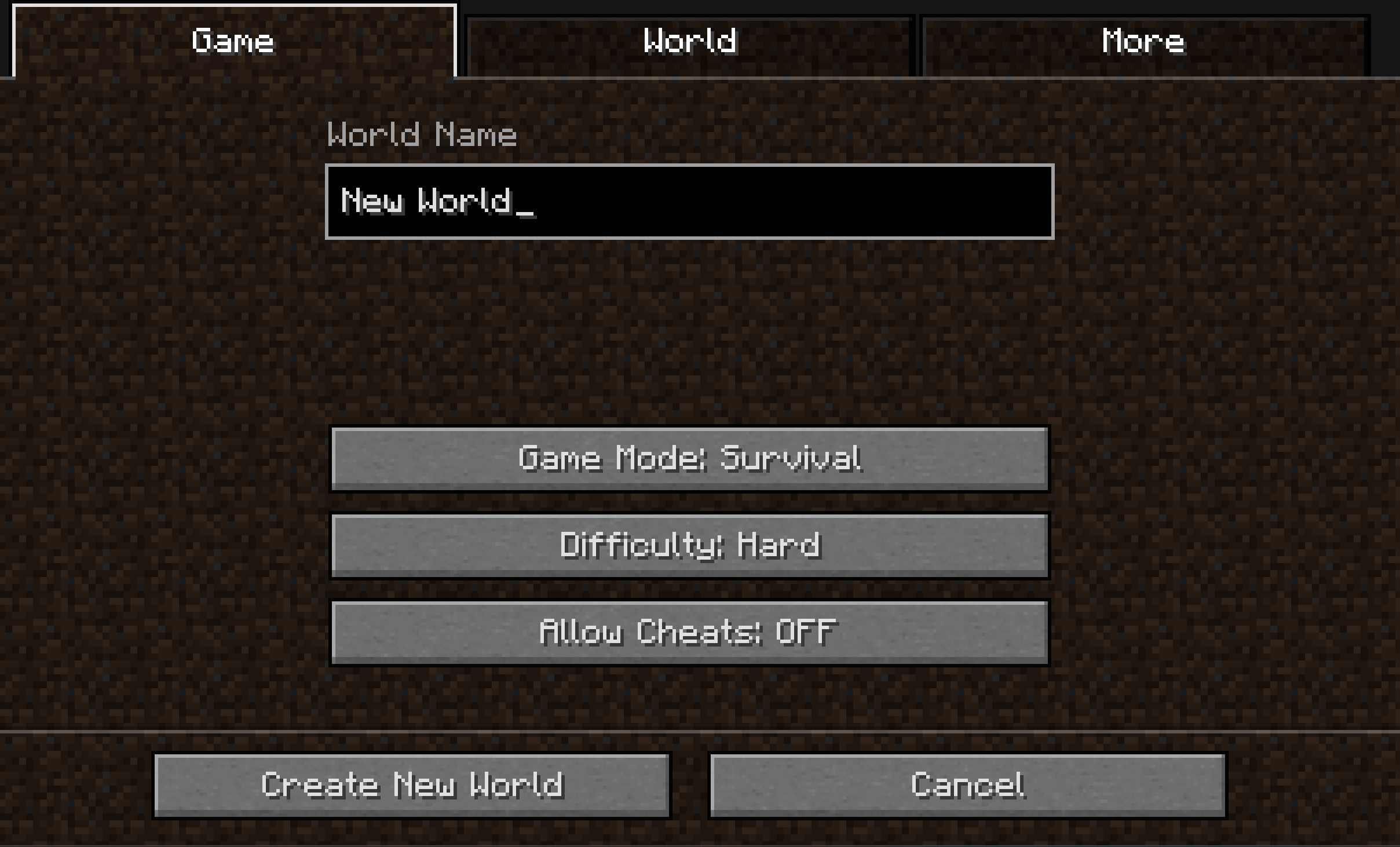
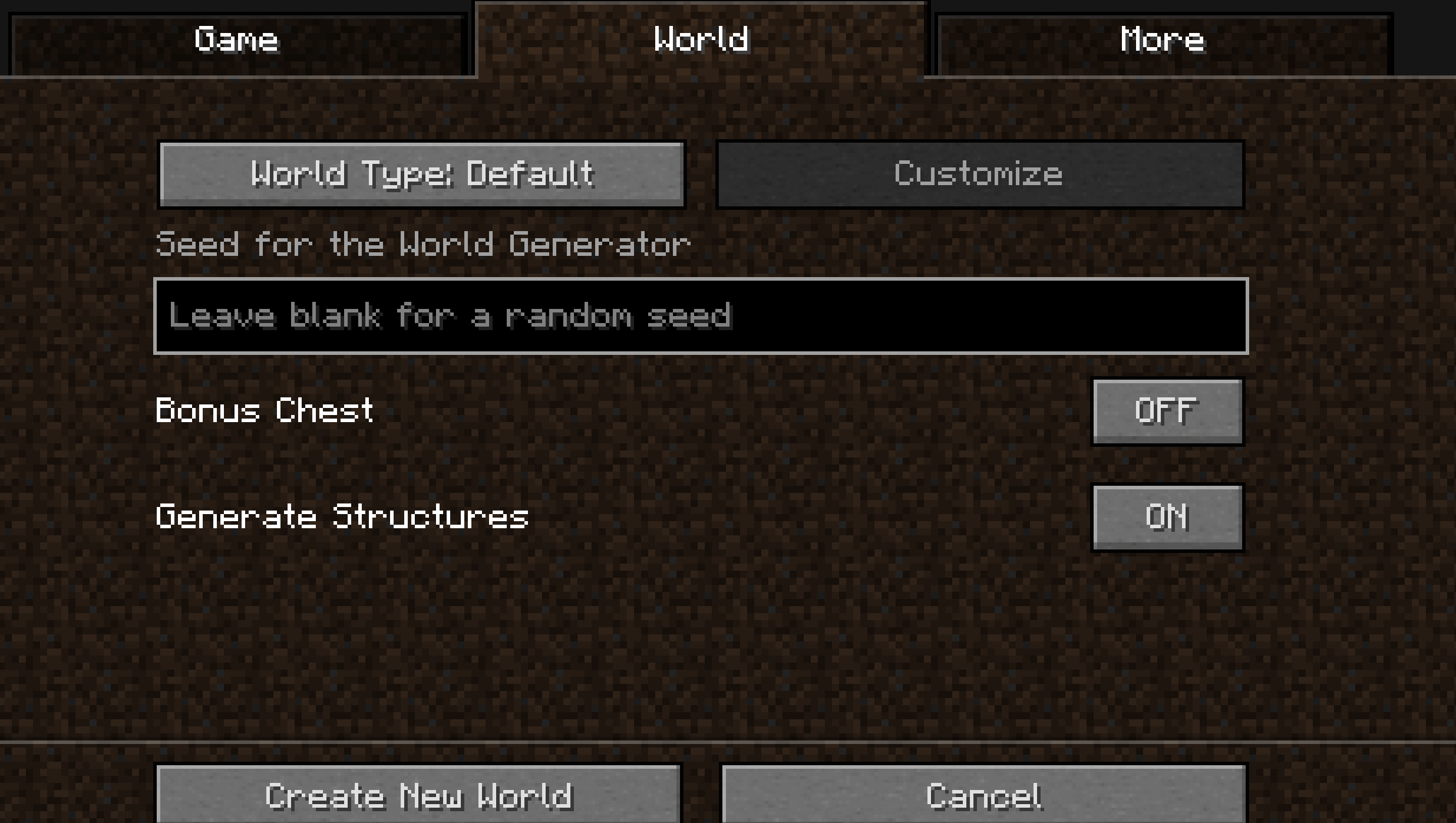
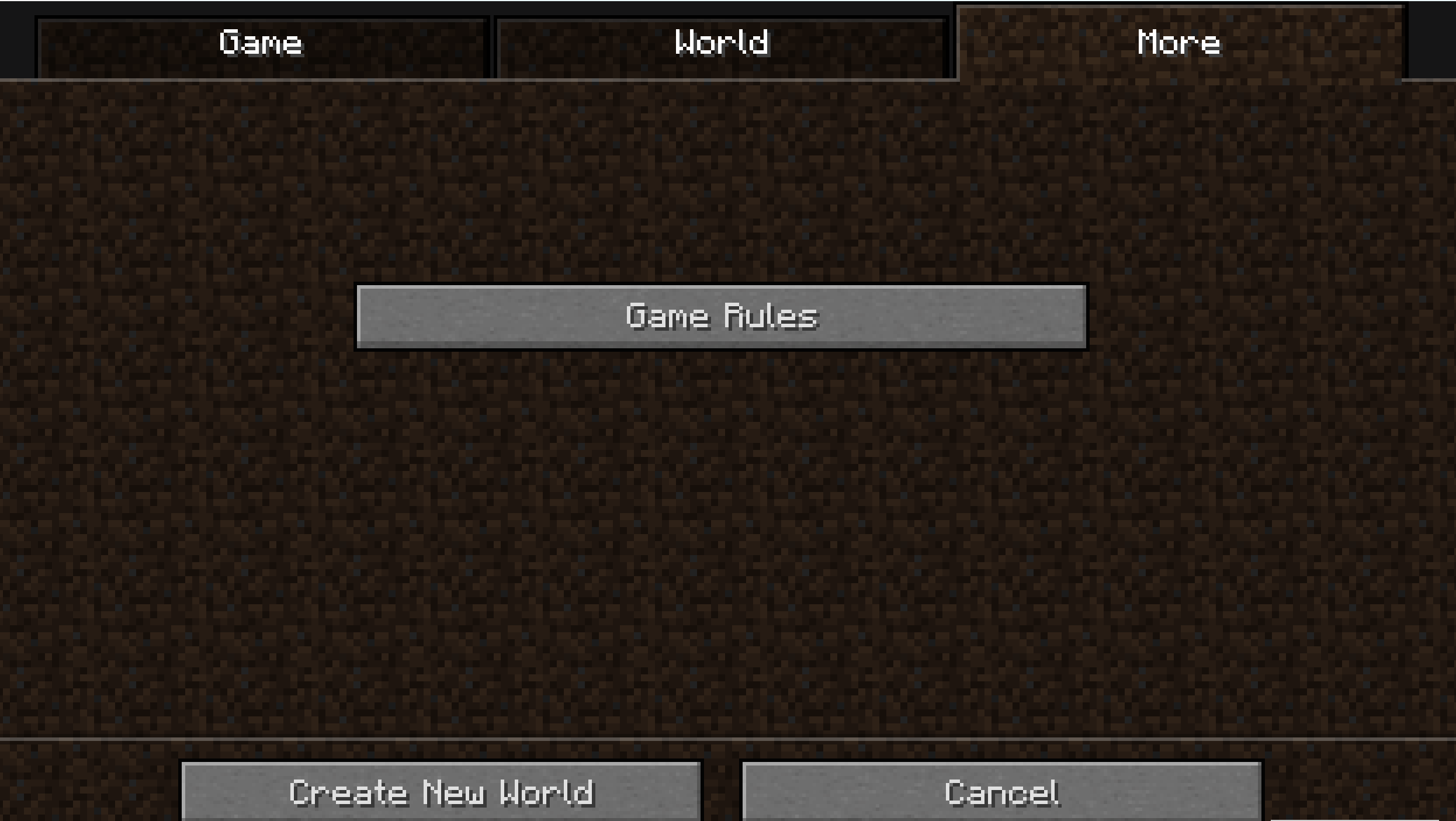
World creation options are reorganized into three clear tabs:
- Game – game mode, difficulty, cheats
- World – seed, world type, structure generation
- More – additional settings and future extensions
This layout mirrors modern Minecraft and makes navigation faster and more intuitive.
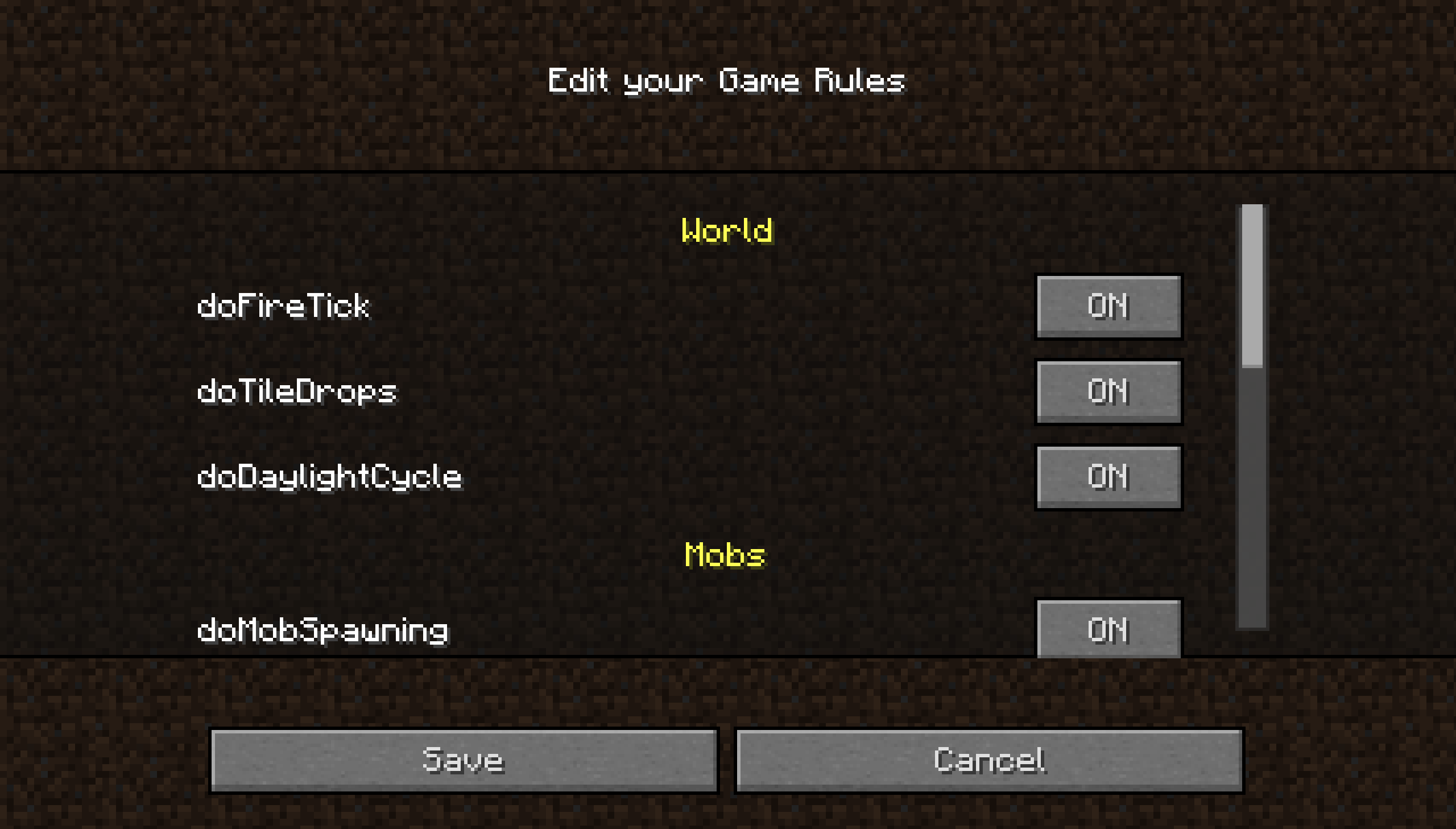
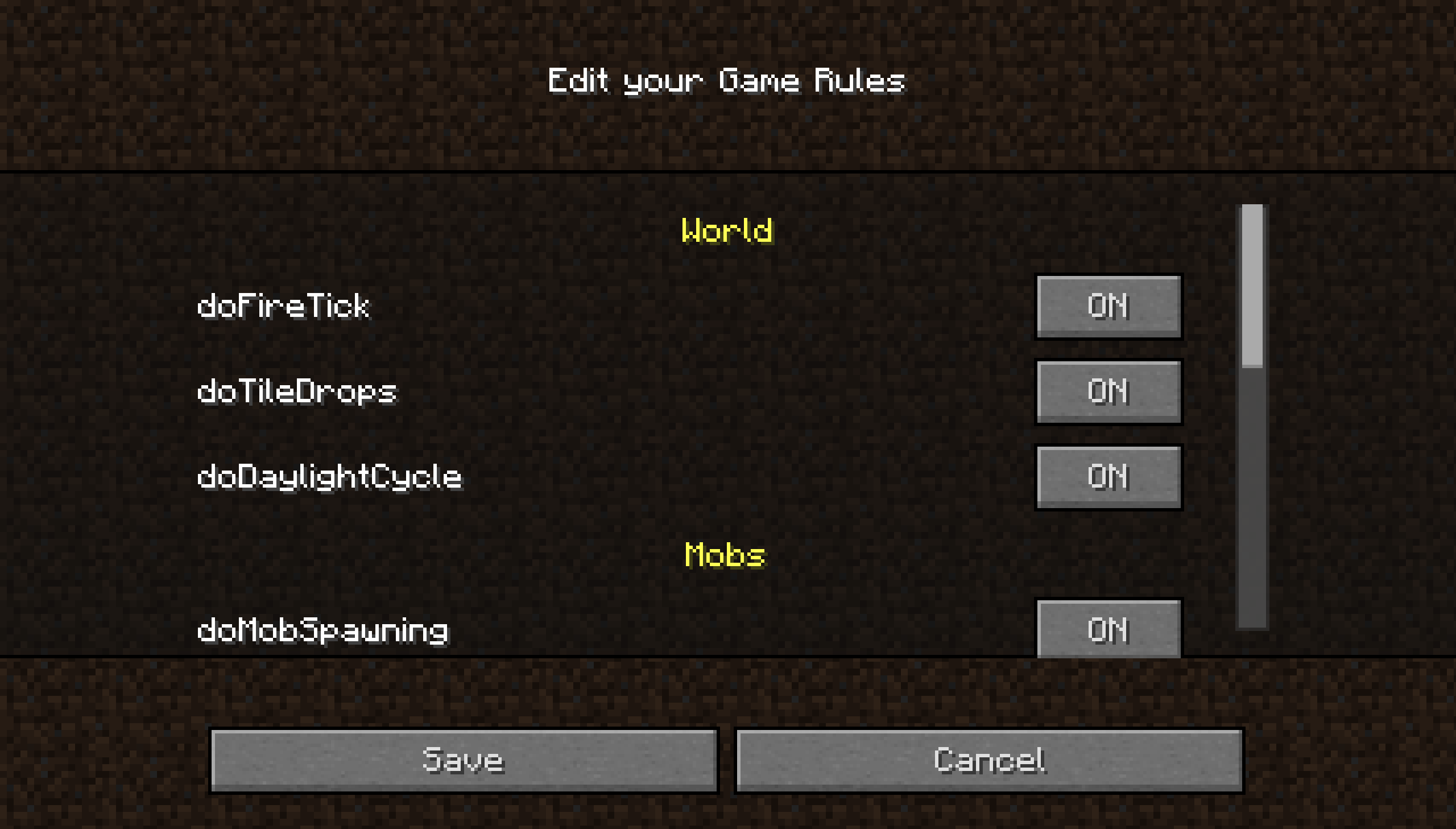
Built‑in GameRule Editor
Edit gamerules directly in the UI:
- Toggle buttons for boolean rules
- Text fields for numeric or string rules
- Reset and Save buttons for quick adjustments
No more typing /gamerule commands manually.
UI Improvements
- Cleaner layout for world name, seed, and buttons
- Custom textures for tabs and gradients
- Backported modern difficulty selection, including difficulty lock
- Overall smoother and more polished user experience
📱 Want the best experience?
For the smoothest installation and updates, use the OverWolf App.
Downloads through the OverWolf App also help support the project and future development.
A companion resource pack is also provided, enhancing CreateWorldUI and ClearMyBackground with a 1.20.5+‑inspired visual style.
Wiki
More detailed infomations, see here.
Notification
With the release of v4.0.0 CreateWorldUI has achieved its core goals. The mod is now maintained rather than actively developed: you can expect fixes for serious bugs and regressions, but no regular feature additions. Community contributions and pull requests are welcome.
📦 Dependency
1.7.10:
1.12.2:
- MixinBooter or MixinBootstrap (required)
📜 License
- Code: MIT License
- Textures (PreAlpha / Alpha): © 2025 dfdvdsf. All Rights Reserved.
- Current textures & UI inspirations: Inspired by modern Minecraft UI.
Minecraft is a trademark of Microsoft. This project is not affiliated with Mojang/Microsoft.
🙌 Credits
- Thanks to mappings.dev for helping resolve obfuscated names
- UI inspired by modern Minecraft versions
CreateWorldUI
A complete redesign of the Minecraft 1.7.10 / 1.12.2 world creation screen, inspired by the clean and intuitive UI of modern Minecraft.
CreateWorldUI brings a smoother, more organized, and more user‑friendly experience to a classic version of the game.
If you feel the vanilla 1.7.10 / 1.12.2 world creation menu is outdated or cluttered, this mod gives it a fresh, modern upgrade.
✨ Features
Modern Tabbed Layout
World creation options are reorganized into three clear tabs:
- Game – game mode, difficulty, cheats
- World – seed, world type, structure generation
- More – additional settings and future extensions
This layout mirrors modern Minecraft and makes navigation faster and more intuitive.
Built‑in GameRule Editor
Edit gamerules directly in the UI:
- Toggle buttons for boolean rules
- Text fields for numeric or string rules
- Reset and Save buttons for quick adjustments
No more typing /gamerule commands manually.
UI Improvements
- Cleaner layout for world name, seed, and buttons
- Custom textures for tabs and gradients
- Backported modern difficulty selection, including difficulty lock
- Overall smoother and more polished user experience
Tab overview
Spoiler


GameRule Edit overview
Spoiler
📱 Want the best experience?
For the smoothest installation and updates, use the Modrinth App.
Downloads through the Modrinth App also help support the project and future development.
A companion resource pack is also provided, enhancing CreateWorldUI and ClearMyBackground with a 1.20.5+‑inspired visual style.
Wiki
More detailed infomations, see here.
Notification
With the release of v4.0.0 CreateWorldUI has achieved its core goals. The mod is now maintained rather than actively developed: you can expect fixes for serious bugs and regressions, but no regular feature additions. Community contributions and pull requests are welcome.
📦 Compatibility
Dependency
1.7.10:
1.12.2 (One of it):
- MixinBooter or
- MixinBootstrap (required)
Other compatiblity
- Modern DifficultyLocker : For the ingame GameRule Edit Button.
📜 License
- Code: MIT License
- Textures (PreAlpha / Alpha): Copyright © 2025 dfdvdsf, All Rights Reserved.
- Current textures & UI inspirations: Inspired by modern Minecraft UI.
Minecraft is a trademark of Microsoft. This project is not affiliated with Mojang/Microsoft.
🙌 Credits
- Thanks to mappings.dev for helping resolve obfuscated names
- UI inspired by modern Minecraft versions
Screenshots
Gallery
-
 Screenshot 2026-04-07 215927.png Screenshot 2026-04-07 215927.png
 -
 Screenshot 2026-04-07 220105.png Screenshot 2026-04-07 220105.png
 -
 Screenshot 2026-04-07 220115.png Screenshot 2026-04-07 220115.png
 -
 32aab0264203282dbb8ea59dd1fa7809e51dd3cd.png 32aab0264203282dbb8ea59dd1fa7809e51dd3cd.png
-
The Game tab
-
The World tab
-
The More tab
-
Editing GameRules Categories, Componets, Tooltips, etc.
Versions
Files
Relations
Project Relations
More like this
Similar Mods
Suggestions use data such as tags, dependencies, dependents, descriptions, titles, and more to rank how much they overlap with this mod.
On ModDex
Community snapshot
By the numbers
Statistics
Want to reach Minecraft players?
We're looking for a server hosting partner to feature here and other parts of the site. Interested? Send us a message!
Get in touchGet it on
Available Platforms
On ModDex
Community snapshot
By the numbers