
Community listing page, reviews here may not be monitored by the author.
Hikari-Tweaks

No reviews yet
Client side utilities mod for Hikari Server
Community voices
Reviews
No reviews yet. Be the first to review this project!
Get it on
Available Platforms
Compatibility
Supported Environments
Runs entirely on the client. Works on vanilla servers.
About
Project Details
For authors
Embed Badge
If you're the author of this project, you can embed a live badge anywhere that supports HTML or Markdown. It updates automatically whenever ratings change.
Use HTML for any page that supports it, or Markdown for README files and Markdown-based descriptions.
Identifiers
Platform IDs
About
Description

Hikari-Tweaks


A client-side Fabric utility mod for Minecraft 1.17.1 - 1.21.11, developed at Hikari Server (光鯖). Provides a fully customizable custom scoreboard HUD (paired with HikariScoreBoard) plus a set of quality-of-life features.
What changed in 1.2.3
The durability warning now fires every time you use a nearly broken item. Up to v1.2.2 it
fired only once — at the moment an item dropped to 1% durability, which the message showed as
2% — and then stayed silent however much further you wore the item down. It now warns on every
point of durability lost for as long as the item stays at 1% or lower. Each slot is tracked
separately, so carrying two of the same tool warns for both, and durability going back up through
Mending stays silent. This applies to every Minecraft version alike.
Features
Custom Scoreboard HUD
Renders HikariScoreBoard rankings as a fully customizable HUD. Configurable position (anchor X/Y 0-100%), scale (0.5x-3.0x), pagination (1-50 rows per page), and independent ARGB colors for header, body, text, score, and self-highlight rows. Hides the vanilla sidebar by default. Not drawn while the F3 debug screen is open or the HUD is hidden with F1. Config key
scoreboardCustomHud, on by default: it lives inconfig/hikari-tweaks.jsonand has no toggle in the config screen. Position, scale, page size and colors are edited from the Scoreboard tab.
Smooth Score Animation (always on, no setting)
Numbers on the custom HUD ease towards their new value instead of jumping. The smoothing runs entirely on the client inside this mod — nothing extra goes over the network for it, and the old server-side smoother has been removed — so scores only animate for players who have Hikari-Tweaks installed. It is always on and has no setting. Real-time exponential easing (~0.12 s time constant) keeps the speed identical at any frame rate, and a gap of more than 0.5 s between frames (window unfocused, world loading) snaps straight to the real value instead of replaying the animation. Only the drawn digits are eased: sorting and ranks always come from the real values, so rows never swap places mid-animation, and a row that has just appeared shows its real value immediately rather than counting up from zero. Applies to the ranking rows and to the server total line. Requires the v2 ranking protocol — a server still sending v1 packets gets exact values with no animation.
Durability Warning
Warns via chat notification and sound when a damageable item drops to 1% durability or lower. Every slot of your inventory is checked, not just the item in your hand. While an item is in the warning state, it warns again every time you use it — every point of durability lost. It stays silent when durability goes back up (Mending). Each slot is tracked independently, so carrying two of the same tool warns for both (moving a tool to another slot costs one extra warning). The sound plays at most once per tick, so a full set of nearly broken armour will not stack the sound. Config key
durabilityWarningEnabled(Tweaks tab, on by default).
Hotbar Auto-Restock
When you open a real container block, automatically restocks the items on your list from that container into your hotbar, then closes the screen. The list is configurable in the Lists tab. Detection deliberately fails closed: it only fires when your crosshair is on a block whose block entity holds an inventory, that block entity is not an ender chest, and the screen's container slot count matches that inventory's size — a chest, and only a chest, may also be exactly double, so double chests work. Chests, trapped chests, barrels, placed shulker boxes, hoppers, dispensers, droppers, furnaces and brewing stands therefore qualify. Ender chests are excluded outright. Chest and hopper minecarts, chest boats and villager trades are excluded because they are entities rather than block entities, so there is no block entity under the crosshair. Plugin menus opened from a command, an NPC or an item are excluded for the same reason. A plugin menu opened by right-clicking a real container with the same slot count cannot be told apart on the client, so keep the list narrow on servers with chest-backed shop GUIs. Config key
autoRestockHotbar(Tweaks tab, off by default).
Totem Restock
When a Totem of Undying is used, restocks another one from your inventory into the same hand that popped it. Does not trigger on normal hotkey slot switches. Config key
totemRestock(Tweaks tab, off by default).
Hand Auto-Restock
Tweakeroo-style handrestock: when a listed item on your hotbar drops to 5 or fewer, automatically pulls a replacement from the rest of your inventory. Only the hotbar is watched; the inventory is used as a source only. The restock list is separate from the container-open list for granular control. Config key
handRestock(Tweaks tab, off by default).
MiniHUD Beacon Fix
When using MiniHUD's freecam, corrects the beacon range display to use the player's actual position instead of the camera position. Requires MiniHUD. Config key
fixBeaconRangeFreeCam(Tweaks tab, on by default).
Scoreboard Tab: Players (a config-screen tab, not a setting)
When paired with HikariScoreBoard, the Scoreboard tab of the in-game config screen lists the players the server knows about, split into Shown and Hidden groups, and lets you toggle whether each one appears in the rankings. Entries the server flags as bots are labelled
[Bot]so they are easy to pick out. The list sits on the Players sub-tab; the Display sub-tab beside it holds the HUD's page size, scale, position and colors. There is no on/off setting for it.
Requirements
- Minecraft 1.17.1 - 1.21.11 (Fabric)
- Fabric Loader >= 0.14.0 (MC 1.17.1 - 1.20.4) / >= 0.15.10 (MC 1.20.5 and newer)
- Fabric API
- MaLiLib — each jar declares its own minimum, listed in the table below
Supported versions
One jar is published per Minecraft version group. Download the one matching your game.
| Jar | Supported Minecraft versions | Minimum MaLiLib |
|---|---|---|
hikari-tweaks-<version>+1.17.1.jar |
1.17.1 | 0.10.0-dev.26 |
hikari-tweaks-<version>+1.18.1.jar |
1.18, 1.18.1 | 0.11.8 |
hikari-tweaks-<version>+1.18.2.jar |
1.18.2 | 0.12.0 |
hikari-tweaks-<version>+1.19.2.jar |
1.19, 1.19.1, 1.19.2 | 0.13.0 |
hikari-tweaks-<version>+1.19.3.jar |
1.19.3 | 0.14.1-pre.1 |
hikari-tweaks-<version>+1.19.4.jar |
1.19.4 | 0.15.4 |
hikari-tweaks-<version>+1.20.1.jar |
1.20, 1.20.1 | 0.16.3 |
hikari-tweaks-<version>+1.20.2.jar |
1.20.2 | 0.17.0 |
hikari-tweaks-<version>+1.20.4.jar |
1.20.3, 1.20.4 | 0.18.4-alpha.1 |
hikari-tweaks-<version>+1.20.6.jar |
1.20.5, 1.20.6 | 0.19.2 |
hikari-tweaks-<version>+1.21.1.jar |
1.21, 1.21.1 | 0.21.10 |
hikari-tweaks-<version>+1.21.3.jar |
1.21.2, 1.21.3 | 0.22.8 |
hikari-tweaks-<version>+1.21.4.jar |
1.21.4 | 0.23.5 |
hikari-tweaks-<version>+1.21.5.jar |
1.21.5 | 0.24.3 |
hikari-tweaks-<version>+1.21.8.jar |
1.21.6, 1.21.7, 1.21.8 | 0.25.7 |
hikari-tweaks-<version>+1.21.10.jar |
1.21.9, 1.21.10 | 0.26.8 |
hikari-tweaks-<version>+1.21.11.jar |
1.21.11 | 0.27.17 |
Opening the config screen
Press H + T in game — hold H, then press T. The order matters.
The key can be changed from the Hotkeys tab of the config screen, or through Mod Menu if you prefer to reach it that way. Scoreboard page-turning hotkeys are unbound by default and can be assigned there too.
Optional
- MiniHUD — Required for the beacon range fix feature
- Mod Menu — An alternative way to reach the config screen, if you would rather not use the hotkey
- HikariScoreBoard (server-side) — Enables the custom scoreboard HUD data source. Also works without it, but with no ranking data displayed.
Credits
Developed at: Hikari Server (光鯖) — a Minecraft Java Edition community server
- Maintainer: Tamago0314
Dependencies / Reference Implementations
masa (fi.dy.masa)
Sim-hu (ASTRAL-SMP) — AST-Tweaks (Apache-2.0)
pugur — ama-tweaks (MIT)
License
GNU Lesser General Public License v3 (LGPL-3.0-or-later)
Copyright (C) 2025-2026 HikariServerDev
LGPL-3.0 layers additional permissions on top of GPL-3.0 and incorporates it by
reference, so both texts are distributed with the project as COPYING.LESSER (LGPL)
and COPYING (GPL); every jar carries a copy of both in META-INF/. Referenced
third-party projects retain their own licenses (see NOTICE).
Every jar also embeds Gson 2.10.1 under META-INF/jars/, unmodified and under its own
Apache License 2.0. Its copyright notices and the full license text ship in the same jar as
META-INF/THIRD-PARTY-NOTICES.txt and META-INF/licenses/Apache-2.0.txt.
Screenshots
Gallery
-
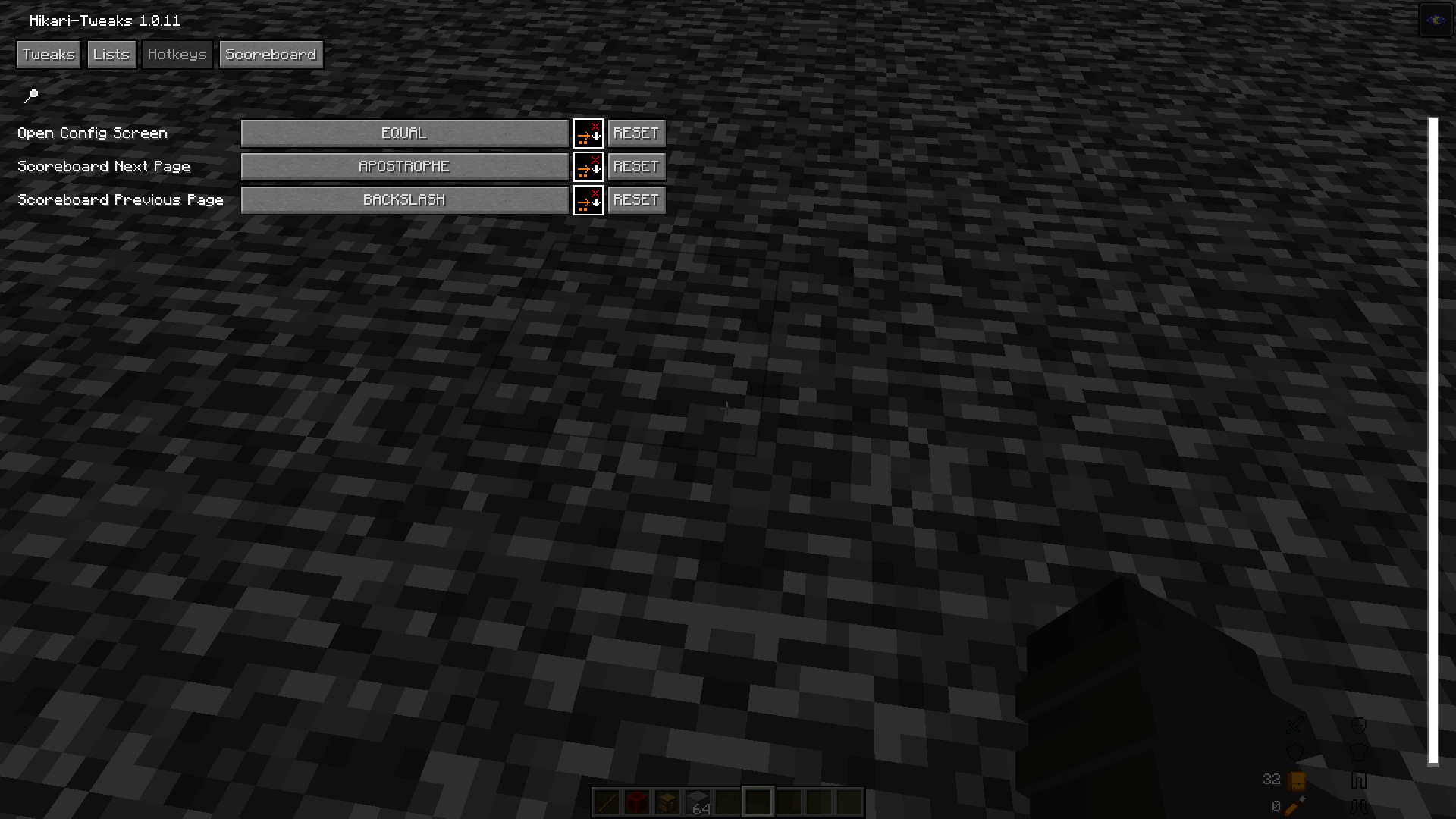 Config Menu Config Menu(Hotkeys)
 -
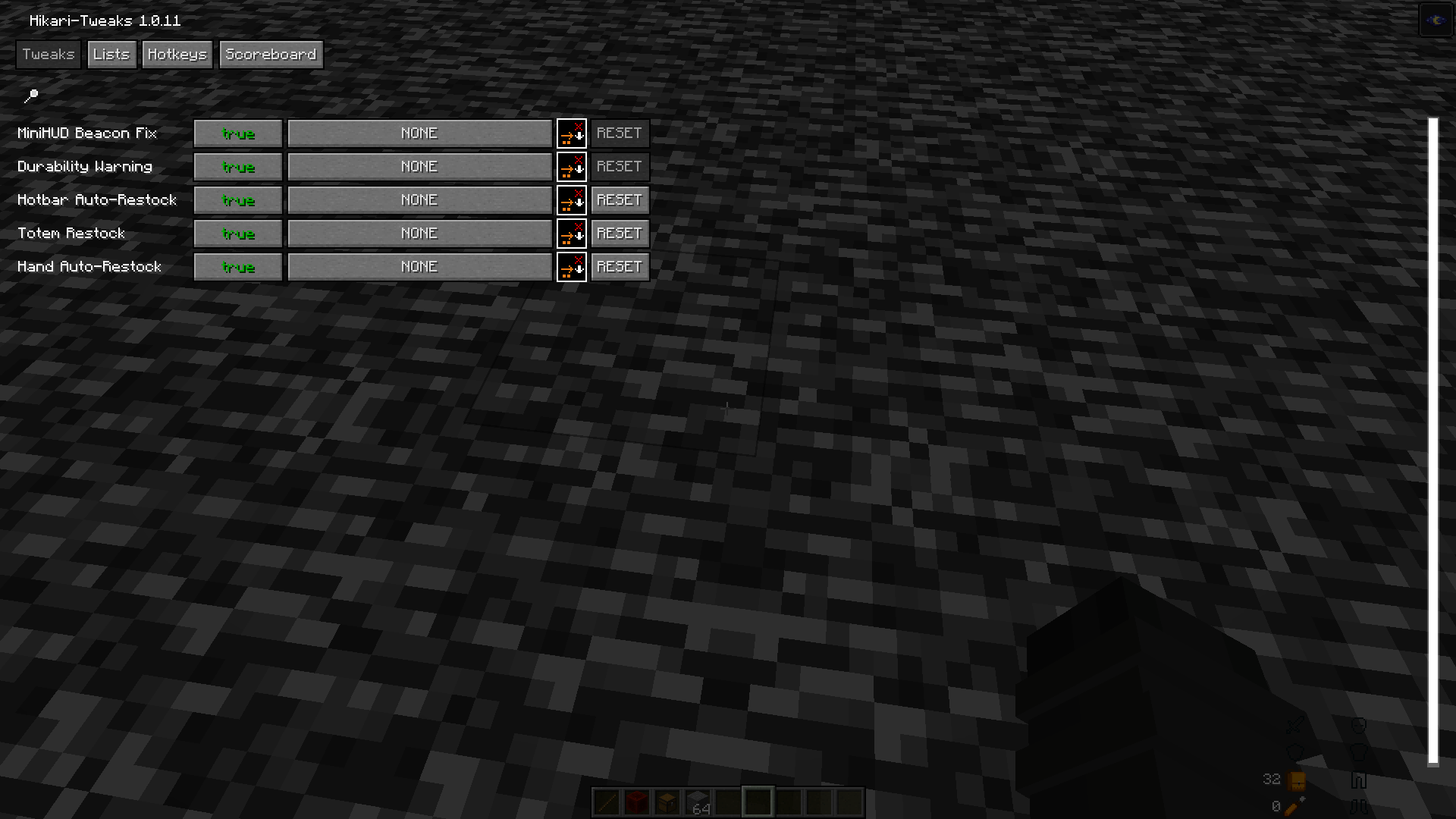 Config Menu Config Menu(Tweaks)
 -
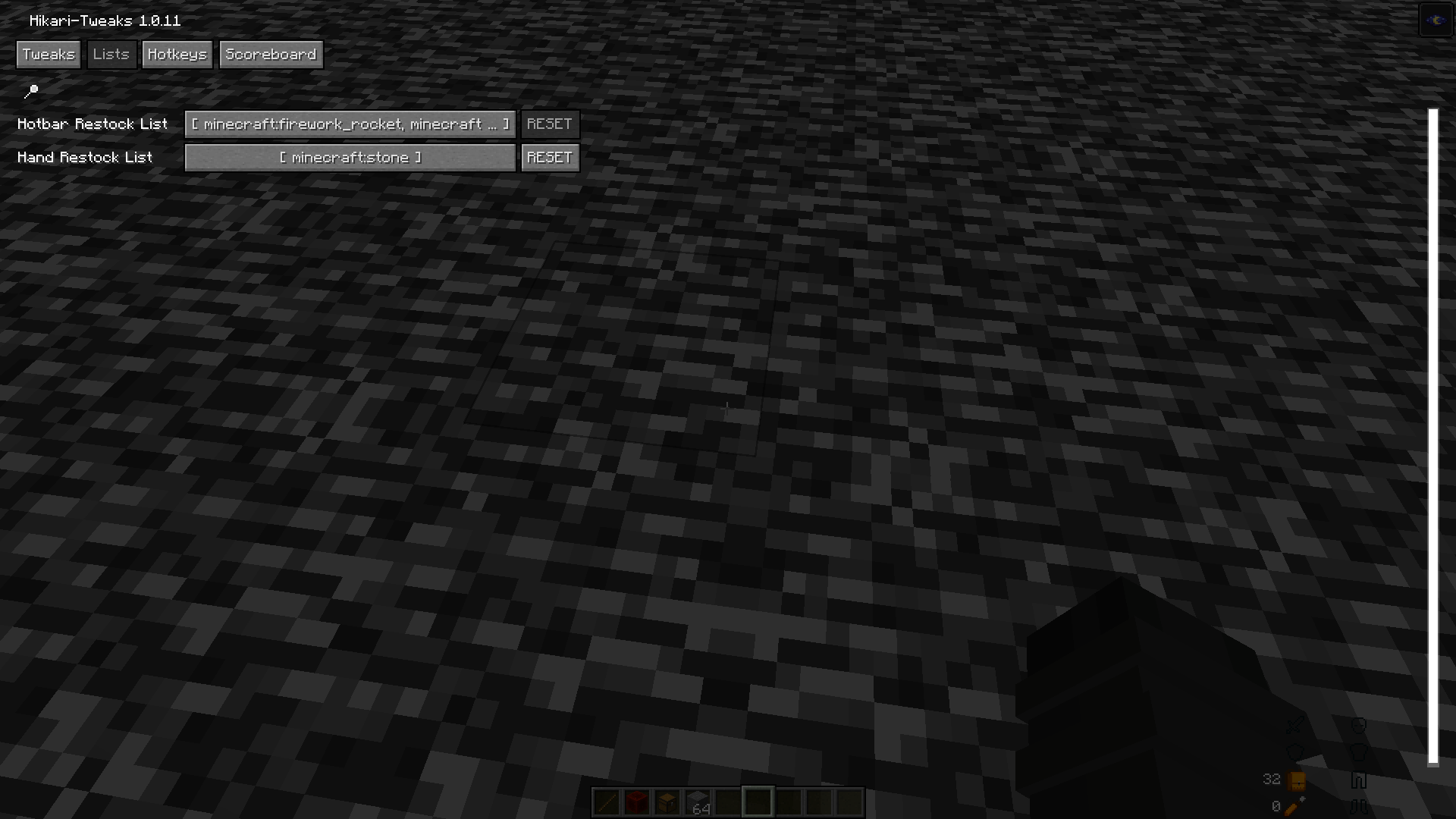 Config Menu Config Menu(Lists)
 -
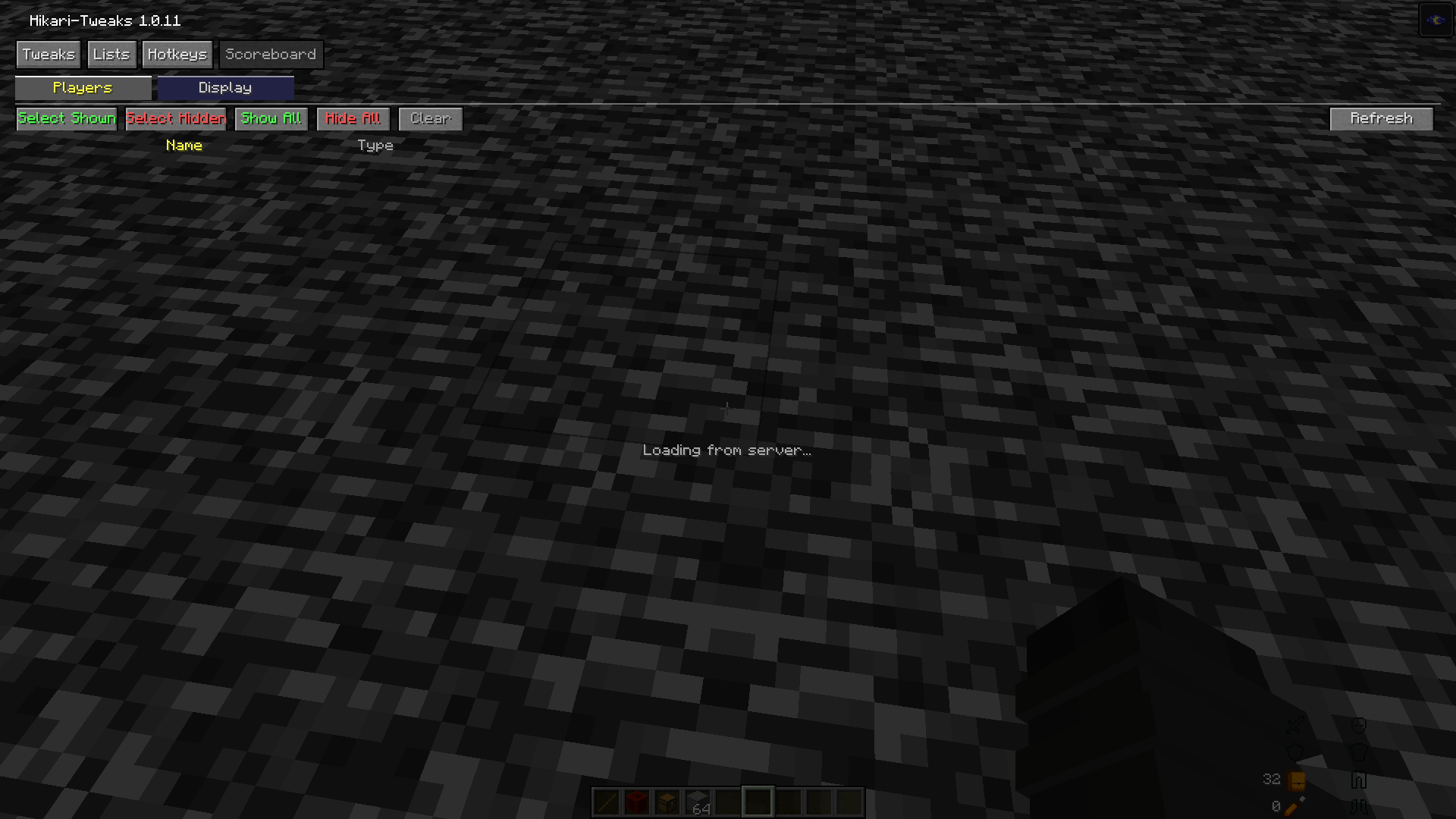 Config Menu Config Menu(ScoreBoard)
Versions
Files
Relations
Project Relations
More like this
Similar Mods
Suggestions use data such as tags, dependencies, dependents, descriptions, titles, and more to rank how much they overlap with this mod.
On ModDex
Community snapshot
By the numbers
Statistics

Want to reach Minecraft players?
We're looking for a server hosting partner to feature here and other parts of the site. Interested? Send us a message!
Get in touchGet it on
Available Platforms
On ModDex
Community snapshot
By the numbers