Mod

Model Gap Fix
Rank 214
Rank 127 among mods

Quick rating

Model Gap Fix

Overall rating distribution
0.5★ (no ratings)
1.0★ (no ratings)
1.5★ (no ratings)
2.0★ (no ratings)
2.5★ (no ratings)
3.0★ (no ratings)
3.5★ (no ratings)
1 rating (33%) · 4.0★
1 rating (33%) · 4.5★
1 rating (33%) · 5.0★
0.5★ 5★
Gameplay
0.0
Aesthetics rating distribution
0.5★ (no reviews)
1.0★ (no reviews)
1.5★ (no reviews)
2.0★ (no reviews)
2.5★ (no reviews)
3.0★ (no reviews)
3.5★ (no reviews)
4.0★ (no reviews)
4.5★ (no reviews)
1 review (100%) · 5.0★
0.5★ 5★
Performance rating distribution
0.5★ (no reviews)
1.0★ (no reviews)
1.5★ (no reviews)
2.0★ (no reviews)
2.5★ (no reviews)
3.0★ (no reviews)
3.5★ (no reviews)
4.0★ (no reviews)
4.5★ (no reviews)
1 review (100%) · 5.0★
0.5★ 5★

Fixes small gaps in item and block models

No Theme
No Genre
Aesthetic Improvements
QoL & Tweaks
Performance & Optimization
Client Utility
Mod Loaders
Forge
NeoForge
Fabric
Quilt
Minecraft

Community voices

Reviews

Versions
Loading versions…
Match includes

Click once to include, again to exclude, again to clear

Rating Any
Any 0.5 1.0 1.5 2.0 2.5 3.0 3.5 4.0 4.5 5.0
Min
Max
Play Status
Reviews
Time Played
hrs+
Verified developers only
Has developer response
List view
Grid view
Compact view
Sort by
Date
Rating
Helpful
Unhelpful
Edited
Sort ascending
Delete this review?

This removes your review from the project. You can write a new review after.

Review submitted for moderation

Your review has been sent to moderators, who will check that it meets our guidelines before it appears publicly.

5.0
Auseawesome

Reputation ranks

Explorer 0 pts
Contributor 100 pts
Guide 500 pts
Veteran 1,500 pts
Luminary 4,000 pts

Ranks only ever go up; points can drop but your rank stays.

About reputation ranks
Posted: July 12, 2026 at 9:37:58 AM UTC
500 hrs
Total hours played at time of review
MC 1.21, 1.2… MC 1.21, 1.20, 1.19, 1.18
The version(s) the reviewer played
Aesthetics
5.0
Performance
5.0

This mod seems like a small change but because you always see the item you're holding throughout basically the entire game, this mod makes quite a large difference.

Patching the small holes in model seams for items is definitely noticeable more on certain items than others, but it is an improvement to almost every item making this incredibly worthwhile to add to a pack.

There's no reason not to use this, its been included into vanilla now anyway, use this mod!

0
0
5.0
Auseawesome

Reputation ranks

Explorer 0 pts
Contributor 100 pts
Guide 500 pts
Veteran 1,500 pts
Luminary 4,000 pts

Ranks only ever go up; points can drop but your rank stays.

About reputation ranks
Posted: July 12, 2026 at 9:37:58 AM UTC
500 hrs
Total hours played at time of review
MC 1.21, 1.2… MC 1.21, 1.20, 1.19, 1.18
The version(s) the reviewer played
Aesthetics
5.0
Performance
5.0

This mod seems like a small change but because you always see the item you're holding throughout basically the entire game, this mod makes quite a large difference.

Patching the small holes in model seams for items is definitely noticeable more on certain items than others, but it is an improvement to almost every item making this incredibly worthwhile to add to a pack.

There's no reason not to use this, its been included into vanilla now anyway, use this mod!

0
0
5.0
Auseawesome

Reputation ranks

Explorer 0 pts
Contributor 100 pts
Guide 500 pts
Veteran 1,500 pts
Luminary 4,000 pts

Ranks only ever go up; points can drop but your rank stays.

About reputation ranks
Posted: July 12, 2026 at 9:37:58 AM UTC
500 hrs
Total hours played at time of review
MC 1.21, 1.2… MC 1.21, 1.20, 1.19, 1.18
The version(s) the reviewer played
0
0

Get it on

Available Platforms

Compatibility

Supported Environments

Dev Environment
Client Required
Server Unsupported

About

Project Details

Type
Mod
License
GNU General Public License v3.0 only
Latest Version
modelfix-1.21.10-1.12-fabric.jar
Authors
CurseForge
Modrinth

For authors

Embed Badge

If you're the author of this project, you can embed a live badge anywhere that supports HTML or Markdown. It updates automatically whenever ratings change.

Custom banner text
ModDex rating badge preview

Use HTML for any page that supports it, or Markdown for README files and Markdown-based descriptions.

Identifiers

Platform IDs

CurseForge ID
Modrinth ID

Resources

External Links

Source Issues Wiki Discord

About

Description

Model Gap FIX

This is a simple client mod that (attempts) fixes https://bugs.mojang.com/browse/MC-73186

which affects both Block Models and Item Models and possibly other models too

The mod works by removing "texture zooming", a feature of the game added to mitigate another issue, atlas bleeding.

With it on the game will stretch each texture a bit, making every model face not use its entirety to prevent neighboring textures to "bleed" into itself.

When the mod is on each quad texture will take up exactly 100% of its own texture area. 

This not only fixes this bugs on items (where it's most noticeable) but with block models too and everything else that might use those functions.

NOTE:

This "fix" seems to work on many systems and setups that are not effected by atlas bleeding. Unfortunately its not all so if you see textures bleeding onto neighboring blocks this mod is not for you.

This issue was especially noticeable with custom block models or some 2d items.

Q&A:

- Will this slow down my game? 

Not at all! Removing "texture zooming" just removes some code and has no impact. If you however want to be nit picky the mod also slightly tweaks item models in a way that could add a ouple more quads for concave item textures compared to vanilla so in that case it could very slightly worse that vanilla. This is however negligible and could only be an issue when trying to run high resolution packs

- How does this work?

The base fix is simply removing texture zooming. This is extremly simple to do and immediately "fixes up" all those problematic gaps on models.

Such a feature was in the game to prevent an artifact called "atlas bleeding" which makes the edges of a texture bleed into the one next to it on the texture atlas. From my testing however this issue isnt present for most hardwares so the mod just gets rid of it. If you experience such an issue just uninstall the mod. Note that it has been reported that on many mac os such an issue is present so the mod "takes care" of that by simply disabling its main fix only keeping the slight item model adjustment. This isnt ideal but can somewhat reduce the gaps altho just in item models
For 2d item models something else is needed as this alone creates another kind of tiny gaps in them due to the way they are generated, quad by quad. These are very tiny and they flicker so I had to fix those too. To do so I've changed the item model generator to never create a quad that encompasses a transparent pixel and instead create multiple quads for each row of solid pixel in the same direction. This allows me to slightly increase the size of all these side quads without creating new gaps in the process, thus covering all gaps seamlessly. Note that this last part only applies to forge as fabric does not seem to have such tiny lines and the models work right away with no extra quad

- I still see some lines

If you do these are different from the ones that you would normally see and usually are extremely tiny in the range of single pixels. From my understanding these appear due to some rounding errors and vary on the system you are in. To get rid of them you can access the mod configs and slightly tweak the 2 values until they disappear
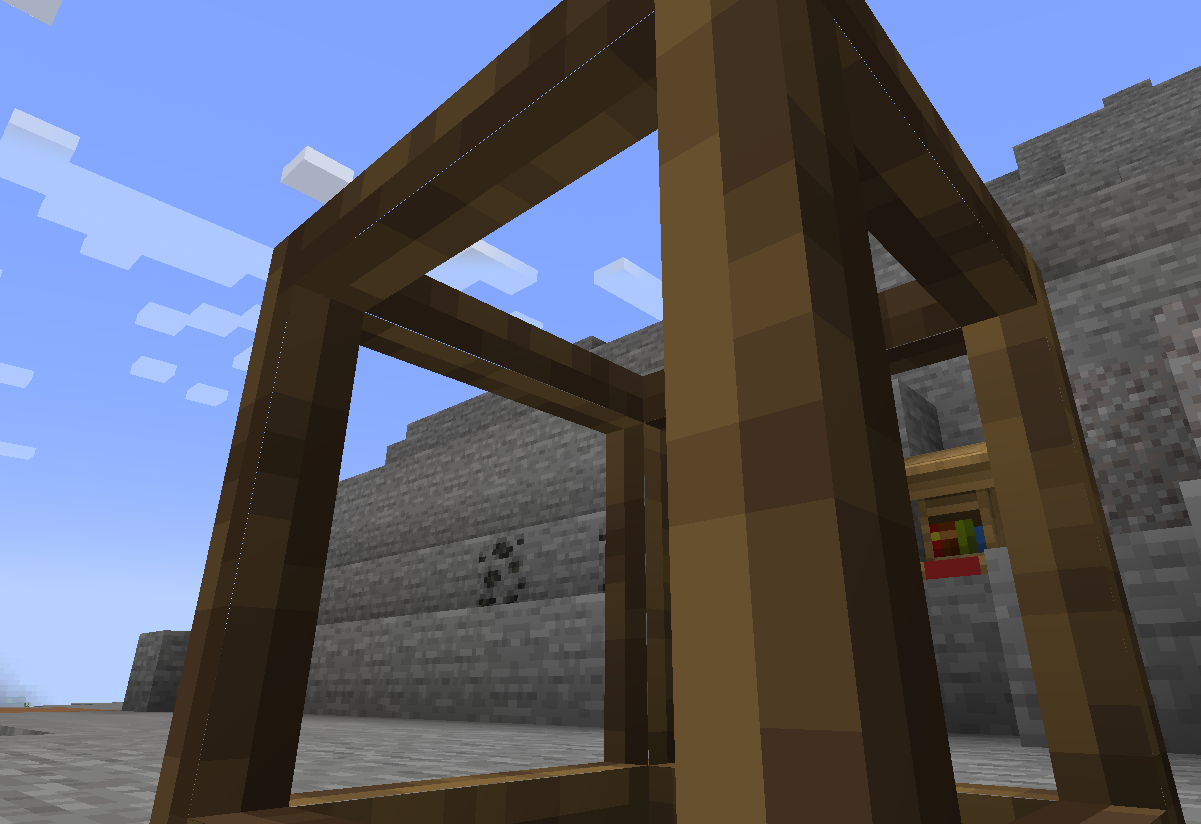



Model Gap FIX


This is a simple client mod that fixes https://bugs.mojang.com/browse/MC-73186

which affects both Block Models and Item Models and possibly other models too


The mod works by removing texture zooming, making every model face use 100% of its texture, unlike of what it did previoulsly.

Thisnot only fixes this bugs on items (where it's most noticeable) but with block models too and everything else that might use those functions.


This issue was especially noticeable with custom block models or some 2d items.


Q&A:

  • Will this slow down my game? 

Not at all! Removing texture zooming just removes some code and has no impact. If you however want to be nit picky the mod also slightly tweaks item models in a way that could add a ouple more quads for concave item textures compared to vanilla so in that case it could very slightly worse that vanilla. This is however negligible and could only be an issue when trying to run high resolution packs

  • How does this work?

The base fix is simply removing texture zooming. This is extremly simple to do and immediately "fixes up" all those problematic gaps on models. For 2d item models something else is needed as this alone creates another kind of tiny gaps in them due to the way they are generated, quad by quad. These are very tiny and they flicker so I had to fix those too. To do so I've changed the item model generator to never create a quad that encompasses a transparent pixel and instead create multiple quads for each row of solid pixel in the same direction. This allows me to slightly increase the size of all these side quads without creating new gaps in the process, thus covering all gaps seamlessly. Note that this last part only applies to forge as fabric does not seem to have such tiny lines and the models work right away with no extra quad


Screenshots

Gallery

  • model fix
    model fix

Versions

Files

Relations

Project Relations

More like this

Similar Mods

Suggestions use data such as tags, dependencies, dependents, descriptions, titles, and more to rank how much they overlap with this mod.

On ModDex

Community snapshot

3
Ratings
0
Followers
2
In stacks

By the numbers

Statistics

79m
Total Downloads
CurseForge
49.4m
Modrinth
29.6m
Last Updated
CurseForge
Created
CurseForge
Modrinth
Last synced
When ModDex last fetched and imported data for this project from CurseForge or Modrinth. High-traffic and active projects are checked more often.
Next pipeline sync