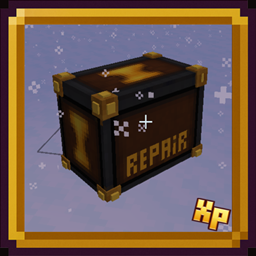
Community listing page, reviews here may not be monitored by the author.
Epic RPG: Repair Box


No reviews yet
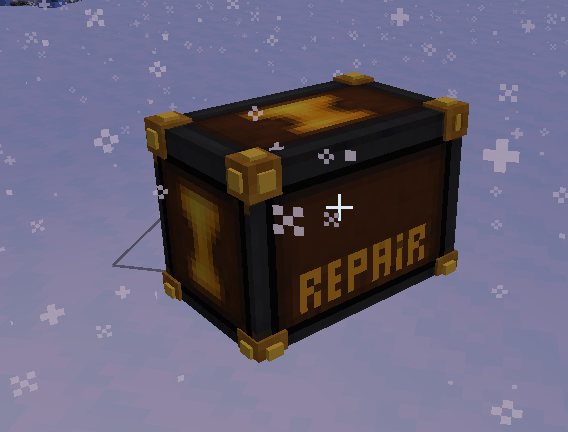
Portable box where you can store "repair points" using minerals and then spend them to fix your items.
Community voices
Reviews
No reviews yet. Be the first to review this project!
Get it on
Available Platforms
Compatibility
Supported Environments
Must be installed on both the client and the server.
About
Project Details
For authors
Embed Badge
If you're the author of this project, you can embed a live badge anywhere that supports HTML or Markdown. It updates automatically whenever ratings change.
Use HTML for any page that supports it, or Markdown for README files and Markdown-based descriptions.
Identifiers
Platform IDs
Resources
External Links
About
Description
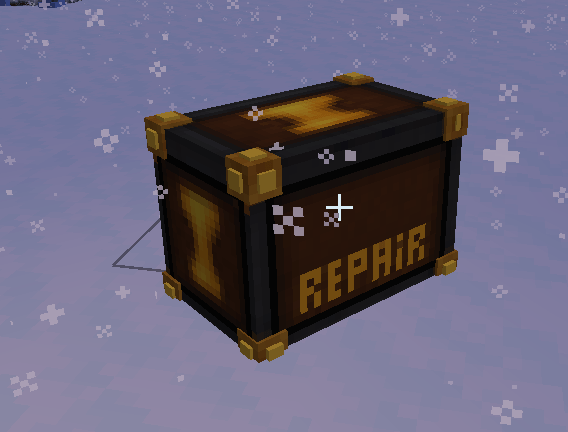
Repair Box is a mod that adds a portable repair chest where you can store “repair points” using minerals, then spend them to fix your tools and weapons without consuming experience.
Main Idea
Load the box with materials (defined via config) that are consumed to create an internal repair pool.
Each point in the pool restores 1 point of durability for any damageable item placed inside.
Interface & Usage
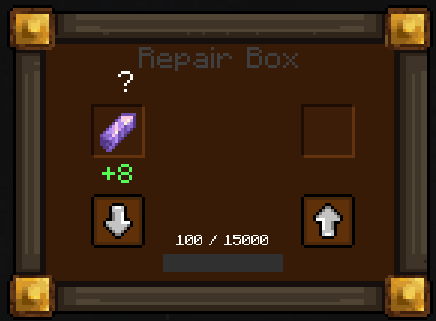
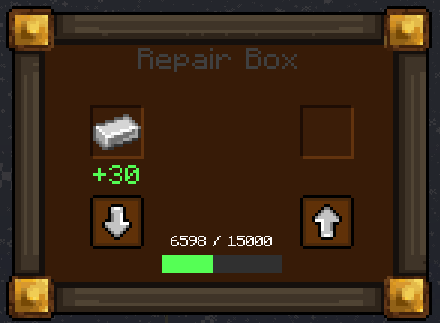
The box opens with its own GUI featuring dedicated slots: one for minerals and one for the item to repair.
It displays the current/max stored value and uses buttons to “charge” minerals into the pool or repair the selected item—no anvil or XP required.
Progression & Configuration
Includes a maximum repair storage limit to keep balance.
The repair point values of each mineral are fully configurable via a file, allowing adaptation to different modpacks or difficulty levels.
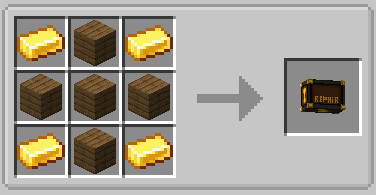
In-Game Configuration
The mod can be configured directly from within the game. A special button becomes visible only when the player is in Creative Mode. Clicking this button opens the configuration window, allowing easy editing without leaving the game.
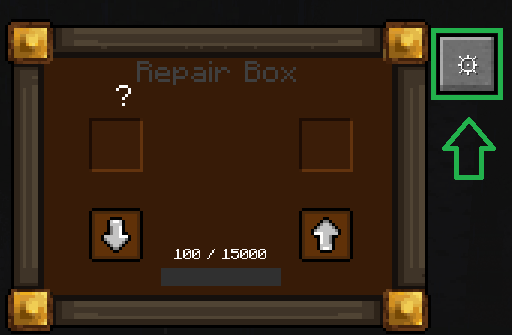
Repair Box Interface
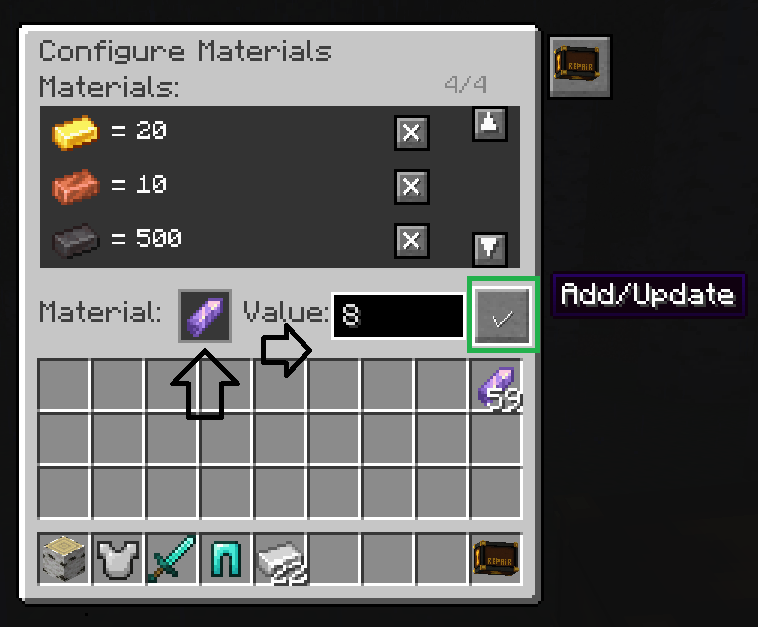
This window is highly intuitive. The player can view the listed materials along with their repair values, and also has a button to remove materials.
Below the materials panel, there is a slot to add any item that can be used in the Repair Box to repair equipment. Next to the item slot, a field allows you to set the repair amount, and beside it a button confirms the action.
Final Result View
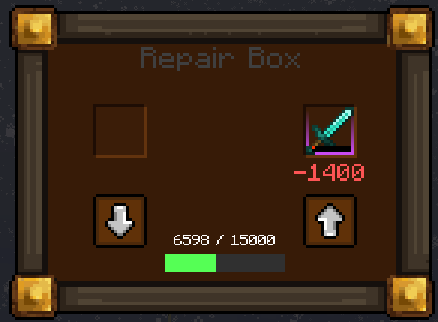
After returning to the main item window, the player can clearly visualize the final result of the repair process. This provides immediate feedback on the applied materials and chosen repair values.
🌐 Join Our Discord Community
Do you have new ideas, improvements for my mods, or have you found a bug? This is the perfect place to share them!
In our Discord community you can:
💡 Submit proposals and suggestions for improving the mods.
🛠️ Report problems and bugs so we can fix them together.
🎮 Show your creativity: you're free to use my mods in your own modpacks.
📢 Share your modpack on the server and show the community your unique style.
This space is designed for us to grow together, with respect and enthusiasm for creating mods and modpacks. Your contribution is always welcome!

Repair Box is a mod that adds a portable repair chest where you can store “repair points” using minerals, then spend them to fix your tools and weapons without consuming experience.
Main Idea
Load the box with materials (defined via config) that are consumed to create an internal repair pool.
Each point in the pool restores 1 point of durability for any damageable item placed inside.
Interface & Usage
The box opens with its own GUI featuring dedicated slots: one for minerals and one for the item to repair.
It displays the current/max stored value and uses buttons to “charge” minerals into the pool or repair the selected item—no anvil or XP required.
Progression & Configuration
Includes a maximum repair storage limit to keep balance.
The repair point values of each mineral are fully configurable via a file, allowing adaptation to different modpacks or difficulty levels.
In-Game Configuration
The mod can be configured directly from within the game. A special button becomes visible only when the player is in Creative Mode. Clicking this button opens the configuration window, allowing easy editing without leaving the game.
Repair Box Interface
This window is highly intuitive. The player can view the listed materials along with their repair values, and also has a button to remove materials.
Below the materials panel, there is a slot to add any item that can be used in the Repair Box to repair equipment. Next to the item slot, a field allows you to set the repair amount, and beside it a button confirms the action.
Final Result View
After returning to the main item window, the player can clearly visualize the final result of the repair process. This provides immediate feedback on the applied materials and chosen repair values.
🌐 Join Our Discord Community
Do you have new ideas, improvements for my mods, or have you found a bug? This is the perfect place to share them!
In our Discord community you can:
💡 Submit proposals and suggestions for improving the mods.
🛠️ Report problems and bugs so we can fix them together.
🎮 Show your creativity: you're free to use my mods in your own modpacks.
📢 Share your modpack on the server and show the community your unique style.
This space is designed for us to grow together, with respect and enthusiasm for creating mods and modpacks. Your contribution is always welcome!

Screenshots
Gallery
-
 Captura de pantalla 2026-01-09 104830.png Captura de pantalla 2026-01-09 104830.png
 -
 Captura de pantalla 2026-01-09 104820.png Captura de pantalla 2026-01-09 104820.png
 -
 Captura de pantalla 2026-01-09 111756.png Captura de pantalla 2026-01-09 111756.png
 -
Captura de pantalla 2026-04-03 165442.png Captura de pantalla 2026-04-03 165442.png
-
Captura de pantalla 2026-04-03 165435.png Captura de pantalla 2026-04-03 165435.png
-
Captura de pantalla 2026-04-03 165421.png Captura de pantalla 2026-04-03 165421.png


Versions
Files
Relations
Project Relations
More like this
Similar Mods
Suggestions use data such as tags, dependencies, dependents, descriptions, titles, and more to rank how much they overlap with this mod.
On ModDex
Community snapshot
By the numbers
Statistics
Want to reach Minecraft players?
We're looking for a server hosting partner to feature here and other parts of the site. Interested? Send us a message!
Get in touchGet it on
Available Platforms
On ModDex
Community snapshot
By the numbers
Statistics
Resources