Community listing page, reviews here may not be monitored by the author.
DragonMine Z: Layers+


No reviews yet
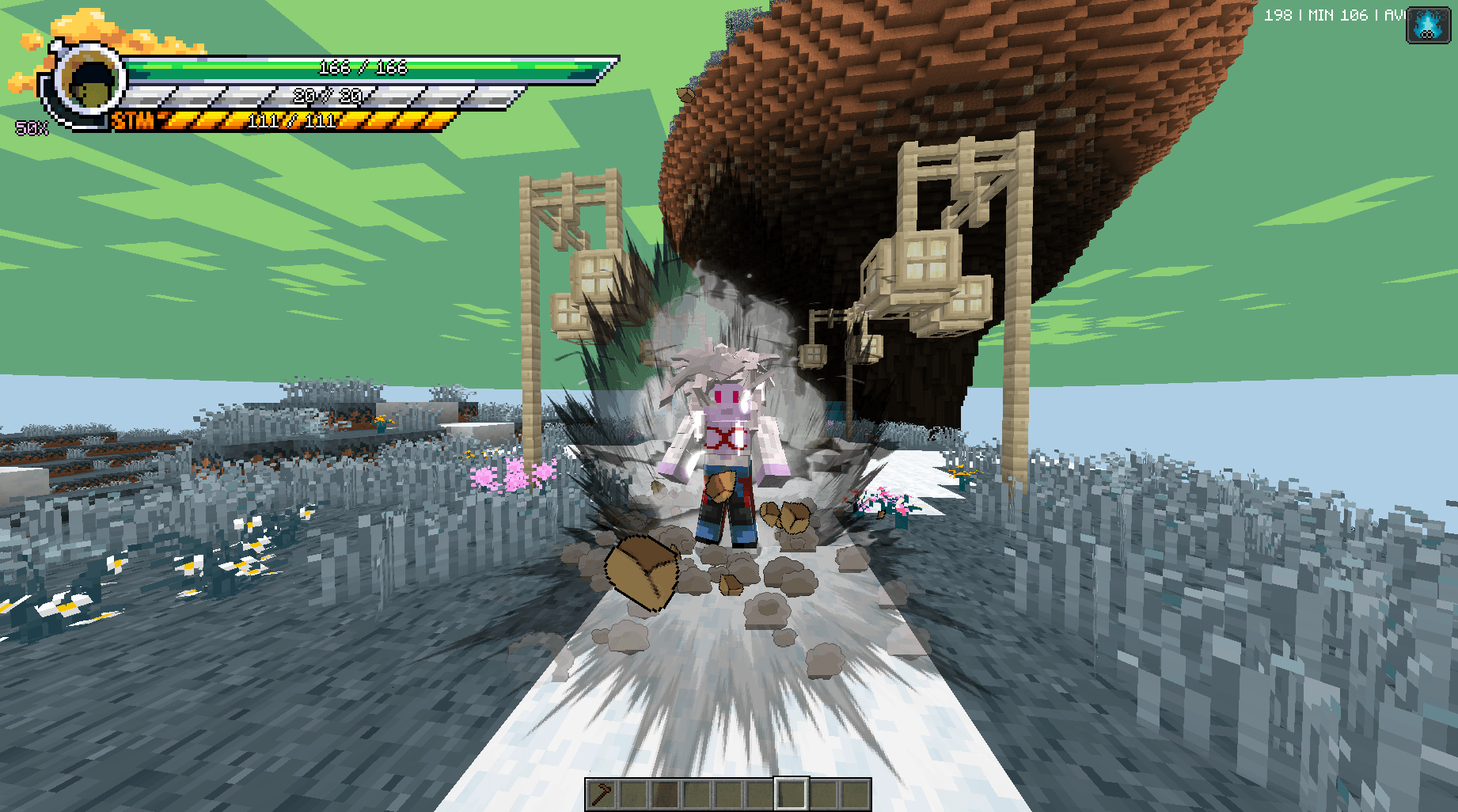
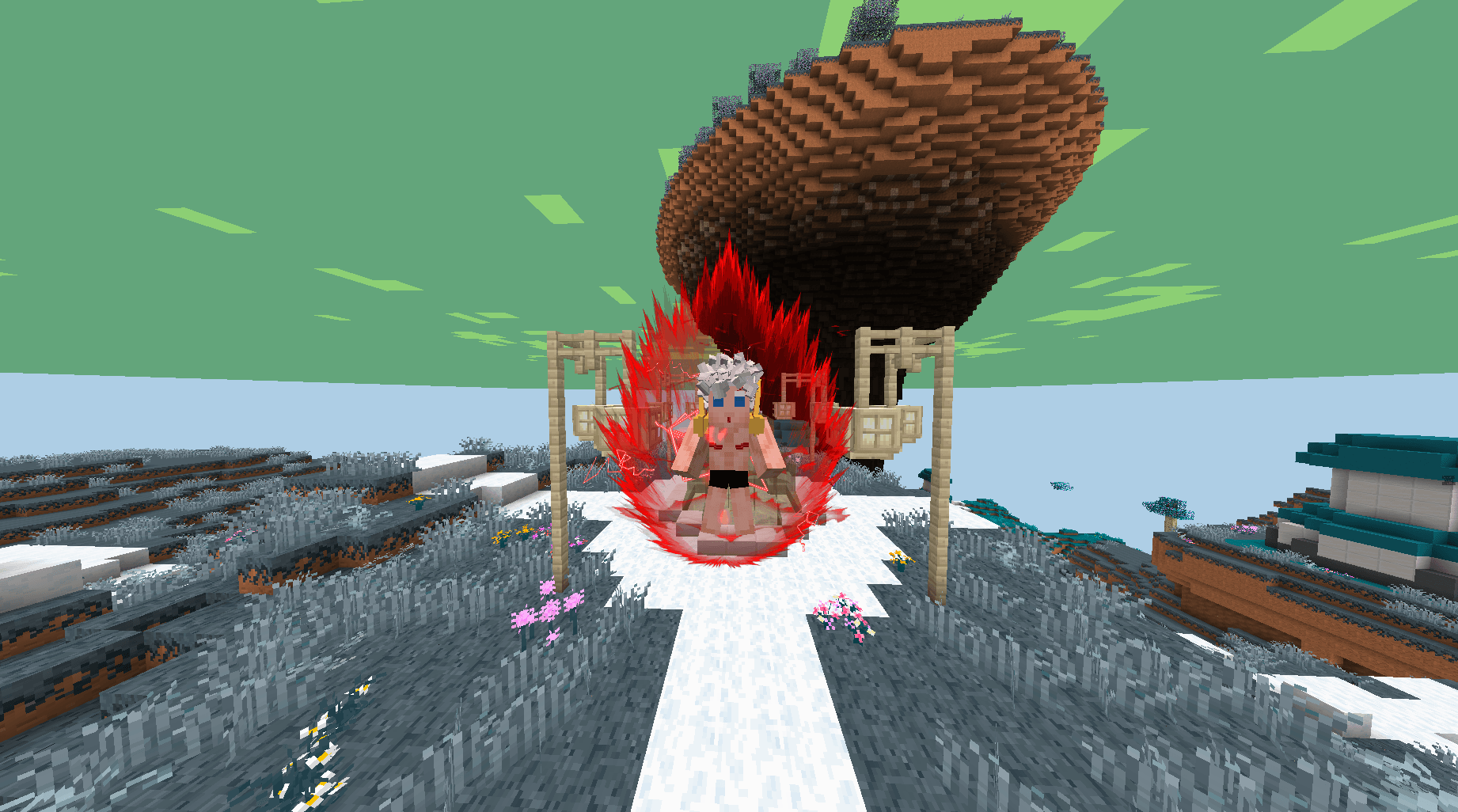
DMZLayers+ expands DragonMine Z race customization by allowing up to 12 skin layers, including the default DMZ layers and 6 additional custom colors.
Community voices
Reviews
No reviews yet. Be the first to review this project!
Get it on
Available Platforms
Compatibility
Supported Environments
Must be installed on both the client and the server.
About
Project Details
For authors
Embed Badge
If you're the author of this project, you can embed a live badge anywhere that supports HTML or Markdown. It updates automatically whenever ratings change.
Use HTML for any page that supports it, or Markdown for README files and Markdown-based descriptions.
Identifiers
Platform IDs
About
Description
DMZLayers+ is an addon for DragonMine Z that expands the race customization system, adding extra skin layers, custom color slots, and dynamic transformation effects on top of DragonMineZ's native rendering.
This addon is designed for modpack creators, addon developers, and server owners who want more flexibility when creating custom races, custom transformations, and custom stackforms.
✨ Features
- Supports up to 12 skin layers per race or form
- Fully compatible with DragonMineZ's native 3-layer system (
isLayeredraces) your layers stack on top automatically without conflicts - Adds 6 additional custom color slots
- Stackform layers stack additively on top of your normal form/race layers Kaioken, Ultra Instinct, Ultra Ego, Ultimate, or any custom stackform
- Dynamic color transitions while charging a transformation, matching DragonMineZ's native blend (e.g. watching colors shift in real time as you go from SSJ3 into SSJ4)
- Smooth fade-in / fade-out for layers when a form or stackform activates or ends, instead of an instant pop-in
- Works identically for vanilla and fully custom races, forms, and stackforms no special-casing needed for community-made content
- Designed to integrate naturally with DragonMineZ, without overriding its systems
🧩 DragonMineZ Color Sources
DMZLayers+ lets your layers pull directly from the character's existing DragonMineZ colors:
- BodyColor
- BodyColor2
- BodyColor3
- HairColor
- Eye1Color
- Eye2Color
These automatically respect whatever the active form or stackform overrides including the live color blend while a transformation is charging.
🎨 Additional Custom Colors
This addon introduces six extra fixed color slots for designs that go beyond what DragonMineZ's base palette covers:
- CustomColor1
- CustomColor2
- CustomColor3
- CustomColor4
- CustomColor5
- CustomColor6
Use them for:
- unique skin patterns
- race markings
- armor-like body parts
- extra shading
- special visual traits
🔁 Dynamic Transformations
Layers configured through DMZLayers+ aren't static they react to what the character is doing:
- Color blending: while a form is charging, your layer's color smoothly transitions toward the target form's color, exactly like DragonMineZ's own body layers do.
- Fade animations: layers appear and disappear gradually when a form or stackform turns on or off, instead of snapping in or out.
This means custom races and custom transformations can feel just as polished as DragonMineZ's built-in ones.
🧬 Stackform Support
Stackforms (Kaioken, Ultra Instinct, Ultra Ego, Ultimate or your own custom ones) are handled as a separate, additive layer pass:
- If a stackform has its own configured layers, they render on top of whatever the race/form already resolved — they don't replace it.
- Use the optional
formGroupfield to target a specific stackform group when form names repeat across groups (for example, both Ultra Instinct and Ultra Ego use the names"sign"and"mastered").
💡 Why DMZLayers+
DragonMineZ already supports race customization, but the number of native layers can limit more ambitious designs — and transformations only blend colors for DragonMineZ's own systems.
DMZLayers+ extends both: more layers, more color slots, and the same dynamic transformation behavior, all available to custom races, custom forms, and custom stackforms without touching or replacing DragonMineZ's original mechanics.
⚙️ Use Cases
Perfect for:
- custom race addons
- Dragon Ball inspired races and transformations
- custom stackforms with their own visual identity
- modpack race systems
- server-exclusive races
📦 Requirements
- DragonMineZ 2.1+
- Minecraft 1.20.1
🔧 Compatibility
DMZLayers+ does not replace DragonMineZ's systems. It simply extends the existing layer and transformation system, giving addon developers and modpack creators more room to design without fighting the base mod.
DMZLayers+ is an addon for DragonMineZ that expands the race customization system, adding extra skin layers, custom color slots, and dynamic transformation effects on top of DragonMineZ's native rendering.
This addon is designed for modpack creators, addon developers, and server owners who want more flexibility when creating custom races, custom transformations, and custom stackforms.
✨ Features
- Supports up to 12 skin layers per race or form
- Fully compatible with DragonMineZ's native 3-layer system (
isLayeredraces) your layers stack on top automatically without conflicts - Adds 6 additional custom color slots
- Stackform layers stack additively on top of your normal form/race layers Kaioken, Ultra Instinct, Ultra Ego, Ultimate, or any custom stackform
- Dynamic color transitions while charging a transformation, matching DragonMineZ's native blend (e.g. watching colors shift in real time as you go from SSJ3 into SSJ4)
- Smooth fade-in / fade-out for layers when a form or stackform activates or ends, instead of an instant pop-in
- Works identically for vanilla and fully custom races, forms, and stackforms no special-casing needed for community-made content
- Designed to integrate naturally with DragonMineZ, without overriding its systems
🧩 DragonMineZ Color Sources
DMZLayers+ lets your layers pull directly from the character's existing DragonMineZ colors:
- BodyColor
- BodyColor2
- BodyColor3
- HairColor
- Eye1Color
- Eye2Color
These automatically respect whatever the active form or stackform overrides including the live color blend while a transformation is charging.
🎨 Additional Custom Colors
This addon introduces six extra fixed color slots for designs that go beyond what DragonMineZ's base palette covers:
- CustomColor1
- CustomColor2
- CustomColor3
- CustomColor4
- CustomColor5
- CustomColor6
Use them for:
- unique skin patterns
- race markings
- armor-like body parts
- extra shading
- special visual traits
🔁 Dynamic Transformations
Layers configured through DMZLayers+ aren't static they react to what the character is doing:
- Color blending: while a form is charging, your layer's color smoothly transitions toward the target form's color, exactly like DragonMineZ's own body layers do.
- Fade animations: layers appear and disappear gradually when a form or stackform turns on or off, instead of snapping in or out.
This means custom races and custom transformations can feel just as polished as DragonMineZ's built-in ones.
🧬 Stackform Support
Stackforms (Kaioken, Ultra Instinct, Ultra Ego, Ultimate or your own custom ones) are handled as a separate, additive layer pass:
- If a stackform has its own configured layers, they render on top of whatever the race/form already resolved — they don't replace it.
- Use the optional
formGroupfield to target a specific stackform group when form names repeat across groups (for example, both Ultra Instinct and Ultra Ego use the names"sign"and"mastered").
💡 Why DMZLayers+
DragonMineZ already supports race customization, but the number of native layers can limit more ambitious designs — and transformations only blend colors for DragonMineZ's own systems.
DMZLayers+ extends both: more layers, more color slots, and the same dynamic transformation behavior, all available to custom races, custom forms, and custom stackforms without touching or replacing DragonMineZ's original mechanics.
⚙️ Use Cases
Perfect for:
- custom race addons
- Dragon Ball inspired races and transformations
- custom stackforms with their own visual identity
- modpack race systems
- server-exclusive races
📦 Requirements
- DragonMineZ 2.1+
- Minecraft 1.20.1
🔧 Compatibility
DMZLayers+ does not replace DragonMineZ's systems. It simply extends the existing layer and transformation system, giving addon developers and modpack creators more room to design without fighting the base mod.
Screenshots
Gallery
-
 CustomRacee.png CustomRacee.png
 -
 TsufuruCR.png TsufuruCR.png
 -
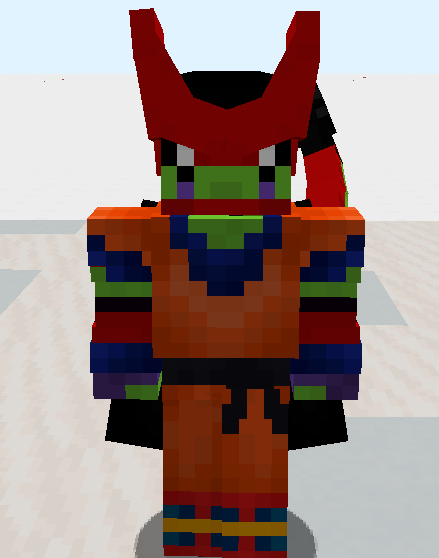 CellMax Layers+ CellMax
-
 SSJ4 Layers+
 -
 CellMax Layers+
Versions
Files
Relations
Project Relations
More like this
Similar Mods
Suggestions use data such as tags, dependencies, dependents, descriptions, titles, and more to rank how much they overlap with this mod.
On ModDex
Community snapshot
By the numbers
Statistics
Want to reach Minecraft players?
We're looking for a server hosting partner to feature here and other parts of the site. Interested? Send us a message!
Get in touchGet it on
Available Platforms
On ModDex
Community snapshot
By the numbers